Recently, we faced an interesting import failure while moving a solution containing a Custom API.
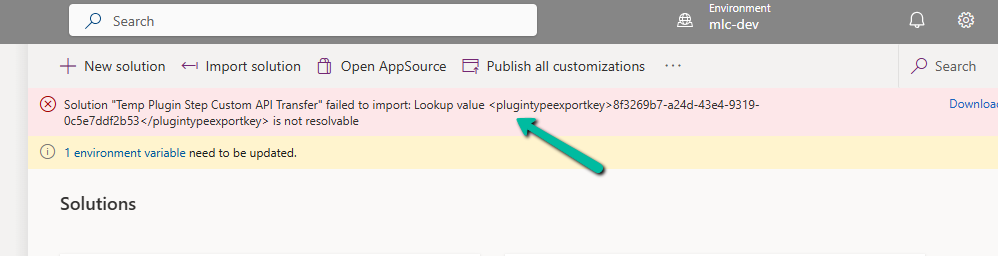
Solution “Temp Plugin Step Custom API Transfer” failed to import: Lookup value 8f3269b7-a24d-43e4-9319-0c5e7ddf2b53 is not resolvable.
This clearly pointed to a lookup resolution issue — the solution import process was trying to bind the Custom API to a Plugin Type (class), but couldn’t find the referenced plugin in the target environment.
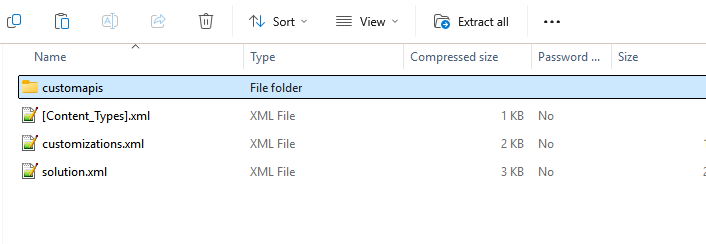
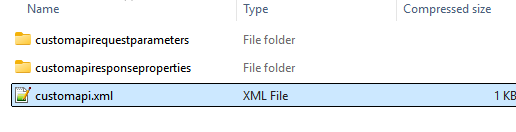
Each Custom API will have its own folder inside the Solution.
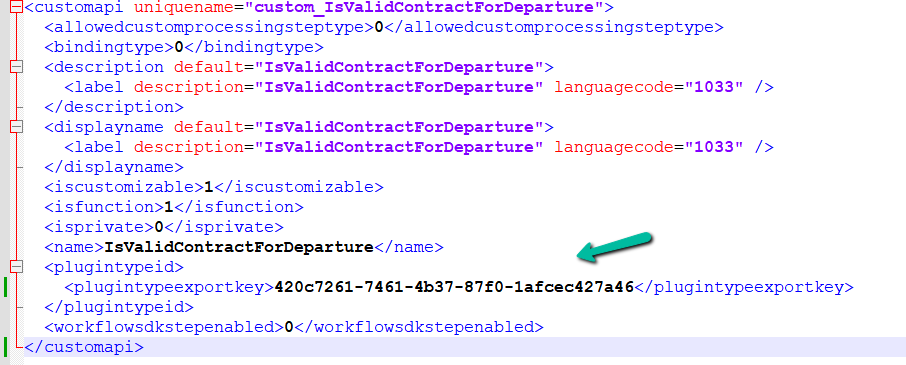
Looking into the solution files (specifically the customapi.xml) of that particular Custom API, we found this section:
Notice the <plugintypeexportkey> tag. This is where the Custom API references the Plugin Type (the actual C# class implementing the logic).
When a Plugin class is created in Dynamics 365, it gets assigned a unique Plugin Type Id (GUID).
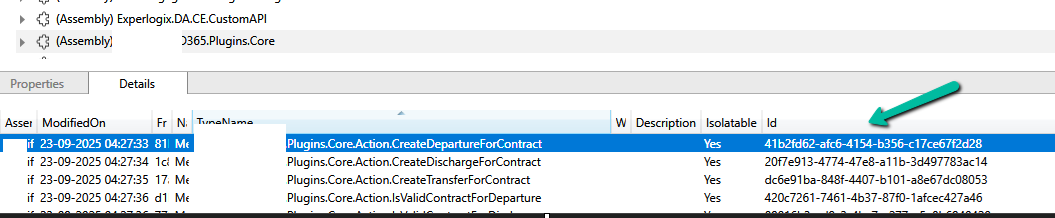
In the source environment, the Custom API was tied to a plugin with ID 420c7261-7461-4b37-87f0-1afcec427a46. However, in the destination environment, which was another development environment, a different plugin class was already created for that custom api. So during solution import, Dataverse tried to match the GUID 420c7261… but couldn’t find it in the target environment. Hence, the lookup resolution failed, and the solution import was blocked.
To resolve this, we manually updated the GUID in the customapi.xml to match the Plugin Type Id of the destination environment. Below, we are getting the ID from the Plugin Registration tool. The other option to fix would have been to remove the Plugin reference from the source, export, and then import.
After making this change, we re-imported the solution, and it worked successfully.
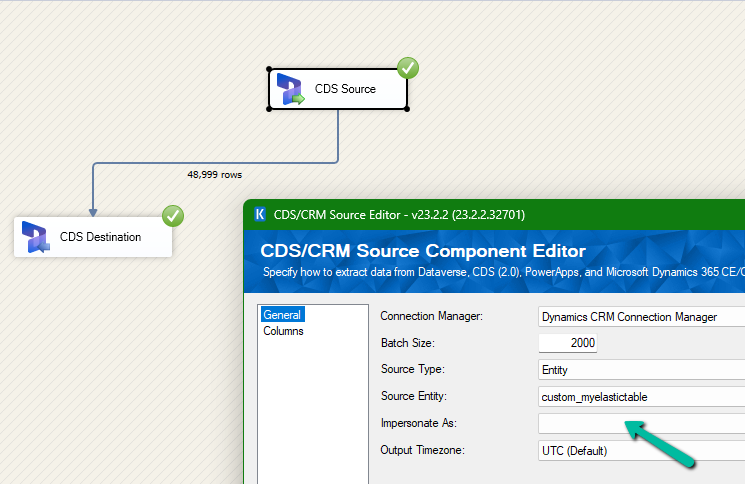
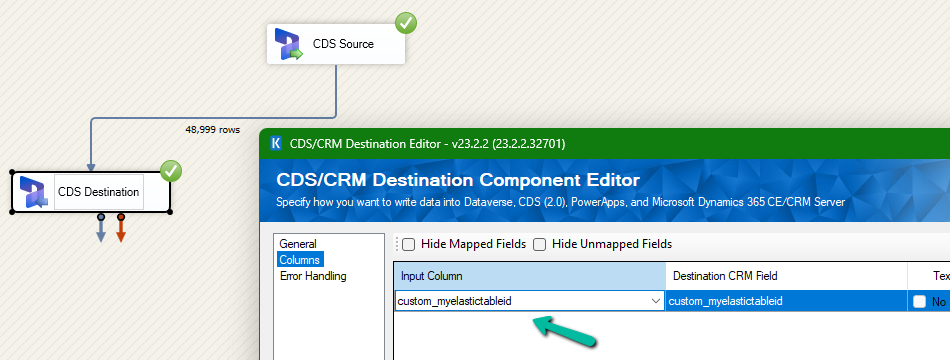
We had mapped the primary field for deletion and the package was also showing success.
However back in our CRM / Sales Hub app, we saw that none of the records were deleted (total – 48999)
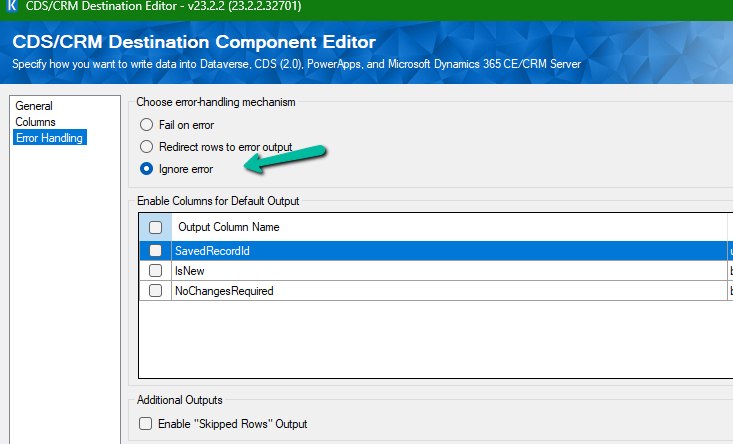
The reason it was showing success is that we had specified the Ignore Error option in our CDS Destination component.
Then we created 2 more records but didn’t specify the partition ID for them.
This time on the successful run of the package we can see those 2 new records getting deleted for which we didn’t specify any partition ID i.e. Test 1 and Test 2 records were deleted successfully.
If we check the Microsoft docs it mentions that we need to include the partition ID using the alternate key to delete those records using the DeleteMultiple request.
Could not find a way to specify an Alternate Key in the CDS Destination component for the Delete message and if we try deleting the records one by one instead of using the DeleteMultiple request we get the below error.
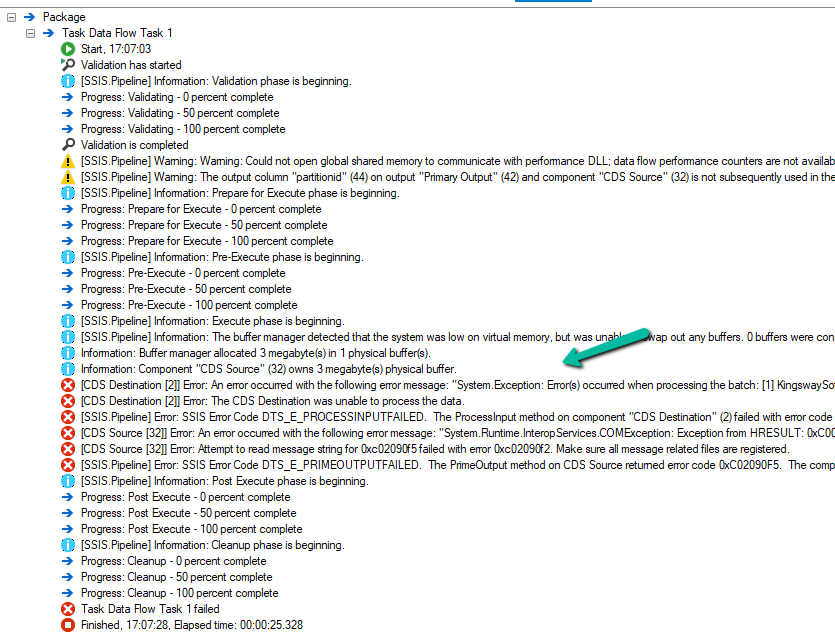
[CDS Destination [2]] Error: An error occurred with the following error message: “System.Exception: Error(s) occurred when processing the batch: [1] KingswaySoft.IntegrationToolkit.DynamicsCrm.WebAPI.WebApiServiceException: The remote server returned an error: (404) Not Found. (Error Type / Reason: NotFound, Detailed Message: {“error”:{“code”:”0x80040217″,”message”:”The HTTP status code of the response was not expected (404).\n\nStatus: 404\nResponse: \n{\”error\”:{\”message\”:\”Could not find item ‘b3a70971-9674-ef11-a671-6045bdfe58ee’.\”,\”details\”:[{\”message\”:\”\\r\\nErrors : [\\r\\n \\\”Resource Not Found. Learn more: https://aka.ms/cosmosdb-tsg-not-found\\\”\\r\\n]\\r\\n\”}]}}”}}) (SSIS Integration Toolkit for Microsoft Dynamics 365, v23.2.2.32701 – DtsDebugHost, v16.0.5270.0)System.Net.WebException
As expected, using CrmServiceClient also if we do not include partitionid we will get the below error for the records that have partition id specified.
The HTTP status code of the response was not expected (404).
Response:
{“error”:{“message”:”Could not find item ‘b3a70971-9674-ef11-a671-6045bdfe58ee’.”,”details”:[{“message”:”\r\nErrors : [\r\n \”Resource Not Found. Learn more: https://aka.ms/cosmosdb-tsg-not-found\”\r\n]\r\n”}]}}
Here we can specify the partitionId parameter to delete those records having the partitionId specified in the DeleteRequest
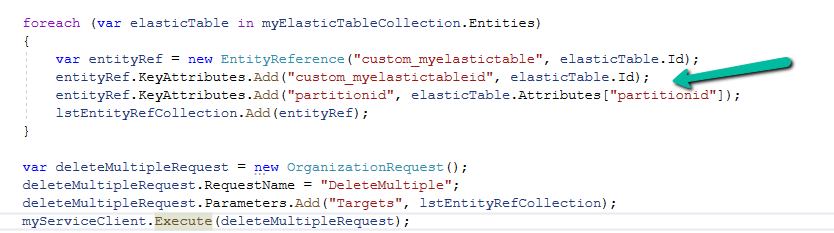
For DeleteMultiple Request we need to provide the alternate key as shown below.
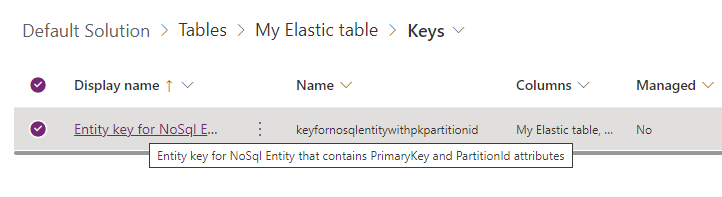
We will have the alternate key auto-created by the system when we create an elastic table.
Sample Code –
 var myServiceClient = new CrmServiceClient(connectionString);
        var query = new QueryExpression("custom_myelastictable");
        query.ColumnSet.AddColumns("custom_name", "partitionid");
        var myElasticTableCollection = myServiceClient.RetrieveMultiple(query);
        var lstEntityRefCollection = new EntityReferenceCollection();

        // Delete Request
        foreach (var elasticTable in myElasticTableCollection.Entities)
        {
            var deleteRequest = new DeleteRequest();
            deleteRequest.Target = new EntityReference("custom_myelastictable", elasticTable.Id);
            deleteRequest.Parameters["partitionId"] = elasticTable.Attributes["partitionid"];
            var response = myServiceClient.Execute(deleteRequest);
        }

        // DeleteMultiple Request

        foreach (var elasticTable in myElasticTableCollection.Entities)
        {
            var entityRef = new EntityReference("custom_myelastictable", elasticTable.Id);
            entityRef.KeyAttributes.Add("custom_myelastictableid", elasticTable.Id);
            entityRef.KeyAttributes.Add("partitionid", elasticTable.Attributes["partitionid"]);
            lstEntityRefCollection.Add(entityRef);
        }

        var deleteMultipleRequest = new OrganizationRequest();
        deleteMultipleRequest.RequestName = "DeleteMultiple";
        deleteMultipleRequest.Parameters.Add("Targets", lstEntityRefCollection);
        myServiceClient.Execute(deleteMultipleRequest);
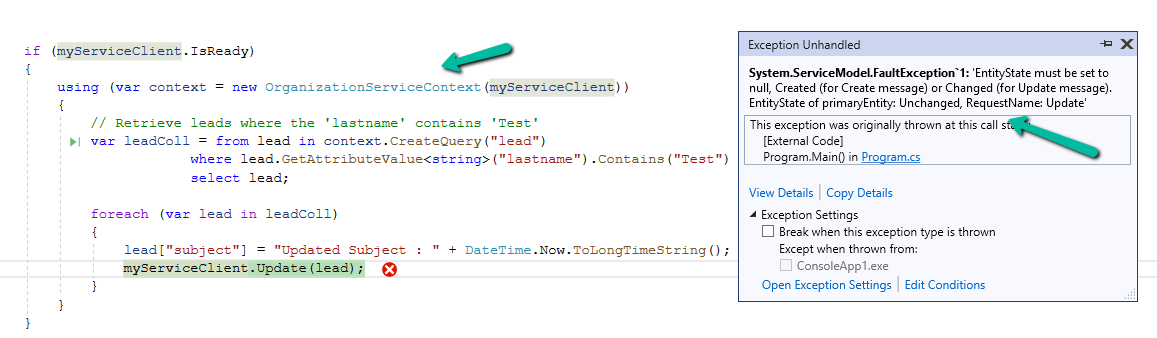
We might get this error while trying to update one of the records.
Exception Message: EntityState must be set to null, Created (for Create message) or Changed (for Update message).
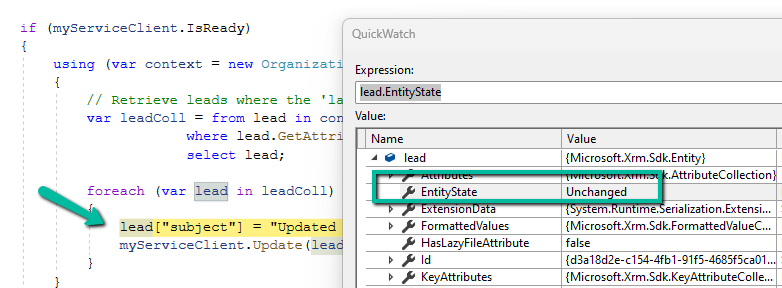
EntityState of primaryEntity: Unchanged, RequestName: Update
ErrorCode: -2147220989
The erroroccurs when OrganizationServiceContext tries to update an entity that has not been marked as modified. The EntityState remains Unchanged, and Dataverse expects it to be Changed or null for update operations.
OrganizationServiceContext automatically tracks entities’ states. When we retrieve an entity, it is set to Unchanged by default.
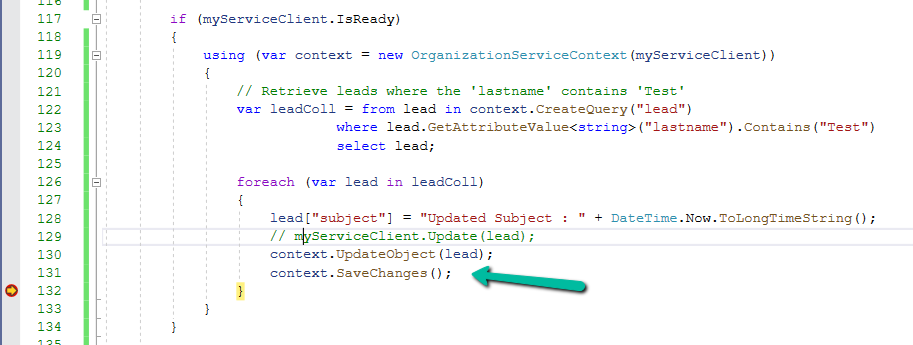
If we modify the entity without informing the context (e.g., using UpdateObject()), the context still thinks the entity is Unchanged, leading to this error during the update process.
This error typically happens within OrganizationServiceContext since it relies on internal state-tracking mechanisms, with IOrganizationService (e.g., Retrieve or RetrieveMultiple), we typically don’t run into this error because entities retrieved via IOrganizationService aren’t tracked in the same way.
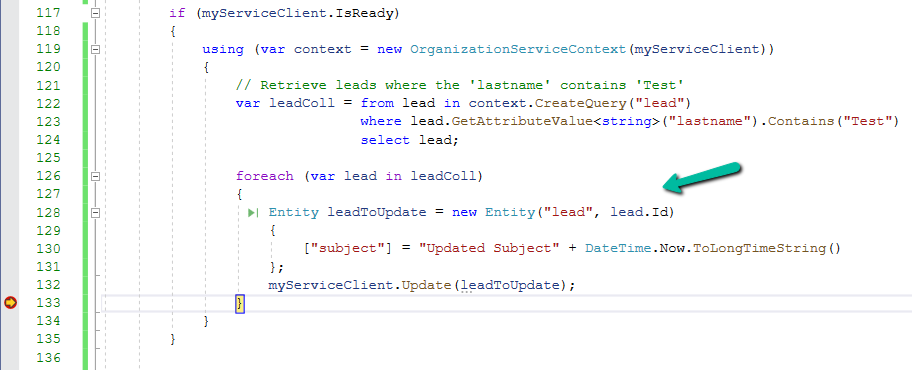
There are 2 ways to resolve this error.
Use UpdateObject, it explicitly tells the context that the entity has been changed followed by SaveChanges() to commit the changes.
2. Create a new Entity object for update.
Sample Code –
 if (myServiceClient.IsReady)
        {
            using (var context = new OrganizationServiceContext(myServiceClient))
            {
                // Retrieve leads where the 'lastname' contains 'Test'
                var leadColl = from lead in context.CreateQuery("lead")
                               where lead.GetAttributeValue<string>("lastname").Contains("Test")
                               select lead;

                // use Update Object
                foreach (var lead in leadColl)
                {
                    lead.Attributes["subject"] = "Updated Subject" + DateTime.Now.ToLongTimeString();
                    context.UpdateObject(lead);
                    context.SaveChanges();
                }

                // or create a new Entity object
                foreach (var lead in leadColl)
                {
                    Entity leadToUpdate = new Entity("lead", lead.Id)
                    {
                        ["subject"] = "Updated Subject" + DateTime.Now.ToLongTimeString()
                    };
                    myServiceClient.Update(leadToUpdate);
                }
            }
        }
Now let us try making use of the xMultiple feature (CreateMultiple, UpdateMultiple, and CreateMultiple messages) of the CRM / CDS Destination Component.
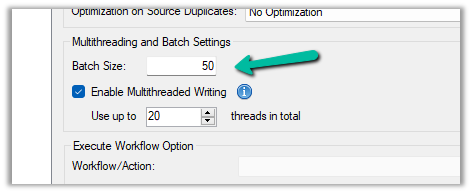
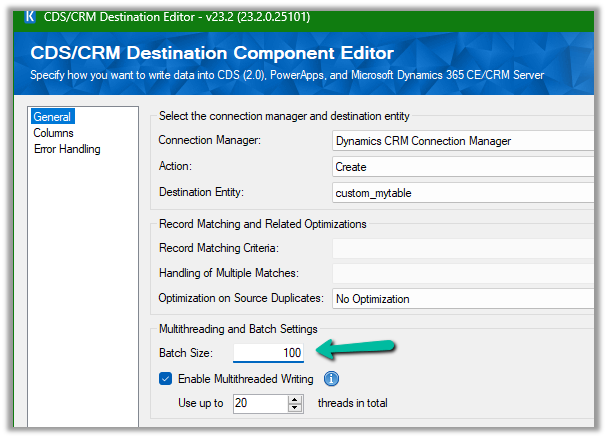
We have updated the Batch Size to 100 to trigger the xMultiple
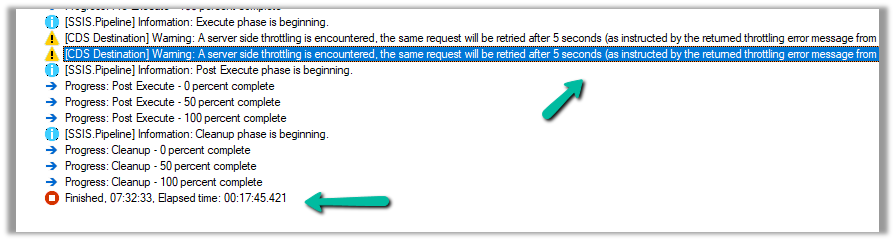
However this time we got the service throttling error, and it took around 17:45 minutes.
Let us try decreasing the batch size to 50 (to trigger xMultiple), keeping the thread the same as 20, and User Multiplexing with 5 Application users.
No throttling warning this time and took around 10:42 minutes.
Now let us try the same setup, for a custom table instead of a standard table.
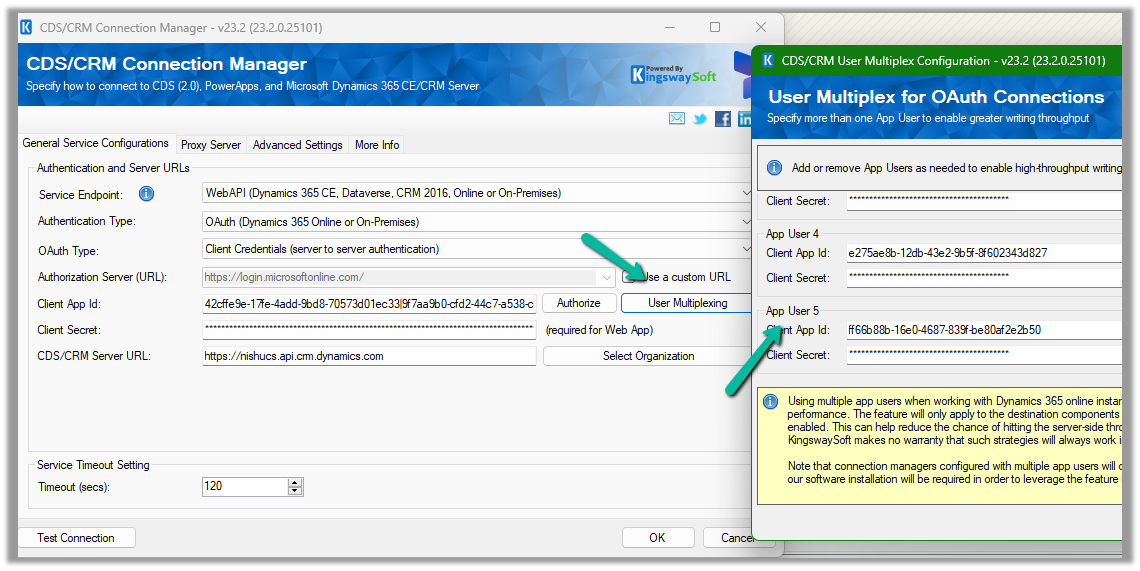
Here we have run our package to create 20K records, with User Multiplexing ( 5 Application users), Batch Size 10, and 20 Threads for our custom table named My Table.
It took around 3:04 minutes.
Let us increase the batch size to 100, to get the xMultiple enabled.
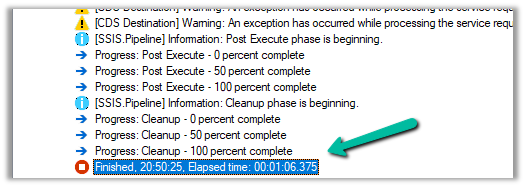
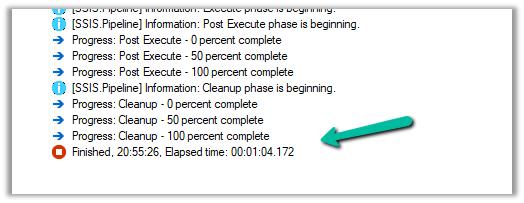
It took 1:06 minutes.
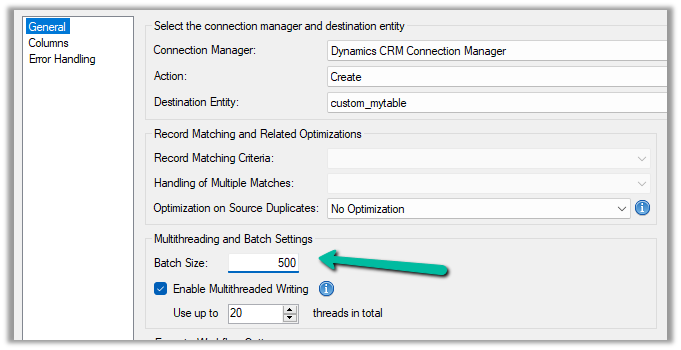
Let us set the batch size to 500
It took around 42 seconds.
And with 1000 batch size – 1:04 seconds
We can see huge performance improvements using xMultiple when it comes to a custom table.
So I think to get the performance improvements for the standard table we could stick with Batch Size – 10, Thread –10-20, and increase the number of users (Multiplexing).
But for the custom table, we could increase the batch size to either 100 or 500 to make use of xMultiple along with Multiplexing.

![Fixed –Lookup value plugintypeexportkey [Guid] is not resolvable – Solution Import error (Dynamics 365 / Dataverse)](https://nishantrana.me/wp-content/uploads/2025/09/pexels-photo-4482033.jpeg?w=1200)






















 Nishant Rana's Weblog