Managing Forum in Community Portals in Dynamics 365 (Using Forum Access Permissions) – Part 2


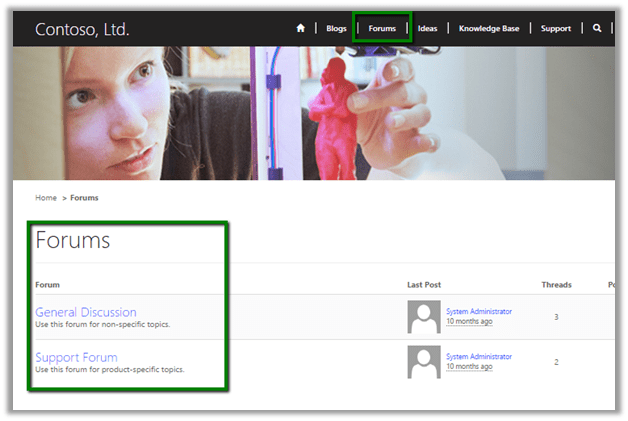
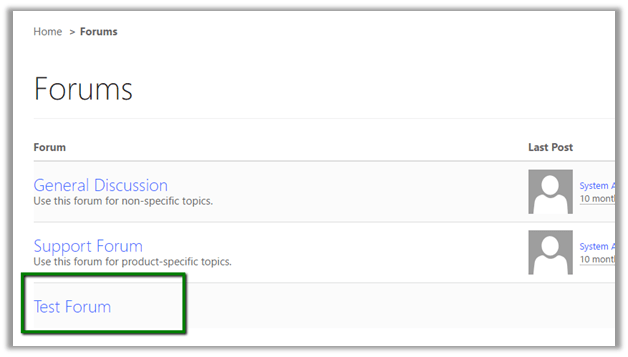
Suppose we have following 3 forums in our Community Portal

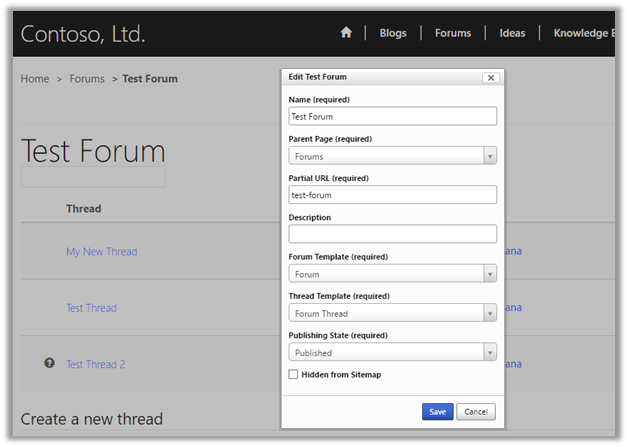
  • And we want a particular portal user to have rights to manage a specific forum, say for e.g. test forum in our case.
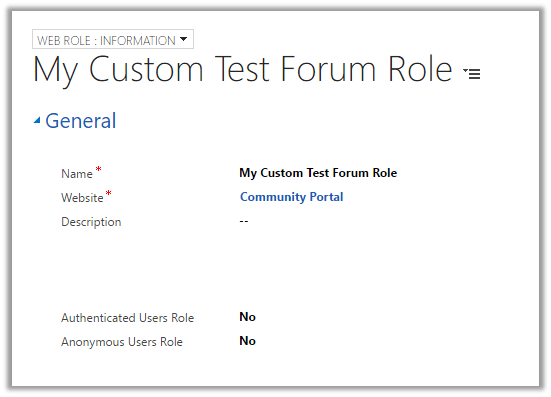
  • For this let us create a new web role, here we have specified the Community Portal as the WebSite.
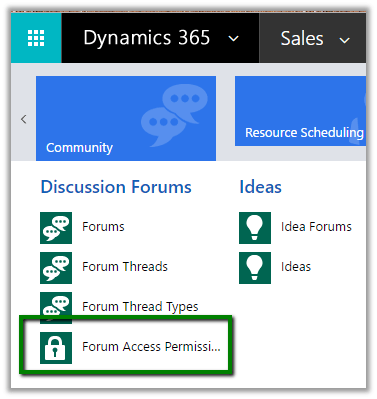
  • Navigate to Community – Forum Access Permissions
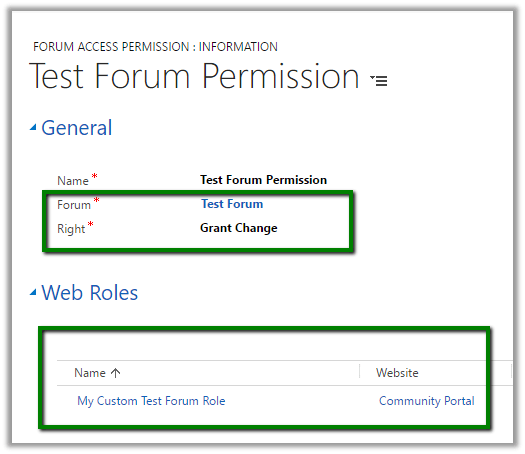
  • Create a new permission for the Test Forum and assign the newly created Web Role.

    (Specify Forum as Test Forum and Right as Grant Change)
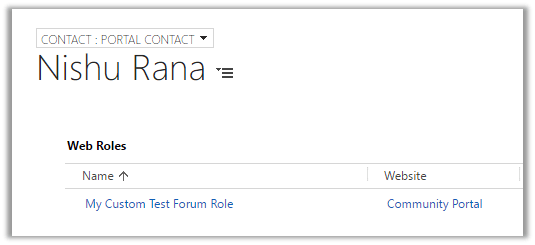
  • Open the contact record (portal user) in CRM and assign the new web role.
  • Login to the community portal.
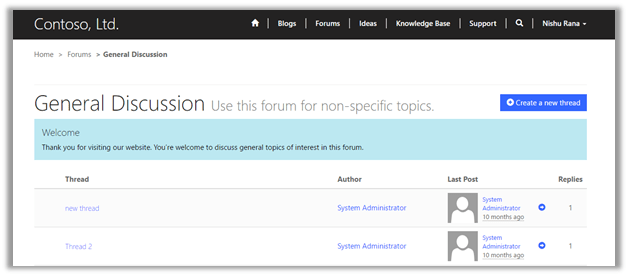
  • On opening the General Discussion forum, the user doesn’t have any edit rights.
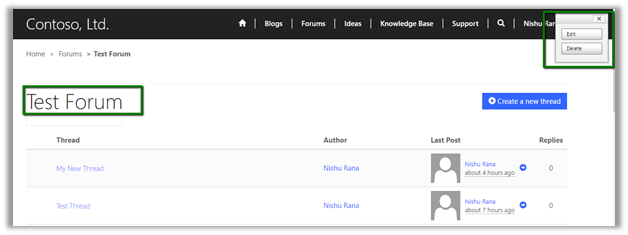
  • On opening the Test Forum, the user has the modify rights
Hope it helps.

Managing Forum in Community Portals in Dynamics 365 – Part 1.


Suppose we have setup portals in Dynamics 365 and have used Community Portal template.

Community portal allows us to create Forums that lets the users discuss various topics.

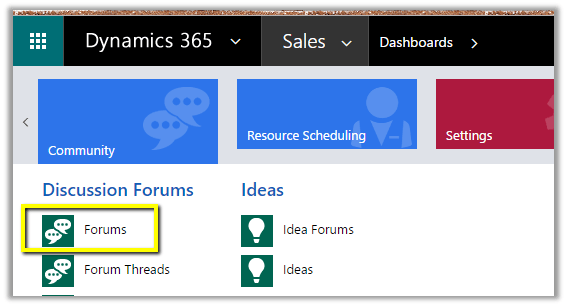
  • To create a new Forum, log in to CRM, go to Community – Forums.

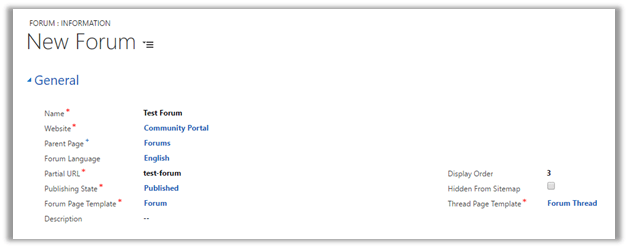
  • Click on New to create a new Forum.

The important properties here are

  • WebSite – Community Portal. (the web site inside which we want to create the forum)
  • Parent Page – Page where we want the forum to appear. Forums in our case.
  • Partial URL – URL for the page.
  • Forum and Thread Page Template – Specify the existing template for them.
  • Display Order – Defines the order at which it should appear.

Creating the new forum record in published state (Publishing State) adds the Forum to the forum page in the portal.

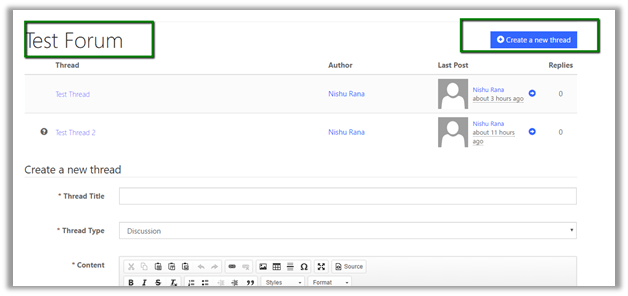
Forum will have an associated thread (s), which can be created by the Portal user in the portal or can be created by Admin user within CRM.

Test Forum with the associated thread :-

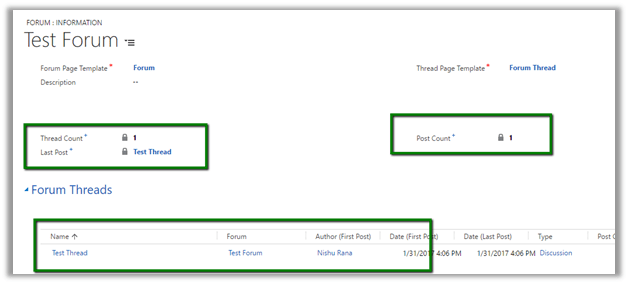
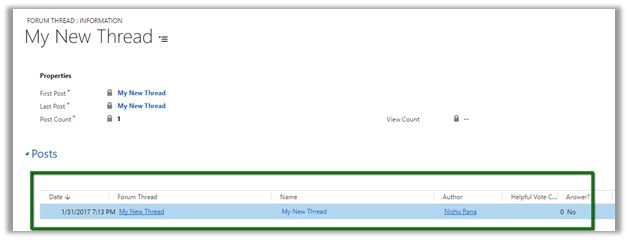
Inside CRM we’d see the thread associated to the forum.

Thread will have associated Post(s) to it. Post are auto created when a thread is created in the portal.

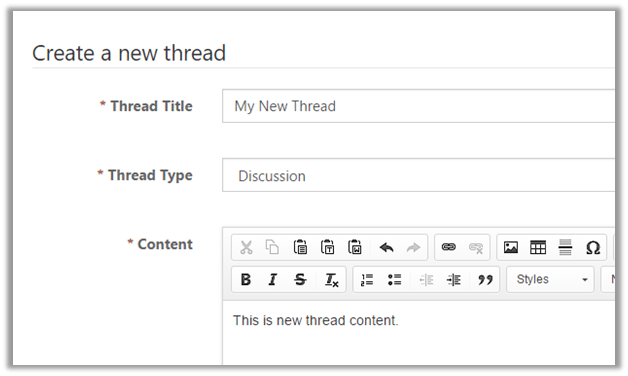
Suppose we are creating a new thread with the below details in our test forum from within the portal.

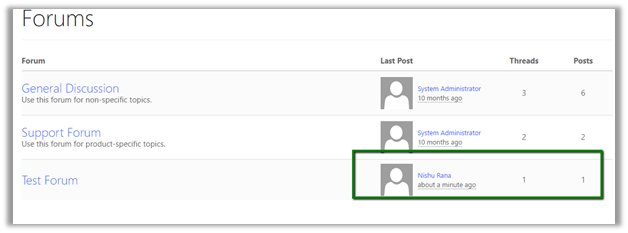
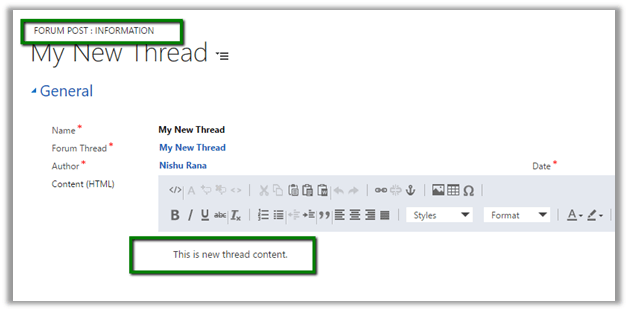
This will create a post associated to the thread.

In next blog post we’d explore other features of the community portal.

Hope it helps.

Setup validation error while creating trial instance of Microsoft Dynamics 365.


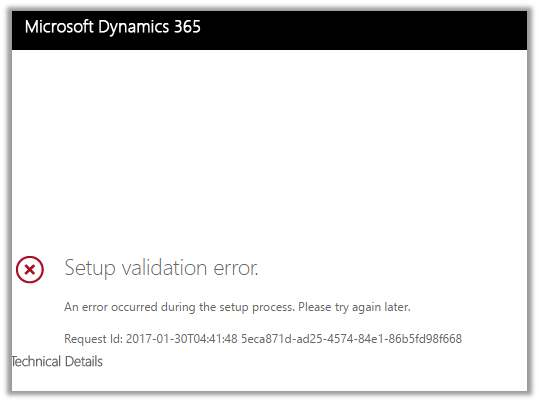
At times we have got the below error while setting up trial for Dynamics 365.

We tried out different options and tried creating few new trial instances but we got the same error in all of them.

Eventually tried it again after 2 hours or so and then the setup was successful, so might be some issue at the platform level.

Others have also faced similar issue before

https://community.dynamics.com/crm/f/117/t/137752

Hope it helps.

Managed solution cannot update reports which are not present in solution package. Report 98b86a45-1dbb-e411-b283-d89d6765a2e4 is not part of current solution.


We got this error while trying to import a managed solution to our TEST. The error was because of one error during import we had removed the parent solution from the solution, but we forgot to remove the child report. So this child report during import was trying to update or lookup for the parent report which caused this error.

Removing the child report from the solution and importing it back fixed the issue for us.

Hope it helps..

Invalid Operation: Trying to update an attribute in Live, which is not allowed while importing solution in Dynamics 365


We got this error recently while trying to import a managed solution. As it turned out the we had few OOB reports in our managed solution that was getting imported to TEST.

Removing those OOB reports from the solution, exporting it and importing it again fixed the issue for us and we were able to import the solution successfully.

Helpful post: http://vjcity.blogspot.in/2016/09/trying-to-update-attribute-in-live.html

Hope it helps..

Mixing early-binding and late-binding with nameof operator in C# [CRM]


nameof expression in C#6.0

Bernado's avatarBernado Nguyen-Hoan's Blog - Coding Stories from an IT Mercenary

There are many benefits of using early-binding when coding against CRM. There are times however when you need to fall back to late-binding, for example when you need to query relationships, or when you need to call Retrieve to optimise performance (as this service call allows you to load only selected fields of a record).

Rather than using literal string, you can use the nameof operator in C# 6 to get the attributes and relationship names. This works because the properties of the early-binding classes are generated based on the attributes and relationship names in CRM.

For example, to get the AccountNumber field of an Account record:

And there you have it: late-binding with all the early-binding zen!

View original post