Diff Detector component of KingswaySoft’s SSIS Productivity Pack makes it extremely easy \ efficient to work with incremental data.
Let us take a simple example to understand its usage
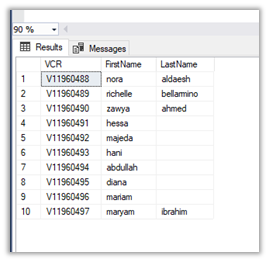
Suppose, we have the following data in our SQL Table (source) that we have already moved to our Dynamics 365 Instance.
Inside CRM à
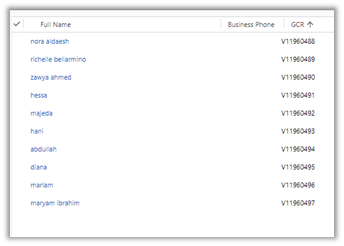
Now let us delete few records say for e.g. 5 from CRM and now we want only those 5 deleted records to be considered for Create by the SSIS Package from the source.
To begin with, first, download the SSIS Productivity Pack
https://www.kingswaysoft.com/products/ssis-productivity-pack
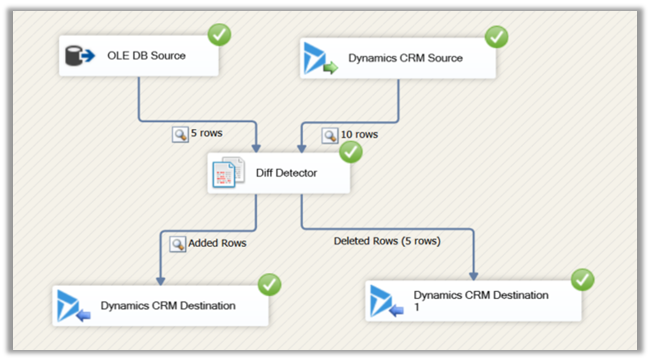
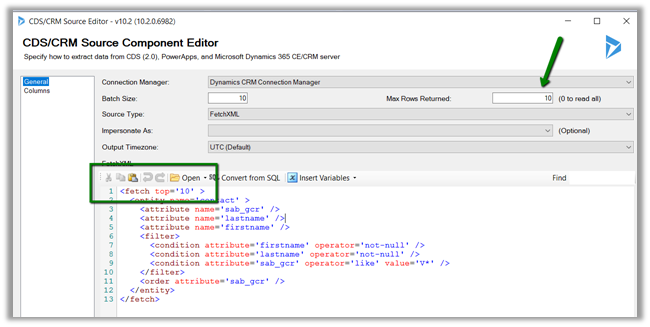
Create the corresponding OLE DB and Dynamics CRM Connection and add the source component for the respective connection, pulling the records from respective sources.
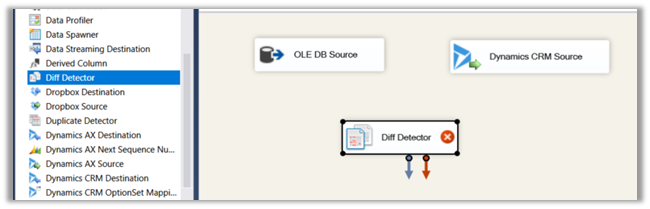
Then drag the Diff Detector component to the Data Flow
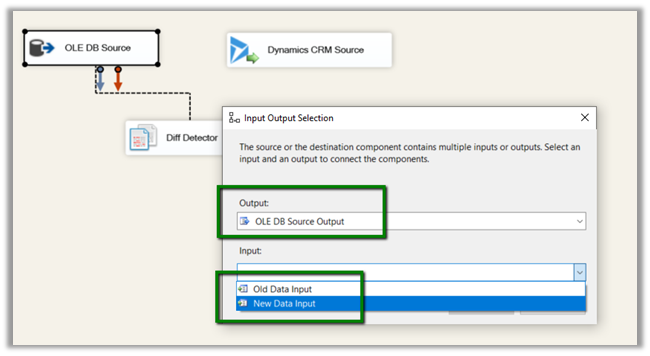
Connect the OLE DB Source to Diff Detector and specify the input as the New Data Input as this is the new data that is being entered, the other option is Old Data. Here the Dynamics CRM Source will be used and set as Old Data that is already existing against which the new data needs to be compared.
Once both the source components are connected to Diff Detector, click on Diff Detector component to edit its properties.
Here we need to define the Key Property, which would be used to compare the data.
Here we have specified one of our alternate keys to be used as Key for comparison with match type Exact Match.

Advanced Settings allows us to define a few more properties
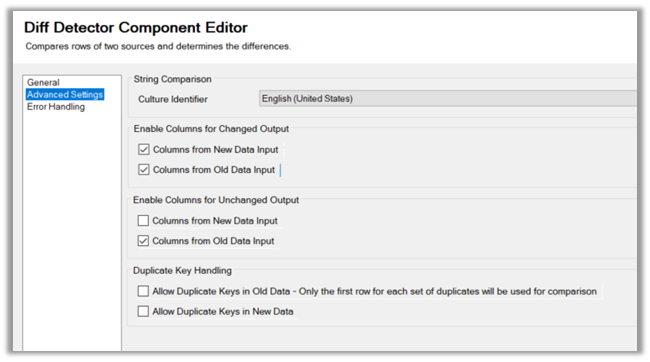
In the end, we have added the CRM Destination Component that will be creating the new records in Dynamics CRM.

Here we have selected Added Rows i.e. new rows that weren’t found matching with the old existing data inside CRM will be entered or created in CRM. Similarly, we can get the information \ rows that were changed, deleted or are unchanged and use them as per our need.
This is the current state of our source and destination
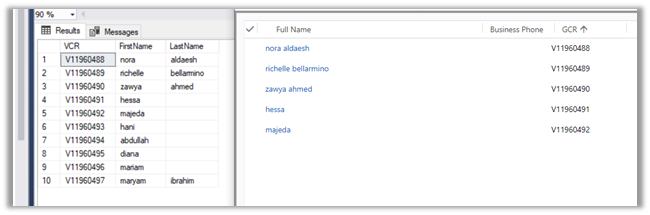
Now let us run our package which should detect 5 new rows to be inserted and create the corresponding records in Dynamics CRM.

Similarly, if we have deleted few records (say 5) from our source and want them to be deleted in the destination we can add one more destination component that takes as input the deleted rows and deletes them.
Get all the details here
https://www.kingswaysoft.com/products/ssis-productivity-pack/help-manual/data-quality-and-comparison/diff-detector
Hope it helps..










 Nishant Rana's Weblog