Entities not appearing while creating\ managing the Export Profile in Data Export Service in Dynamics 365


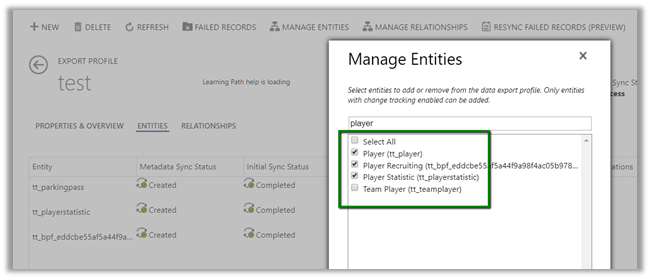
We recently configured the Data Export Service and while creating the export profile, some of the entities were not appearing there.

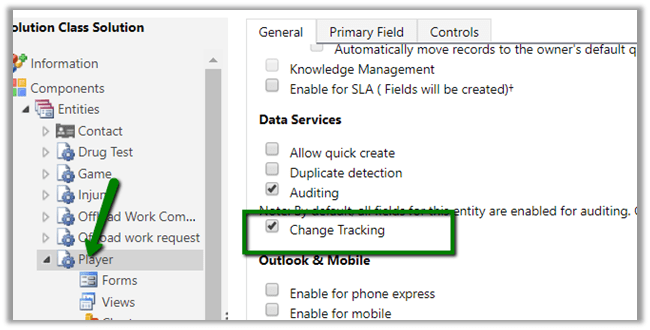
We had the Change Tracking Enabled for them.

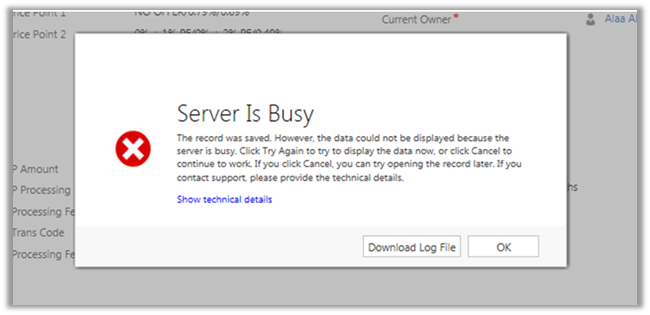
This is what it was showing to us.

Trying after few hours we got all our entities there

I think it might be caching or there is some pull mechanism that took time to detect that change at the Data Export Service side. Not sure though.

Please drop your comments if you have also faced this and know the exact reason for that.

Hope it helps.

Metadata contains a reference that cannot be resolved: ‘https://orgname.crm8.dynamics.com/XRMServices/2011/Organization.svc?wsdl&sdkversion=9’ error in Dynamics 365


We would run into this issue while trying to connect to Dynamics 365 Version 9.0 from a client application.

It is because Customer Engagement Platform (version 9.0) only supports TLS 1.2.

More details here

https://blogs.msdn.microsoft.com/crm/2017/09/28/updates-coming-to-dynamics-365-customer-engagement-connection-security/

How we can fix it à

We need to add the following line of code to our existing code


public static OrganizationServiceProxy GetOrganizationServiceProxy()
{
ClientCredentials clientCredentials = new ClientCredentials();

clientCredentials.UserName.UserName = "username";
clientCredentials.UserName.Password = "password";

// Set security protocol to TLS 1.2 for version 9.0 of Customer Engagement Platform
ServicePointManager.SecurityProtocol = SecurityProtocolType.Tls12;

return new OrganizationServiceProxy(new Uri("https://orgname.crm.dynamics.com/XRMServices/2011/Organization.svc"),
null, clientCredentials, null);
}

Helpful post

https://debajmecrm.com/2018/01/08/fixed-error-while-connecting-to-dynamics-365-version-9-0-metadata-contains-a-reference-that-cannot-be-resolved/

https://waelhamze.wordpress.com/2018/01/11/dynamics-365-ce-tls-connectivity-issue-from-net-and-powershell/

http://abhinavranjan.xyz/2017/12/21/issue-authenticating-crm-organization-service-web-app-july-2017-update/

Hope it helps..

User does not have the privilege to act on behalf another user error while using impersonation in Web API in Dynamics 365.


We might receive below error while using impersonation in Web API call.

{\r\n  \”error\”:{\r\n    \”code\”:\”\”,\”message\”:\”User does not have the privilege to act on behalf another user.\”,\”innererror\”:{\r\n      \”message\”:\”User does not have the privilege to act on behalf another user.\”,\”type\”:

Impersonation in Web API

http://www.inogic.com/blog/2016/02/impersonation-available-using-web-api-in-dynamics-crm-2016/

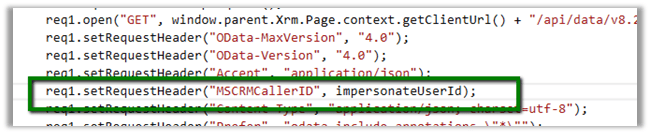
This error can occur in a scenario when User A is trying to impersonate User B, but user A doesn’t have “Act on Behalf of Another User” privilege.

Below article nicely explains it

https://community.dynamics.com/crm/b/magnetismsolutionscrmblog/archive/2013/07/18/act-on-behalf-of-another-user

Hope it helps..

The remote server returned an error: (403) Forbidden while sending SMS from Click Dimension


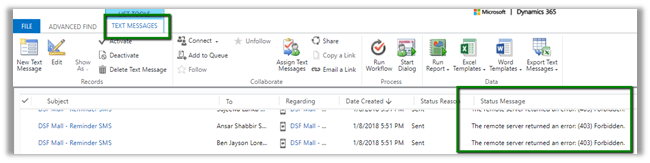
We got the below while sending SMS from Click Dimension. We were using Bulk SMS as our SMS connector for Click Dimension.

When we opened the Text Messages record we figured out that we were getting “The remove serve returned an error (403) Forbidden.

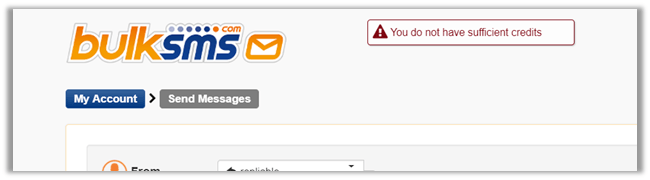
This occurred because we had our credit with Bulk SMS already consumed.

The issue got fixed when bought the credits again with Bulk SMS.

https://youtu.be/d__-flPGoFc

Hope it helps.

How to – Convert Fetch XML to SQL in Dynamics 365


Hi,

Recently we had a requirement to convert Fetch XML query of certain views to SQL. Basically, we wanted to validate it again the source DB from which we push the data inside Dynamics 365.

For this we can use the below managed solution,

https://fetchxml2sql.codeplex.com/

The tool is built using Silverlight so will only work in IE.

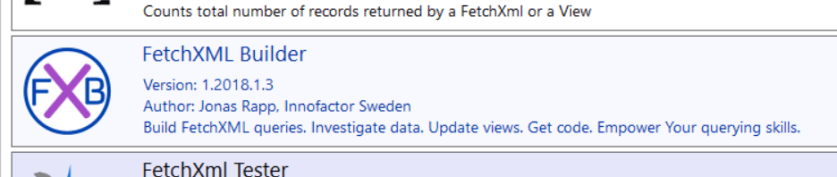
The other tool is that we can use is one of the most useful plugins –  Fetch XML Builder of  XRM Tool Box.

Plugin

Below video explains how to use them

https://www.youtube.com/watch?v=OESJxa3bwrU

And in case you’d feel like converting fetch xml to SQL we have

http://www.sql2fetchxml.com/

Hope it helps..

Plugin on AddListMembers message. When does it fire?


In one of our recent implementations involving marketing list entity, we were analysing the AddListMembers message for it.

We registered a plugin on AddListMembers message and below were our findings.

  • Dynamics Marketing List – The plugin didn’t trigger.
  • Static Marketing List – The plugin didn’t trigger for “Add using Lookup“. It only triggered for “Add using Advanced Find” when “Add only the selected members to the marketing list” option was selected. It didn’t trigger for “Add all the members returned by the search to the marketing list


This slideshow requires JavaScript.

So basically, we need to be very careful while implementing a plugin on AddListMembers message.

Hope it helps..