User does not have the privilege to act on behalf another user error while using impersonation in Web API in Dynamics 365.


We might receive below error while using impersonation in Web API call.

{\r\n  \”error\”:{\r\n    \”code\”:\”\”,\”message\”:\”User does not have the privilege to act on behalf another user.\”,\”innererror\”:{\r\n      \”message\”:\”User does not have the privilege to act on behalf another user.\”,\”type\”:

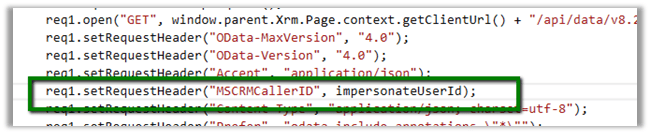
Impersonation in Web API

http://www.inogic.com/blog/2016/02/impersonation-available-using-web-api-in-dynamics-crm-2016/

This error can occur in a scenario when User A is trying to impersonate User B, but user A doesn’t have “Act on Behalf of Another User” privilege.

Below article nicely explains it

https://community.dynamics.com/crm/b/magnetismsolutionscrmblog/archive/2013/07/18/act-on-behalf-of-another-user

Hope it helps..

How to – Convert Fetch XML to SQL in Dynamics 365


Hi,

Recently we had a requirement to convert Fetch XML query of certain views to SQL. Basically, we wanted to validate it again the source DB from which we push the data inside Dynamics 365.

For this we can use the below managed solution,

https://fetchxml2sql.codeplex.com/

The tool is built using Silverlight so will only work in IE.

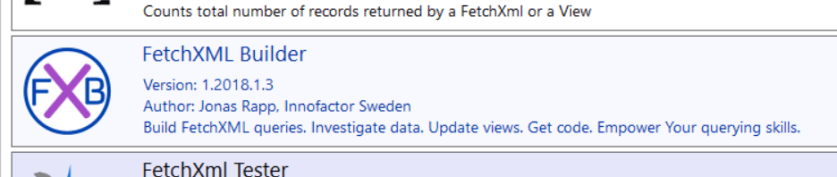
The other tool is that we can use is one of the most useful plugins –  Fetch XML Builder of  XRM Tool Box.

Plugin

Below video explains how to use them

https://www.youtube.com/watch?v=OESJxa3bwrU

And in case you’d feel like converting fetch xml to SQL we have

http://www.sql2fetchxml.com/

Hope it helps..

Configure Session Timeout and Inactivity Timeout – Dynamics 365


In Dynamics 365, we can now define Session timeout and Inactivity timeout.

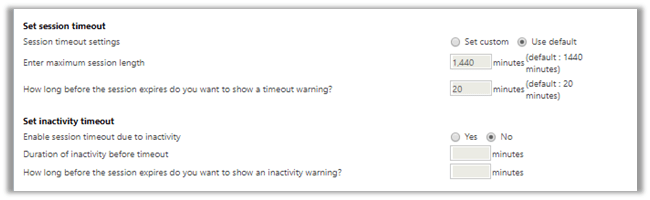
We need to go Settings à Administration à System Settings à General Tab

By default, the session timeout is set to 24 hours along with 20 minutes for warning the user.

We can set our custom values there.

Enter maximum session length 60 – 1440 minutes. ( 1 to 24 hour)
How long before the session expires do you want to show a timeout warning? 20 – 1440 minutes. Must be less than maximum session length.

We can also set the timeout based on inactivity. By default, this setting is not enabled. Below are the values that we can set for inactivity timeout.

Enable session timeout due to inactivity 5 – 1440 minutes. (5 minutes to 24 hours) – Must be less than the maximum session length.
How long before the session expires do you want to show an inactivity warning? Less than Session timeout due to inactivity

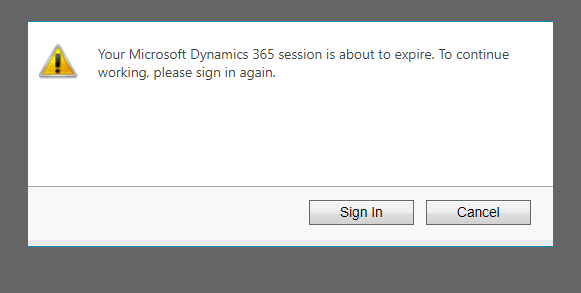
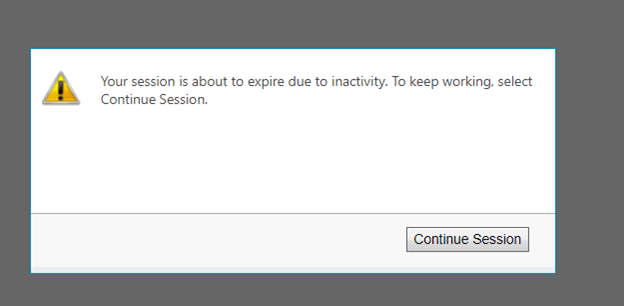
Session Timeout warning à

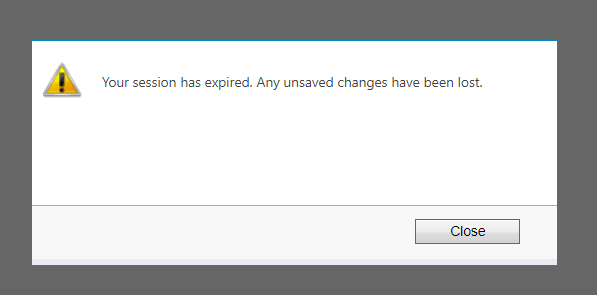
Session expired à

Inactivity warning à

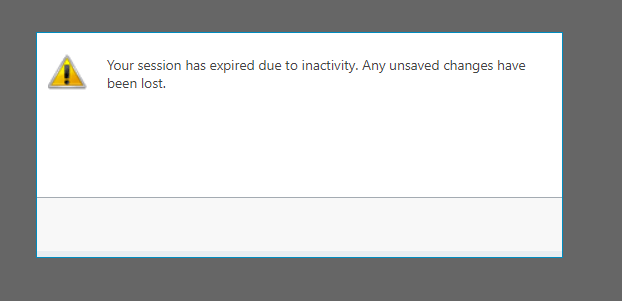
Inactivity Session expiration à

More details.

https://docs.microsoft.com/en-in/dynamics365/customer-engagement/admin/user-session-management

Hope it helps..

Sample code to retrieve more than 5000 records using FetchXML in CRM


Hi,

Sharing a sample code to retrieve more than 5000 records using the Fetch XML.

Version 1 :

private List<Entity> GetTotalRecordsfromFetch(string fetchXML, IOrganizationService orgService)
{
List<Entity> lstEntity = new List<Entity>();

int fetchCount = 5000;
int pageNumber = 1;
string pagingCookie = null;

while (true)
{
// Build fetchXml string with the placeholders.
string xml = this.CreateXml(fetchXML, pagingCookie, pageNumber, fetchCount);
RetrieveMultipleRequest fetchRequest = new RetrieveMultipleRequest
{
Query = new FetchExpression(xml)
};

var returnCollections = ((RetrieveMultipleResponse)orgService.Execute(fetchRequest)).EntityCollection;

if (returnCollections.Entities.Count >= 1)
{
lstEntity.AddRange(returnCollections.Entities);
}

if (returnCollections.MoreRecords)
{
pageNumber++;

results.pagingCookie = returnCollections.PagingCookie;
}
else
{
// If no more records in the result nodes, exit the loop.
break;
}
}

return lstEntity;
}

public string CreateXml(string xml, string cookie, int page, int count)
{
StringReader stringReader = new StringReader(xml);
XmlTextReader reader = new XmlTextReader(stringReader);

XmlDocument doc = new XmlDocument();
doc.Load(reader);

XmlAttributeCollection attrs = doc.DocumentElement.Attributes;

if (cookie != null)
{
XmlAttribute pagingAttr = doc.CreateAttribute("paging-cookie");
pagingAttr.Value = cookie;
attrs.Append(pagingAttr);
}

XmlAttribute pageAttr = doc.CreateAttribute("page");
pageAttr.Value = System.Convert.ToString(page);
attrs.Append(pageAttr);

XmlAttribute countAttr = doc.CreateAttribute("count");
countAttr.Value = System.Convert.ToString(count);
attrs.Append(countAttr);

StringBuilder sb = new StringBuilder(1024);
StringWriter stringWriter = new StringWriter(sb);

XmlTextWriter writer = new XmlTextWriter(stringWriter);
doc.WriteTo(writer);
writer.Close();

return sb.ToString();
}

Version 2 –

private static List&lt;Entity&gt; GetTotalRecordsFetchXML(OrganizationServiceProxy orgProxy, string fetchXML)
{
XDocument xDocument = XDocument.Parse(fetchXML);
var fetchXmlEntity = xDocument.Root.Element("entity").ToString();

EntityCollection entityColl = new EntityCollection();
List&lt;Entity&gt; lstEntity = new List&lt;Entity&gt;();
int page = 1;
do
{

entityColl = orgProxy.RetrieveMultiple(new FetchExpression(
string.Format("&lt;fetch version='1.0' page='{1}' paging-cookie='{0}'&gt;" + fetchXmlEntity + "&lt;/fetch&gt;",
SecurityElement.Escape(entityColl.PagingCookie), page++)));

lstEntity.AddRange(entityColl.Entities);
}
while (entityColl.MoreRecords);

return lstEntity;
}


Hope it helps..

Advertisements

List is Locked. Cannot perform this action error while trying to remove marketing list member using RemoveMemberListRequest in Dynamics 365 (CRM)


Recently we got the below error while trying to remove the marketing list member from a marketing list.

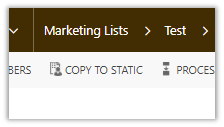
This occurs if the marketing list is locked. The marketing list gets locked if it is Dynamic Marketing List. However, we are getting this issue on our Static marketing lists. Later we realized that those static marketing lists were created using Copy To Static ribbon button. When a Dynamic Marketing List is created the locked field value is false. However it gets set as true when we convert it to Static using Copy To Static functionality.

Changing the Locked field value as No fixed the issue.

Hope this helps..

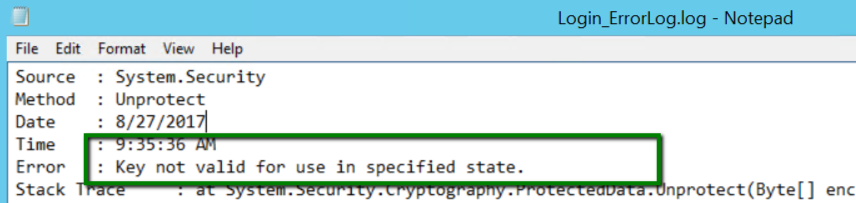
Key not valid for use in specified state while using Configuration Manager in Dynamics 365


While trying to login in Configuration Migration (DataMigrationUtility.exe), we were getting the below error in the log file.

CM

The tool was working fine from one machine but giving an error in other. As suggested in some forum, deleting the LiveDeviceId.xml also didn’t fix the issue.

The way we got it working was to download the latest version of SDK and running the tool from there.