HideCustomAction and Display \ Enable rule in Dynamics 365


Imagine a scenario where we have both the disable rule and HideCustomAction implemented for a ribbon button. Let us see with an example what will happen in this scenario.

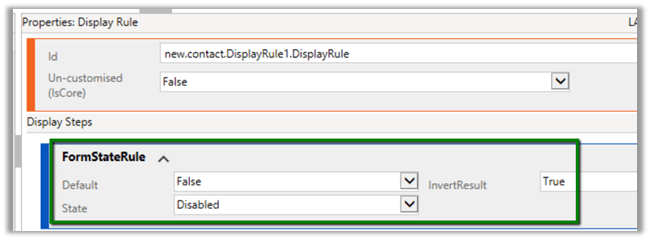
First, let us implement the display rule to hide the Delete button from Contact form when it is in a disabled state.
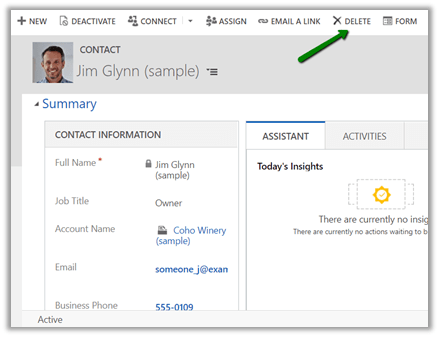
For active record à

We can see the delete button in the command bar.
For disabled record à The delete button is not visible.
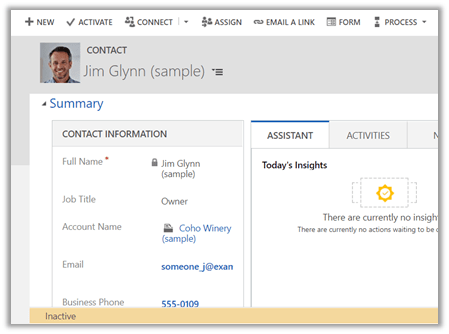
Now let us hide the button using HideCustomAction
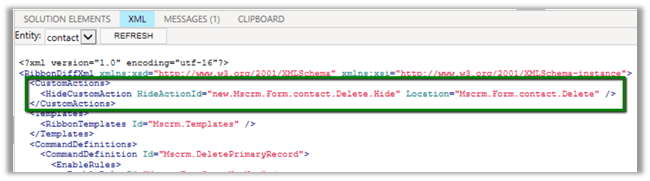
Interestingly the Delete button is not available in case of the active contact record this time.
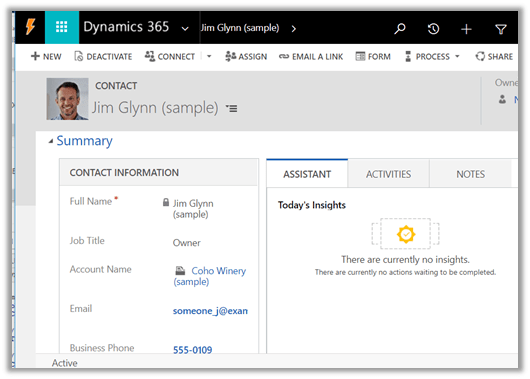
The reason for this is because the HideCustomAction button removes the specified node from the ribbon so that it is not rendered instead of hiding it. Therefore any other enable or display rules are not applied to that button.

https://docs.microsoft.com/en-us/dynamics365/customer-engagement/developer/customize-dev/define-custom-actions-modify-ribbon#hide-custom-actions

Hope it helps..

Installation order for Solutions (Patches) in Dynamics 365 Customer Engagement


Let us take see a simple example of how the installation order of solution and patch works in case of Dynamics 365 CE.

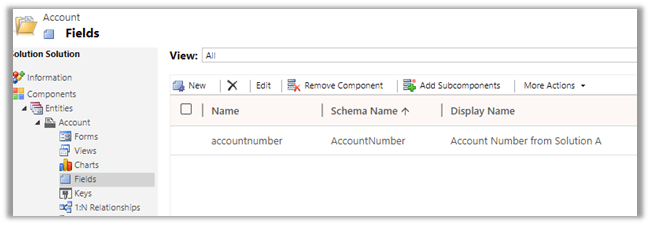
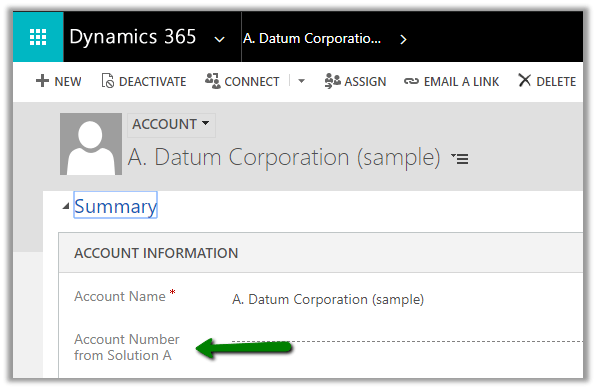
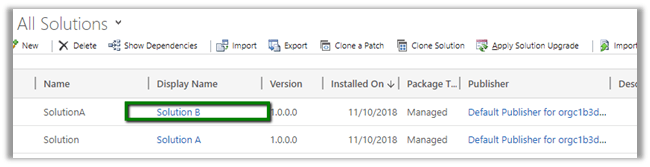
Suppose we have a Solution A with only Account Number field with display name renamed to Account Number from Solution A.

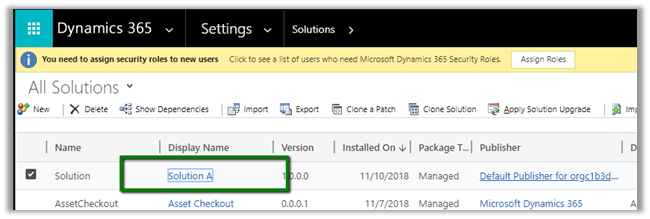
Now this solution is exported as managed and imported into the target environment

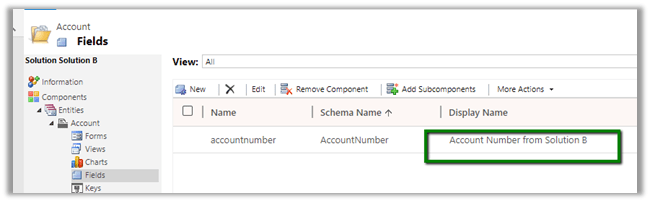
Now let us create a new solution which renames this field as “Account Number from Solution B” and then import this as managed in the target environment.

So as expected we’d see the display name renamed to Account Number from B as this solution was installed after the solution A.

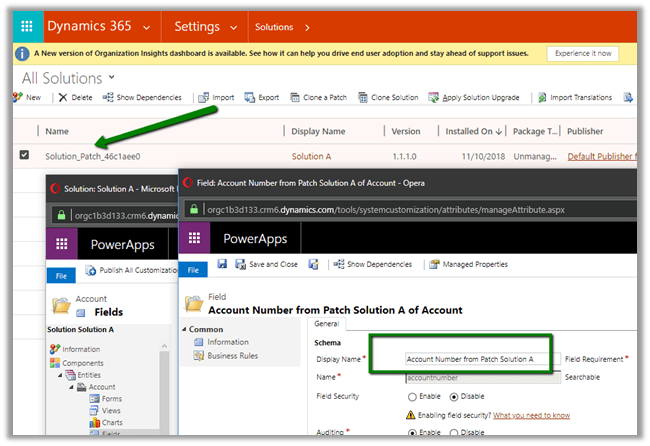
Now let us create Patch for the first solution, Solution A and rename the field to Account Number from Solution A Patch and import this patch to Target Environment.

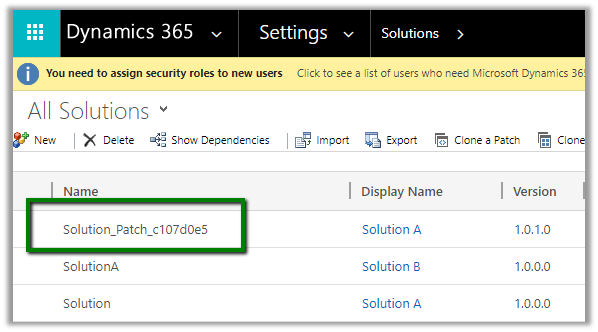
After importing the patch solution in Target Environment

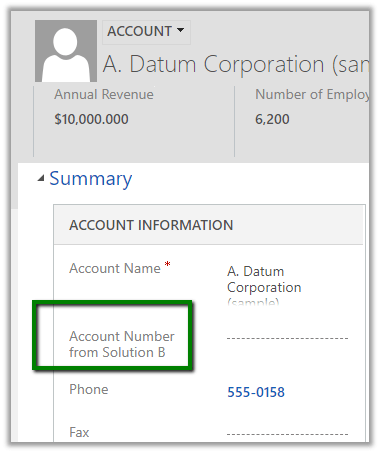
We can open the account record and check for the label of the account number field. Interestingly we will see the value to be “Account Number from Solution B”, which was set by the solution B. So installing our patch for solution A didn’t change it.

It is because the platform still gives precedence to the installation order of the solution and not patch. Although we had the patch installed for Solution A after import of Solution B, putting a patch didn’t change the label for the account number as it is belonged to the solution that was imported before Solution B.

Hope it helps..
The following managed solution cannot be imported. The publisher name cannot be changed in Dynamics 365 CE


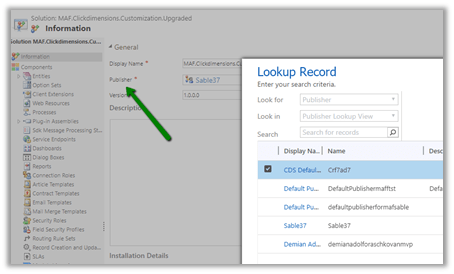
We can change publisher of a solution using Publisher lookup field of the solution in the Information section.

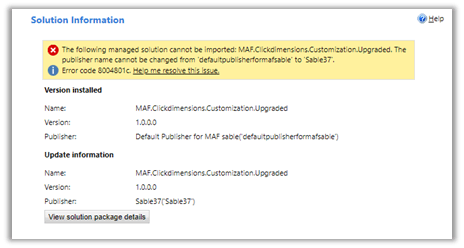
However, if the solution has already been imported in target environment, changing the publisher and trying to import the solution will result in the below error.

Here we try renaming the publisher from “default..” to “sable37”

https://support.microsoft.com/en-ae/help/4463386/the-publisher-name-cannot-be-changed-from-publisher-name-to-other-publ

One way of doing it is to delete the already installed managed solution (if it is feasible) in the target environment and doing the import again.

QuickFindQueryRecordLimit exceeded. Cannot perform this operation error in Dynamics 365 CE


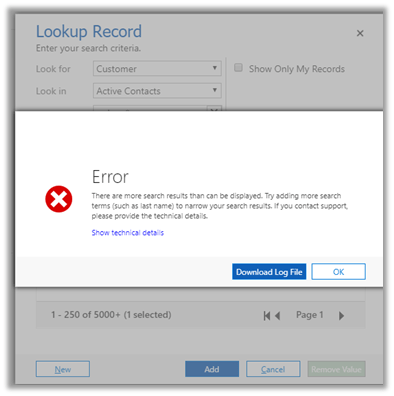
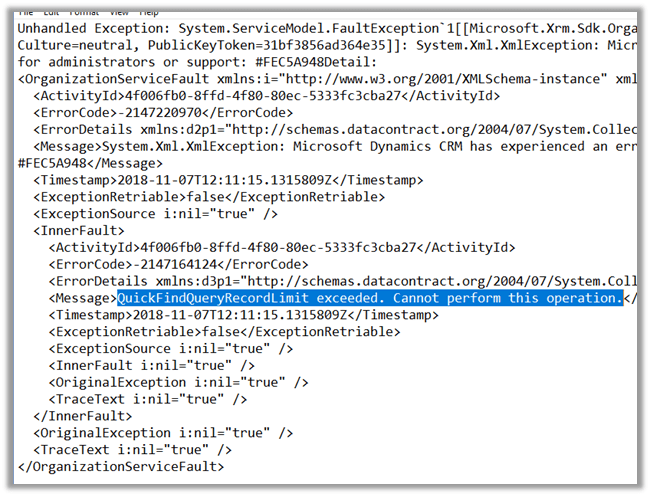
We would get this below error if our search returns more than 10000 records for Quick Find Query.

There are more search results than can be displayed. Try adding more search terms (such as last name) to narrow your search results. If you contact support, please provide the technical details”


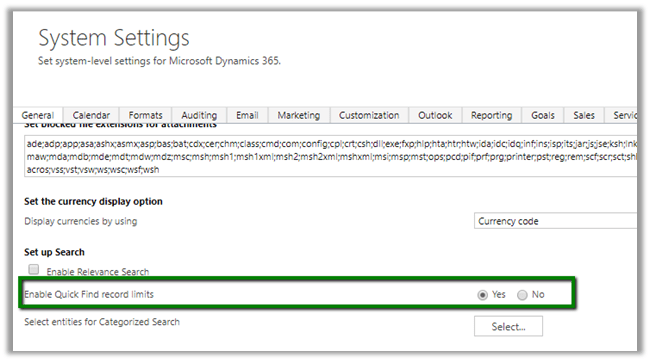
We can fix it by setting Enable Quick Find record limits to No in System Settings à General tab.

More details here

https://www.powerobjects.com/2012/09/19/crm-2011-quick-find-optimization/

Hope it helps..
FaceAPIException: Access denied due to invalid subscription key error while using FaceServiceClient in Microsoft Cognitive Services


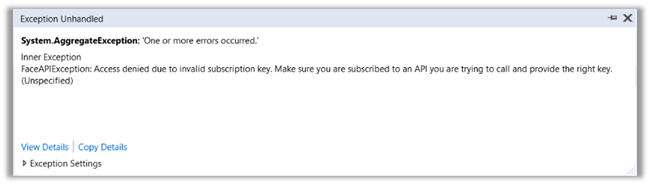
Recently while working with Face API we were getting the below error

To get it working we had to define apiRoot along with the subscriptionkey while initializing the FaceServiceClient object.

Hope it helps..

SiteMapName in the AppModuleSiteMap is null or empty error while importing V9 Solution in Dynamics 365 Customer Engagement


We recently upgraded our Dev and Test environment to V 9.0.

Dev

Test

While importing a solution from Dev to Test which had SiteMap we got the below issue.

“The SiteMapName in the AppModuleSiteMap is null or empty”

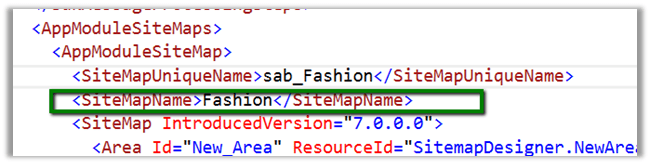
It turns out that the following tags were required and were missing in the Customization.xml

We added that tag and were able to import the solution successfully.

Interestingly if we export the same solution from Test and search for this tag, it is again missing, however, we can see the following XML section added there

This section was not there in dev’s sitemap.

Hope it helps..