New Customer Service workspace app (Preview) in Dynamics 365 – 2020 Release wave 2


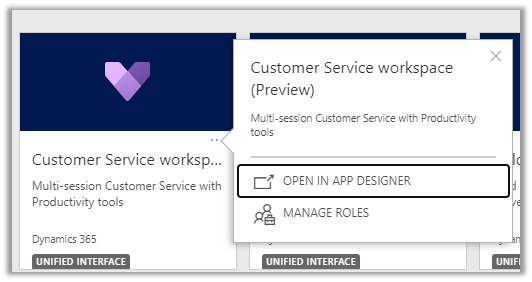
In 2020 Release wave 2, we can see a new Dynamics 365 app introduced for the Customer Service agents – Customer service workspace (preview), allowing multitasking (multi-tab) and multi-session  to work on multiple cases simultaneously more efficiently.

Enable early access to 2020 release wave 2

Check other posts on Release 2020 Wave 2

  • Customer Service workspace App ->

The app allows agents to work in multiple cases at the same time along with associated activities

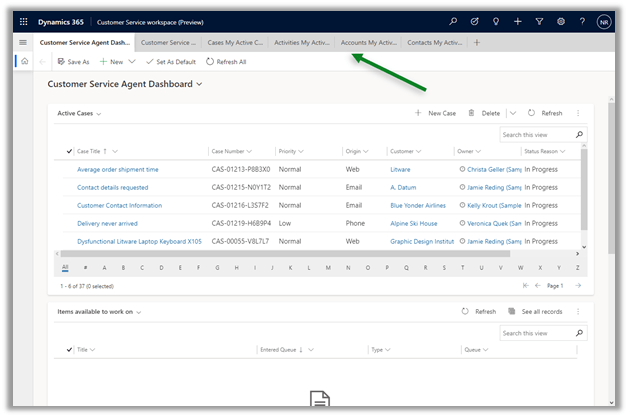
We can open multiple case, contact, account, activity, dashboard etc. in differents tabs as shown below, which allows for easier reference, without losing the context.
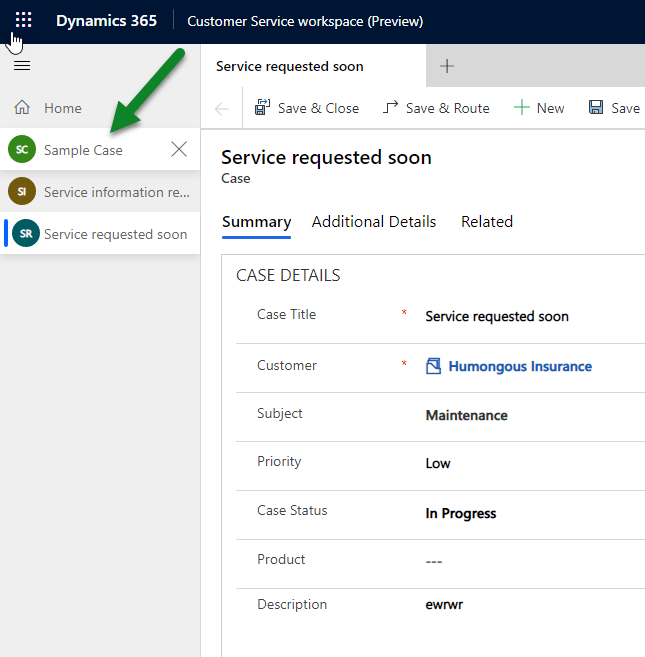
Session

We have new main form ‘Case for Multisession experience’ and quick create form added for the new app for the case entity.

Along with Customer Service agent dashboard.

Similarly, we can also find new multi session form added for Account and Contact entity.

Dynamics 365 2020 release wave 2https://docs.microsoft.com/en-us/dynamics365-release-plan/2020wave2/

Hope it helps..

Rich text editor control in Dynamics 365 – 2020 Release Wave 2


2020 Release wave 2 bring the configurable PCF Control, which we can now use for our multiline text input field.

Enable early access to 2020 release wave 2

Check other posts on Release 2020 Wave 2

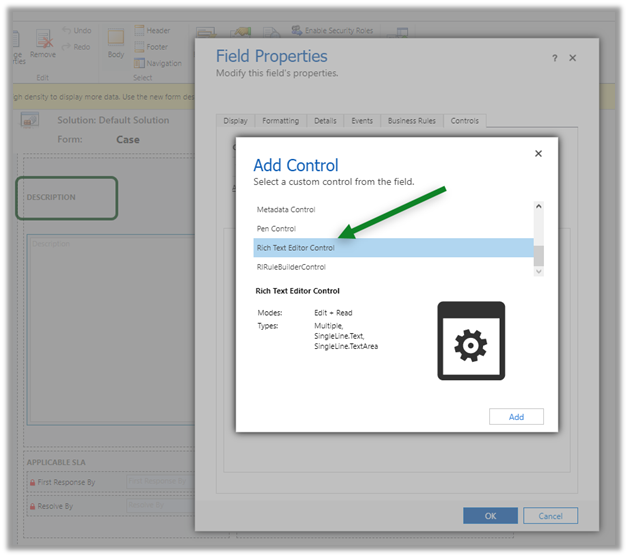
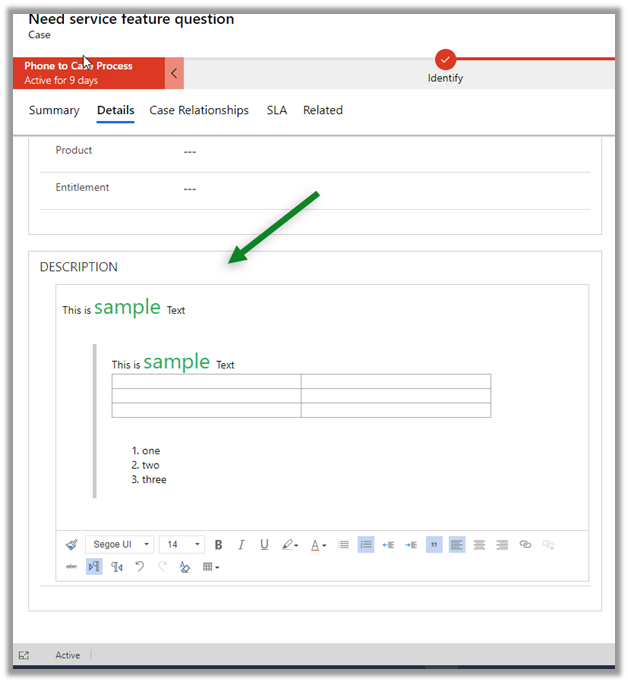
Below we have added the Rich Text Editor Control for the Description field in the Case Form.

The field properties

The control within the form with all the options.

We didn’t had the rich text editor control in 2020 Release wave 1.

Dynamics 365 2020 release wave 2 –https://docs.microsoft.com/en-us/dynamics365-release-plan/2020wave2/

Hope it helps..
Advertisements

Insert knowledge article in email – 2020 Release wave 2


Agents while working on email can now search for Knowledge articles and insert its content in 2020 release wave 2.

Enable early access to 2020 release wave 2

Check other posts on Release 2020 Wave 2

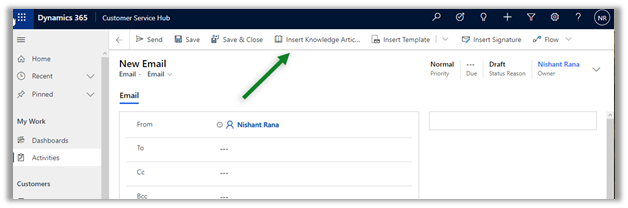
The new Insert Knowledge Article button in the command bar for email.

Agents can now search for the article without losing the context

Agents can preview and insert the article content.

The same experience for email within the timeline control

timeline

This feature was not available in 2020 Release wave 1.

Missing Insert Knowledge Article button there –

Dynamics 365 2020 release wave 2 –https://docs.microsoft.com/en-us/dynamics365-release-plan/2020wave2/

Hope it helps..

D365 CE- Incident management integration with SAP Qualtrics – Part 3


rahultiwary's avatarRahul Tiwary CRM Blogs

In part 3 of my blog , I am going to explain about how I have use Common Data Connector (CDS) to call qualtrics API’s and update back the response in D365 CE.

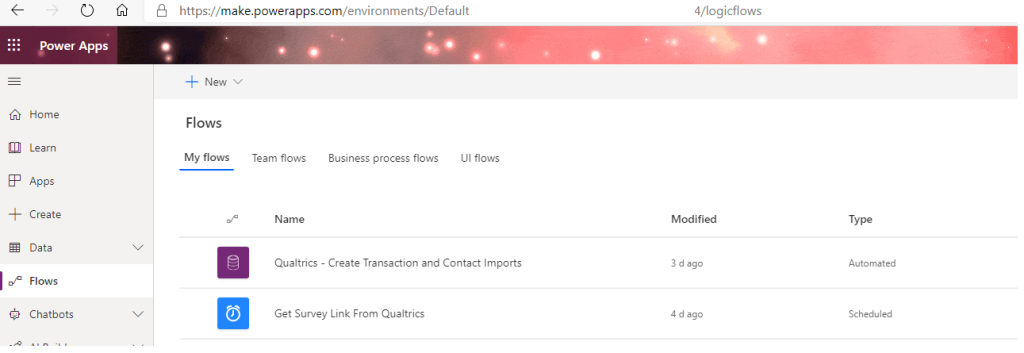
Login to power platforms and go to flows

I have achieved my scenario using 2 power automate flows in CDS

a) Automated Flow : When a Qualtrics transaction record created in D365 CE on close of an incident

b) Scheduled Flow : To get the survey link after the import is successful and update back the Survey Link.

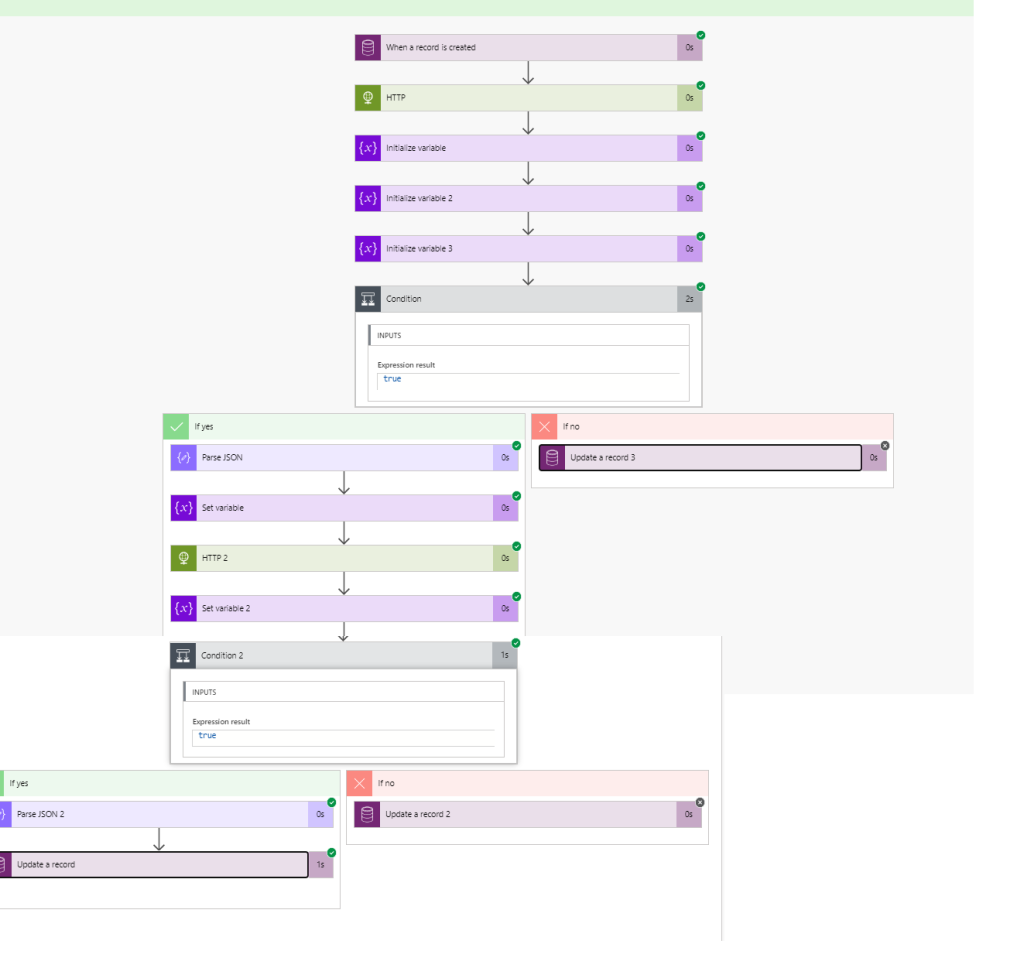
FirstAutomated Flow “Qualtrics – Create Transaction and Contact”

  • Connect to your environment, Select entity and define scope
  • I have used HTTP connector to call API, and used the URL stored in transaction recorded created in D365 CE from the Async plugin. For the detailed API and body structure, you can refer to part 1 of this blog
  • Initialized…

View original post 230 more words

Timeline control enhancements in Dynamics 365 – 2020 release wave 2


Check all the enhancements that were added in 2020 Release wave 1 in Timeline control https://nishantrana.me/2020/02/25/rich-notes-and-filter-enhancements-in-dynamics-365-timeline-control-2020-release-wave-1/

Below are some of the new features added in 2020 Release wave 2

Enable early access to 2020 release wave 2

Check other posts on Release 2020 Wave 2

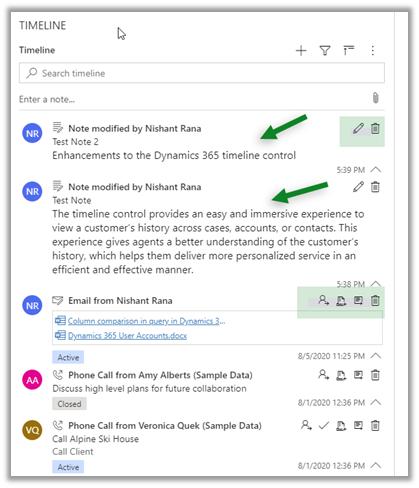
  • Expand and collapse records in timeline

All records expanded inside timeline control shows its content and the icons to perform action on them.

In 2020 Release wave 1, the option is not available

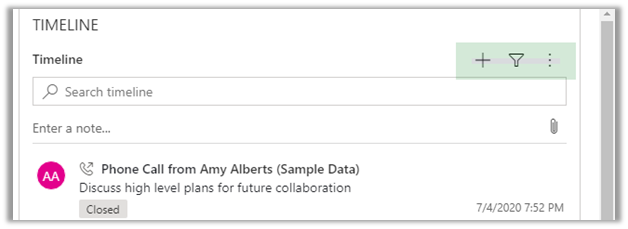
  • Enhancements related to Email within timeline control

https://nishantrana.me/2020/08/05/enhanced-email-for-timeline-in-dynamics-365-2020-release-wave-2/

  • Highlight of matching text for the search

Dynamics 365 2020 release wave 2 –https://docs.microsoft.com/en-us/dynamics365-release-plan/2020wave2/

Hope it helps..
Enhanced knowledge articles in Dynamics 365 – 2020 release wave 2


With 2020 release wave 1, we had new features added in Knowledge management for increased productivity

https://nishantrana.me/2020/02/19/enhancements-in-knowledge-capabilities-in-dynamics-365-customer-service-2020-release-wave-1/

Opt-in for release 2020 wave 2

https://nishantrana.me/2020/08/05/enable-early-access-2020-release-wave-2-dynamics-365/

Check other posts on Release 2020 Wave 2

Now with release 2020 wave 2, we have a few more changes added to editing and view experience related to Knowledge articles.

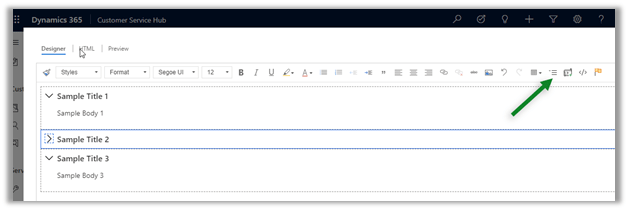
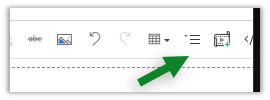
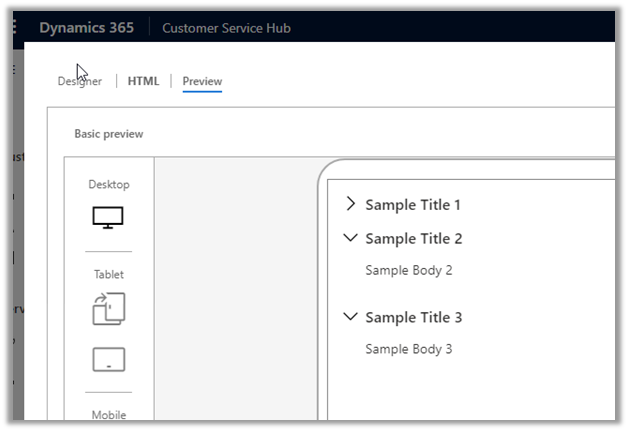
  • The authors can create a collapsible section

The same experience for the end-users within the case form à

  • The collapsible section option was not available in 2020 release wave 1

  • Warning message in the Preview tab, if an anchor is used, has been removed now.

With 2020 Release wave 1

  • Icons have been updated within the Knowledge search control.

In 2020 Release wave 1 ->

In 2020 Release wave 2 ->

Dynamics 365 2020 release wave 2 –https://docs.microsoft.com/en-us/dynamics365-release-plan/2020wave2/

Hope it helps..