

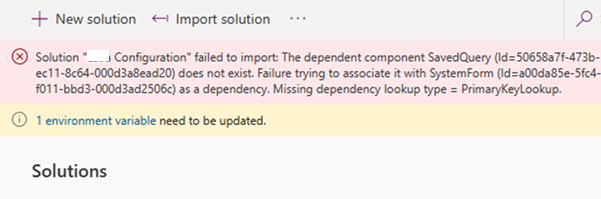
Recently, while trying to import a solution, we got the below dependencies error.
Solution ” Configuration” failed to import: The dependent component SavedQuery (Id=50658a7f-473b-ec11-8c64-000d3a8ead20) does not exist. Failure trying to associate it with SystemForm (Id=a00da85e-5fc4-f011-bbd3-000d3ad2506c) as a dependency. Missing dependency lookup type = PrimaryKeyLookup.
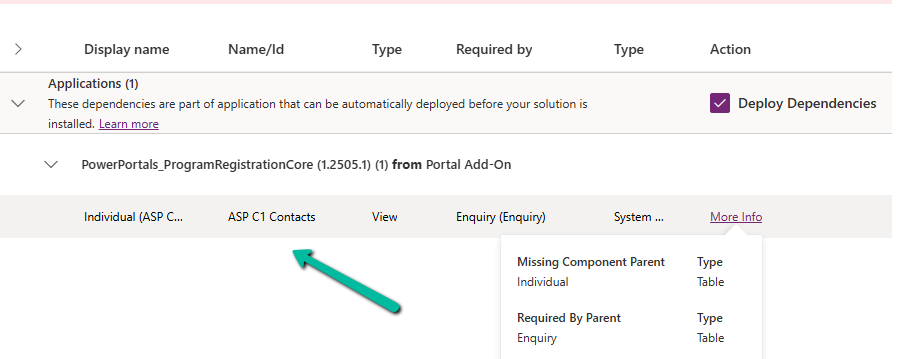
The error indicated that a specific Contact view (ASP C1 Contacts) was missing. When we checked the dependencies, it showed that this view had a dependency on the main form of a custom table.
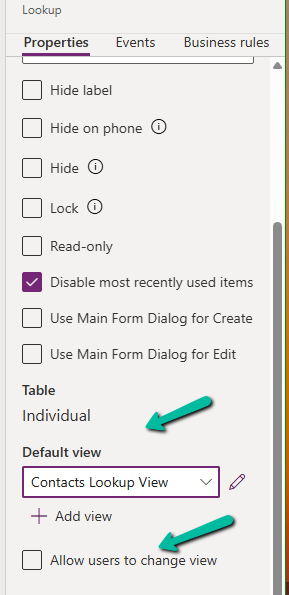
That form contained multiple Contact lookup fields. However, when we reviewed all the lookup configurations, none of them appeared to reference that particular view. Each lookup had its Default View set to “Contacts Lookup View,” and the “Allow users to change view” option was disabled. Everything looked correct in the UI.
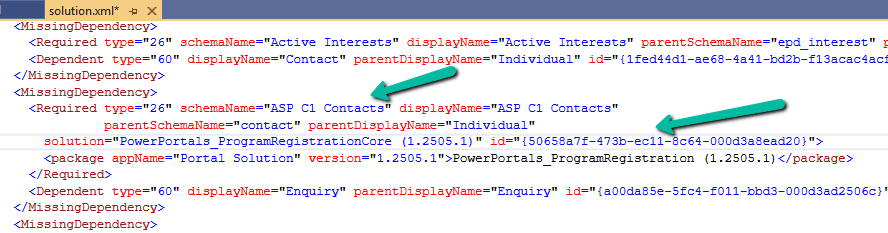
Since the issue wasn’t visible from the form editor, we exported the solution and inspected the solution.xml file. There, we could clearly see the missing dependency details, including the GUID of the problematic view.
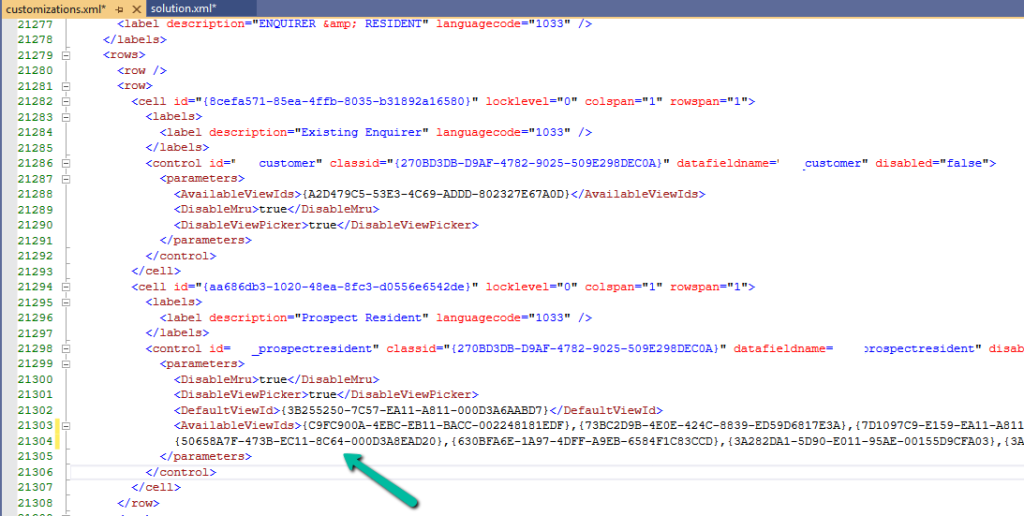
Using that view GUID ({50658a7f-473b-ec11-8c64-000d3a8ead20}), we searched inside the customizations.xml file. This revealed that the view was still being referenced by one of the lookup controls (display name “Prospect Resident”), even though the form configuration showed a different default view. Essentially, the form XML still contained an old reference to that view.
To resolve the issue, we removed the lookup from the form and added it again. After re-adding it, we temporarily enabled the “Allow users to change view” option, selected a few views, saved and published the form, and then disabled the option again and published once more. This process refreshed the lookup configuration and removed the hidden dependency.
After that, the solution was imported successfully.
This issue highlights how form XML can retain hidden view references even when the UI configuration appears correct. When facing similar “SavedQuery does not exist” errors, inspecting customizations.xml for the view GUID can help quickly identify the root cause.
Hope it helps..
Discover more from Nishant Rana's Weblog
Subscribe to get the latest posts sent to your email.
Share It -


 Nishant Rana's Weblog
One thought on “Solution Failed to Import – Missing Lookup View Dependency in Dataverse / Dynamics 365”