

With the Associated Grid Control we can configure and show up four subgrids in the form, making it a more intuitive and cleaner form layout, with ease of navigation.
Below we are adding the Associated Grid Control component to the Contact’s form.
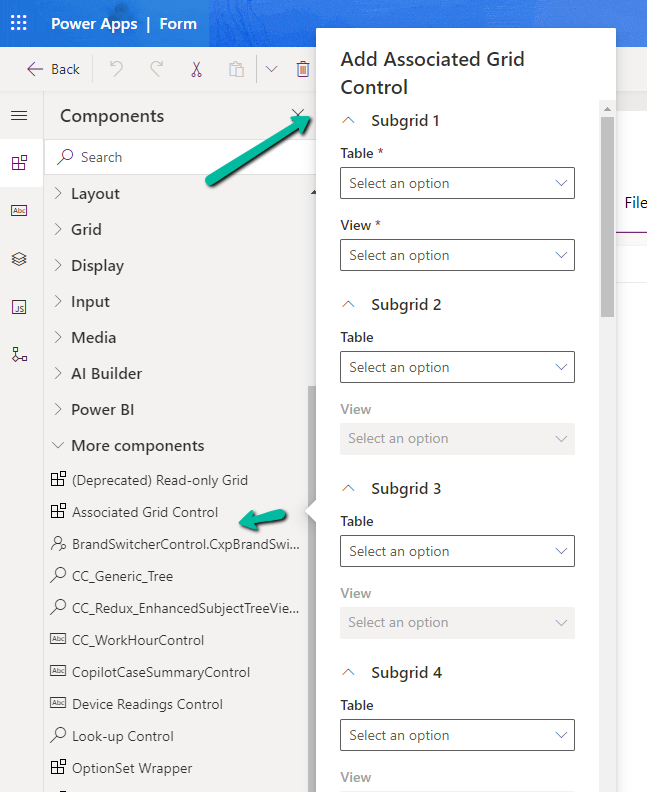
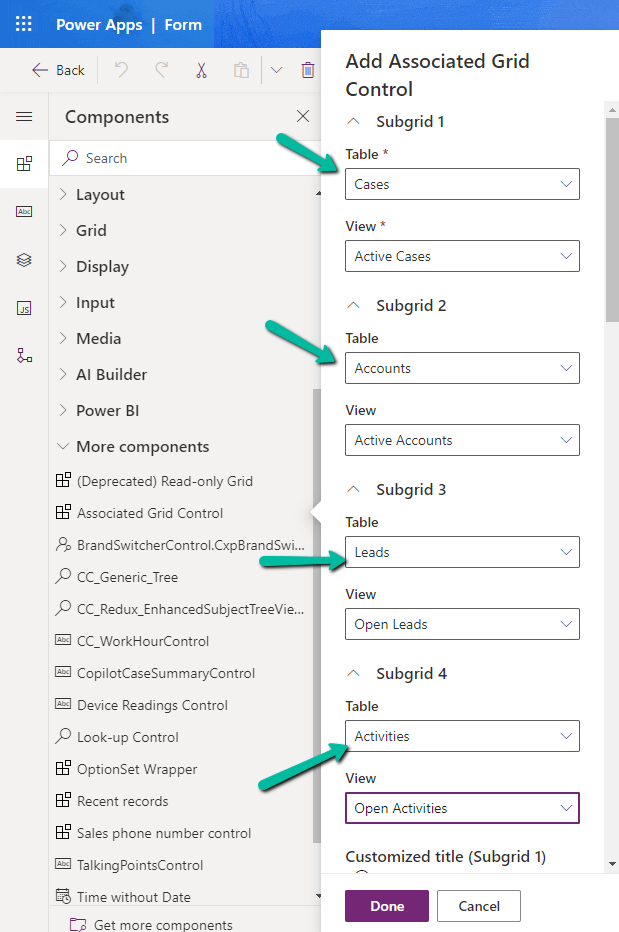
Here we have specified the Subgrid Tables and Views to begin with.
For the 1st subgrid specified we can set the specific options from the properties pane. Here let us try checking the Show related rows properties for the cases subgrid.
On doing so, we get the below message.
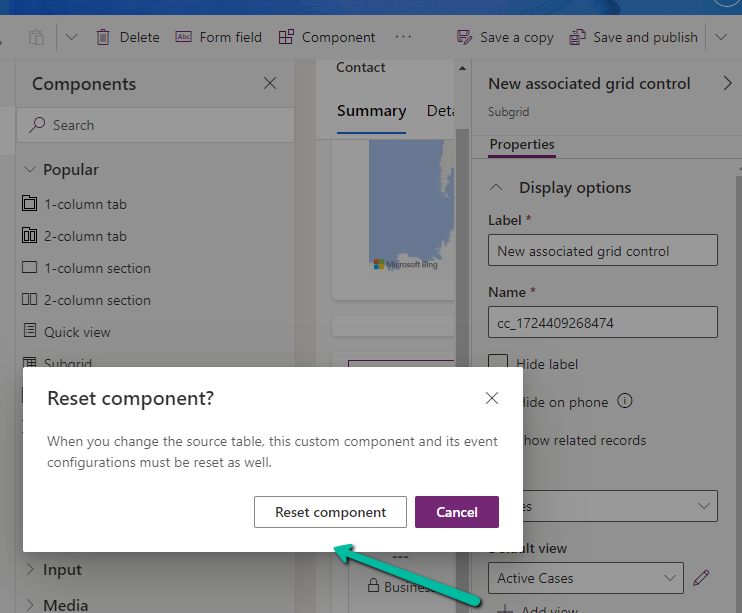
It basically reset the 1st subgrid’s table to Accounts from Case, the rest of the configuration remains unchanged.

Let us change it back to Cases and select the appropriate view.
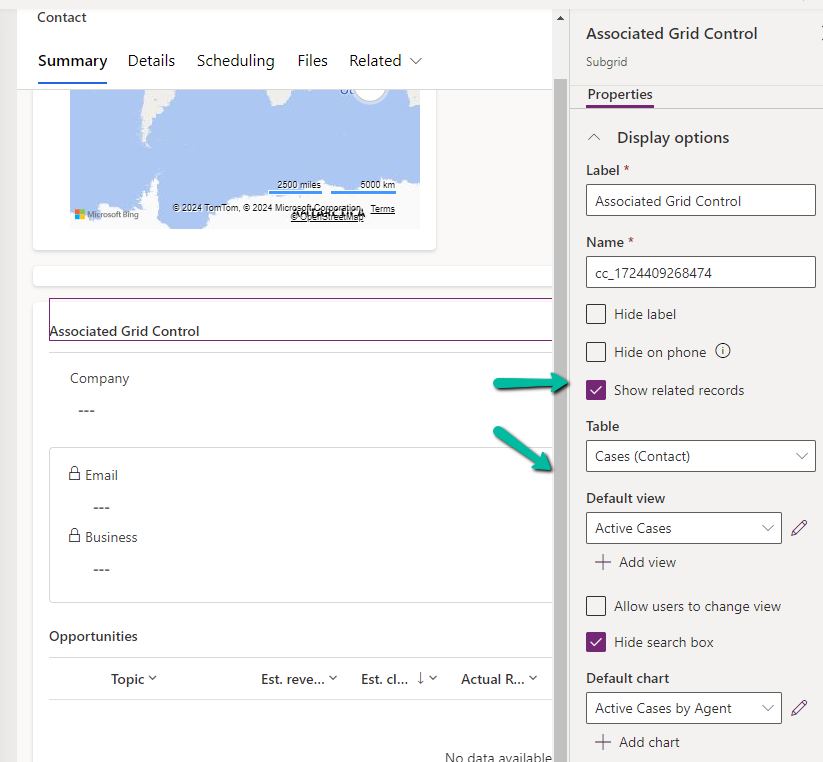
Let us save and publish the change.
Now in the Contact form we can see the grid control with 4 different subgrids as configured.
The Active Cases shows the associated cases.
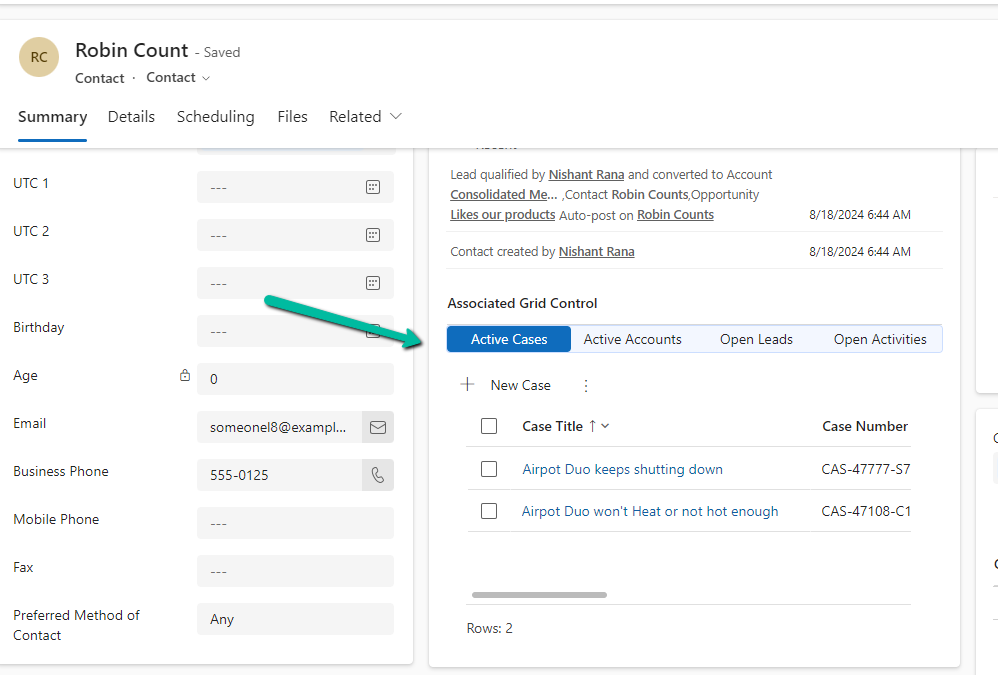
However, that is not the case with other subgrids as they show all the records.
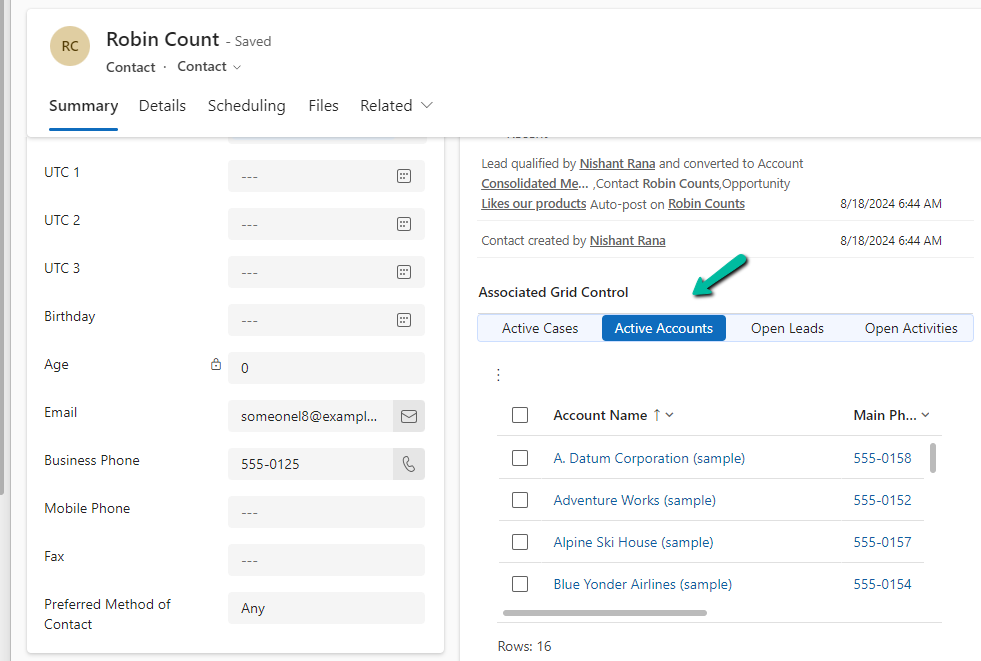
To filter it to show the associated records we need to specify the relationship name while configuring the component.
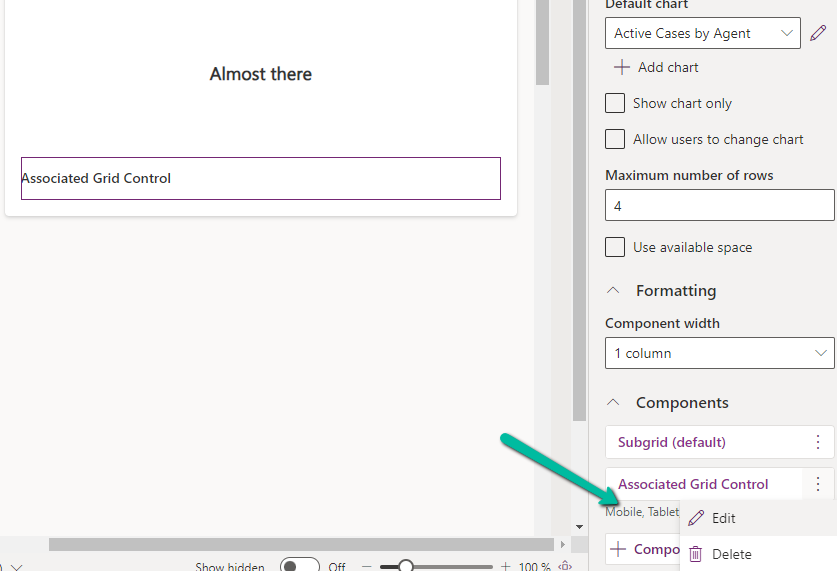
Let us edit the component.
Below we specified the relationship name for the subgrid 2 i.e Accounts.
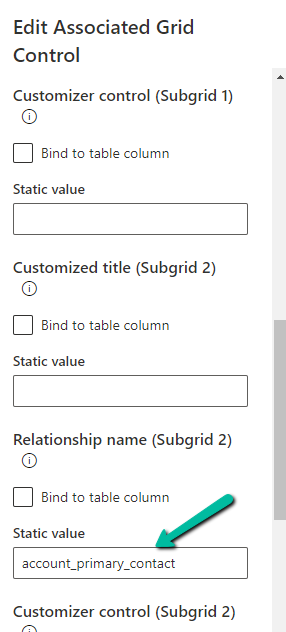
As expected, this time we can see Active Accounts filtered to show only those account records where the contact is associated as the primary contact.

Get all the details here
Also check –
Due Open Activities Control – https://nishantrana.me/2023/05/09/due-open-activities-control-dynamics-365/
Notes Control – https://nishantrana.me/2023/05/10/notes-control-dynamics-365/
Attachment Control – https://nishantrana.me/2023/05/08/new-attachment-control-dynamics-365/
OptionSet Wrapper Component – Use OptionSet Wrapper component to show color-coded options on the form
Hope it helps..
Discover more from Nishant Rana's Weblog
Subscribe to get the latest posts sent to your email.
Share It -


 Nishant Rana's Weblog
Hi Nishant , Thanks for very informative and helpful article . But i dont know whether you noticed , field mapping doesn’t seems to work with Associated Grid control . When you click on +New <entity> from the subgrid , the new form is not able to map the parent lookup field.
LikeLike
It’s worth noting that this control is only available if you have a Dynamics license. It isn’t available for Power Platform model-driven apps.
LikeLike