

Say for e.g. we have a requirement to make a certain field or column in the Editable Grid as read-only.
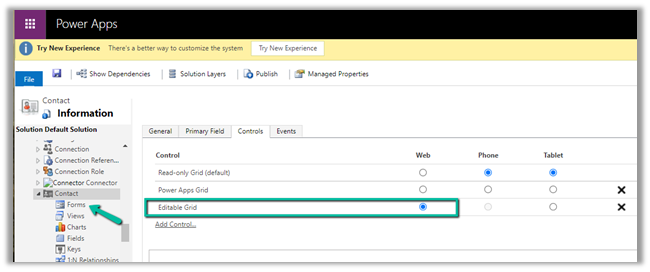
Here we have enabled Editable Grid control for Contact table.
Below are the 2 ways of achieving it –
Here we are taking the email field as an example.
- Field level security –
We have enabled Field Security on the Email field.
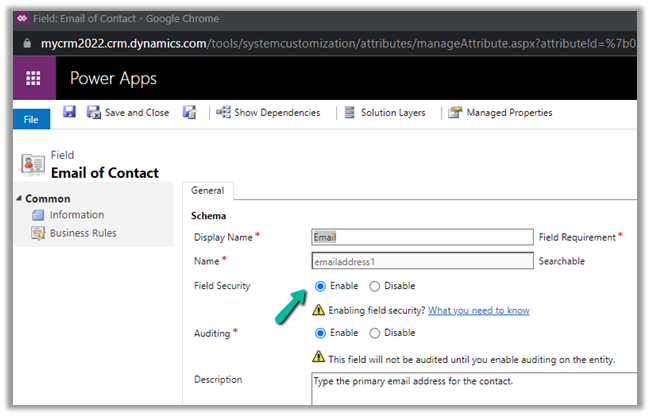
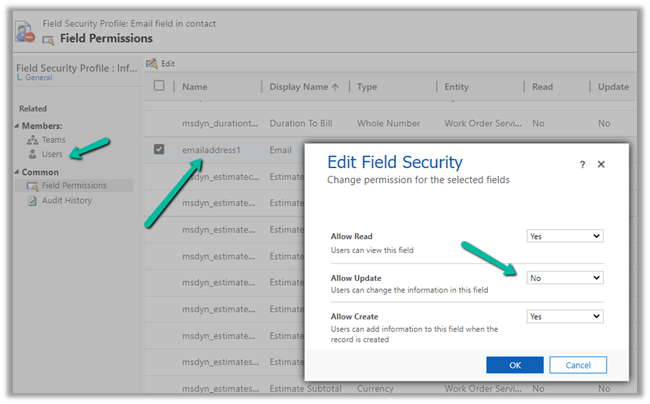
And we have set Allow Read and Allow Create as Yes and Allow Update as No.
And added the appropriate users or teams to which this profile should apply.
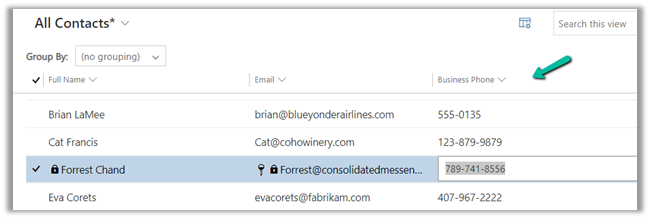
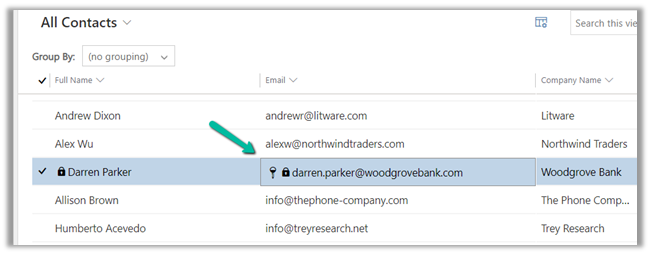
Now when the user tries to make changes in the email field, it comes as locked.

The other fields still come as editable as we have not enabled them for field security.
- The other option is JavaScript on the OnRecordSelect event

Code –
function onGridRowSelected(context) {
    context
        .getFormContext()
        .getData()
        .getEntity()
        .attributes.forEach(function (attr) {
            if (attr.getName() === "emailaddress1") {
                attr.controls.forEach(function (myField) {
                    myField.setDisabled(true);
                });
            }
        });
}

The result –
Also check – https://nishantrana.me/2022/02/15/power-apps-grid-control-in-model-driven-apps-dynamics-365-crm/
Hope it helps..
Discover more from Nishant Rana's Weblog
Subscribe to get the latest posts sent to your email.
Share It -


 Nishant Rana's Weblog
Hi, I’m looking for a way to make the total editable grid readonly. So that I can use the grouping functionality, but do not allow changes in the view.
Is that possible?
LikeLike
Had the same requirement and this script was an inspiration. If you read it, it has a condition on the field name. Just remove it and it’ll work for all fields.
function onGridRowSelected(context) {
context
.getFormContext()
.getData()
.getEntity()
.attributes.forEach(function (attr) {
attr.controls.forEach(function (myField) {
myField.setDisabled(true);
});
});
}
LikeLike