ParentContext property of IPluginExecutionContext – Dynamics 365 / Dataverse


Recently we had to write a plugin that should trigger only when a user has manually associated the record from the form (N-N relationship). This was because we were also doing the same association through another plugin, in which case we didn’t want this new plugin to trigger.

Here we can make use of ParentContext property to identify if the plugin is getting triggered because of another plugin.

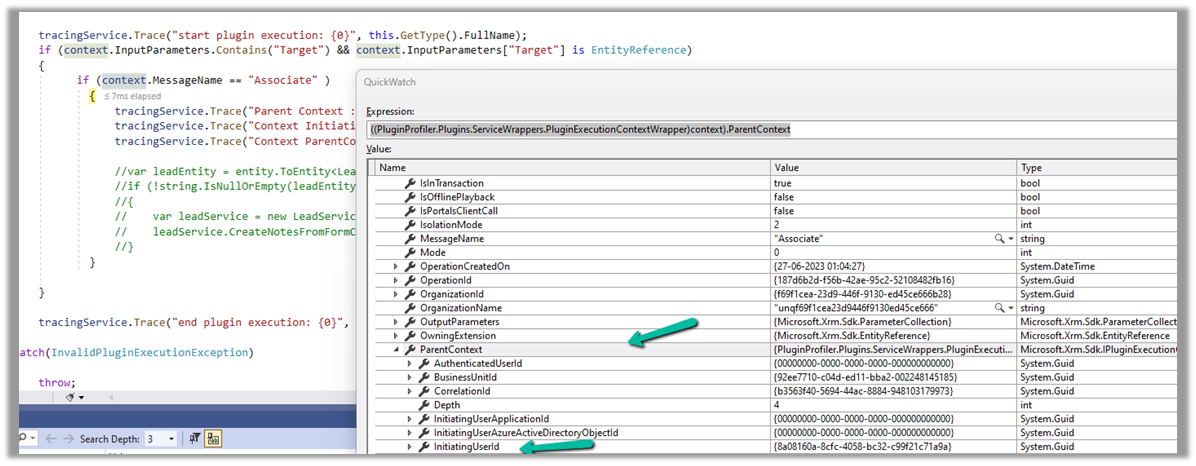
Below we can see ParentContext property getting populated and also in the InitiatingUserId property we get the id of the user who triggered the plugin.

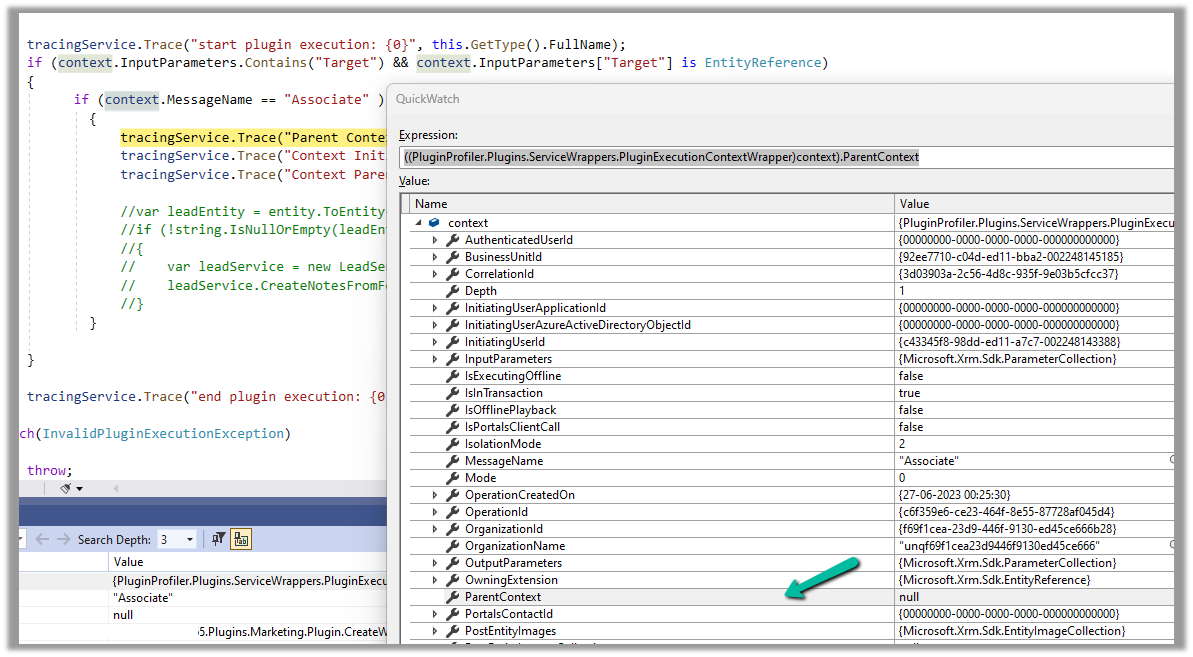
And if the user has manually performed the association from the form, we can see ParentContext being null.

Hope it helps..

Advertisements

How to – Use Plugin on Pre-Validation Stage in Dynamics 365 CE


Recently we had a requirement to delete the Account record without deleting the associated Contact records.

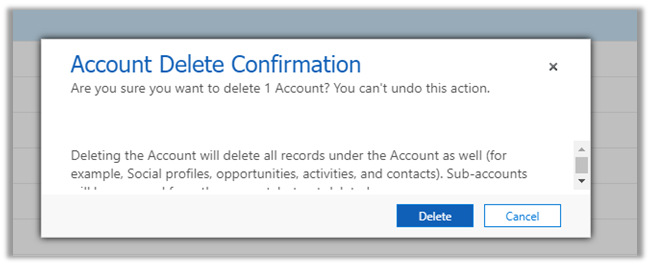
If we try deleting the account record we’d get the following message box
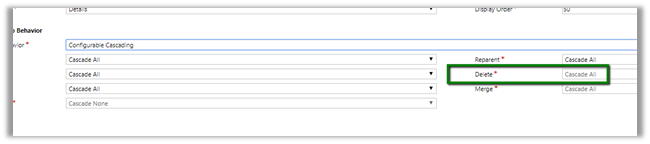
The relationship definition can’t be updated as well to achieve this
So, we wrote a plugin on the pre-validation stage of pre-delete event of Account, which will retrieve and loop through all the child contact records and set its parent customer field as null.

In case of pre-operation the child records were not available.

</p>
<p>public void Execute(IServiceProvider serviceProvider)<br />
{<br />
ITracingService tracingService = (ITracingService)serviceProvider.GetService(typeof(ITracingService));<br />
IPluginExecutionContext pluginContext = (IPluginExecutionContext)serviceProvider.GetService(typeof(IPluginExecutionContext));<br />
IOrganizationServiceFactory serviceFactory = (IOrganizationServiceFactory)serviceProvider.GetService(typeof(IOrganizationServiceFactory));<br />
IOrganizationService organizationService = serviceFactory.CreateOrganizationService(pluginContext.UserId);<br />
EntityReference targetEntity = (EntityReference)pluginContext.InputParameters["Target"];<br />
QueryExpression getContacts = new QueryExpression("contact");<br />
getContacts.Criteria.AddCondition(new ConditionExpression("parentcustomerid", ConditionOperator.Equal, targetEntity.Id));EntityCollection allContacts = organizationService.RetrieveMultiple(getContacts);foreach (Entity contact in allContacts.Entities)<br />
{<br />
Entity contactToBeUpdated = new Entity("contact");<br />
contactToBeUpdated.Id = contact.Id;<br />
contactToBeUpdated.Attributes["parentcustomerid"] = null;<br />
organizationService.Update(contactToBeUpdated);<br />
}}<br />

Another practical scenario

https://www.inogic.com/blog/2017/03/plugin-pre-validation-operation-to-show-an-error-message-as-well-as-log-the-error/

Hope it helps..

Advertisements

Unit Test RetrieveAttributeResponse in CRM using Microsoft Fakes.


Hi,

Recently we wrote a plugin that was using RetrieveAttribute class to get the label as well as value of the optionset field.

The issue that we faced over here is that the AttributeMetadata property of RetrieveAttributeResponse is read only, we cannot set it. The following post provided the solution i.e. writing a wrapper class over the RetrieveAttributeResponse

http://www.alexanderdevelopment.net/post/2013/01/13/How-to-unit-test-C-Dynamics-CRM-interface-code-part-III


organizationService.ExecuteOrganizationRequest = request =>
 {
 var retrievedPicklistAttributeMetadata = new PicklistAttributeMetadata();

if (request.Parameters["LogicalName"].ToString() == "lss_service_request_status")
 {
 var optionMetadata = new OptionMetadata(new Label("Closed", 1033), 10);
 optionMetadata.Label.UserLocalizedLabel = new LocalizedLabel("Closed", 1033);
 optionMetadata.Label.UserLocalizedLabel.Label = "Closed";

var serviceRequestTypeOptionSet = new OptionSetMetadata
 {
 Name = "lss_service_request_status",
 DisplayName = new Label("Service Request Status", 1033),
 IsGlobal = false,
 OptionSetType = OptionSetType.Picklist,
 Options = { optionMetadata }
 };

retrievedPicklistAttributeMetadata.OptionSet = serviceRequestTypeOptionSet;
 }

var retrAttResponse = new RetrieveAttributeResponseWrapper(new RetrieveAttributeResponse());
 retrAttResponse.AttributeMetadata = retrievedPicklistAttributeMetadata;
 return retrAttResponse;
 };

Hope it helps!