The pain of missing “Else If” condition in Business Rules in CRM 2013.


Let us take a simple example

There is a field say “Test Field” and 2 option set fields.

OptionSet1 è A1, A2, A3, A4

OptionSet2èB1, B2, B3, B4

Now the logic that we have to implement is

Show “Test Field” when

OptionSet1 = A1 and OptionSet2= B1

Or

OptionSet1 = A2 and OptionSet2= B2

Else

Field should be hidden

Logic in JavaScript

If (optionset1 == A1 && optionset2== B1)

Show field “Test Field”

Else if (optionset1 == A2 && optionset2== B2)

Show field “Test Field”

Else

Hide field “Test Field”

Logic in Business Rule

To implement the same in business we need write 6 business rules.

  1. If OptionSet1 = A1 and OptionSet2= B1 è Show “Test Field”
  2. If OptionSet1 = A2 and OptionSet2= B2 è Show “Test Field”
  3. If OptionSet1 != A1, A2 è Hide “Test Field”
  4. If OptionSet1 2= B1, B2 è Hide “Test Field”
  5. If OptionSet1 = A1 and OptionSet2= B2 è Show “Test Field”
  6. If OptionSet1 = A2 and OptionSet2= B1 è Show “Test Field”

Well the good news is that we now have “Else If” condition in CRM 2015.

https://nishantrana.me/2014/10/04/business-rules-in-crm-2015/


Notes on Rollup Fields in CRM 2015


Data Types and Function Supported

  • Whole Number à SUM, MIN, MAX, COUNT
  • Decimal NumberàSUM, MIN, MAX, COUNT
  • CurrencyàSUM, MIN, MAX
  • Date and TimeàMIN,MAX

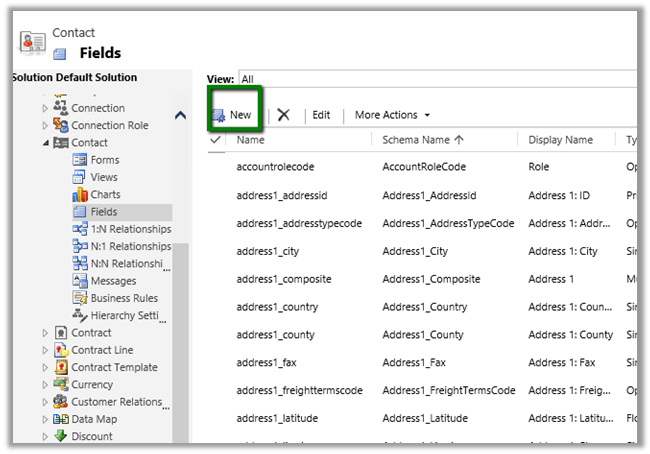
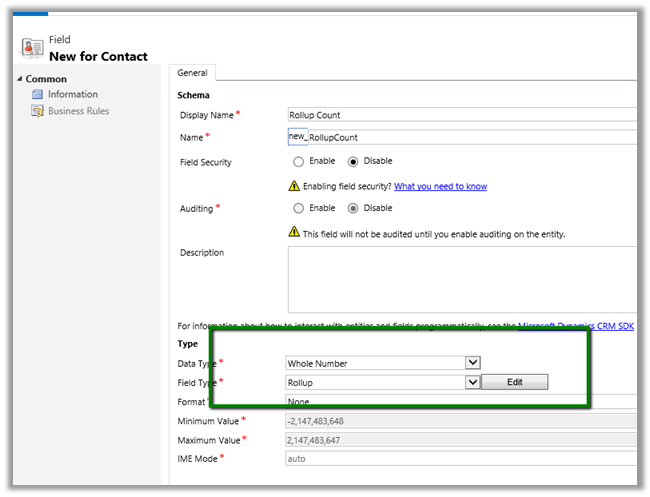
Creating a Rollup Field

Check how many task activity are open for a particular contact record.

Click on Edit

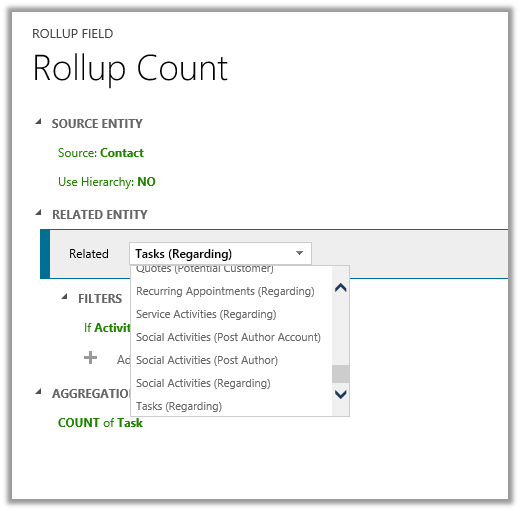
Select Task as related entity.

Set Filters to Open Task

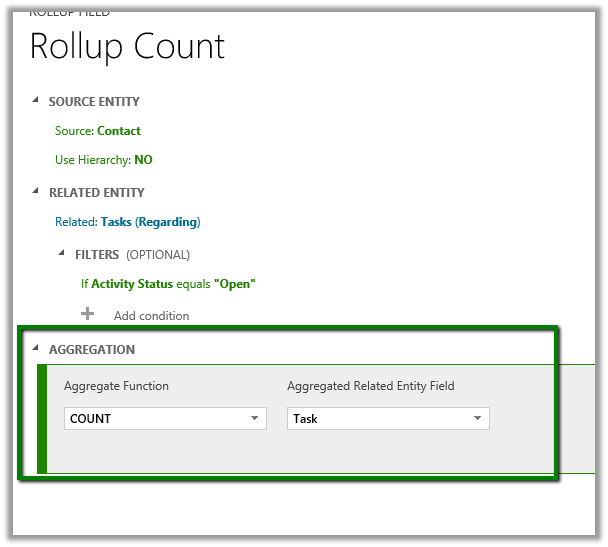
Specify Count as Aggregation.

Add the field to Contact form.

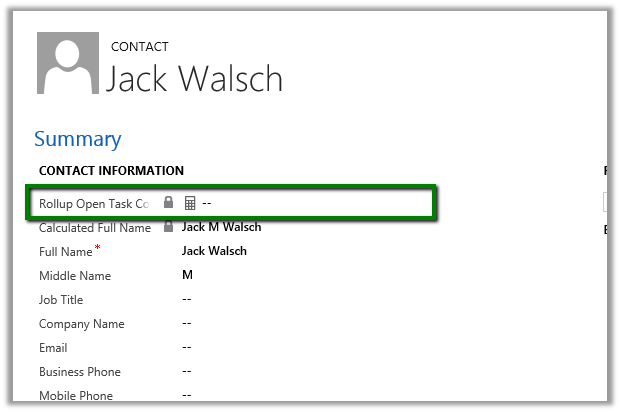
Click on Recalculate will show the count.
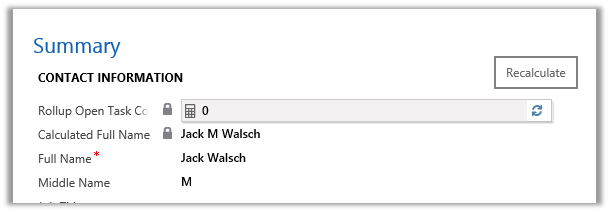
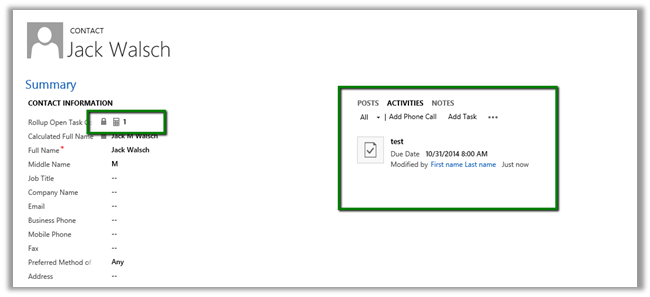
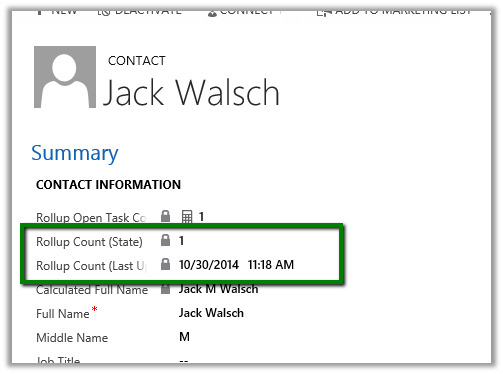
On Adding a Task and recalculating

Two new field State and Last Updated On are also created along with the roll up field. Adding them on form.

Different State value

0 Not Calculated
1 Calculated
2 Overflow Error
3 Other Error
4 Retry Limit Exceeded
5 Hierarchical Recursion Limit Reached
6 Loop Detected


  • Aggregated by System Account.
  • Read Only Field.
  • Asynchronous job runs approximately every 12 hours else it can be run manually using Recalculate button.


Notes on Calculated Fields in CRM 2015


Data Type supported

  • Single Line of Text
  • Option Set
  • Two Options
  • Whole Number
  • Decimal Number
  • Currency
  • Date and Time

Operator and Function Supported

Math Operator
à =, +, -, /, *

String Functions
àCONCAT, TRIMLEFT, TRIMRIGHT

Date Time
à ADDHOURS, ADDDAYS, ADDWEEKS, ADDMONTHS, ADDYEARS, SUBTRACTHOURS, SUBTRACTDAYS, SUBTRACTWEEKS, SUBTRACTMONTHS, SUBTRACTYEAS

Creating a new Calculated Field

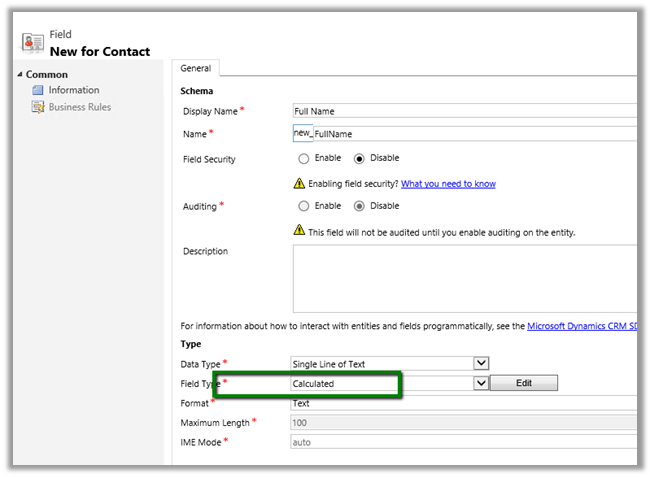
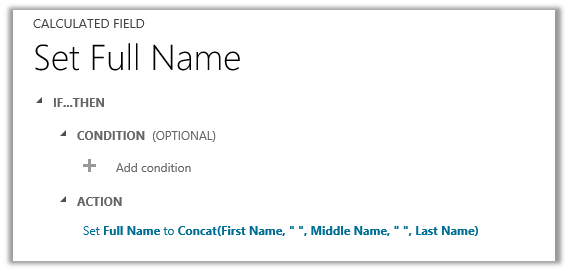
For e.g. let us create a calculated field of string type that will concat first name, middle name and last name for Contact Entity.

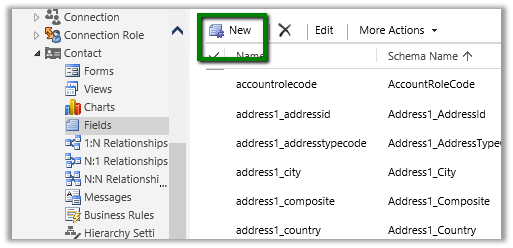
Open Contact entity for customization à Fields à Click on New

Click on Edit to define the Calculated Field

The editor has IntelliSense


Add the field to form.

  • Calculated Field are not saved in database.
  • They are executed during Retrieve.
  • Can be used by another calculated field.
  • Calculations is done using System Account.

JavaScript runtime error: Unable to get property ‘get_code’ of undefined or null reference in CRM


We can get the ‘get_code’ error if we are using Assign Step in Action/Workflow and the value is null for the field selected.

Here we need to use If condition to check if the value exist for that particular field before using Assign Step.

Differences between Standard SLA and Enhanced SLA in CRM 2015


  • In Standard SLA the Related Case Field will show the Date Time Field available in the Case entity.

  • Enhanced SLA – Shows Lookup Field in the Case Entity that references SLA KPI Instance Entity.

  • We can create our own Lookup Field which references the SLA KPI Instance entity.
  • Enhanced SLA now supports Success Action.

  • Standard SLA on supports Success Criteria

  • In Standard SLA – First Response By and Resolve By values are stored in the Case Entity.

  • Enhanced SLA – stores this information in the associated SLA KPI Instance entity.


Advertisements

Sample code: Using jqGrid in ASP.NET page to show CRM data


Sample code: Using jqGrid in ASP.NET page to show CRM data

Just sharing a simple ASP.NET page that uses jqGrid to show contact records in CRM and allows user to search.

Here is the code SampleJQGrid.zip (remove .doc)

Hope it helps ..