How to – Use Form Component Control in Dynamics 365 / Power Apps


Form Component Control can be used to update the parent record -through Debajit’s blog post, we came to know about it-  https://debajmecrm.com/how-to-edit-a-parent-record-from-child-record-form-in-dynamics-365-dataverse/

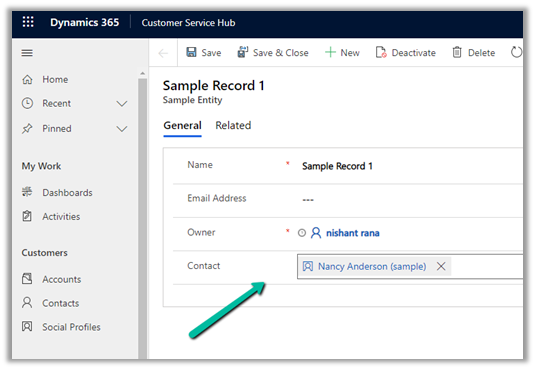
Below is our custom entity/table named Sample Entity having contact’s lookup.
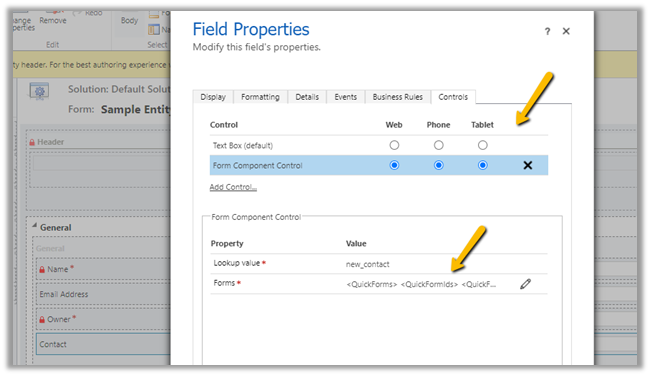
Let us add one more contact field, specify the Form Component control for it

We need to specify the main form to be used as a static value within the QuckForms tag.

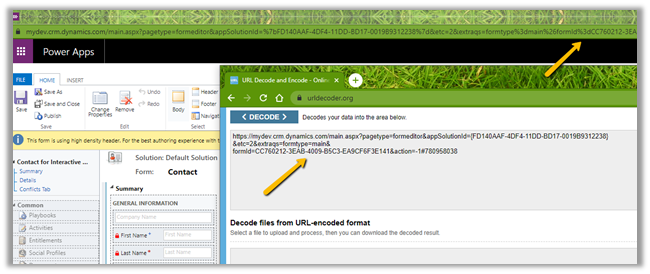
entityname will be the schema name of the entity and the id of the main form.

Get the form id in the classic form editor –
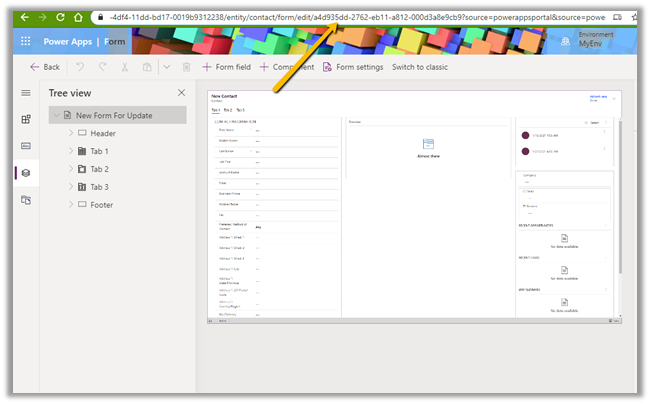
And in the new form designer –
Save and publish the change.
We can see the main form of the contact being rendered within the custom entity’s form on the selection of Contact lookup value.

Now let us look at the some of the key points –

  • Only the Main form can be considered while using form component control i.e. only the main form can have the form component control which must be the main form itself. Quick View, Quick Create, and card cannot be used.
  • The form component will only show the first tab of the form. Below is the form we have configured, but it shows only the summary tab.

  • The validation of the embedded parent form still applies as shown below.

  • Data is sent for save independently for each record, which has no defined order.
  • It is not recommended to use the form with Business Process Flow as a form component.
  • Form components cannot have another main form with form components embedded in them. Although we do not get any error, it might be unsupported.

  • The same form can be used across different form components but is not supported as per Microsoft Docs. Here we have embedded the same form inside Account’s form.
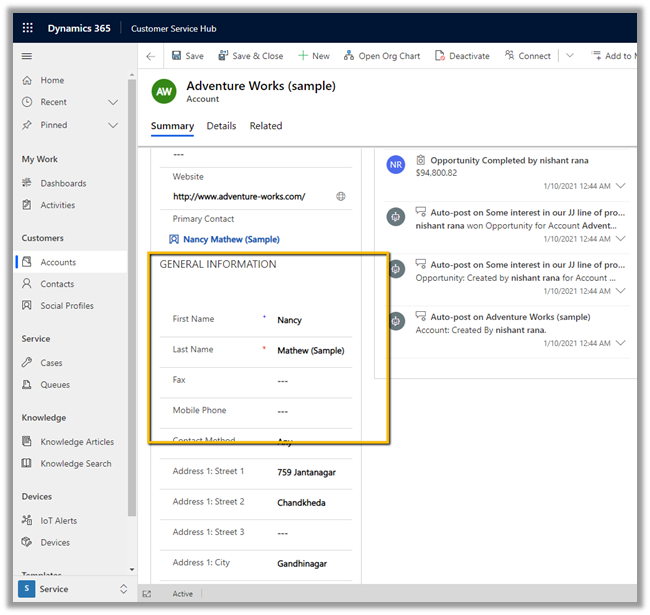
Get all the details here

https://docs.microsoft.com/en-us/powerapps/maker/model-driven-apps/form-component-control

Hope it helps..

Advertisements

How to – Create a custom API of type function in Dynamics 365 / Microsoft Dataverse


Continuing our previous posts,

Create Custom API Message
https://nishantrana.me/2021/01/13/use-custom-api-to-create-custom-messages-in-dynamics-365/

Allowed Custom Processing Step Type Property –

https://nishantrana.me/2021/01/20/allowed-custom-processing-step-type-allowedcustomprocessingsteptype-property-of-custom-api-in-dynamics-365-microsoft-dataverse/

Here we will create a custom API of type function by setting Is Function property as true.

  • The function requires HTTP GET method.
  • The function must include at least one Custom API Response Property defined.
  • The function cannot use Entity or Entity Collection Request Parameter, i.e. Binding Type can only be Global in case of Function.

Let us define a Custom API Response Property and associate it with the custom function defined.

Here we have defined a custom API response property of type Boolean.

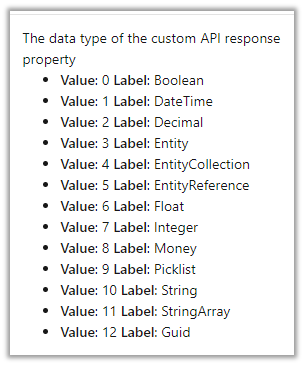
The other data type supported are

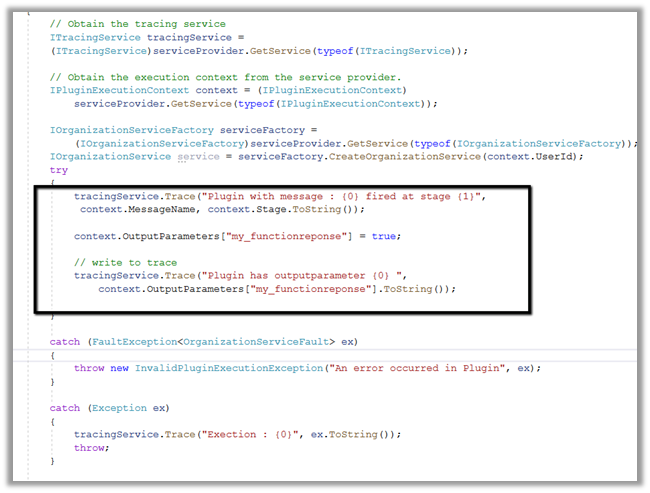
Below is the plug-in that we will associate with the Custom API message, here we are setting the value of the response parameter.

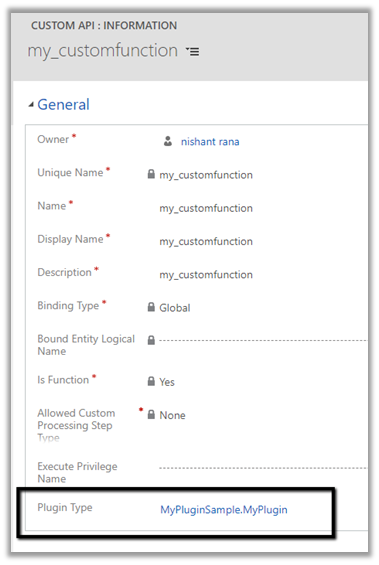
Associated the plugin to the custom API message

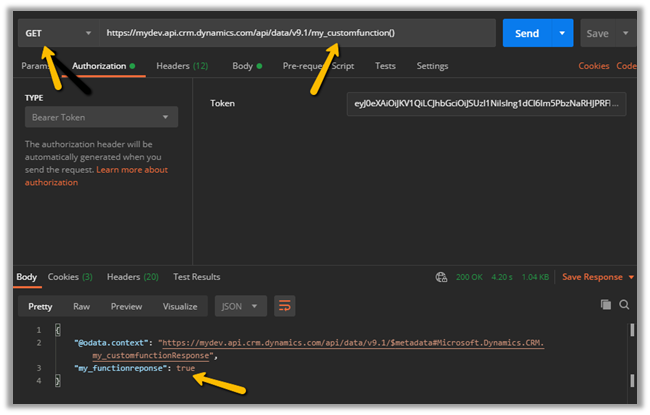
Let us trigger our function using the Postman.

Invoking Custom APIs

https://docs.microsoft.com/en-us/powerapps/developer/data-platform/custom-api#invoking-custom-apis

Plugin trace log –

More information on Custom API

Hope it helps..

Advertisements

Custom API Request Parameter entity in Dynamics 365 / Microsoft Dataverse


Continuing our previous posts on Custom API

Here we will look at the CustomAPIRequestParameter entity.

  • This entity can be used to define input parameters to the Custom API.
  • It is not a mandatory entity for Custom API i.e. we can define a custom API without any input/request or output/response parameter.
  • In the case of multiple parameters, ordering is not important as they are identified using the name.
  • One parameter can be associated with only one Custom API.
  • We can have multiple parameters with the same Unique Name as long as they are associated with different Custom API.

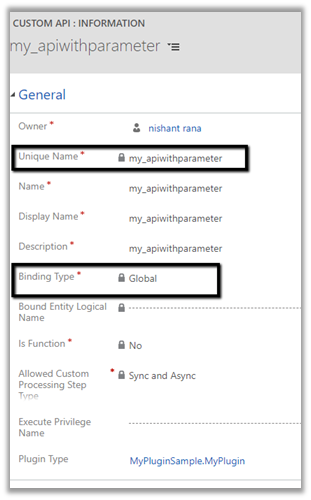
Say e.g. below is our Custom API

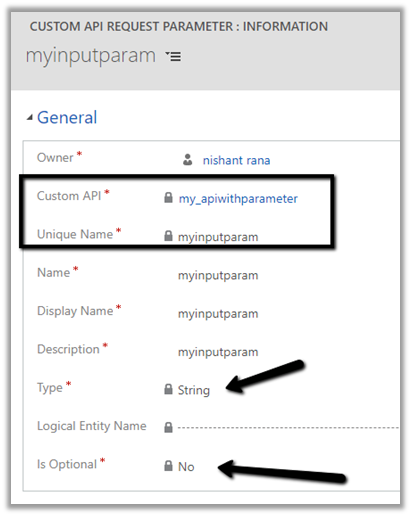
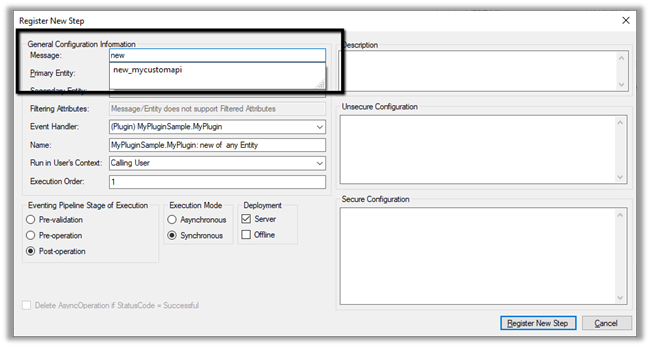
And this is our Custom API Request Parameter associated with the above API of type String

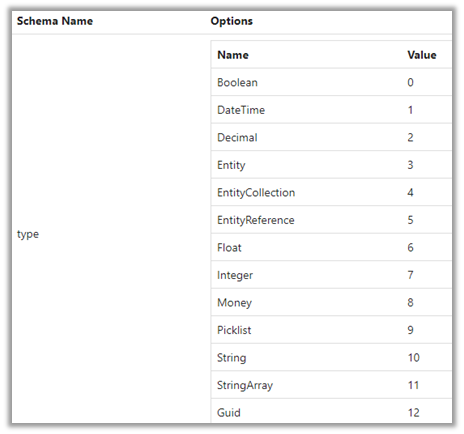
The different data type for the request parameter

Below is our plugin registered for the custom message.

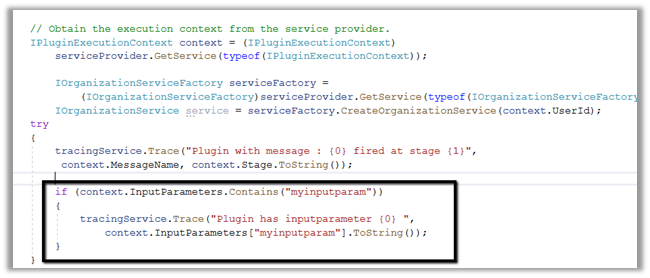
We are checking for the input parameter and writing it in the trace log.

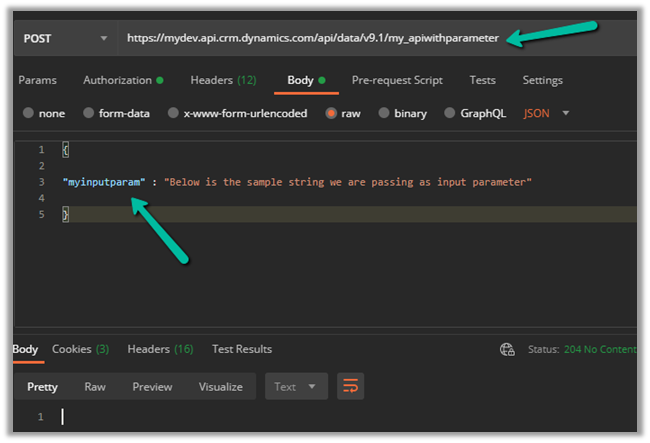
Let us call our custom API
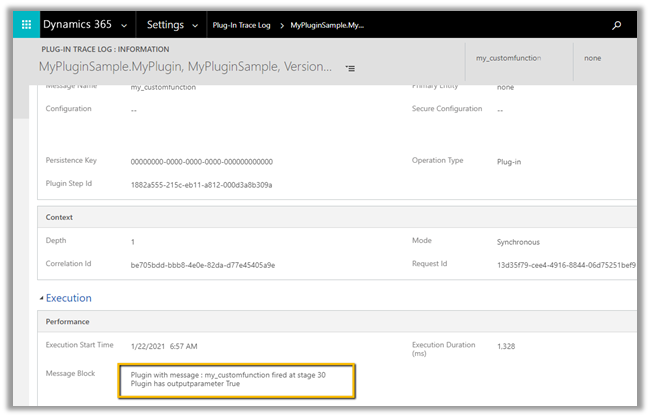
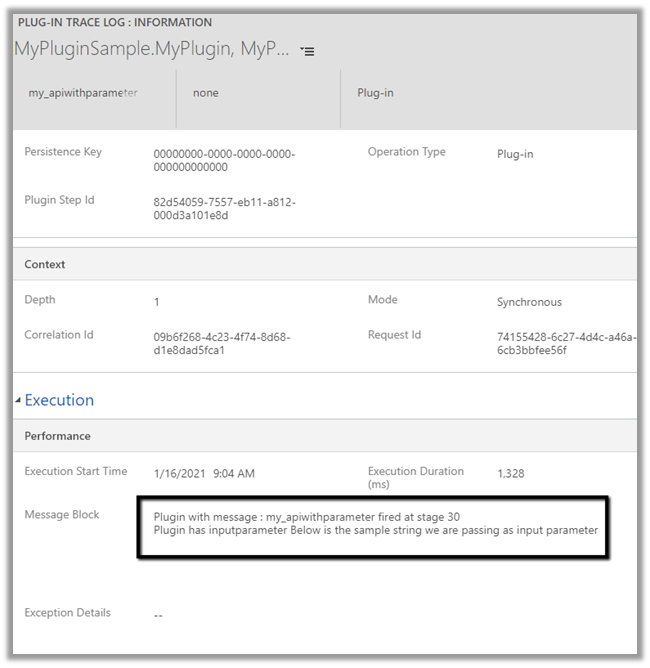
And let us check the plugin trace logs.

We can see the message being called successfully.

Get more details –

Create and use Custom APIs

Hope it helps..

Export key attribute uniquename for component CustomAPI must start with a valid customization prefix exception while creating Custom Action in Dynamics 365


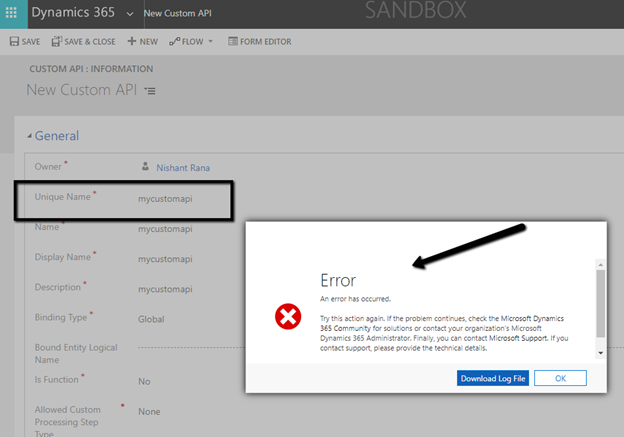
We might get below error while creating a custom action from the maker portal without specifying the prefix.

Unhandled exception:

Exception type: System.ServiceModel.FaultException`1[Microsoft.Xrm.Sdk.OrganizationServiceFault]

Message: Export key attribute uniquename for component CustomAPI must start with a valid customization prefix

As the message suggests, we need to add prefix to the Unique Name of the custom API.

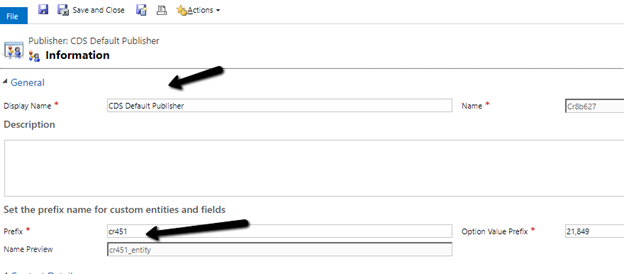
Check the prefix of the solution publisher and specify the same.

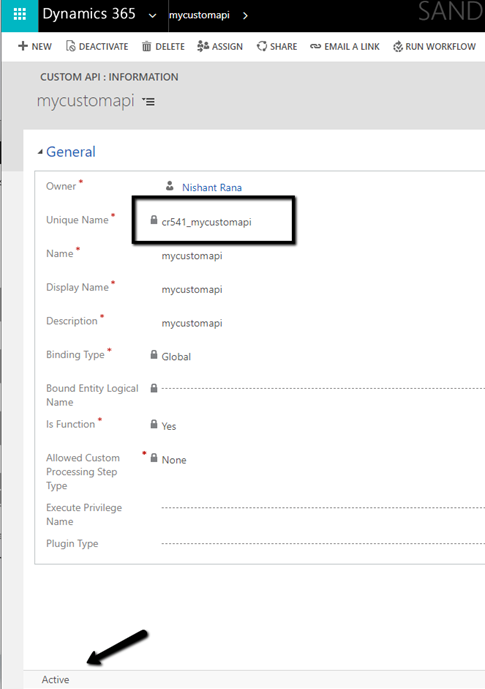
Adding the prefix allows us to save and create the Custom action record.

Microsoft docs suggest that is should match the prefix specified for the solution publisher

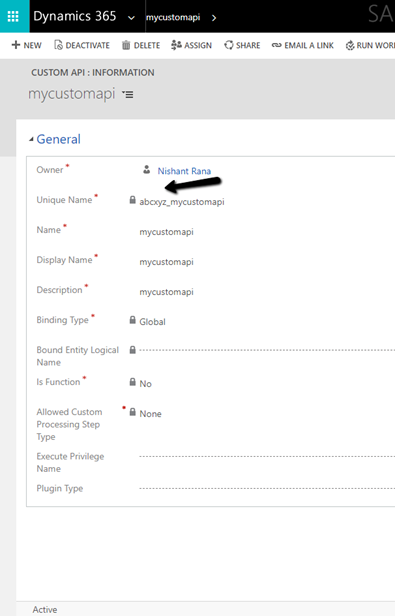
but it seems we can specify any prefix there and it allows us to save the record.

More on Custom API –

Create Custom API Message –
https://nishantrana.me/2021/01/13/use-custom-api-to-create-custom-messages-in-dynamics-365/

Execute Privilege Name Property –

https://nishantrana.me/2021/01/14/execute-privilege-name-executeprivilegename-property-of-custom-api-in-dynamics-365-microsoft-dataverse/

Allowed Custom Processing Step Type Property –

https://nishantrana.me/2021/01/20/allowed-custom-processing-step-type-allowedcustomprocessingsteptype-property-of-custom-api-in-dynamics-365-microsoft-dataverse/

Hope it helps..

Allowed Custom Processing Step Type (AllowedCustomProcessingStepType) property of Custom API in Dynamics 365 / Microsoft Dataverse


Continuing our previous posts, let us check the AllowedCustomProcessingStepType attribute in this blog post

https://nishantrana.me/2021/01/13/use-custom-api-to-create-custom-messages-in-dynamics-365/

https://nishantrana.me/2021/01/14/execute-privilege-name-executeprivilegename-property-of-custom-api-in-dynamics-365-microsoft-dataverse/

Allowed Custom Processing Step Type attribute of custom API allows us to control whether other plugins can be registered or not against the custom message

  • 0 – None – No custom processing steps are allowed.
  • 1 – Async Only– Only Async processing steps are allowed.
  • 2 – Both Async and Sync custom processing steps are allowed

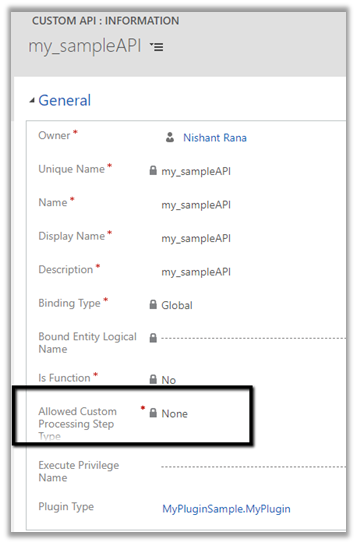
Let us create a custom API with the value of “Allowed Custom Processing Step Type” as None.

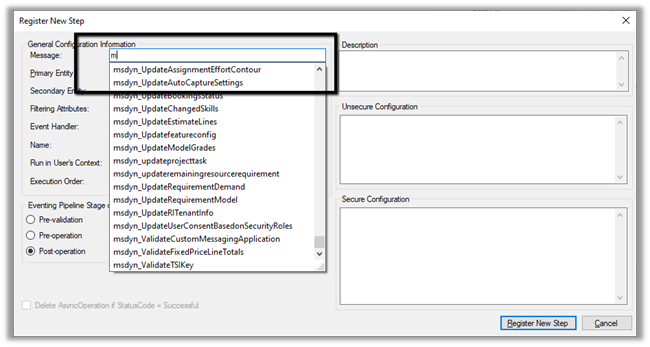
If we check inside the Plugin Registration tool, we will not find the above message that we registered i.e. my_sampleAPI there.

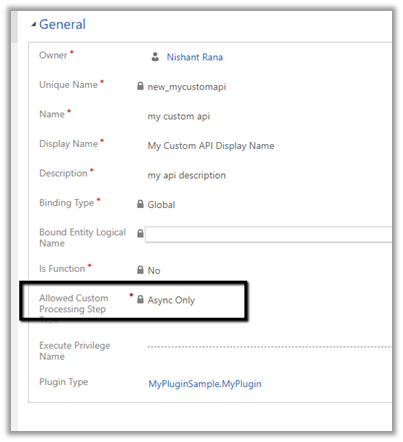
Let us create another custom API and specify “Allowed Custom Processing Step Type” as Async Only.

As expected we can find the message available there.

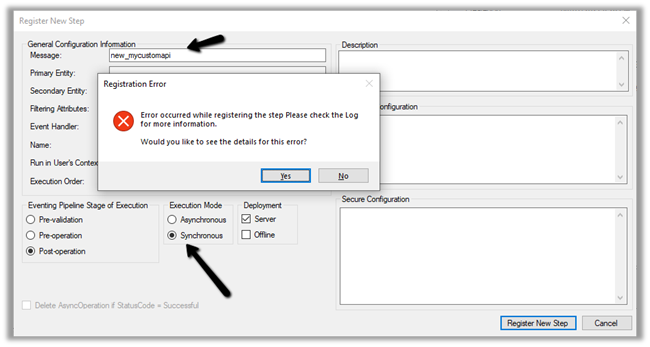
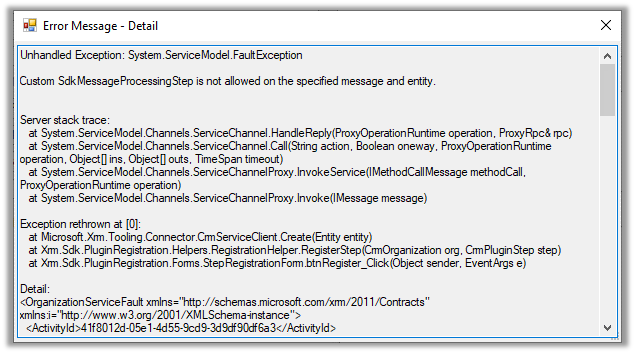
As it is Async Only, if we try to register the step with Synchronous mode, we will get the below error.

Custom SdkMessageProcessingStep is not allowed on the specified message and entity.

As expected it allows us to register the step in asynchronous mode.

Get more details –

Create and use Custom APIs

Hope it helps..

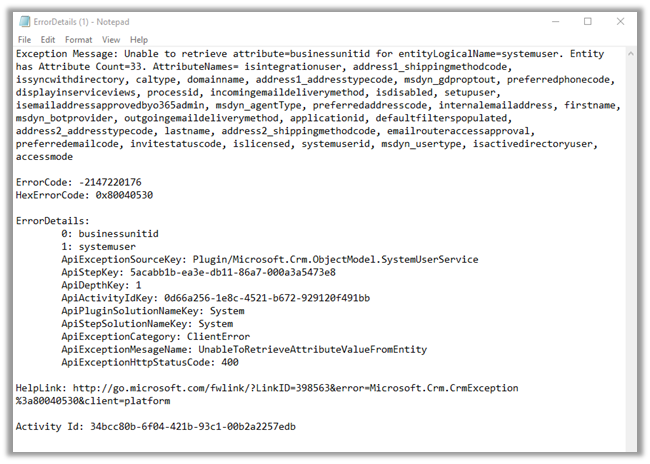
Unable to retrieve attribute=businessunitid for entityLogicalName=systemuser exception while creating Application User in Dynamics 365


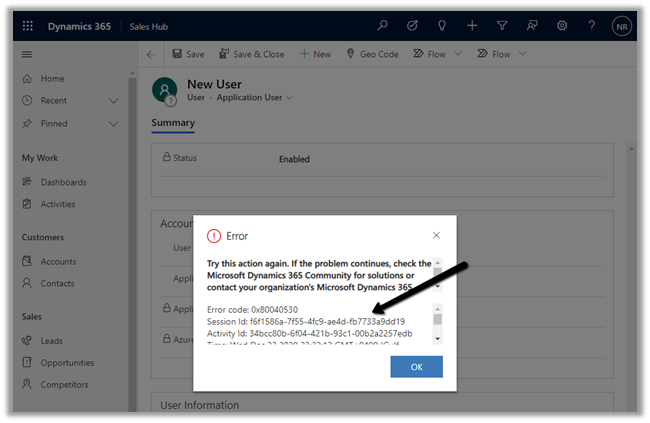
Recently while trying to add a new application user we got the below error message

More on Application User

https://nishantrana.me/2020/12/24/application-user-form-missing-in-dynamics-365/

https://nishantrana.me/2020/12/23/d365-the-user-is-not-a-member-of-the-organization-error-while-connecting-to-ce/

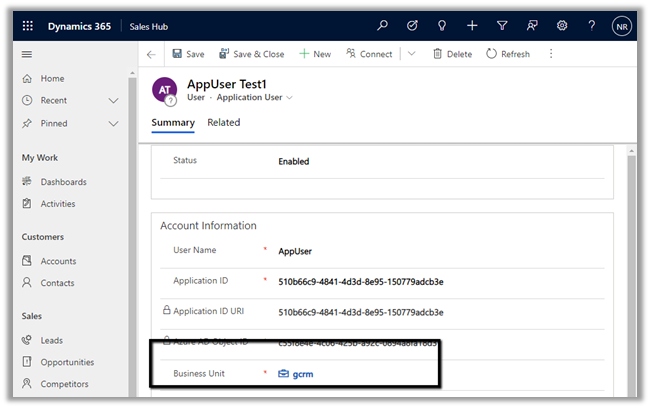
Adding the missing Business Unit field in the form fixed it.

Hope it helps..