Setting Lookup field in the Dynamics 365 for Sales Connector in Informatica Cloud


Informatica Cloud has recently released new connector for integration with Dynamics 365 named Dynamics 365 for Sales Connector, which uses Web API of Dynamics 365.

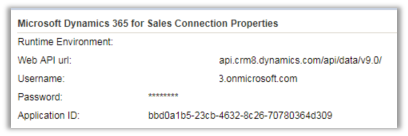
Below is how we specify the details of the connection –

Because of lack of documentation for the new connector, while trying to insert a record inside CRM and trying to setup a lookup field we struggled a lot.

Eventually, we realized the format that is required for setting the lookup field.

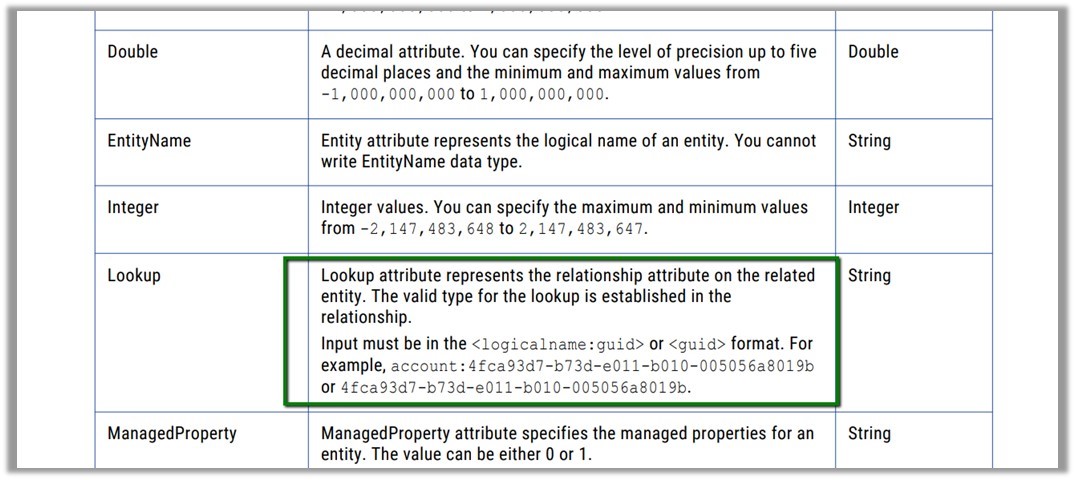
EntitySetName:(GUID)

i.e.

sab_fash_categories(72e0b837-e060-4a5c-b831-0e8266dd9a56)

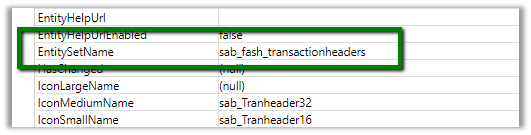
Here sab_fash_categories is the EntitySetName of the custom entity sab_fash_item and it is being used as a lookup in another entity.

For the older version of the connector that used OrganizationService, the documentation is available which specifies the following format for the lookups

{SchemaName:GUID} i.e. the way we specify while setting EntityReference field

https://kb.informatica.com/proddocs/Product%20Documentation/6/IC_Spring2017_MicrosoftDynamicsCRMConnectorGuide_en.pdf

ER

Hope it helps..

Limitation of Solution Patch in Dynamics 365


Recently while working with a Solution Patch we came to realize one of its limitation (or feature) which we weren’t aware of.

If we are trying to update a component through the patch, and that particular component has been customized in the target environment ( through default solution in case of managed), the update won’t work on that component.

Let us take a simple example to understand this.

Below we have created a solution with one workflow in it named Test Process.
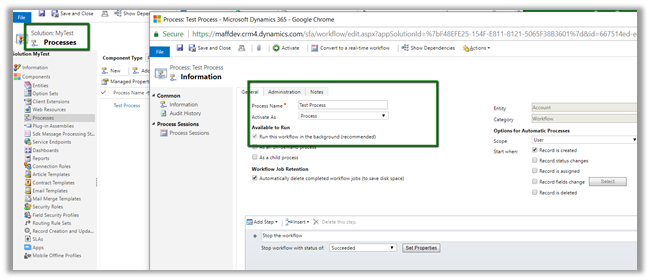
Now let us export the solution as managed and import it in Test.
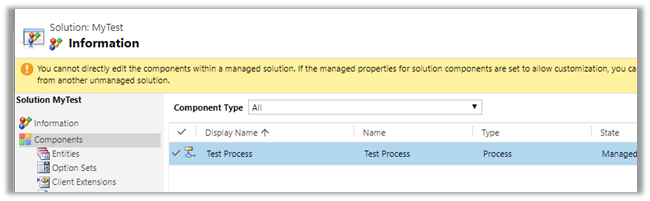
Now back in our DEV let us rename the Process and create a patch for it and import it in Test.

https://nishantrana.me/2016/09/22/creating-patches-solution-management-in-crm-2016/
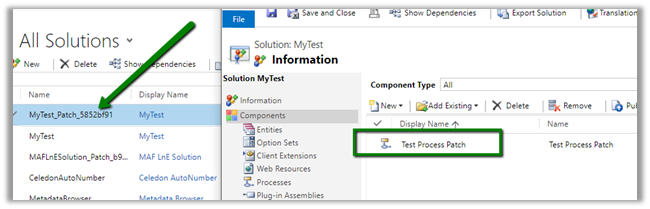
We can see the update in the name after applying\importing the patch.
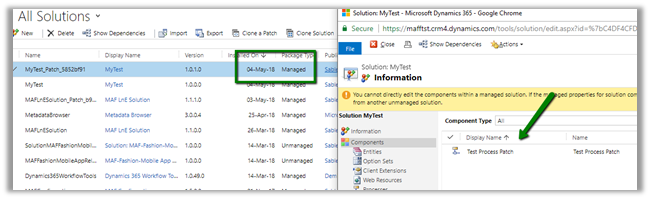
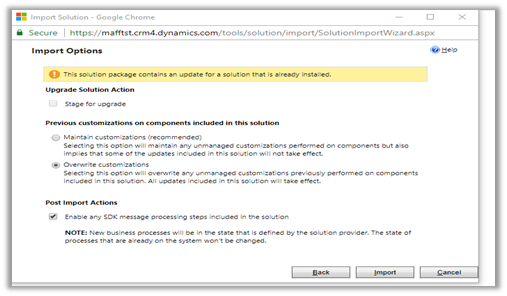
Now let us go back in our DEV and make some update in the name of the process and import it again in the Test.

We have selected the option of overwriting customizations here.
We can see the update in the TEST after importing the patch.
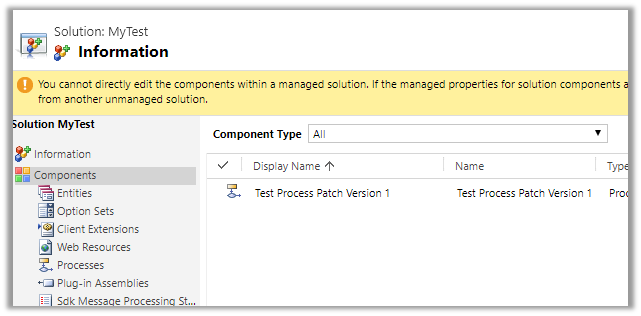
Now comes the interesting part, in the TEST environment, go to Settings – Customizations and rename the Process. Here we have appended “Updated” in its name.
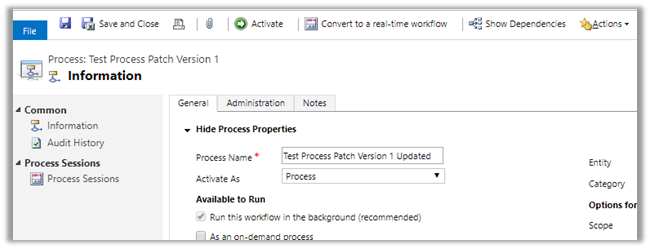
Now let us import the same Patch Solution back in our TEST with Overwrite selected.

Unexpectedly, we do not see any change, the process is unchanged in the TEST even after importing the patch with Overwrite option. We expected it to be renamed to Test Process Patch Version 1 as it was in the patch solution, instead, it has the suffix Updated to it i.e. the changes that we made directly in the TEST through default solution.
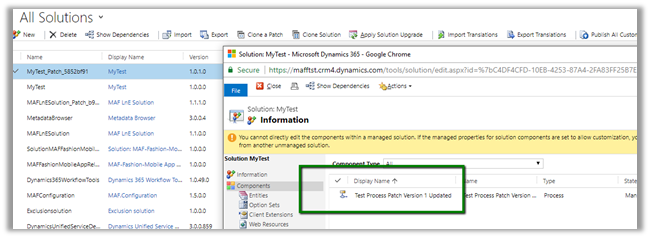
The way we can now update it from DEV is to clone our solution there.

Import it to TEST and apply Solution Upgrade.

Below we can see the new version imported into the TEST and as expected the Process renamed to what it was in DEV.
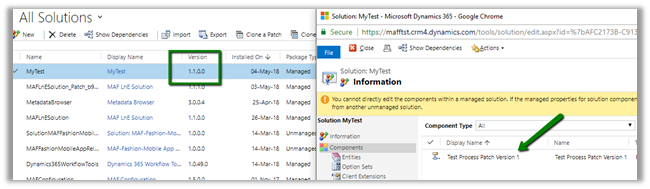
Hope it helps..

The record could not be deleted because of an association exception in Dynamics 365


Recenlty while trying to delete product records, we got the below error.

The quick way to figure out which associated entity’s record could have restricted the deletion of the record, open the 1:N relationship for the entity.

Search for any Parental, Referential Restrict Delete or any System relationship that has Restrict set for Delete action.

In our case it was the System relationship of Product with Opportunity Product

With Restrict Behavior set for Delete action.

Deleting all the opportunity product record allowed us to delete the Product records.

Hope it helps..

Limitations of Multi Select Option Sets in Dynamics 365 CE


[Edit – (3 May 2018) – Multi Select Option Sets cannot be used inside Portal]

Few months back I wrote the following post about Multi Select Option Sets.

https://nishantrana.me/2017/10/15/multiselect-option-set-in-dynamics-365/

Here, let us look at the limitations associated with them,

Suppose I have the following multi select option set field created for contact entity.

  • The field is not available for Business Rule.

  • The field is not available inside BPF

  • The field is not available inside in Workflow – e.g. check condition and create step as shown below.

  • The field is not available as filtering attribute in Plugin (however the values are available as OptionSetValueCollection)

  • Inside Report Wizard it can be used as filter condition

But cannot be used as View Column

So basically, we need to be cautious before we make use of the multi select option sets in our solution.

Hope it helps..
Advertisements

Not able to connect to Organization (Version 9.0) using Plugin Registration Tool in Dynamics 365 CE


While trying to connect to Dynamics 365 CE we might find that Plugin Registration tool, although showing the organization, but is not loading the assemblies.

Here we just need to make sure we are using the latest version of Plugin Registration tool.

https://docs.microsoft.com/en-us/dynamics365/customer-engagement/developer/download-tools-nuget

Hope it helps..

Fixed – Unable to Login to Dynamics CRMOrganizationServiceProxy is null error while using CrmServiceClient


While connecting to Dynamics 365 – Version 9.0.0.0 online through a console application using Visual Studio 2015

we were getting the below error

The fix was to specify the security protocol to be Tls12 for the connection for VS 2015 and for VS 2017 make sure the framework version is 4.6 or above.

More Details – https://support.microsoft.com/en-nz/help/4051700

Hope it helps..

Advertisements