A quick find filter cannot have any child filters exception in Dynamics 365 CE


Today afternoon we started getting the below error in the lookup dialog box for customer and contact.
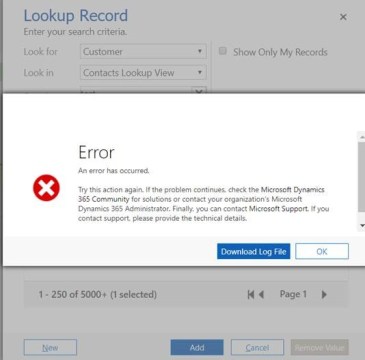
error

Unhandled Exception: System.ServiceModel.FaultException`1[[Microsoft.Xrm.Sdk.OrganizationServiceFault, Microsoft.Xrm.Sdk, Version=9.0.0.0, Culture=neutral, PublicKeyToken=31bf3856ad364e35]]: A quick find filter cannot have any child filtersDetail:

<OrganizationServiceFault xmlns:i=”http://www.w3.org/2001/XMLSchema-instance&#8221; xmlns=”http://schemas.microsoft.com/xrm/2011/Contracts”&gt;

<ActivityId>a5d85309-b57b-4265-b54e-afd09bfeeddc</ActivityId>

<ErrorCode>-2147217118</ErrorCode>

<ErrorDetails xmlns:d2p1=”http://schemas.datacontract.org/2004/07/System.Collections.Generic”&gt;

<KeyValuePairOfstringanyType>

<d2p1:key>ApiExceptionSourceKey</d2p1:key>

<d2p1:value xmlns:d4p1=”http://www.w3.org/2001/XMLSchema&#8221; i:type=”d4p1:string”>Plugin/Microsoft.Crm.Common.ObjectModel.AccountService</d2p1:value>

</KeyValuePairOfstringanyType>

<KeyValuePairOfstringanyType>

Searching for this in the internet we found that mostly the users that are in Microsoft Dynamics 365Version 1710 (9.1.0.643) online are getting this error.

We as suggested raised the support ticket for this in the evening. However strangely enough after 2-3 hours when we are checking this error it is not coming anymore.
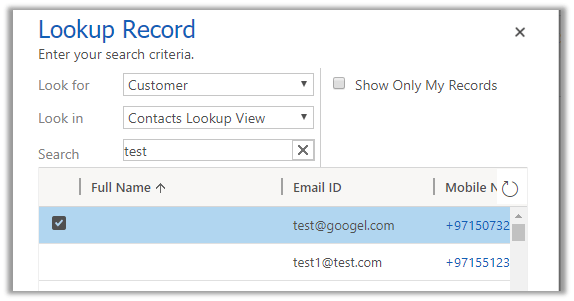

We had created one trial instance which was also having the same issue and it has been fixed there. It looks like product team have deployed some kind of fix for it in the background.

Hope it helps..

Sample code to delete instance using Online Management API in Dynamics 365 Customer Engagement


Sharing a sample code that can be used to delete the instance in Dynamics 365 CE using Online Admin API.

Read the previous post for more details

We basically need to get the instace id and use the HTTP Delete to achieve this

https://docs.microsoft.com/en-in/rest/api/admin.services.crm.dynamics.com/Instances/DeleteInstance

Production instance needs to be converted to Sandbox before it can be deleted else we’d get the operation not supported error.

The sample code :-

private static void Main(string[] args)
{
var authContext = new AuthenticationContext(Authority, false);
var credentials = new UserCredential(UserName, Password);

// Get the token
_authResult = authContext.AcquireToken(Resource, ClientId, credentials);

Task.WaitAll(Task.Run(async () => await DeleteInstance()));
}
private static async Task DeleteInstance()
{
var httpClient = new HttpClient
{
BaseAddress = new Uri(Resource),
Timeout = new TimeSpan(0, 2, 0)
};

httpClient.DefaultRequestHeaders.Add("OData-MaxVersion", "4.0");
httpClient.DefaultRequestHeaders.Add("OData-Version", "4.0");
httpClient.DefaultRequestHeaders.Accept.Add(new MediaTypeWithQualityHeaderValue("application/json"));
httpClient.DefaultRequestHeaders.Authorization = new AuthenticationHeaderValue("Bearer",
_authResult.AccessToken);

var retrieveResponse =
await httpClient.DeleteAsync("/api/v1.1/Instances/{instanceGuid}/Delete");

if (retrieveResponse.IsSuccessStatusCode)
{
var jRetrieveResponse =
retrieveResponse.Content.ReadAsStringAsync().Result;

}
}

Hope it helps..

Sample Code to retrieve instances using Online Management API in Dynamics 365 Customer Engagement


With version 9.0 of Dynamics 365 CE we now have Online Admin API that supports the following operations like Create, Retrieve, Delete, Backup and Restore instances. The user needs to have the Global Administrator or Service Administrator role in the Office 365 tenant to perform these operations.

As a first step we need to register the application with Azure Active Directory.

https://nishantrana.me/2016/11/13/register-a-dynamics-365-app-with-azure-active-directory/

and get the values for

Client Id and Authority.

Get the Service URL here

https://docs.microsoft.com/en-us/dynamics365/customer-engagement/developer/online-management-api/get-started-online-management-api#service-url

Sharing a sample code which can be used to retrieve all the instances in a specific tenant.

The sample code: –


public class MySampleApp
{

private const string Resource = "https://admin.services.crm.dynamics.com/";

// username and password
private const string UserName = "username.onmicrosoft.com";
private const string Password = "password";

// client id and authority of the application registered
private const string ClientId = "b2c5028d-57e6-4df7-9940-3243214948b";
private const string Authority = "https://login.microsoftonline.com/3432432e2-5fbe-4b78-a55a-bcb342d4f859/";

private static AuthenticationResult _authResult;

private static void Main(string[] args)
{
var authContext = new AuthenticationContext(Authority, false);
var credentials = new UserCredential(UserName, Password);

// Get the token
_authResult = authContext.AcquireToken(Resource, ClientId, credentials);

Task.WaitAll(Task.Run(async () => await GetInstances()));
}

private static async Task GetInstances()
{
var httpClient = new HttpClient
{
BaseAddress = new Uri(Resource),
Timeout = new TimeSpan(0, 2, 0)
};

httpClient.DefaultRequestHeaders.Add("OData-MaxVersion", "4.0");
httpClient.DefaultRequestHeaders.Add("OData-Version", "4.0");
httpClient.DefaultRequestHeaders.Accept.Add(new MediaTypeWithQualityHeaderValue("application/json"));
httpClient.DefaultRequestHeaders.Authorization = new AuthenticationHeaderValue("Bearer",
_authResult.AccessToken);

var retrieveResponse =
await httpClient.GetAsync("/api/v1/instances");

if (retrieveResponse.IsSuccessStatusCode)
{
var jRetrieveResponse =
retrieveResponse.Content.ReadAsStringAsync().Result;

var result = JArray.Parse(jRetrieveResponse);
foreach (var data in result)
Console.Write("Id " + data["Id"] + "\nUnique Name " + data["UniqueName"]);
}
}
}

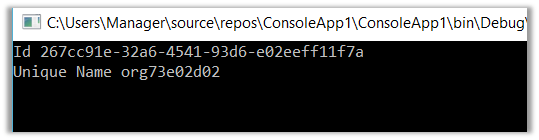
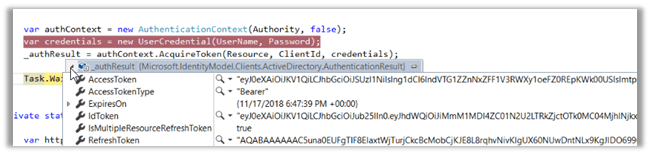
Result: –

The other properties: –

Microsoft.IdentityModel.Clients.ActiveDirectory.AdalServiceException: ‘AADSTS65001: The user or administrator has not consented to use the application error in Dynamics 365 CE


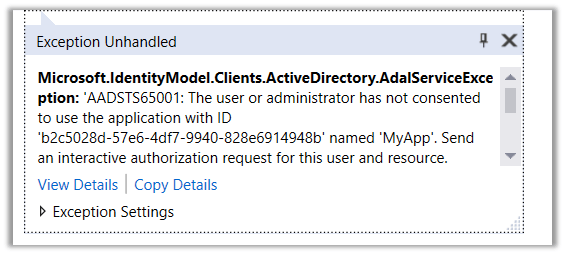
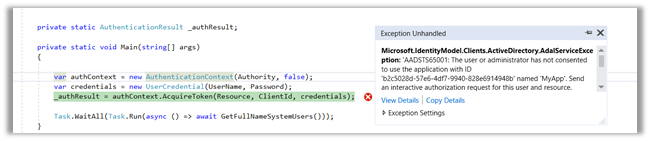
Suppose, we have just registered an application in Azure Active Directory and trying to acquire the token and get the below error

Microsoft.IdentityModel.Clients.ActiveDirectory.AdalServiceException: ‘AADSTS65001: The user or administrator has not consented to use the application with ID ‘b2c5028d-57e6-4df7-9940-828e6914948b’ named ‘MyApp’. Send an interactive authorization request for this user and resource.

This is because admin consent is required before the application can be used. This could be granted by global administrator.

One of the ways to do so is through the URL with the specific format as shown below

https://login.microsoftonline.com/[tenantid]/oauth2/authorize?client_id=[appId]&response_type=code&redirect_uri=[redirctURL]&resource=[resourceURL]&prompt=admin_consent


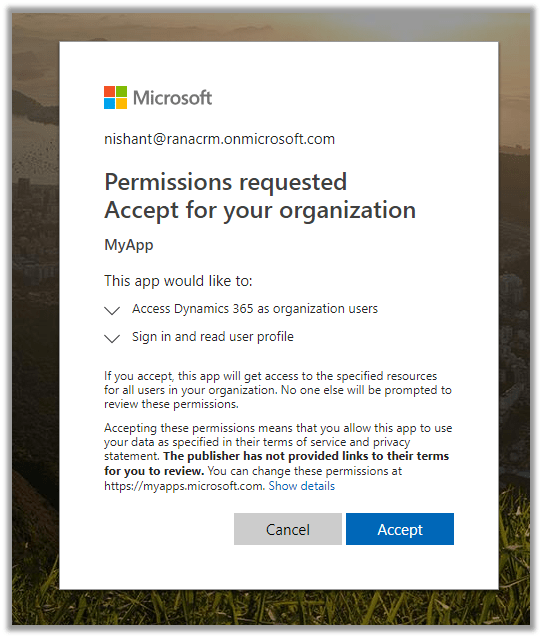
Pasting this URL in the browser will prompt for the credential, login will global administrator and we will be presented with the following consent box

Clicking on Accept will grant the required permission to the application registered.

Hope it helps..

Sample code to use RetrievePrincipalAccess Function to get the access rights of the team or user in Dynamics 365 CE


We can use RetrievePrincipalAccess function in Web API to get the access rights of either a user or team on a specific record.

The sample code:


var req = new XMLHttpRequest();

req.open("GET", Xrm.Page.context.getClientUrl() + "/api/data/v9.1/systemusers(D38F5B76-C22E-4256-AF90-CFD14B6589BF)"+
"/Microsoft.Dynamics.CRM.RetrievePrincipalAccess(Target =@Target)?"+ 
"@Target={ 'accountid': '8CB09F67-EB90-E811-A963-000D3AD1CBD6', '@odata.type': 'Microsoft.Dynamics.CRM.account' } ", false);

req.setRequestHeader("OData-MaxVersion", "4.0");
req.setRequestHeader("OData-Version", "4.0");
req.setRequestHeader("Accept", "application/json");
req.setRequestHeader("Content-Type", "application/json; charset=utf-8");
req.onreadystatechange = function () {
if (this.readyState === 4) {
req.onreadystatechange = null;
if (this.status === 200) { 
var results = JSON.parse(this.response);
} else { 
Xrm.Utility.alertDialog(this.statusText);
}
}
};
req.send();

Result:

Hope it helps..

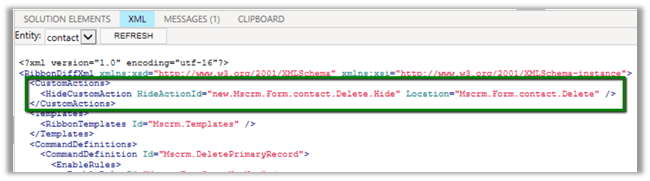
HideCustomAction and Display \ Enable rule in Dynamics 365


Imagine a scenario where we have both the disable rule and HideCustomAction implemented for a ribbon button. Let us see with an example what will happen in this scenario.

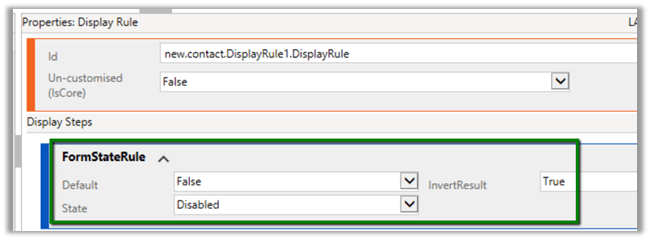
First, let us implement the display rule to hide the Delete button from Contact form when it is in a disabled state.

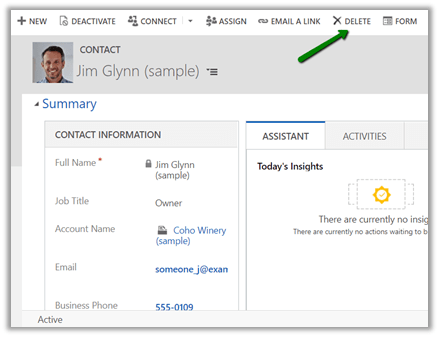
For active record à

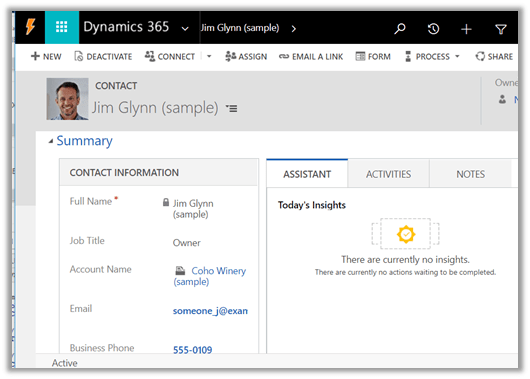
We can see the delete button in the command bar.

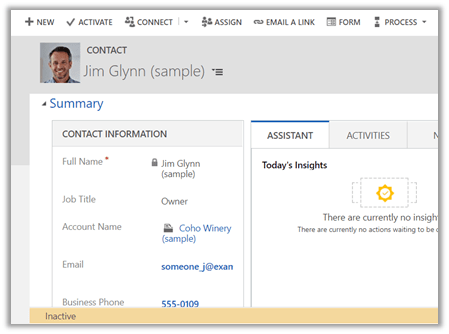
For disabled record à The delete button is not visible.

Now let us hide the button using HideCustomAction

Interestingly the Delete button is not available in case of the active contact record this time.

The reason for this is because the HideCustomAction button removes the specified node from the ribbon so that it is not rendered instead of hiding it. Therefore any other enable or display rules are not applied to that button.

https://docs.microsoft.com/en-us/dynamics365/customer-engagement/developer/customize-dev/define-custom-actions-modify-ribbon#hide-custom-actions

Hope it helps..