Hi,
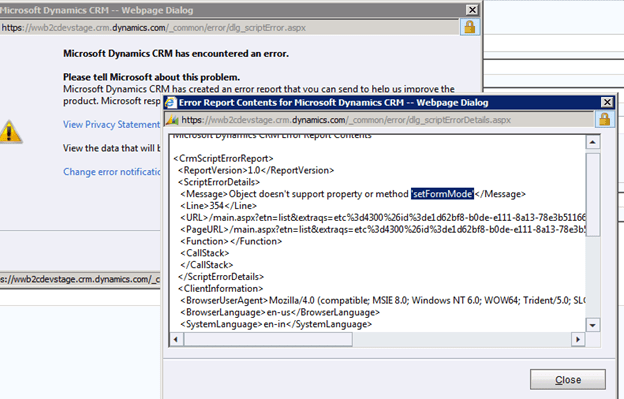
We were getting the above error in one of our plugin which was using SendEmailRequest to send mail.
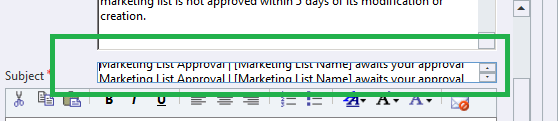
As it turned out it was because of the subject not being in proper format in the template

Hope it helps.
Hi,
We were getting the above error in one of our plugin which was using SendEmailRequest to send mail.
As it turned out it was because of the subject not being in proper format in the template

Hope it helps.
Hi,
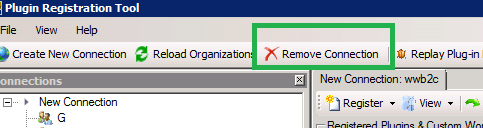
Today I was getting the above error while trying to update one of my plugin assemblies. The password of the admin account had recently changed. So I had to Remove the existing connection and create a new one to get things working.

Bye.
Hi,
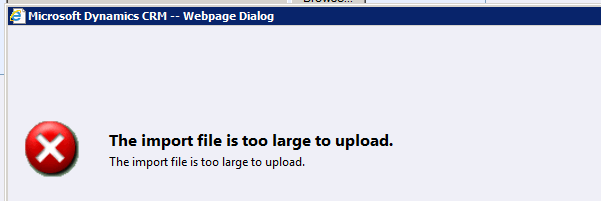
We got this error while importing the solution in one of the option set fields. Our development server were still in RTM. This was a known issue in RTM.
Installing the Update Rollup 1 and restarting the server fixed the issue.
http://www.microsoft.com/en-us/download/details.aspx?id=4837
Bye.
Hi,
Sometimes we’d see our drop down list getting fixed i.e. drop down doesn’t appear when we click on the attribute.

One option is to either refresh the form or the other better option is to click on the tabs on the left side instead of refreshing the whole page.

More details here
http://social.microsoft.com/Forums/uk/crmdevelopment/thread/49737c72-f79a-428c-94bf-e26dc4b89cef
Bye.
Hi,
Today I created my first Metro Style App, A Blog Reader that would let me read blog posts of some of my close friends who love blogging.
For that watched the following training video on pluralsight
Introduction to building Windows 8 Metro Applications
And followed this wonderful article on MSDN
http://msdn.microsoft.com/en-us/library/windows/apps/br211380.aspx
Few Screen shots of the app


Bye.
Hi,
While trying to run SWTools for CRM 2011, we might receive the “Could not load fie or assembly Microsoft.Crm.Sdk” error.
The solution is to create a file named SwTools.exe.config with the following content
<configuration> <runtime> <assemblyBinding xmlns="urn:schemas-microsoft-com:asm.v1"> <dependentAssembly> <assemblyIdentity name="Microsoft.Crm.Sdk" publicKeyToken="31bf3856ad364e35" culture="neutral" /> <publisherPolicy apply="no" /> </dependentAssembly> </assemblyBinding> </runtime> </configuration>
And place the file where the SwTools.exe is.
Thanks to David for providing the solution.
http://mscrmuk.blogspot.com/2011/02/using-crm-40-assemblies-on-crm-2011.html
Have a look at this post as well
http://blog.aggregatedintelligence.com/2012/03/unable-to-run-website-that-uses.html
Bye.