- Use CrmServiceClient to execute web request against Dynamics 365 Web API – OAuth
Refer appropriate connection string as required with CrmServiceClient-
- Consume Dynamics 365 Web API using MSAL.NET using ConfidentialClientApplicationBuilder class
the connection string parameters
- Consume Dynamics 365 Web API – OAuth – Authorization Code Grant Type
- Consume Dynamics 365 Web API – OAuth – Implicit Grant Type
- Consume Dynamics 365 Web API – OAuth – Implicit Grant Type (through Single Page Application)
- Consume Dynamics 365 Web API – OAuth – Client Credentials
- Consume Dynamics 365 Web API – OAuth – ROPC – Resource Owner Password Credential
- Use CrmServiceClient to execute web request again Organization Service – OAuth
- Consume Organization Service – Office 365 (Auth Type)
- Consume Organization Service – On-Premise
Replace Office 365 authentication with OAuth
Recent Posts –
How to Enable Microsoft 365 Copilot in Model-Driven Apps
Microsoft 365 Copilot brings conversational AI directly into Model-Driven Apps, allowing users to ask natural language questions about Dataverse data, quickly locate records, and improve productivity without…


AB-100 Last-Minute Revision Cheat Sheet (Microsoft Agentic AI Business Solutions Architect)
Recently, I cleared the Microsoft Certified: Architecting Agentic AI Business Solutions (AB-100) exam. While preparing, I ended up creating this one-page Architect’s Compass for my last-minute revision.…
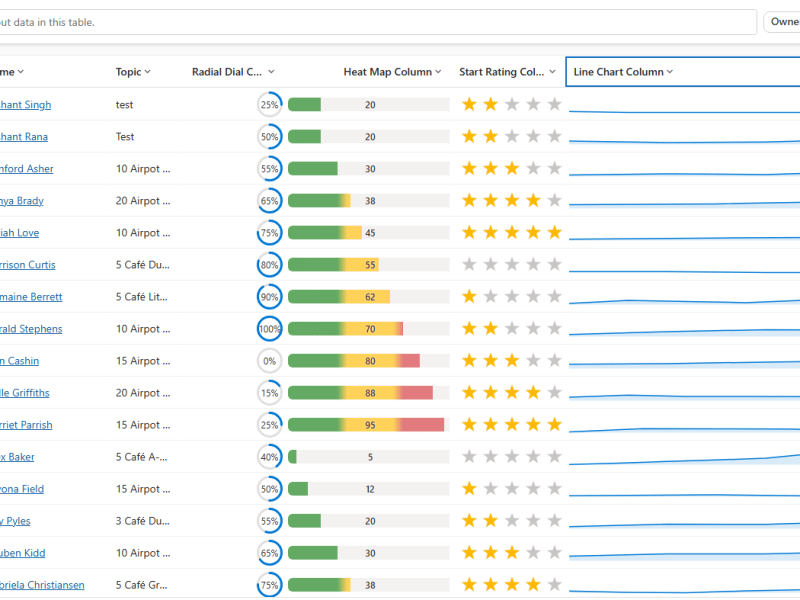
Column Visualizations for Grids / Views (Preview) –Dataverse / Dynamics 365
Power Apps now lets us render a column’s data as a small graphic in the grid – a gauge, a sparkline, a colored bar, or stars –…

Business Process Flow Error: “Participating entity record of stage: X is not valid” (0x80040216) (Dynamics 365 / Dataverse)
Scenario Working on a custom multi-entity Business Process Flow (Opportunity → Quote) recently, we ran into this error while trying to reactivate the process: The BPF (custom_salesprocess)…

Comparing Web Resources (JavaScript) Across Multiple Dataverse Environments Using a Console App
We recently refactored a large JavaScript solution — replacing a number of deprecated methods with their supported equivalents, along with some performance improvements — the kind of…

Power Platform Environment Not Showing Up in Maker Portal & Power Platform Admin Center (Dataverse / Dynamics 365)
Recently, we ran into an interesting issue while working with a Dynamics 365 / Dataverse environment. Even though the user was assigned the System Administrator security role,…

SQL4CDS UTC Mode: Converting Advanced Find Date Filters to UTC Boundaries– A Quick Reference (Dataverse / Dynamics 365)
While validating record counts for a Work Orders view in Dynamics 365 Field Service, we ran into the same underlying issue covered in an earlier post –…

Hide Expired Sessions in Event Registration Form using JavaScript (Dynamics 365 Customer Insights – Journeys)
One of our recent requirements was to ensure that users could no longer register for event sessions once the session had already ended. The goal was to…

When Entity.Id Is Guid.Empty with QueryExpression.Distinct = True (Dataverse)
While optimising the performance of a Dataverse plugin, we noticed a QueryExpression using ColumnSet(true). The business logic only required a few attributes, so replacing ColumnSet(true) with a…
Implementing Cloudflare Turnstile for Dynamics 365 Customer Insights – Journeys Real-Time Marketing Forms
Check the previous posts for more details – https://nishantrana.me/2026/07/22/custom-form-submission-validation-in-dynamics-365-customer-insights-journeys-inside-the-validation-pipeline-and-the-ms_captcha_solution-error/ https://nishantrana.me/2026/07/21/implementing-server-side-honeypot-validation-for-dynamics-365-customer-insights-journeys-forms/ In one of our recent projects, we implemented Cloudflare Turnstile (Invisible) for a Dynamics 365 Customer Insights…
Custom Form Submission Validation in Dynamics 365 Customer Insights – Journeys: Inside the Validation Pipeline and the “ms_captcha_solution” Error
While implementing custom form submission validation (server side validation) for Dynamics 365 Customer Insights – Journeys Real-Time Marketing forms, we came across the following error, “Required params…

Implementing Server-Side Honeypot Validation for Dynamics 365 Customer Insights – Journeys Forms
In our previous post, we implemented a simple Honeypot for Dynamics 365 Customer Insights – Journeys Real-Time Marketing forms using JavaScript. Although that prevents most automated submissions,…
Something went wrong. Please refresh the page and/or try again.


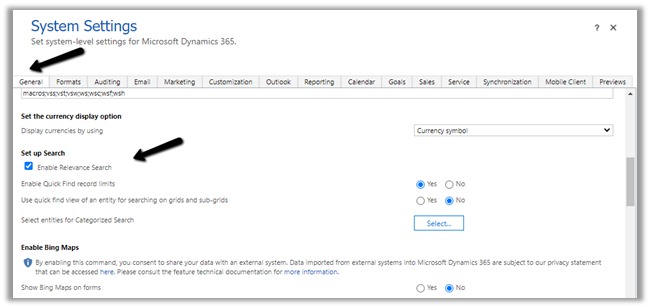
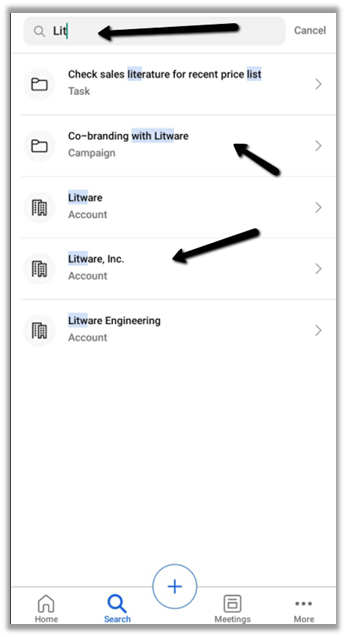
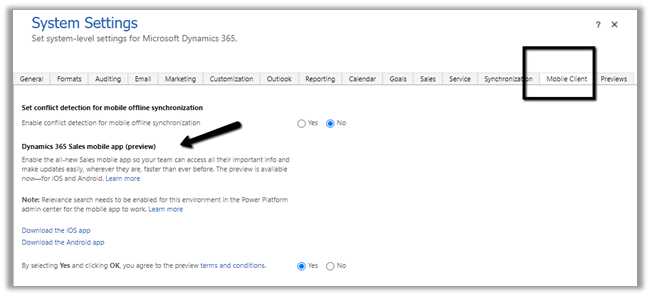 We also need to enable Relevance search on the environment for the mobile app’s search to work.