Assign/Remove Security Roles to Users Via Power Automate


The Techie Dood's avatarThe Techie dood

Scenario/Use case:

If there is need to frequently change the security roles of User in CDS environment say a QA person doing role based testing.

Resolution:

  You can take leverage of Power Automate to perform this repetitive task.

Before you start further make sure to use a Dataverse Connection that has necessary permission to assign or remove security roles to a user. Like a user with a system administrator role.

Demo:
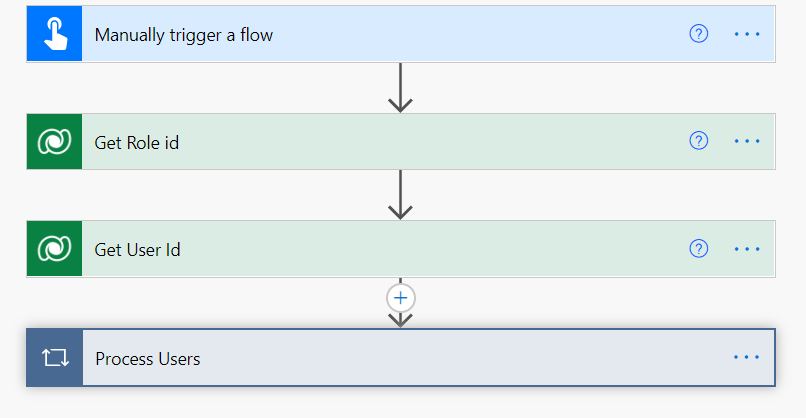
Step 1:

I am using Three variables here –

  1. FullName – fullname of the system user whose role you want to update
  2. Security Role – it can be a text input also. Here I have used it as dropdown input. The values are the Security Role Names.
  3. Clear Other Roles- Yes/No (if we need to remove all roles before applying the selected Role to the user)
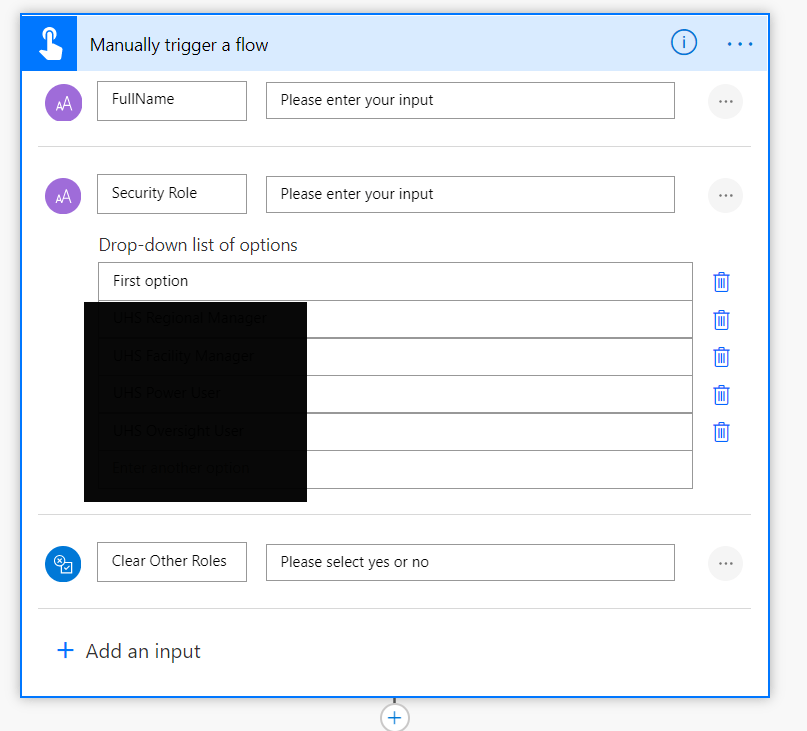
Step 2:In the next step – lets retrieve the roleid using List…

View original post 165 more words

How to – Find the Subscription ID of your Microsoft products (Dynamics 365 Customer Engagement Plan)


Recently we were asked to provide the Subscription Id of the Dynamics 365 Customer Engagement Plan our organization had purchased.

To find the same, follow the below steps

Login to Microsoft Office admin center with administrator account

https://admin.microsoft.com/

Quick reference – Admin Center URL(s) in Microsoft Dynamics 365 (Power Platform)

https://nishantrana.me/2020/06/15/admin-center-urls-in-microsoft-dynamics-365-power-platform/

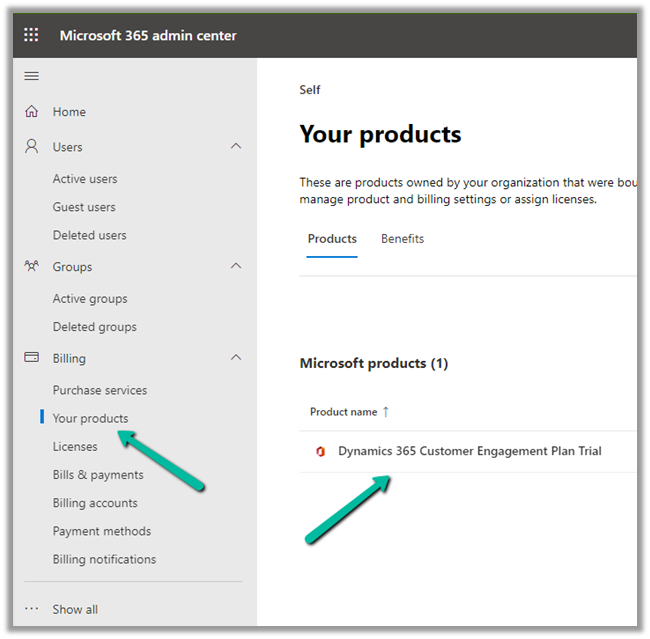
Navigate to Billing >> Your products and select / click on the product.

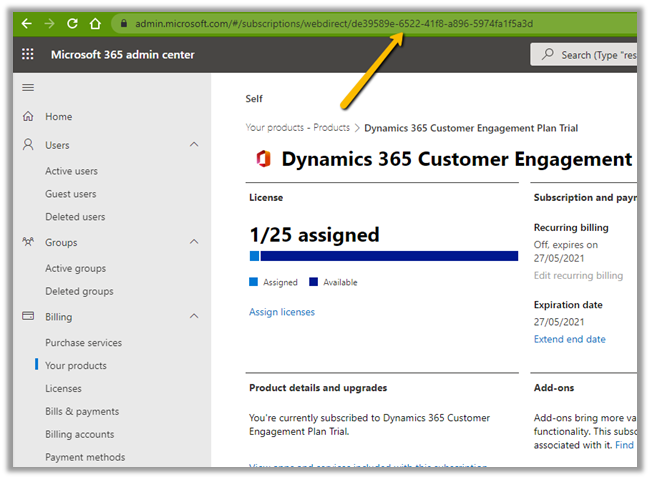
Copy the id from the URL, which will be the subscription id.

Hope it helps..

Advertisements

Fixed – ClientErrorAborted while creating flow in Power Automate


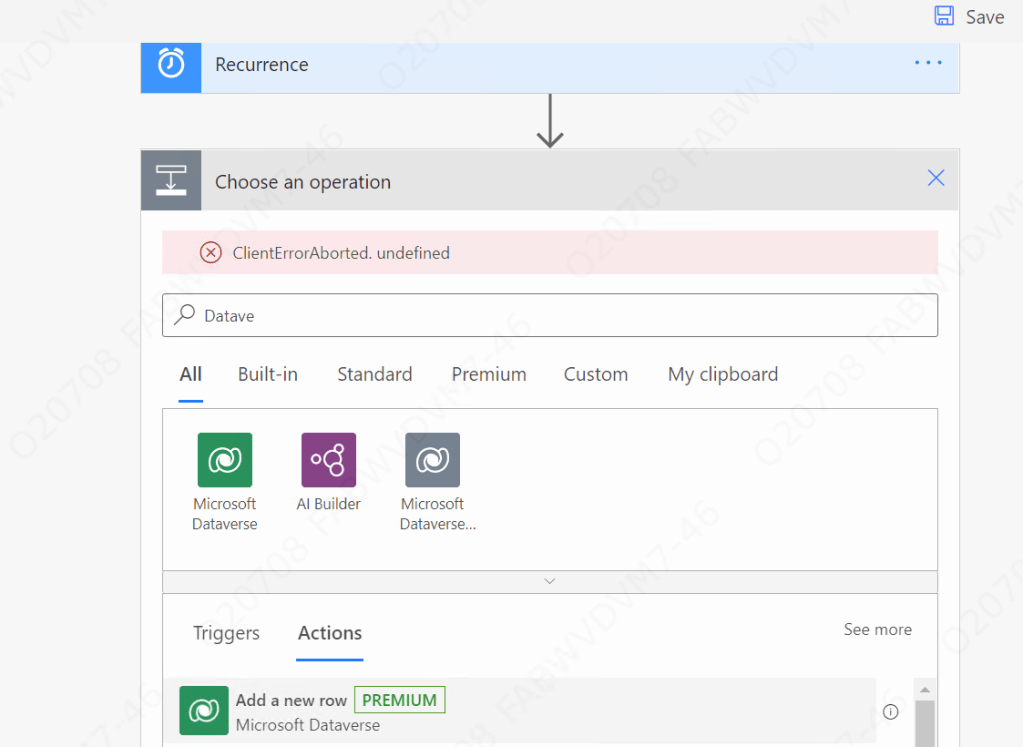
Recently while creating a flow in Power Automate we got the ClientErrorAborted error.

clientaborted

Users were having all the required licenses / roles.

And only a few users were getting the error, who were accessing the Power Platform from their VDI.

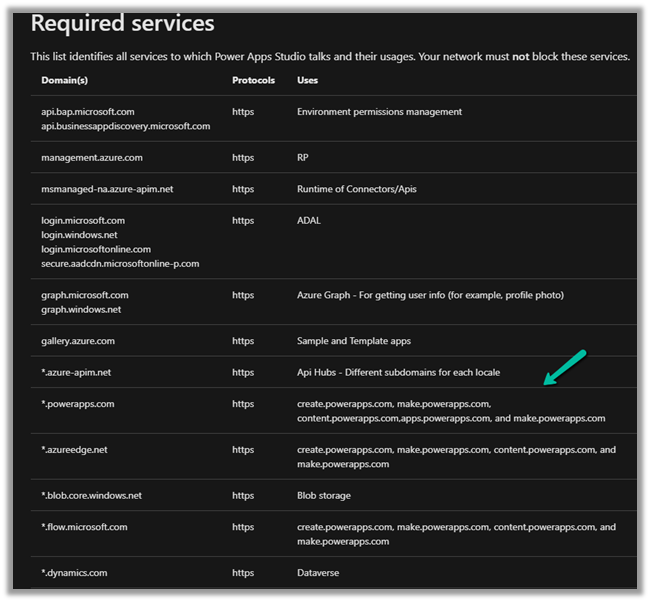
Eventually, after some analysis, we realized that it was because some of the required services were blocked.

We raised the Microsoft Support Ticket who suggested verifying and if required whitelist the below services.

https://docs.microsoft.com/en-us/powerapps/maker/canvas-apps/limits-and-config#required-services

Whitelisting them fixed the issue for us.

Hope it helps..

Advertisements

Status Reason filter (Timeline control), Multiline field (Quick View Form) and Improved accessibility for BPF on mobile app – 2021 Release Wave 1


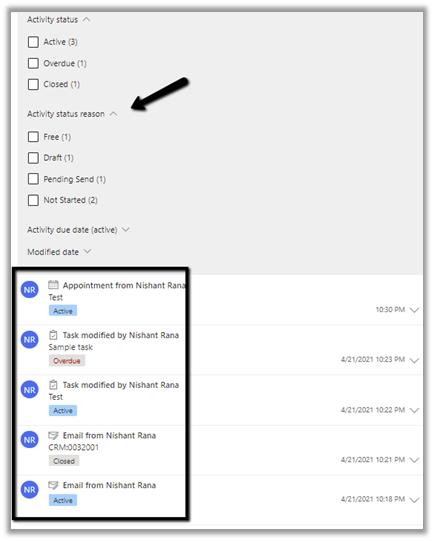
  • 2021 Release Wave 1 for Dynamics 365 adds a new Status Reason filter for the Timeline control.

Activity status reason filter will show the status reasons of all the activities in the timeline. For the total 5 activities in the timeline, the filter shows the corresponding status reasons of all the activities divided among Free, Draft, Pending Send, Not Started status.

  • Another enhancement is in the way the multi-line text field is rendered within the Quick View Form. Now users do not have to click and scroll on the field to see the full content.

Below is the Quick View Form of Contact within the Account entity.

  • Business Process Flow experience has been updated for the mobile app, making it similar to the web application.

Earlier – 

bpf1

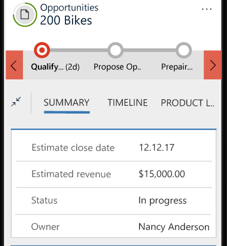
Now – It includes the name and duration for the Business Process Flow within the Mobile App as shown below.

bpf2

Check other blog posts on 2021 Release Wave 1 :

Blog posts on 2021 Release Wave 1 – Dynamics 365

Hope it helps..

Advertisements

Fixed – Taskbar overlapping / showing in Full Screen in Windows 10


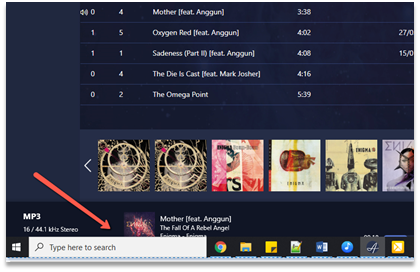
Occasionally we will face the issue where the Taskbar is overlapping the maximized screen / full screen.

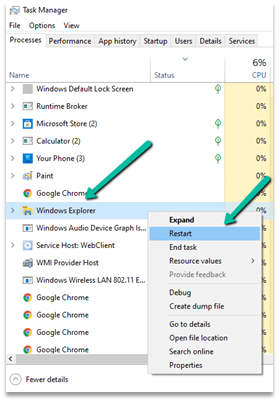
The trick that has always worked for us is to open the Task Manager (right click the tool bar and select Task manager)

Right click and Restart the Windows Explorer.

Hope it helps..

‘Callback Registration Expander’ System Jobs stuck at ‘Waiting For Resources’


Something to be aware of while copying a Dataverse Environment …

Rajeev Pentyala's avatarRajeev Pentyala – Technical Blog on Power Platform, Azure and AI

We set up a new Dynamics Instance by copying from another Instance using ‘Copy environment’ option from Power Platform Admin Center.

We opted ‘Copy over’ as ‘Customization and schema only’, as we don’t need the data to be copied over to the Target instance.

On the Target instance we’ve started the Data Migration activity and noticed frequent connection timeouts. When checked the ‘System Jobs’, there were many “Callback Registration Expander” Jobs stuck at “Waiting For Resources” state.

Reason:

  • To understand “Callback Registration Expander” jobs , lets first understand Callbackregistration entity.
  • ‘Callback Registration’ entity stores the configuration of Processes and Cloud flows (i.e., Power automate flows).
  • So, if you create a new Flow on the instance, a new entry goes in to ‘Callback Registration’ entity.

  • Coming back to our issue, when we configured the new Instance using Copy option, “Callback Registration Expander” jobs from the source instance copied to…

View original post 88 more words

Nishant Rana's Weblog

Everything related to Microsoft .NET Technology

Skip to content ↓