Debugging online plugin in CRM 2013.


Hi,

Let us take a simple plugin to understand the debugging process. We need the profile which we will use for debugging.

Register the plugin (debug version) and corresponding step using plugin registration tool.

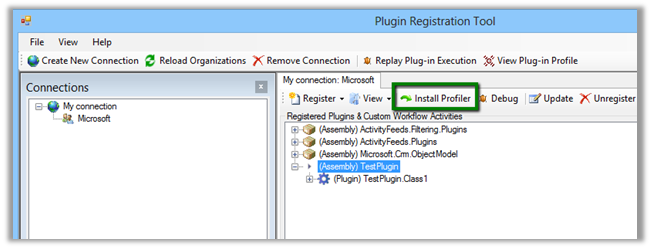
Select Install Profiler in Plugin Registration tool and wait till the installation is complete.


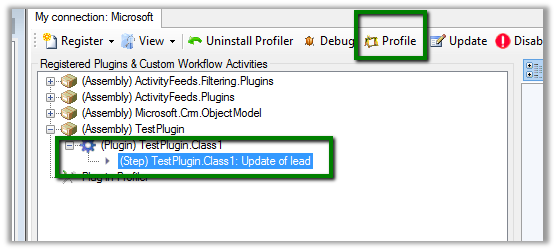
Select the Step in Plugin and Click Profile in the tool

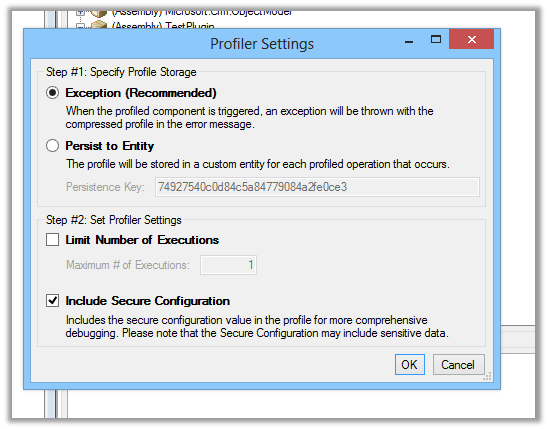
Select Ok in the dialog box

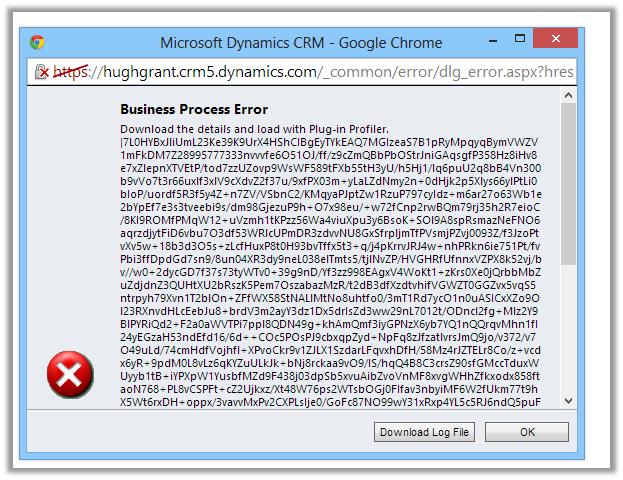
Open CRM and perform the step that will run the plugin.

Download the log file.

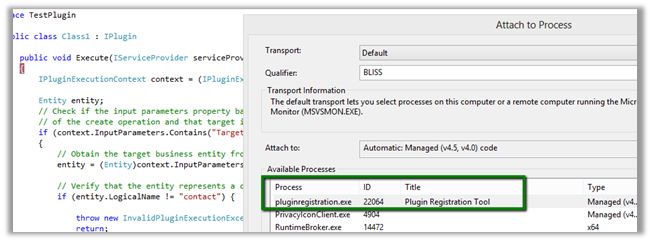
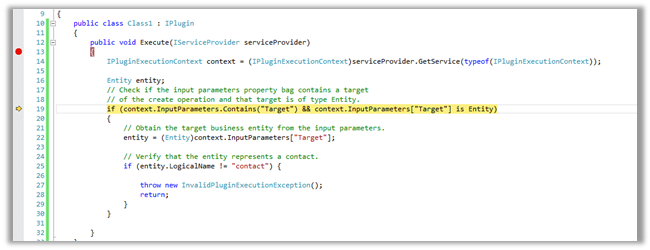
Open Visual Studio and attach debugger to PluginRegistrationTool.exe

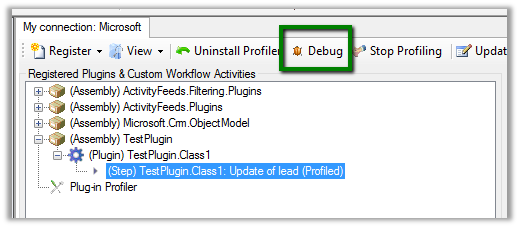
Go back to Plugin Registration tool, select the step and select Debug from the tool bar.


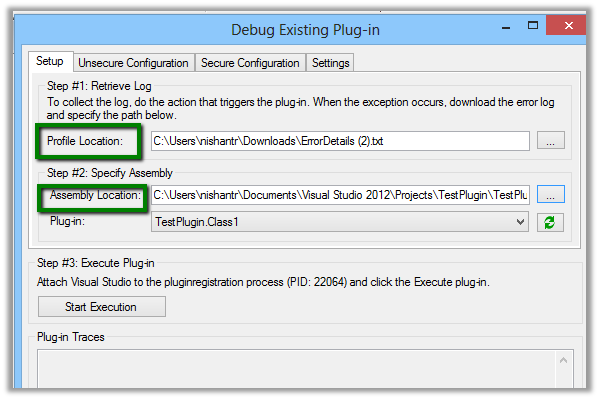
Specfiy the log file in the Profile location and plugin assembly that is in debug folder.

Click on Start Execution to start debugging

Hope it helps.

Dynamics CRM 2011 Report Development using FetchXML


Nicely expliained

Sample code to get label and value for OptionSet in CRM


Hi,

Just sharing a sample code that retrieves optionset data from CRM and also sorts it. We are using it to bind drop down in one of our custom SharePoint Application Page.


/// <summary>
/// The get global option sets.
/// </summary>
/// <param name="config">
/// The config.
/// </param>
/// <param name="globalOptionSetName">
/// The _global option set name.
/// </param>
/// <returns>
/// The <see cref="List"/>.
/// </returns>
public static List<XrmOptionSet> GetGlobalOptionSets(IOrganizationService config, string globalOptionSetName)
{
using (
XrmServiceContext context = SDKHelper.GetXrmServiceContext(
config.OrganizationServiceUrl,
config.Credentials))
{
RetrieveOptionSetRequest retrieveOptionSetRequest = new RetrieveOptionSetRequest
{
Name =
globalOptionSetName
};

// Execute the request.
RetrieveOptionSetResponse retrieveOptionSetResponse =
(RetrieveOptionSetResponse)context.Execute(retrieveOptionSetRequest);

OptionSetMetadata retrievedOptionSetMetadata =
(OptionSetMetadata)retrieveOptionSetResponse.OptionSetMetadata;

OptionMetadata[] optionList = retrievedOptionSetMetadata.Options.ToArray();

List<XrmOptionSet> optionSetItems = new List<XrmOptionSet>();

// Add each item in OptionMetadata array to the ListItemCollection object.
foreach (OptionMetadata o in optionList)
{
XrmOptionSet xrmOptionSet = new XrmOptionSet();
xrmOptionSet.Label = o.Label.LocalizedLabels[0].Label;
xrmOptionSet.Value = o.Value.Value.ToString(CultureInfo.InvariantCulture);
optionSetItems.Add(xrmOptionSet);
}

optionSetItems.Sort(
delegate(XrmOptionSet thisItem, XrmOptionSet otherItem)
{
return thisItem.Label.CompareTo(otherItem.Label);
});

return optionSetItems;
}
}

/// <summary>
/// The get local option sets.
/// </summary>
/// <param name="config">
/// The config.
/// </param>
/// <param name="entityName">
/// The entity name.
/// </param>
/// <param name="optionSetAttributeName">
/// The option set attribute name.
/// </param>
/// <returns>
/// The <see cref="List"/>.
/// </returns>
public static List<XrmOptionSet> GetLocalOptionSets(
IOrganizationService config,
string entityName,
string optionSetAttributeName)
{
using (
XrmServiceContext context = SDKHelper.GetXrmServiceContext(
config.OrganizationServiceUrl,
config.Credentials))
{
// Create the Attribute Request.
RetrieveAttributeRequest retrieveAttributeRequest = new RetrieveAttributeRequest
{
EntityLogicalName =
entityName,
LogicalName =
optionSetAttributeName,
RetrieveAsIfPublished
= true
};

// Get the Response and MetaData. Then convert to Option MetaData Array.
RetrieveAttributeResponse retrieveAttributeResponse =
(RetrieveAttributeResponse)context.Execute(retrieveAttributeRequest);
PicklistAttributeMetadata retrievedPicklistAttributeMetadata =
(PicklistAttributeMetadata)retrieveAttributeResponse.AttributeMetadata;
OptionMetadata[] optionList = retrievedPicklistAttributeMetadata.OptionSet.Options.ToArray();

List<XrmOptionSet> optionSetItems = new List<XrmOptionSet>();

// Add each item in OptionMetadata array to the ListItemCollection object.
foreach (OptionMetadata o in optionList)
{
XrmOptionSet xrmOptionSet = new XrmOptionSet();
xrmOptionSet.Label = o.Label.LocalizedLabels[0].Label;
xrmOptionSet.Value = o.Value.Value.ToString(CultureInfo.InvariantCulture);
optionSetItems.Add(xrmOptionSet);
}

optionSetItems.Sort(
delegate(XrmOptionSet thisItem, XrmOptionSet otherItem)
{
return thisItem.Label.CompareTo(otherItem.Label);
});

return optionSetItems;
}
}
}

&nbsp;


Hope it helps.

Disable Caching while using IE and Chrome Developer tools.


Following are the setting that we can use to disable caching in Chrome and IE.

Chrome:-


IE:-


Issue while using SDK.MetaData.js in Chrome in CRM 2013.


Recently was writing a jscript function to populate optionset value using SDK.MetaData.js helper class.

https://nishantrana.wordpress.com/2014/02/05/retrieve-optionset-label-using-sdk-metadata-rertrieveattribute-method-in-javascript-crm-2011/

It was working fine in IE, however I was getting error in Chrome.

It turned out the following condition was always evaluating as true

And as selectSingleNode is not supported in Chrome we were getting error.

Added the following condition fixed the issue


if (typeof(window.chrome) != ‘undefined’) {


var xpe = new XPathEvaluator();


var xPathNode = xpe.evaluate(xpathExpr, node, _NSResolver, XPathResult.FIRST_ORDERED_NODE_TYPE, null);


return (xPathNode != null) ? xPathNode.singleNodeValue : null;


}


Hope it helps..

Converting XML to C# Literal


At times we need to convert the XML string to Literal. And it is not fun. While searching for online tool that could help, I found this XML Formatter tool

http://xmltoolbox.appspot.com/

Hope it helps.