Hi,
While importing translations we got the below error
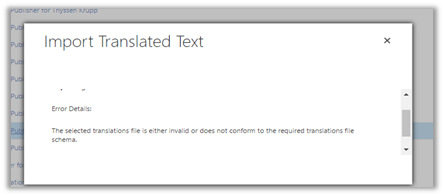
On opening the CrmTranslations.xml we saw the translations missing for that row.

On specifying the values for those fields and importing it back fixed the issue.
Hope it helps..

Hi,
While importing translations we got the below error
On opening the CrmTranslations.xml we saw the translations missing for that row.
On specifying the values for those fields and importing it back fixed the issue.
Hope it helps..

Hi,
We were facing one issue recently on creating Quote, where in we were getting exception on our Plugin that was registered in Post Update of Quote Detail.
It was kind of surprise for us that why it was getting triggered.
We removed all our others plugin and workflow on Quote and Quote Line but still that plugin was getting triggered. So we thought of trying it out on Vanilla instance of CRM 2016. In case of CRM 2016 the plugin registered on Post Update of Quote Detail didn’t trigger.
We then tried it on Vanilla instance of CRM 2015 On Premise (no online available), and we saw the same case i.e. Plugin getting triggered.
We were getting the following detail on Context.ParentContext (in case where Plugin on Update of Post Quote Detail is asynchronous)
Message – Update
Stage – 30
EntityReference (Target) – Quote
For Synchronous the message will be Retrieve
Hope it helps..

Hi,
Occasionally while importing the solution to our UAT environment we have faced this issue where the solution hasn’t imported, didn’t give any error but has rolled back.
This issue seems to be occurring when we are facing Network Issues and Internet connection intermittently goes down.
Trying it again once the network is stable resolves this.
Hope it helps..

Was getting the below error while trying to build a unit test project (framework version 4.5.2) in VS 2012.

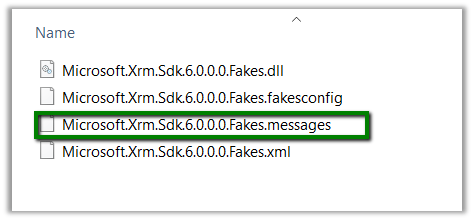
Delete the .messages file as suggested in some forums, but that didn’t help.
Just tried building the project by changing the Target Framework to 4.6.
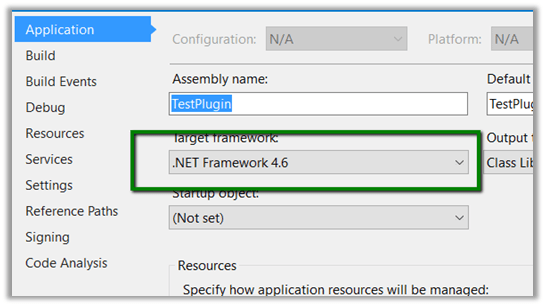
That worked and after that on switching back the target version to 4.5.2 also worked.
Helpful post
Hope it helps..

Hi
We recently had a requirement to open new Task form on click of a ribbon button with Regarding field prefilled.
And as mentioned in the SDK, we can’t set the values for regarding lookups.
https://msdn.microsoft.com/en-us/library/gg334375.aspx#BKMK_SetLookupFieldValues
The workaround is to create custom parameters, set its value in JavaScript and use these values on the onLoad of the Form.
http://www.crmnerd.com/customizations/using-xrm.utility.openentityform-with-custom-parameters/
Hope it helps..

Hi,
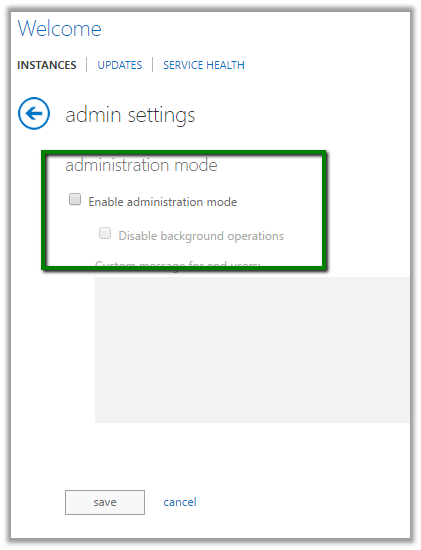
After we copied our Dev instance to another Sandbox instance we got this message on opening CRM.

To disable it.
Go to Office 365 Administration Section
Select your sandbox instance.
Select Admin
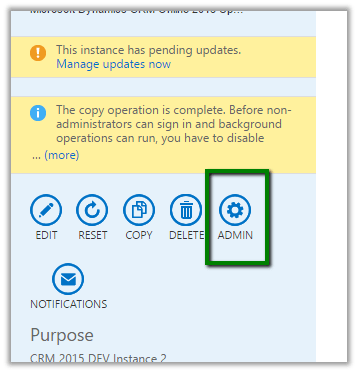
Uncheck Enable Administration Mode
Hope it helps.

 Nishant Rana's Weblog