Fixed NSIS Error – Error Launching installer in Windows 10.


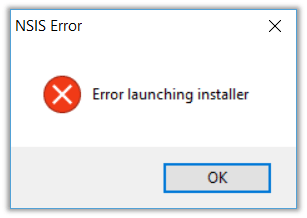
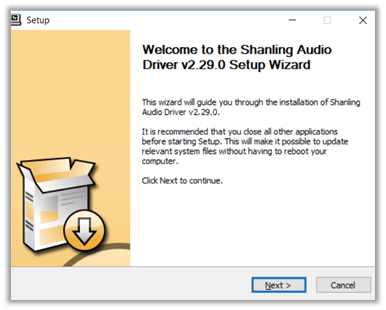
Recenlty I bought Shanling M0 DAP, and while trying to run the setup.exe for its USD DAC Driver I got the below error.

NSIS (Nullsoft Scriptable Install System) is a tool that allows programmers to create installers for Windows. It is released under an open source license and is completely free for any use

The issue could be because of the setup file failing the self-check. So, installing it might not be successful, and could lead to other problems if continued.

This self-check can be skipped by running the setup through command line using /NCRC command line switch.

/NCRC disables the CRC check, unless CRCCheck force was used in the script.

Running through command line with NCRC switch allowed the driver to be installed.

Hope it helps..

PowerApps – Quick Overview (mind map)


Hi,

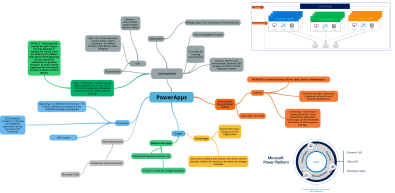
I was reading this wonderful whitepaper on PowerApps by David Yack and preparing notes on that using mind map.

Sharing the same.

https://www.goconqr.com/p/16333871-powerapps-mind_maps

PowerApps


Hope it helps..

D365: Multiple Currency Issue in Opportunity Line Grid(Inline Edit View) on Opportunity Form


Interesting !

Ajit Patra's avatarAjit Patra

Recently, while working on qualifying lead to opportunity we faced a weird issue.

We were using multiple currencies in our D365 instance 
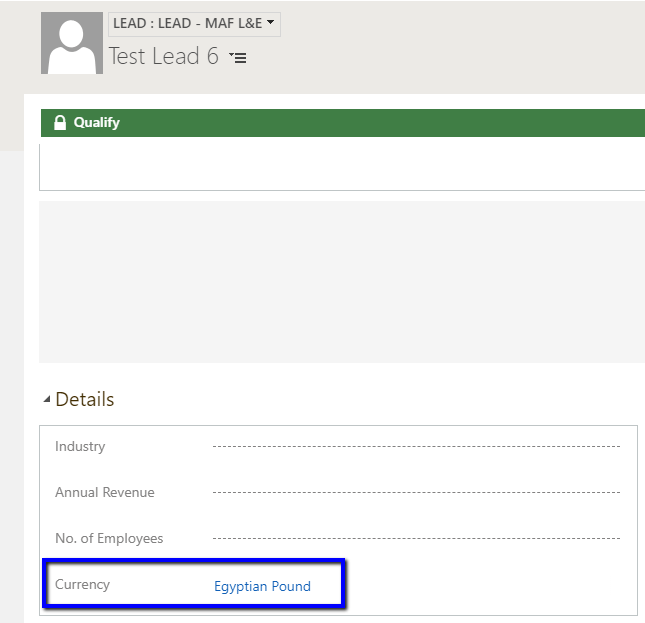
AED(Base currency in our case) and Egyptian Pound. We used Egyptian Pound currency on Lead while creating.

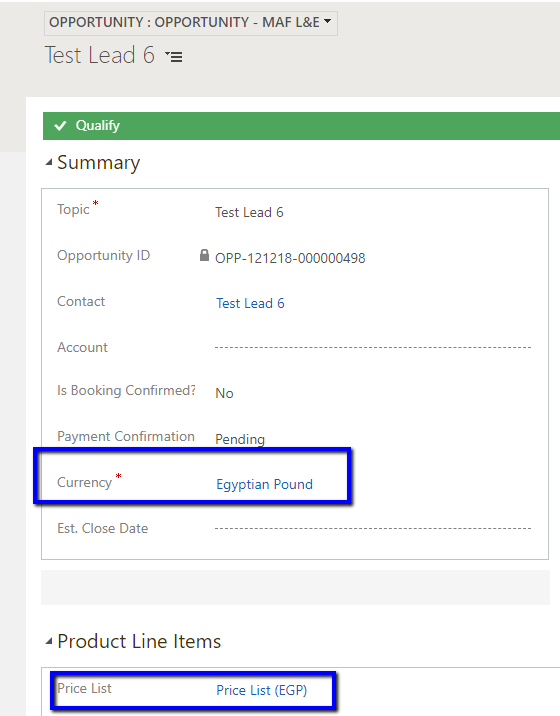
On qualifying Lead to Opportunity, we were mapping the currency of Lead to Opportunity. So, eventually, currency selected on Opportunity was Egyptian Pound and corresponding Price List was populated.

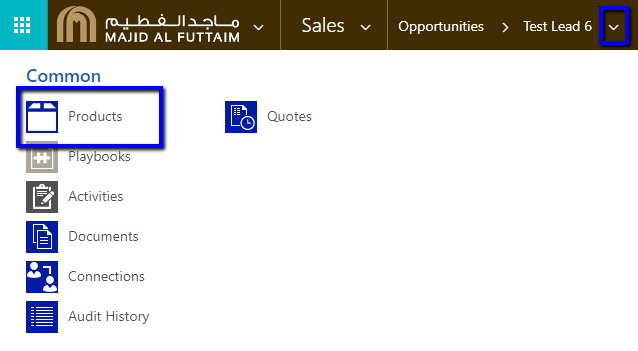
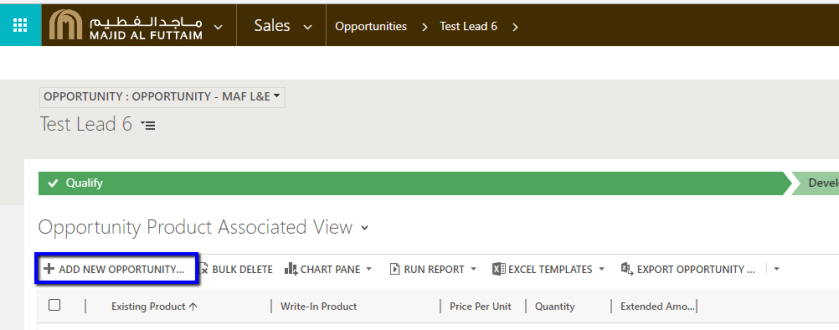
After qualifying lead, we added Opportunity Product to the Opportunity from Related entities –> Add New Opportunity Product.

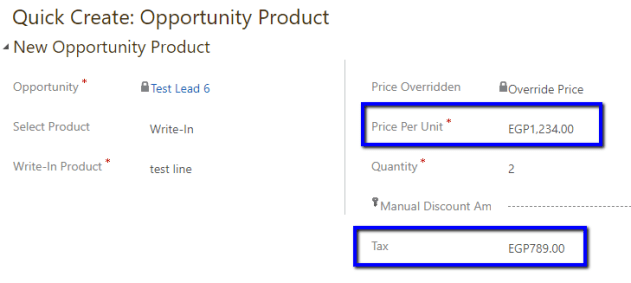
We created the Opportunity Product using Quick Create form. Here, we were able to put Price Per Unit and Tax using currency Egyptian Pound.

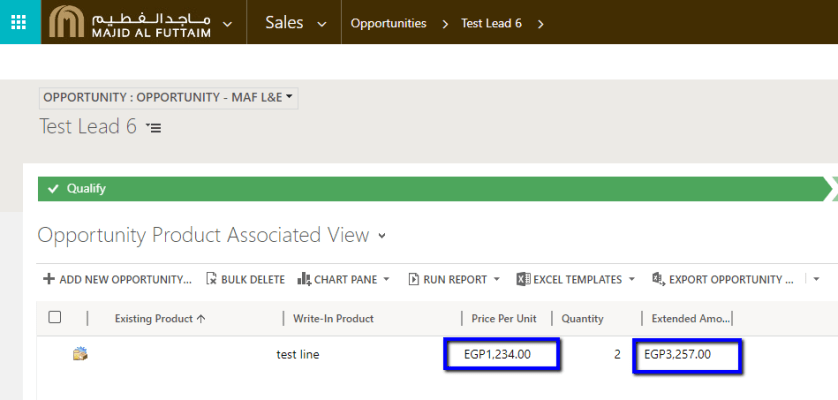
In Opportunity Product Associated View also we were able to see Price Per Unit and Extended Amount in Egyptian Pound currency.

However, coming to the main Opportunity form, in Products grid, we found that Price Per Unit and

View original post 129 more words

Fixed – You do not have the necessary privileges to import security roles. Microsoft.Crm.CrmSecurityException: SecLib::CheckPrivilege failed while importing solution in Dynamics 365 CE


Recently after upgrade of our Dynamics 365 CE from 8.2 to 9.1, when the System Administrator tried importing the solution (managed), he got the below error

You do not have the necessary privileges to import security roles. : Microsoft.Crm.CrmSecurityException: SecLib::CheckPrivilege failed. User: e7282250-7d82-e711-80df-1458d0431690, PrivilegeName: prvWriteRole, PrivilegeId: bd123e14-17ba-40f6-8d8b-18f4bffa7e50, Required

The error message is quite weird, first as we have never got this error earlier and here it was System Administrator user who was importing.

We tried importing the solution with the using another System Adminstrator account and it worked for that other user.

Hope it helps..

Advertisements

The workflow cannot be published or unpublished by someone who is not its owner error while importing solution in Dynamics 365 CE


Recently after upgrade of our Dynamics 365 CE from 8.2 to 9.1, when the System Administrator tried importing the solution (managed), he got the below error

The workflow cannot be published or unpublished by someone who is not its owner.

Error while importing workflow {ec05f40d-fd14-46ab-96b3-be1f5b108ef3} type Workflow name Marketing List – Update CT Relationship: The workflow cannot be published or unpublished by someone who is not its owner.

What the error says is that the user who is importing the solution needs to be the owner of the workflow that is there in that solution.

http://gonzaloruizcrm.blogspot.com/2011/05/processesworkflow-ownership-faqs.html

https://stackoverflow.com/questions/17159920/crm-2011-ru13-the-workflow-cannot-be-published-or-unpublished-by-someone-who-is

The thing was that we have never got this issue earlier for that System Admin user and we would have imported the solution at least 10 times earlier as well. This time the only thing different was that it was in the newer version 9.1

Changing the owner of the workflow and assigning it to the one who is importing will fix this issue. However interestingly and as expected when we tried importing the same solution using a different system administrator (again not the owner of the workflow in the target system), the import was successful with warning.

“The original workflow definition has been deactivated and replaced”

Read the below post to understand how workflows are managed internally

https://www.inogic.com/blog/2010/11/workflows-behind-the-scene/

Please share your thoughts, if someone has faced this issue recently and how they managed to fix this?

And what caused the issue to the first system admin and worked for the other.

Fixed – You don’t have permission to access any of the organizations in the Microsoft Dynamics CRM Online region that you specified error in USD Client Application


Recently after upgrade to version 9.1 and USD 4.0, some of the users started getting the below error while trying to login into the USD Client Application.

You don’t have permission to access any of the organizations in the Microsoft Dynamics CRM Online region that you specified. If you’re not sure which region your organization resides in, choose “Don’t know” for the CRM region and try again. Otherwise check with your CRM administrator.

They were able to login to Dynamics 365 CE through browser though.

Eventually turned out that few of the sites (url(s)) were getting blocked because of the network policy on the agent’s machine. Allowing those sites resolved the issue.

Hope it helps..

Advertisements