

In this post, we’d start by creating a trial of Dynamics 365 Customer
Service.
Navigate to – https://dynamics.microsoft.com/en-us/customer-service/overview/

And select Try for free
Enter your email details and follow the steps.
In a few mins, the trial will be ready.

Clicking on Launch Trial opens the Customer Service Workspace app.

Below are the other apps we can see installed as part of the Customer Service Trial, including the Omnichannel Admin Center and Omnichannel for Customer Service along with the Customer Service admin center app.

Opening the Omnichannel Admin Center app allows us to configure the Chat Demo.
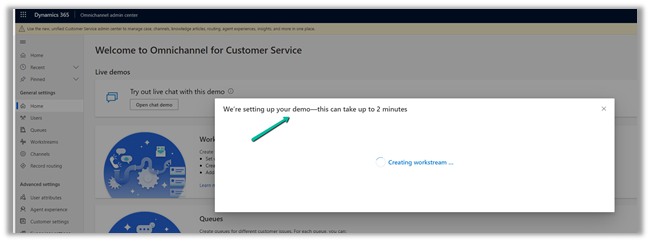
In a few seconds, the demo will be configured.

Clicking on the Open agent app opens the Omnichannel for Customer Service App.
Click on Let’s Chat! widget to start the chat.

Opening the Let’s Chat widget sends the notification to the agent as shown below.
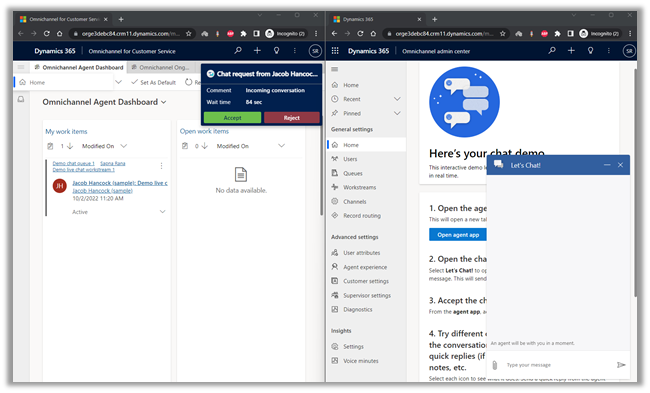
Clicking on Accept in the notification starts a new session.
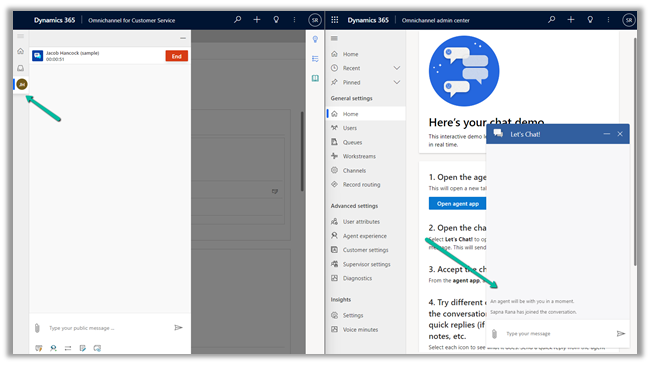
It also starts the conversation.
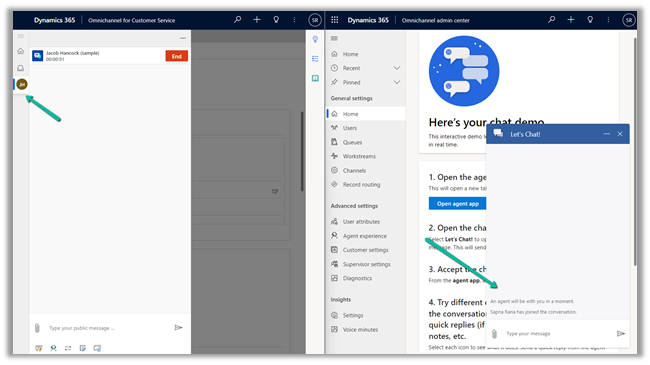
The agent can click on End or the customer can close the Chat Widget to end the conversation

The End button is grayed out and the customer gets the message as Agent has ended the conversation.

As we can see, we have the working Omnichannel trial environment ready for us to try out different channels/features, etc.
In Power Platform Admin Center, if we check inside Resources >> Dynamics 365 Apps for the Customer Service Trial we can see the Omnichannel Apps installed.


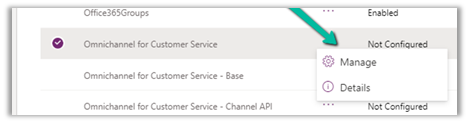
Interestingly if we navigate to Resources >> Dynamics 365 apps and check the Omnichannel for Customer Service app we see the status Not configured.
Clicking on the Manage option, opens the dialog box, informing us that it will navigate us to Dynamics 365 apps admin page.
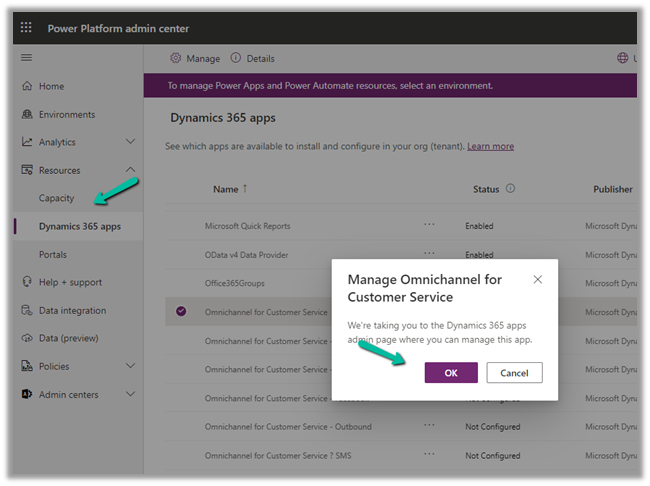
In our case it kept us asking to sign in, instead of taking us to the admin page.
So next we tried Providing the data access consent as mentioned in the MS Docs.
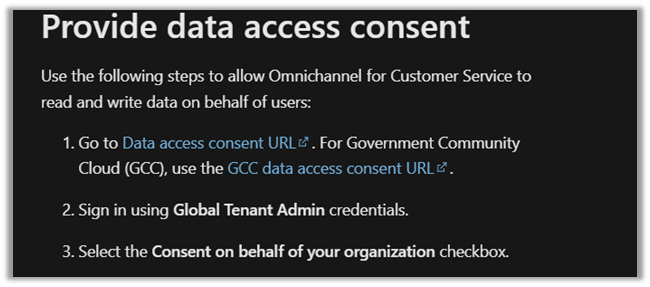
For which we got the below error.

As it failed, we tried the same after assigning the Power BI (free) license to the admin user. (The user should also have Microsoft 365 Global Admin roles along with System Administrator in the env.)
https://learn.microsoft.com/en-us/dynamics365/customer-service/try-channels
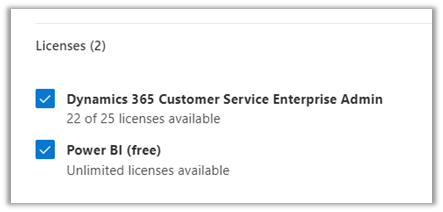
And it worked this time.
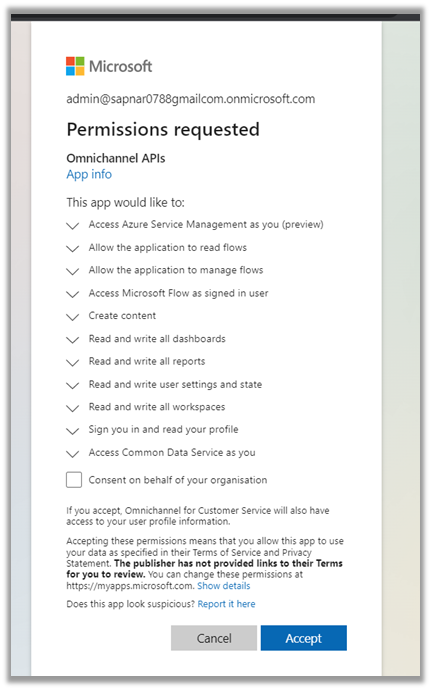

This time clicking on Manage for the Omnichannel for Customer Service, took us to the Dynamics 365 Admin page.

Inside Dynamics 365 Administration Center we can manage the environments in which we want to install or remove the Omnichannel as well as different channels inside it.

From the Admin Center, we managed to upgrade the Omnichannel in the Customer Service Trial environment and also configure it in another sandbox environment.
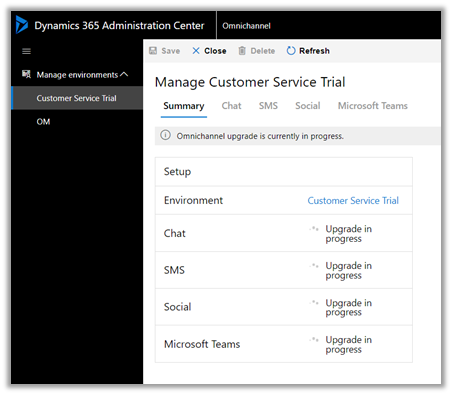
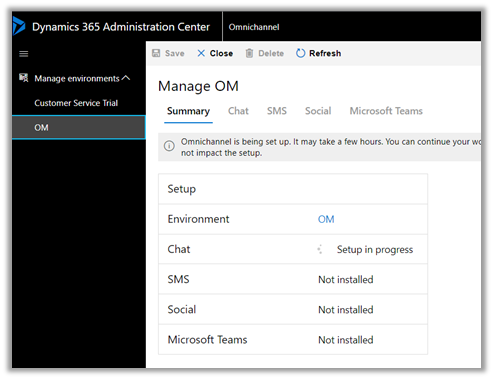

Interestingly even after the update/setup was completed
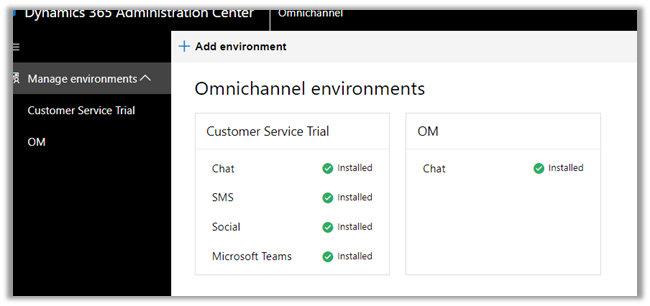
the status of Omnichannel for Customer Service on the Dynamics 365 Page was “Not configured”, which could be some bug or something as mentioned in the MS Docs.
“You can safely ignore the status”

So in our case, when we had configured the Customer Service Trial, the Omnichannel was already configured in that environment as we saw earlier. We were mainly facing issues to access the Dynamics 365 Administration Center, which got resolved after assigning the Power BI License to the admin user followed by giving the required consent.
Kindly refer to the below links to learn about Omnichannel in in-depth
https://neilparkhurst.com/2022/08/11/omnichannel-for-customer-service-collection-2/
Hope this helps..
Discover more from Nishant Rana's Weblog
Subscribe to get the latest posts sent to your email.
Share It -


 Nishant Rana's Weblog
I don’t see Omnichannel
LikeLike