

When we change the user’s business unit, all the current security roles of the users are removed and we need to assign the roles again to the user. This has always been the default behavior.
Also check – Modernize Business Units – https://nishantrana.me/2022/01/04/modernize-business-units-matrix-data-access-structure-record-ownership-across-business-units-preview-in-dynamics-365-dataverse/
For E.g. below user User 2 belongs to Business Unit – BU 1 and has the following security roles assigned.
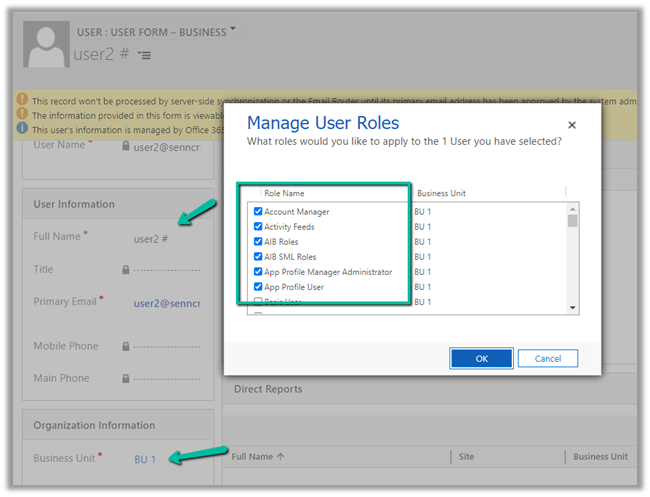
Now changing the user’s business unit to BU 2

will remove all his security roles assigned.

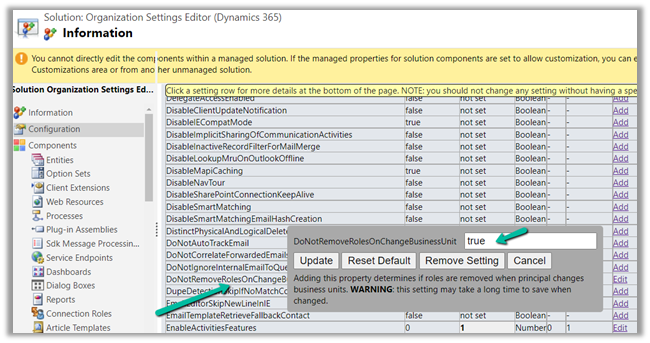
We can now override this behavior by updating the new option /setting added
DoNotRemoveRolesOnChangeBusinessUnit(this property determines if roles are removed when the principal changes business units) through the
Organization Settings Editor tool
After we have installed the managed solution, we can update the setting and set it as true

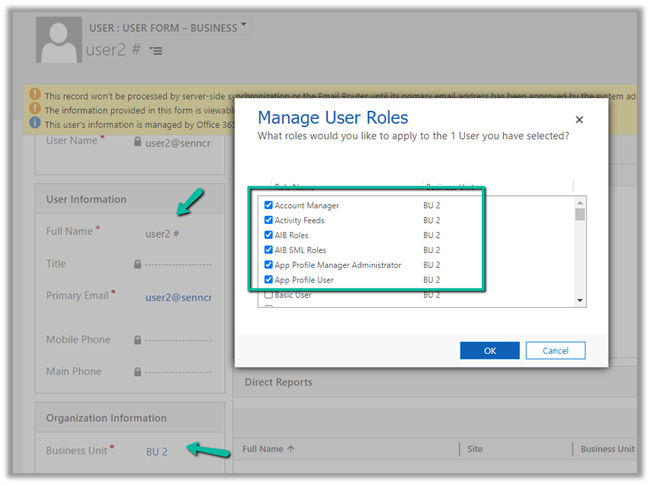
Let us assign the security roles to User 2 in BU 2.
 Let us now change the BU of user 2 back to BU 1.
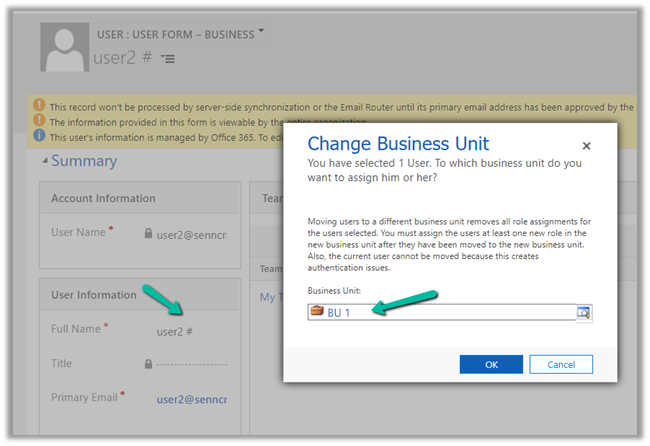
As expected after updating that setting – DoNotRemoveRolesOnChangeBusinessUnit– as true – we can see the security roles still intact, even on the change of Business Unit for the user.
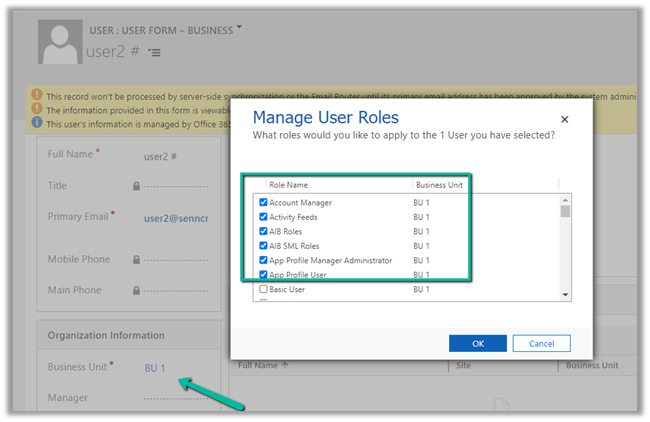
What happens if user 2 is assigned a security role – BU2 Security Role, which is created in BU 2 Business unit and is not available in BU 1.
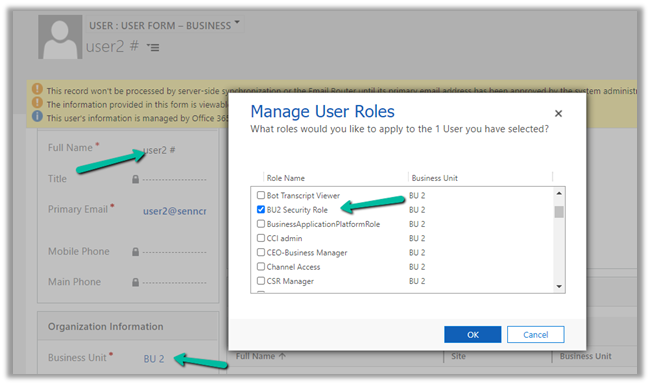
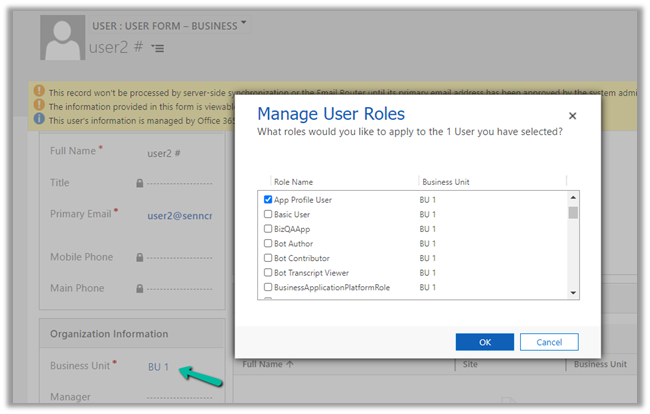
Let us change the business unit to BU 1.
As expected BU2 security role is not available in BU 1, so that role is not assigned, only the common security role coming from parent BU remains intact.
Hope it helps..
Discover more from Nishant Rana's Weblog
Subscribe to get the latest posts sent to your email.
Share It -


 Nishant Rana's Weblog
Hi, i’m trying this thing on my 9.2.24015.190 version of Dynamics 365 CRM but it seems that is not working, i followed this guide point by point. Do i have to wait sometimes before setting is active or is it not working?
Thank you in advance,
LikeLike
Hi, thank you for writing this article! Minor correction – your post mentions that “EnableOwnershipAcrossBusinessUnits ” is the setting that should be changed, but later in the post you mention “DoNotRemoveRolesOnChangeBusinessUnit” (I believe the latter is correct).
To complete this workflow, do both settings need to be changed, or only one? Thanks again.
LikeLike
Thanks for highlighting it . Have updated the post. I was reading / writing on both the topics at the same time causing that 🙂 Only one DoNotRemoveRolesOnChangeBusinessUnit should be fine.
LikeLike
hello, thanks for the article, do you know, how long it should take once “DoNotRemoveRolesOnChangeBusinessUnit” is set to “TRUE” to work ?
I changed this configuration to true 15 minutes ago, and when i change the division of a user, he still looses his security roles.
Thanks, Forward
LikeLike