
Unexpected error (SQL Timeout error) while trying to delete Audit Log
We had around 200 GB of Audit Log data in our Production Environment (Online), but while trying to delete it through Audit Log Management resulted into unexpected error.
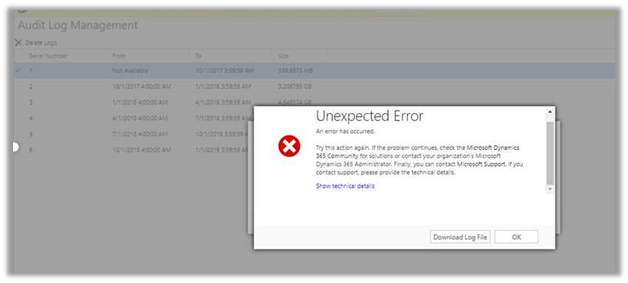
The only option is to raise the support ticket with Microsoft. We also raised the same but it unfortunately resulted in our Production Server being down for brief period of time because of time out issue while performing the operation in Audit Base.
So, in short if we are facing issue while deleting log ourselves, we need to raise the support ticket and also the plan the same during downtime or weekends when users are not using the system.
Hope it helps..
Discover more from Nishant Rana's Weblog
Subscribe to get the latest posts sent to your email.
Share It -


Was this online or on-premise?
LikeLiked by 1 person
Online Harj. Thanks for pointing that out, I have updated the post.
LikeLiked by 1 person
We get timeouts at a customer’s as well, although we only have 31 GB audit files. Looks like some not performant SQL script running into the 2 minute timout.
LikeLiked by 1 person
thanks Jan for sharing your experience with this error. Yes if it is giving the same error with 31 GB then the problem lies in the script itself, only the size cannot be blamed.
LikeLike