
This post assumes that we have already set up the Community Portal.
To create a new Idea Forum, go to CRM – Community – Idea Forums

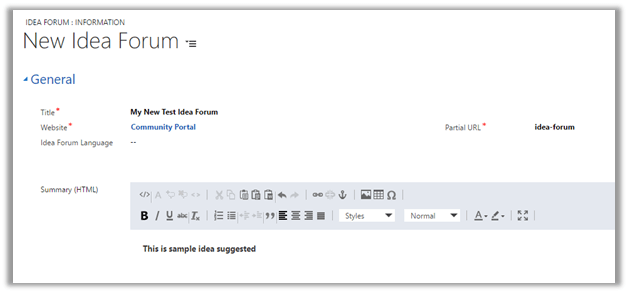
Create a new idea forum record.
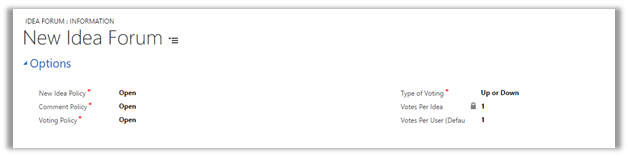
Type of Voting can be one of the following Up, Up or Down, Rating.
Saving the record, adds the new Idea Forum in the Portal.

We can add idea to the Idea forum it can be done either through CRM or from the Portal
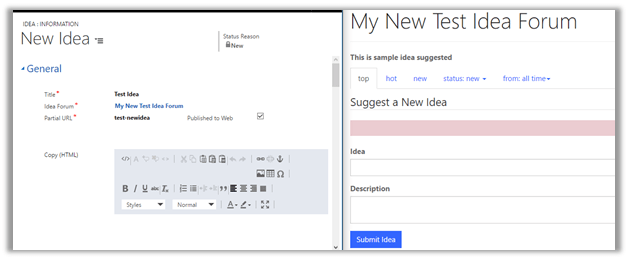
Idea within Portal: –

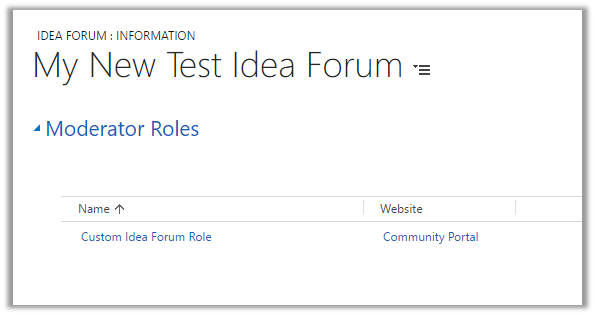
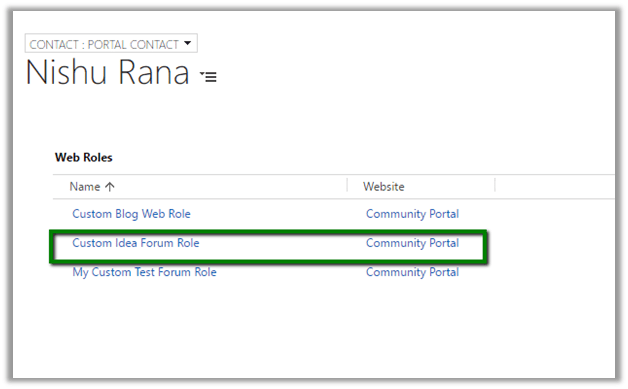
For Managing Idea Forum from the Portal, create a new Web Role and add that role to the Moderator Roles and assign the same web role to the Contact (Portal User) in CRM.
- Below is our custom web role
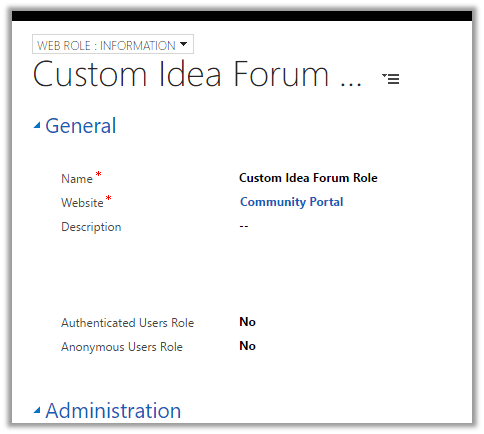
- Add the role to Moderator Roles in the Idea Forum record.
- Open the contact record and assign this new web role.
“There is currently no front-side moderation functionality built into the idea portal application.”
Hope it helps..
Discover more from Nishant Rana's Weblog
Subscribe to get the latest posts sent to your email.
Share It -


 Nishant Rana's Weblog
I read your blog post seems interesting. Visit https://www.erbrains.com/ to know more on Microsoft dynamics technologies
LikeLike
Thanks for the detailed explanation along with screenshots, it was very much helpful. I created a forum for the Chatbot Development Services but there are a lot of bots in it and I’m not sure why this happened or how to remove it. And I think this will be time-consuming as there are more than 1000 unverified bots.
LikeLike
As a chatbot development company, Ailoitte focuses on building reliable and innovative chatbot solutions tailored to your business needs. From streamlining customer support to boosting sales, our chatbots provide solutions that matter. Whether you’re in retail, healthcare, or finance, Ailoitte ensures your chatbot aligns with your goals. With advanced AI technologies, we help businesses stay relevant in today’s competitive market while enhancing their user experience.ok
LikeLike
Build intelligent, scalable chatbots with our expert team. Hire full stack developers in India to create AI-powered chat solutions that enhance customer engagement, automate support, and drive business efficiency.
LikeLike