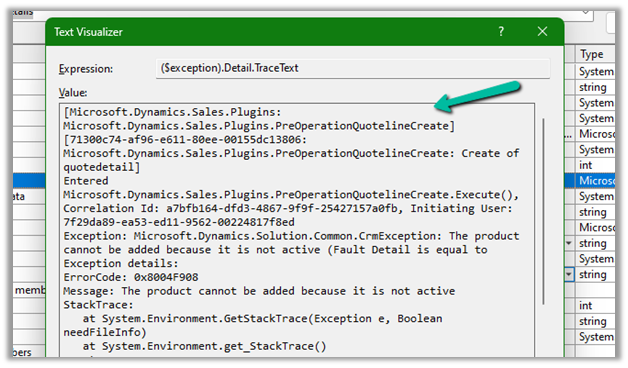
We got the below error while trying to create a quote product programmatically.
As the error message specifies, this is because we are trying to add/associate a DRAFT product to the Quote Product.
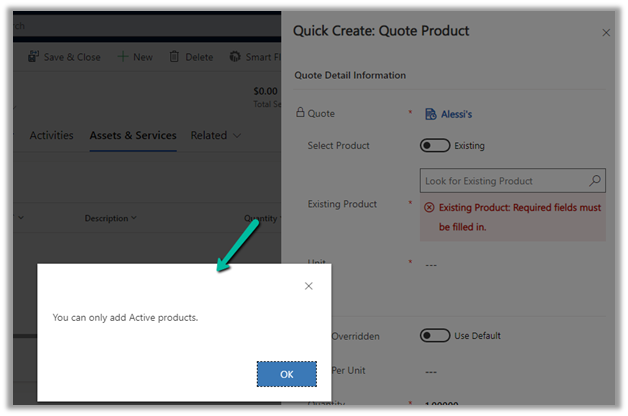
We will get a similar error from the application as well if we try adding a draft product as an existing product to either a quote product or an opportunity product.
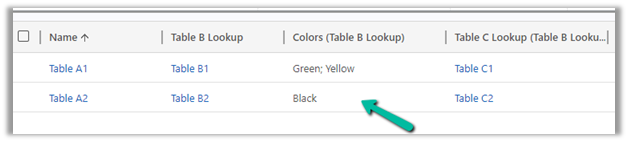
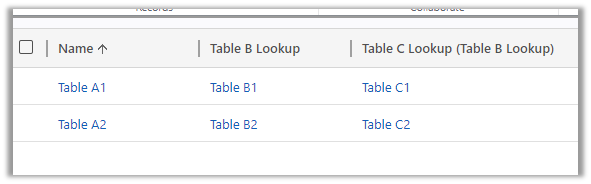
Suppose we have 3 tables, Table A, Table B, and Table C related to each other as
Table A (n-1) Table B (n-1) Table C i.e.
Table A has a lookup of Table B and Table B has a lookup of Table C.
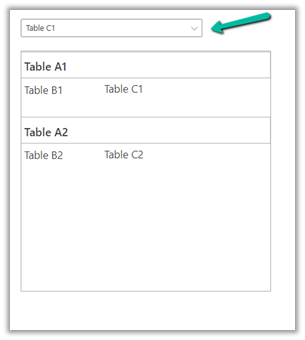
Below is our sample canvas app that has a gallery and a combo box.
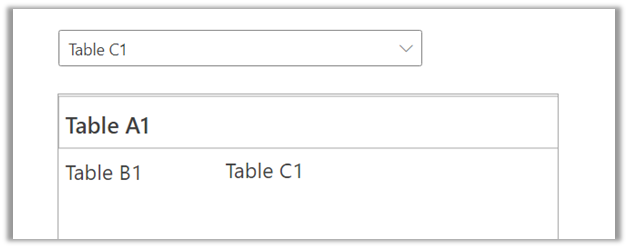
What we would want is based on the Table C record’s name selected in the combo box, we want to filter the collection to only show those records that are related to it.
One of the ways we could implement this is by using the AddColumns to add Table C data to Table A and apply the Filter to it.
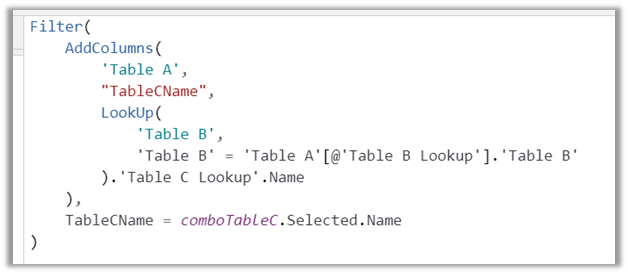
Below is the formula to achieve the same.
In Table A, add a column name “TableCName”.
To get the Table C name, perform a Lookup on Table B, where Table B GUID is equal to Table A’s Table B lookup field, and then fetch the Table C Lookup’s name from Table B.
And lastly, perform a Filter on this new column TableCName, based on the selected value in the combo box.
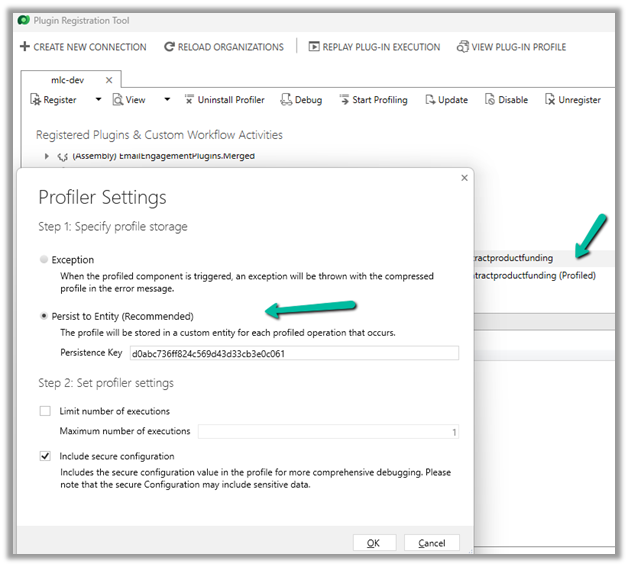
One of the reasons why throwing the InvalidPluginExecutionException doesn’t show up error dialog could be that you would have Profiled that step with profile storage as Persist to Entity.
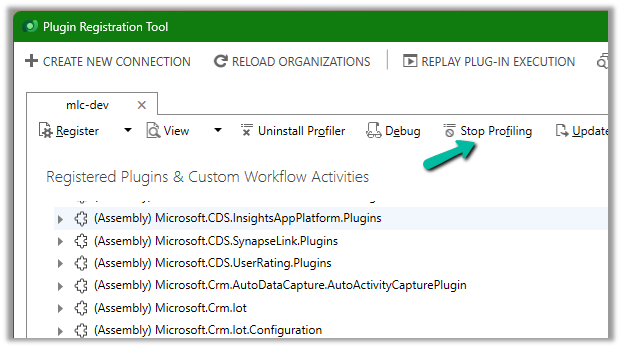
Stop Profiling and it should work as expected.
Check for more details on InvalidPluginExecutionException –




















 Nishant Rana's Weblog