

Let’s take an example.
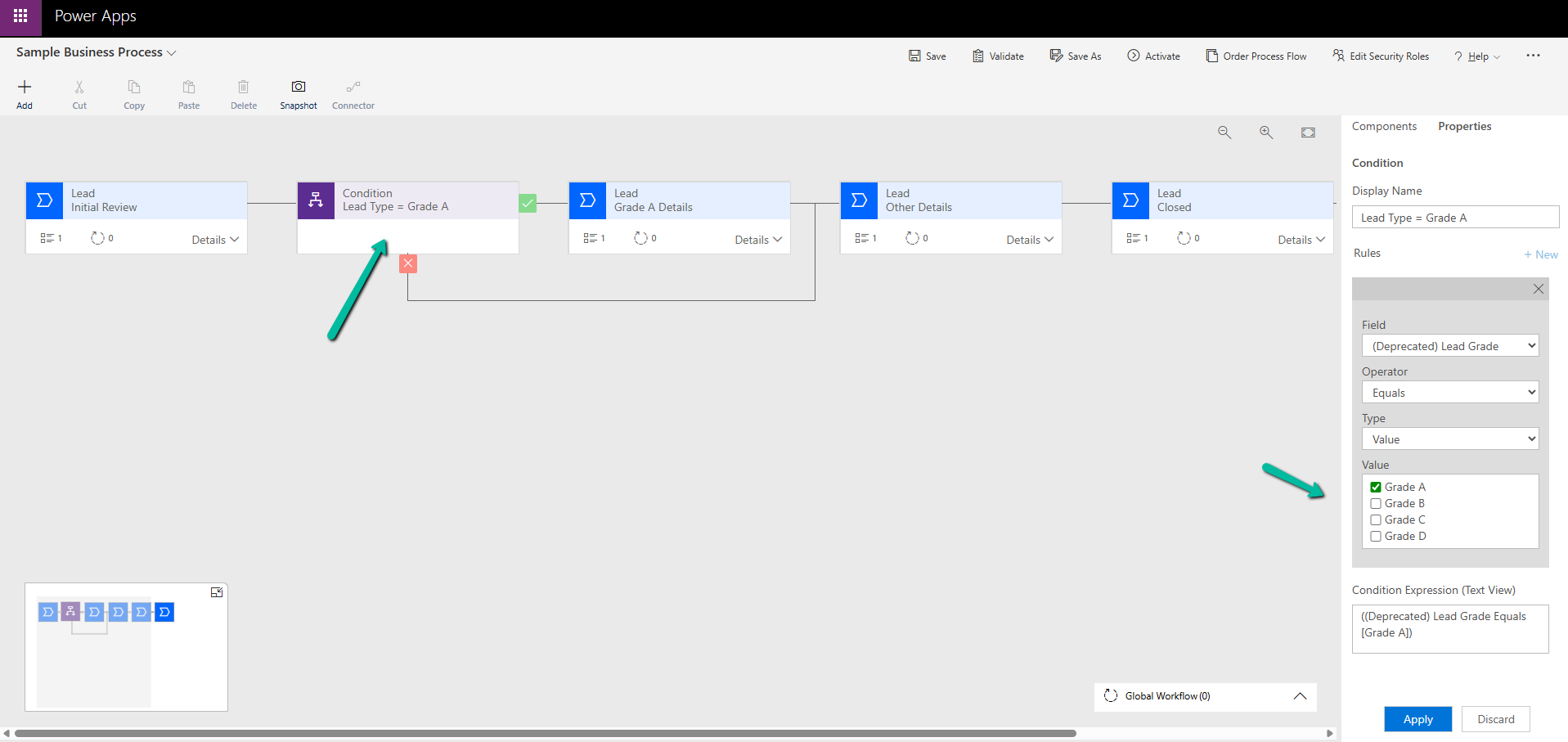
Suppose we have the following Business Process Flow (BPF) for Leads:
If the Lead Type = Grade A, we want the Grade A Details stage to appear. For other grades (B, C, D), we skip that stage and continue. So far, this is simple.
Now, say we have a new business requirement :
For Grade D, the process should only have the Initial Review and its own Closed stage. For Grades B and C, the process should follow Other Details + Closed.
To handle this, we added a condition:
If Lead Type = B or C → go to Other Details
Else (Grade D) → go directly to Grade D (Closed)
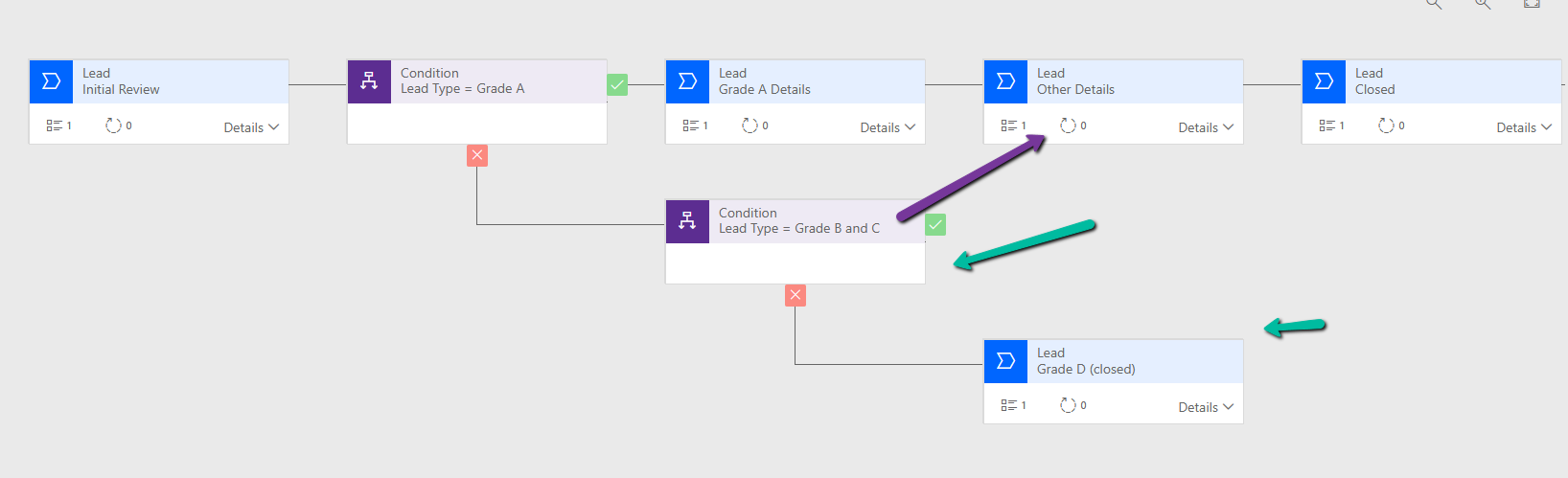
However, when we try to connect the B/C path to Other Details, the D path (Closed) also gets merged into it.

Dataverse does not support “partial merges.” That means we can’t end one branch early and merge another branch later. If we merge one branch, Dataverse forces all branches to merge into the same stage.

One Branch Ends, One Branch Merges (Not Supported) – If we try to design a BPF where one branch terminates in its own last stage while the other continues and merges into a later stage, the platform will not allow it.
There are two ways to solve this:
Option 1: Repeat the stages : Instead of trying to merge one path and end another, duplicate the stages where needed.
For example, create a separate Other Details and Closed stage for Grades B and C.
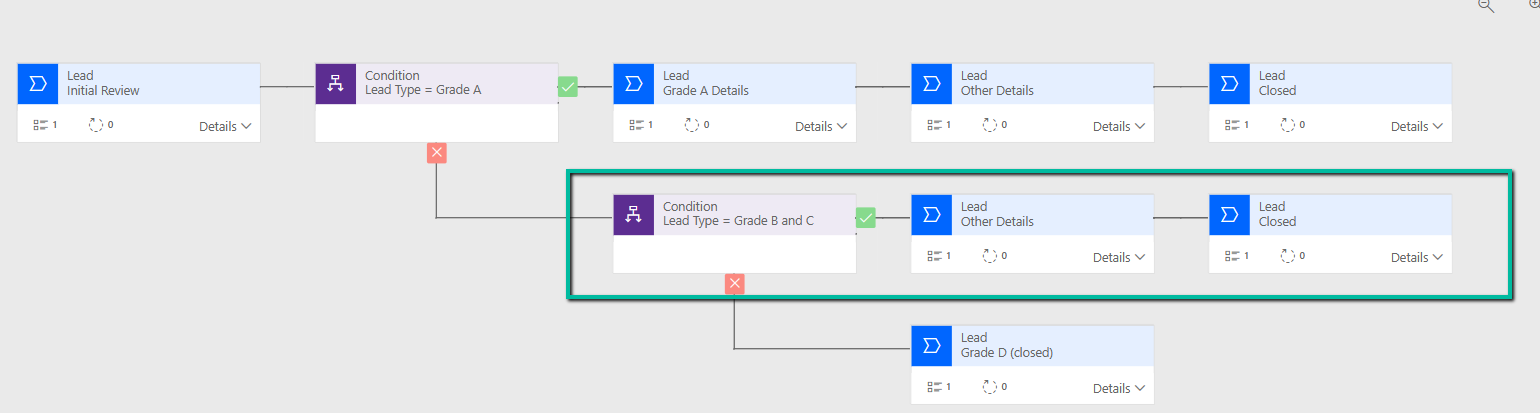
Option 2: Simplify with fields / scripts
If we don’t want to repeat too many stages, we can:
Move the Lead Type field and Grade A Details fields into the Initial Review stage. Use business rules or form logic to show/hide those fields based on Lead Type. Delete the extra Grade A Details stage.
Update the condition so that the flow only needs one condition (A/B/C vs D).

Key Takeaway –
In Dataverse BPF:
One branch ending while another merges is not supported.
Either all branches merge or each branch must have its own end stage.
The solution is to repeat stages where needed, or simplify the design using fields and conditions.
Hope it helps..



![Fixed –Lookup value plugintypeexportkey [Guid] is not resolvable – Solution Import error (Dynamics 365 / Dataverse)](https://nishantrana.me/wp-content/uploads/2025/09/pexels-photo-4482033.jpeg?w=1200)









 Nishant Rana's Weblog