Hi,
Check this site that lists different Microsoft Global Data Center worldwide.
http://o365datacentermap.azurewebsites.net/
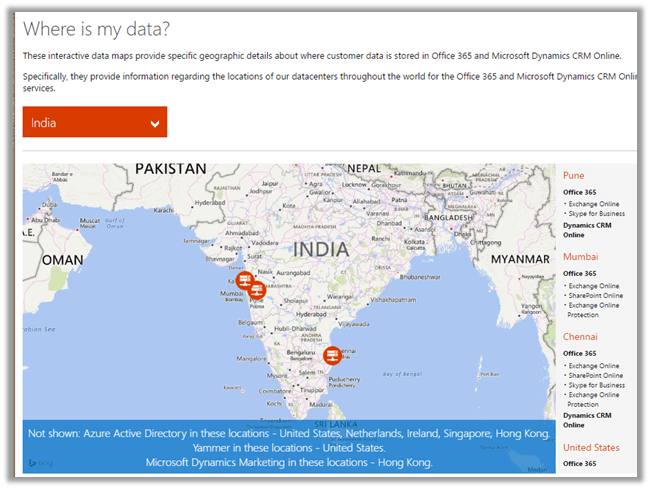
For India :
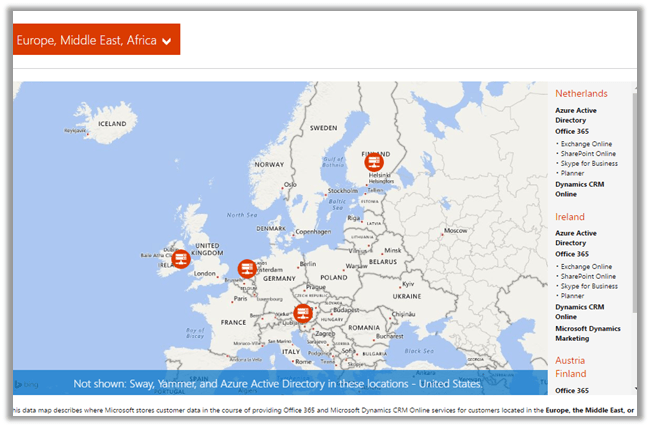
For EMEA :
Hope it helps.

Hi,
Check this site that lists different Microsoft Global Data Center worldwide.
http://o365datacentermap.azurewebsites.net/
For India :
For EMEA :
Hope it helps.

Hi,
Got this error while trying to import a managed solution in CRM 2016 Online.
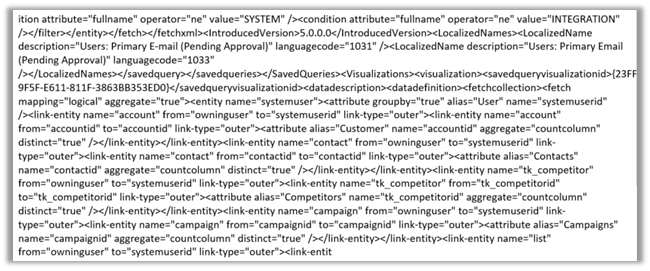
During analysis we figured out that it was pointing to one of the charts created for System User Entity. It seemed like chart’s xml was modified after export and then imported. The xml definition of the chart contained distinct keyword.
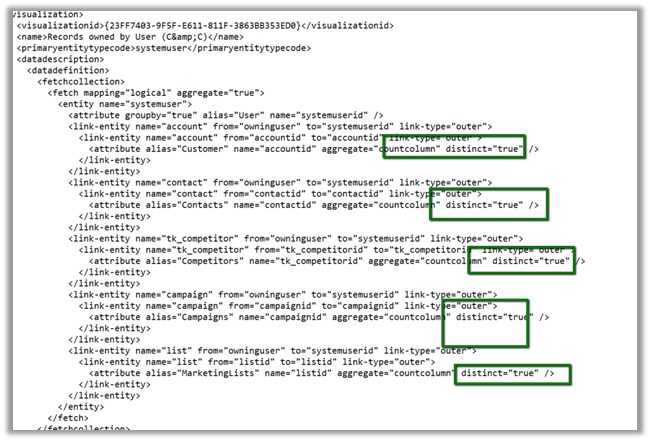
Removing the distinct keyword from the Chart definition and importing it back and then importing the managed solution with this updated chart got imported without any error.
Hope it helps..

Hi,
Today we faced this issue while importing managed solution extracted from our Dev Environment to Test Environment (CRM 2016 Online Update 1).
As suggested by few of the posts online, the culprit was the System Customizer role. We removed it from our solution and then imported it back and it got imported successfully.
Helpful Post
http://crmkid.com/tag/cannot-add-a-root-component/
Hope it helps..

We had one of our plugins on Create of Opportunity however during the import of the Opportunity record it was not working properly. We had the Depth check in our plugin code to check for infinite loop as the same plugin was being used for Update also.
After some debugging we realized that Depth value is 2 instead of 1 during import.
To test this, we created a sample plugin for create of Test entity record and then imported the Test entity records.
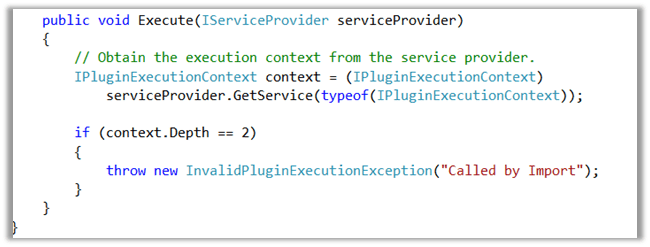
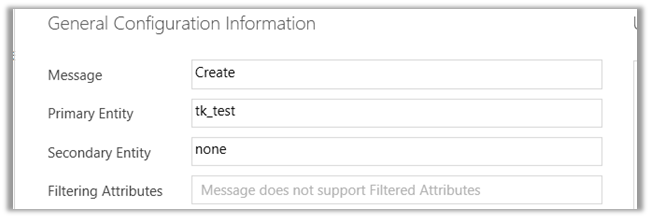
As expected the import failed and we got our custom exception in it.
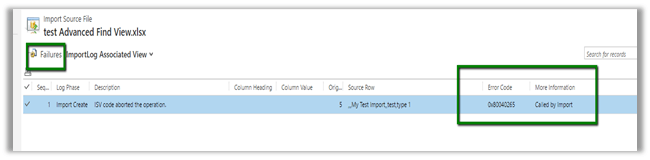
Hope this helps..

Sample code to set the PartyList field for Email Activity.
function setContact() {

var partlistData = new Array();
partlistData[0] = new Object();

// guid of the record
partlistData[0].id = "8B2AD82B-30D6-E511-811F-3863BB356F90";

// name of the record
partlistData[0].name = "Hugh Grant";

// entity schema name
partlistData[0].entityType = "contact";
Xrm.Page.getAttribute("to").setValue(partlistData)

}
Hope it helps..

Hi,
While importing translations we got the below error
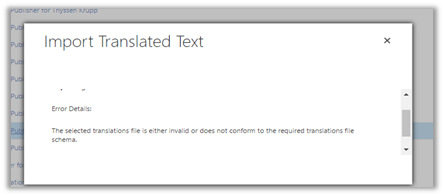
On opening the CrmTranslations.xml we saw the translations missing for that row.

On specifying the values for those fields and importing it back fixed the issue.
Hope it helps..

 Nishant Rana's Weblog