
With July 2017 Update, now we have the option to register a new Webhook through Plugin Registration tool.
Download the latest Plugin Registration Tool from NuGet using the PowerShell script à
https://docs.microsoft.com/en-us/dynamics365/customer-engagement/developer/download-tools-nuget
Through registering a Webhook, we can send data (execution context) about any operation performed on Dynamics 365 to the external services or application. The execution context information is passed in JSON format here.
More details here
https://docs.microsoft.com/en-us/dynamics365/customer-engagement/developer/use-webhooks
Let us take a simple scenario to see it in action.
First will create an Azure Webhook which passes the Execution Context to the Azure Service Bus Queue. We will also create a sample Queue Listener application that parses and reads the information from the queue.
- Log in to Azure Portal and create a new Function App.

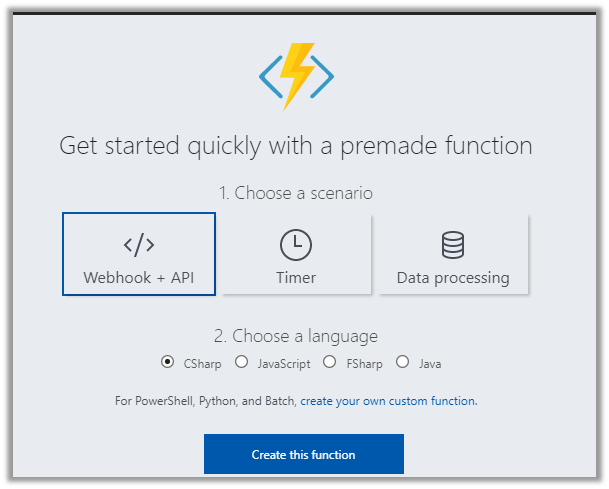
- Create a new Function of type Webhook + API (CSharp).
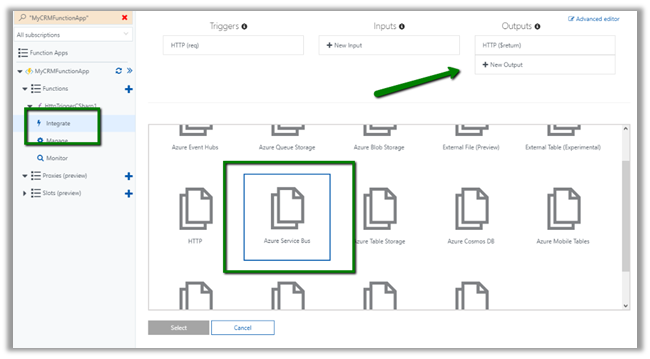
- Select Integrate in the newly created function and click on New Output button and add Azure Service Bus as an output.
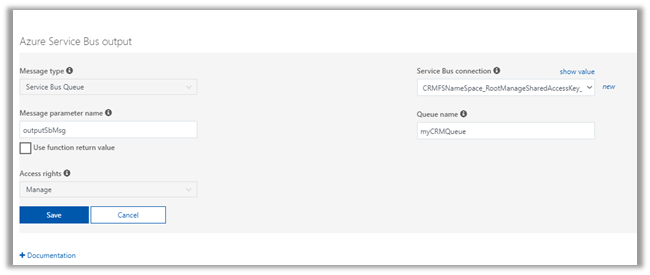
- Specify Message type as Service Bus Queue and other required values like Service Bus Connection, Queue Name and the parameter name and click on Save.
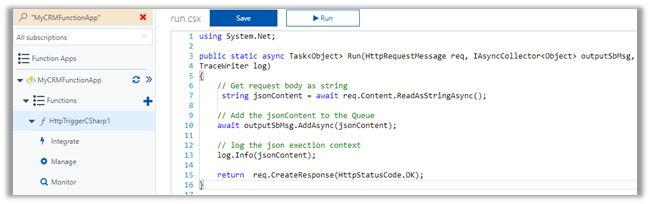
- Update the code for our function to pass the execution context information to the queue
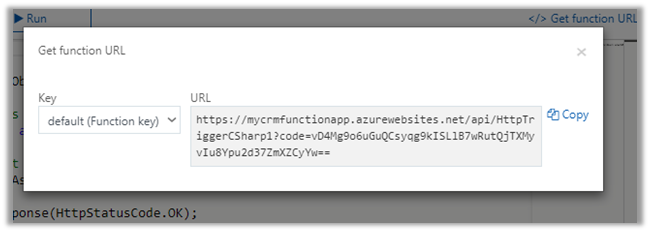
- Now let us register our Webhook inside Dynamics 365. For this copy the function URL using Get function URL button.

- Click on Copy.
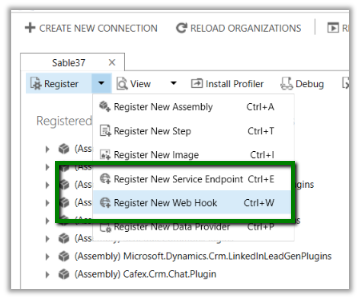
- Inside Plugin Registration tool, click on Register à Register New Web Hook.
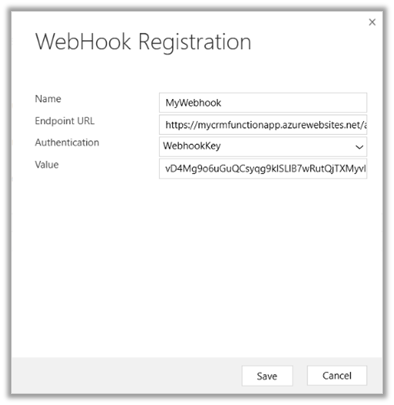
- Specify any Name for the Webhook. In the Endpoint URL, paste the URL copied without any query string part. For Authentication select WebhookKey and paste the “code” query string value to register the Webhook.
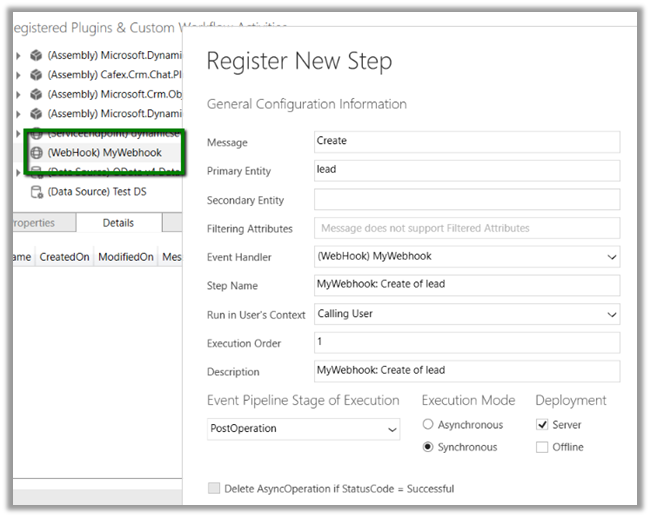
- Register a new step of Lead Create to it.
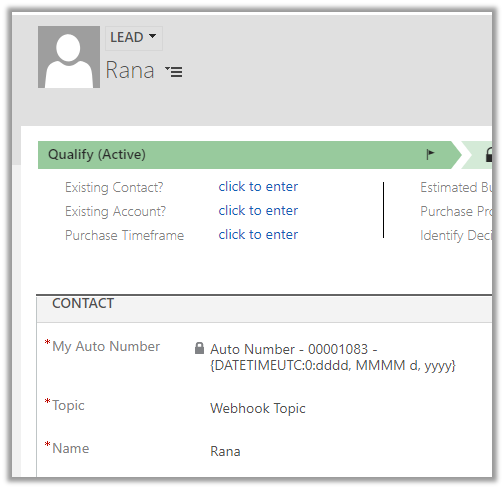
- After registering the step, to test our Webhook Function, let us create a new lead record inside Dynamics 365.
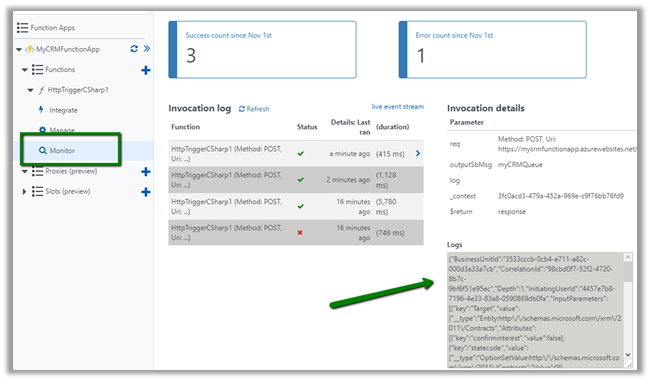
- Back in our function, click on Monitor to check the log. There we can see the execution context information passed to our function.
- Inside the Queue specified as Output of the function, we can see the new messages added.

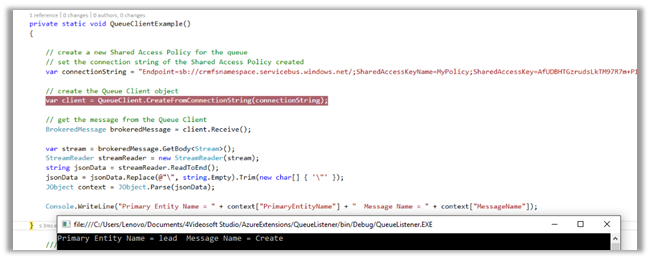
- Below is the sample code to read the message from the queue.
</p>
<p>private static void QueueClientExample()<br />
{<br />
// create a new Shared Access Policy for the queue<br />
// set the connection string of the Shared Access Policy created<br />
var connectionString = "Endpoint=sb://[namespace].servicebus.windows.net/;SharedAccessKeyName=MyPolicy;SharedAccessKey=[KeyValue];EntityPath=mycrmqueue";</p>
<p>// create the Queue Client object<br />
var client = QueueClient.CreateFromConnectionString(connectionString);</p>
<p>// get the message from the Queue Client<br />
BrokeredMessage brokeredMessage = client.Receive();</p>
<p>var stream = brokeredMessage.GetBody<Stream>();<br />
StreamReader streamReader = new StreamReader(stream);<br />
string jsonData = streamReader.ReadToEnd();<br />
jsonData = jsonData.Replace(@"\", string.Empty).Trim(new char[] { '\"' });<br />
JObject context = JObject.Parse(jsonData);</p>
<p>Console.WriteLine("Primary Entity Name = " + context["PrimaryEntityName"] + " Message Name = " + context["MessageName"]);</p>
<p>}</p>
<p>
- The output
More on Azure Functions à
https://nishantrana.me/category/azure-functions/
Similar example using Azure Service Bus Integration à
Hope it helps..









 Nishant Rana's Weblog