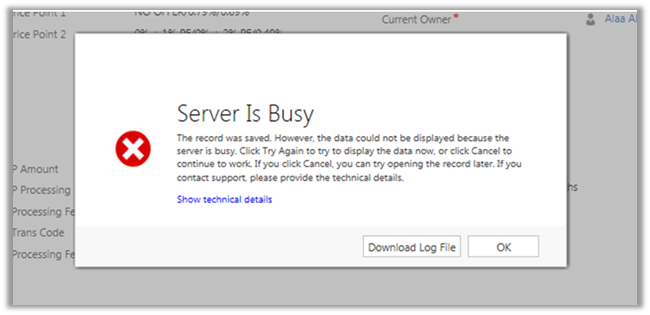
Server Is Busy. The record was saved. However, the data could not be displayed because the server is busy error in Dynamics 365.


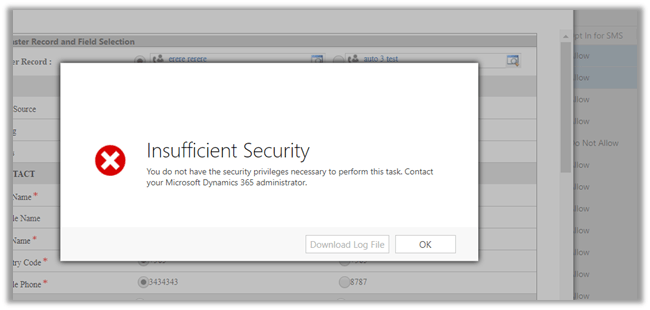
Recently one of our users got the below error

The error message is bit incorrect here. The error was because the user had User Level Read Access to the record or (Entity to be specific) and on saving the record, we had one of our real-time workflow being triggered which was assigning this record to another user. And on assignment, the record being getting assigned to another user, the user who had created\saved the record was losing the access to it.

Hope it helps..

Metadata contains a reference that cannot be resolved: ‘https://orgname.crm8.dynamics.com/XRMServices/2011/Organization.svc?wsdl&sdkversion=9’ error in Dynamics 365


We would run into this issue while trying to connect to Dynamics 365 Version 9.0 from a client application.

It is because Customer Engagement Platform (version 9.0) only supports TLS 1.2.

More details here

https://blogs.msdn.microsoft.com/crm/2017/09/28/updates-coming-to-dynamics-365-customer-engagement-connection-security/

How we can fix it à

We need to add the following line of code to our existing code


public static OrganizationServiceProxy GetOrganizationServiceProxy()
{
ClientCredentials clientCredentials = new ClientCredentials();

clientCredentials.UserName.UserName = "username";
clientCredentials.UserName.Password = "password";

// Set security protocol to TLS 1.2 for version 9.0 of Customer Engagement Platform
ServicePointManager.SecurityProtocol = SecurityProtocolType.Tls12;

return new OrganizationServiceProxy(new Uri("https://orgname.crm.dynamics.com/XRMServices/2011/Organization.svc"),
null, clientCredentials, null);
}

Helpful post

https://debajmecrm.com/2018/01/08/fixed-error-while-connecting-to-dynamics-365-version-9-0-metadata-contains-a-reference-that-cannot-be-resolved/

https://waelhamze.wordpress.com/2018/01/11/dynamics-365-ce-tls-connectivity-issue-from-net-and-powershell/

http://abhinavranjan.xyz/2017/12/21/issue-authenticating-crm-organization-service-web-app-july-2017-update/

Hope it helps..

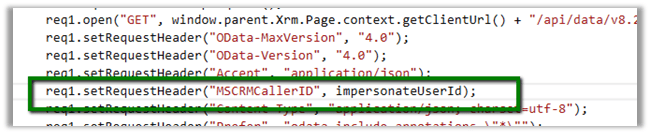
User does not have the privilege to act on behalf another user error while using impersonation in Web API in Dynamics 365.


We might receive below error while using impersonation in Web API call.

{\r\n  \”error\”:{\r\n    \”code\”:\”\”,\”message\”:\”User does not have the privilege to act on behalf another user.\”,\”innererror\”:{\r\n      \”message\”:\”User does not have the privilege to act on behalf another user.\”,\”type\”:

Impersonation in Web API

http://www.inogic.com/blog/2016/02/impersonation-available-using-web-api-in-dynamics-crm-2016/

This error can occur in a scenario when User A is trying to impersonate User B, but user A doesn’t have “Act on Behalf of Another User” privilege.

Below article nicely explains it

https://community.dynamics.com/crm/b/magnetismsolutionscrmblog/archive/2013/07/18/act-on-behalf-of-another-user

Hope it helps..

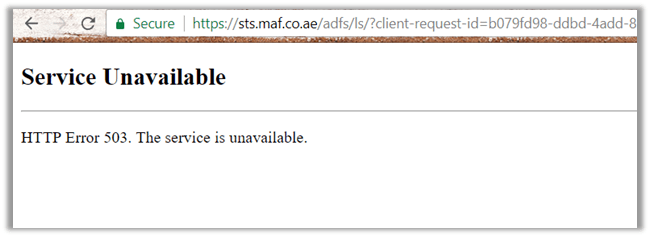
Service Unavailable – HTTP Error 503 error while trying to login to Dynamics 365 Online.


While trying to login into Dynamics 365 Online, we got the below issue

It could be some issue related to ADFS (http://himbap.com/blog/?p=2165). Until it is corrected, the only solution is to wait for some time for the service to be up and running.

It was close to 90 minutes for us.

Hope it helps..

The remote server returned an error: (403) Forbidden while sending SMS from Click Dimension


We got the below while sending SMS from Click Dimension. We were using Bulk SMS as our SMS connector for Click Dimension.

When we opened the Text Messages record we figured out that we were getting “The remove serve returned an error (403) Forbidden.

This occurred because we had our credit with Bulk SMS already consumed.

The issue got fixed when bought the credits again with Bulk SMS.

https://youtu.be/d__-flPGoFc

Hope it helps.

How to – Convert Fetch XML to SQL in Dynamics 365


Hi,

Recently we had a requirement to convert Fetch XML query of certain views to SQL. Basically, we wanted to validate it again the source DB from which we push the data inside Dynamics 365.

For this we can use the below managed solution,

https://fetchxml2sql.codeplex.com/

The tool is built using Silverlight so will only work in IE.

The other tool is that we can use is one of the most useful plugins –  Fetch XML Builder of  XRM Tool Box.

Plugin

Below video explains how to use them

https://www.youtube.com/watch?v=OESJxa3bwrU

And in case you’d feel like converting fetch xml to SQL we have

http://www.sql2fetchxml.com/

Hope it helps..