
Hi,
We got this “The ‘label’ attribute is not declared” while importing one of our solutions in CRM 2011. It gave the following details for the error
ame” /><attribute name=”parentcustomerid” /><attribute name=”telephone1″ /><attribute name=”emailaddress1″ /><attribute name=”statecode” /><order attribute=”fullname” descending=”false” /><link-entity name=”postfollow” from=”regardingobjectid” to=”contactid” alias=”aa”><filter type=”and”><condition attribute=”ownerid” operator=”eq-userid” /></filter></link-entity><attribute name=”contactid” /></entity></fetch></fetchxml><LocalizedNames><LocalizedName description=”Contacts I Follow” languagecode=”1033″ /></LocalizedNames><Descriptions><Description description=”Contacts that you follow.” languagecode=”1033″ /></Descriptions></savedquery></savedqueries></SavedQueries><Visualizations><visualization><savedqueryvisualizationid>{889CE563-1263-E211-8BE5-984BE17C6693}</savedqueryvisualizationid><datadescription><datadefinition><fetchcollection><fetch mapping=”logical” aggregate=”true”><entity name=”contact”><attribute groupby=”true” alias=”_CRMAutoGen_groupby_column_Num_0″ name=”address1_city” label=”City” /><attribute alias=”_CRMAutoGen_aggregate_column_Num_0″ name=”fullname” aggregate=”countcolumn” /></entity></fetch></fetchcollection><categorycollection><category alias=”_CRMAutoGen_groupby_column_Num_0″><measurecollection><measure alias=”_CRMAutoGen_aggregate_column_Num_0″ /></measurecollection></category></categorycollection></datadefinition></datadescription><presentationdescription><Chart Palette=”None” PaletteCustomColors=”149,189,66; 197,56,52; 55,118,193; 117,82,160; 49,171,204; 255,136,35; 168,203,104; 209,98,96; 97,142,206; 142,116,178; 93,186,215; 255,155,83″><Series><Series ChartType=”Bar” IsValueShownAsLabel=”True” Color=”purple” BackGradientStyle=”TopBottom” BackSecondaryColor=”112, 142, 50″ Font=”{0}, 9.5px” LabelForeColor=”59, 59, 59″ CustomProperties=”PointWidth=0.75, MaxPixelPointWidth=40, DrawingStyle=Wedge”></Series></Series><ChartAreas><ChartArea BorderColor=”White” BorderDashStyle=”Solid”><AxisY LabelAutoFitMinFontSize=”8″ TitleForeColor=”59, 59, 59″ T
We saw one attribute tag with label attribute in it. Removing the label attribute and importing the solution back resolved the issue.
Hope it helps





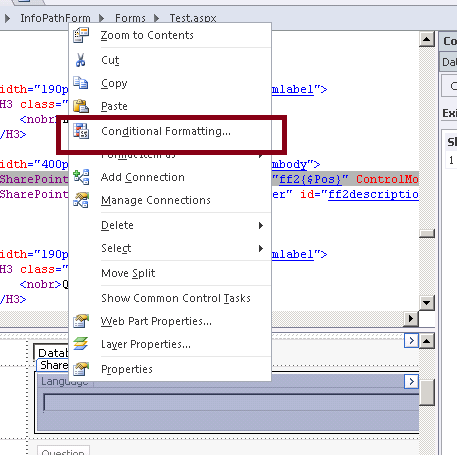
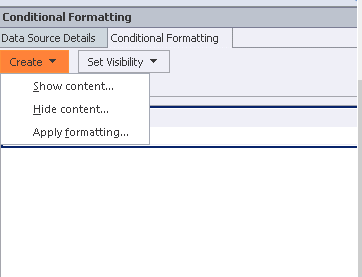

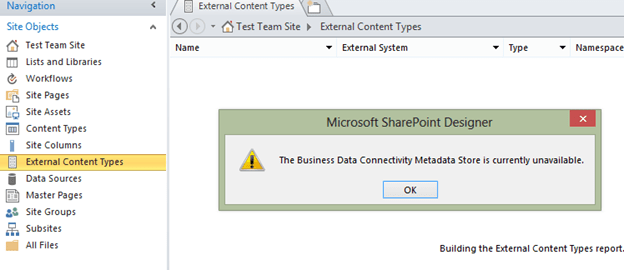 Next I used SharePoint Designer 2010 to connect to the SharePoint 2013 online site. There it didn’t throw the Metadata Store is currently available error.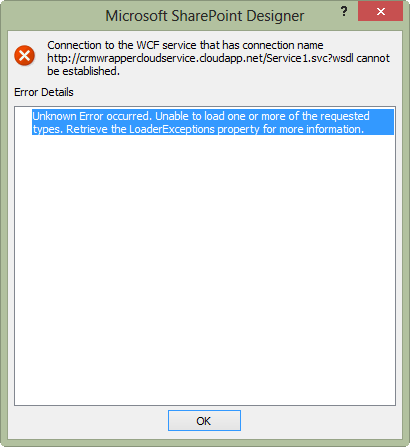

 Nishant Rana's Weblog