Recently while trying to open one of our cloud flows we got the below error.
Error: The XRM workflow table row could not be found.
Inside the Power Automate maker portal for the new designer, we got the below error
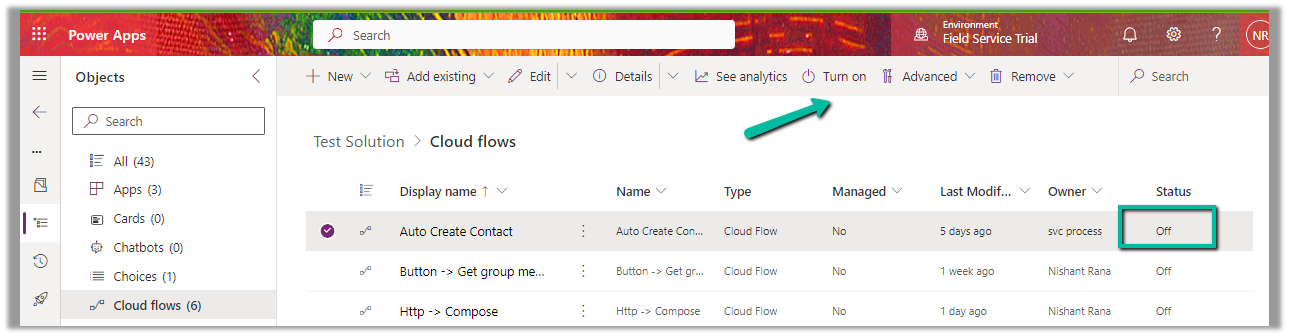
We could see our flows were in the OFF status.
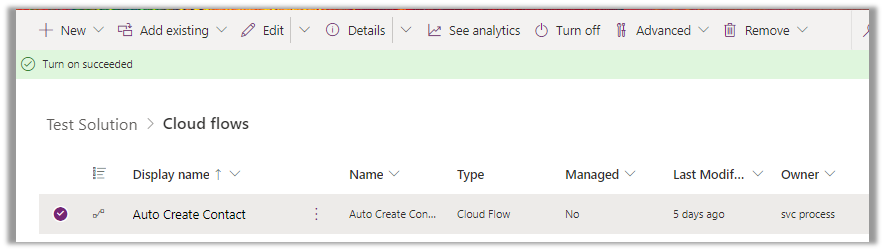
We switched ON the flows, and this fixed the issue for us.
We were able to edit our flow then.
As we recently restored the environment (was deleted), because of which the corresponding ‘Callback Registration’ records might be incorrect or missing. So enabling the flows would have created new entries in the Callback registration records for our flows, which fixed the error.
Through booking rules, we can specify custom JavaScript methods, that can be used to run validation checks, before creation or update of a bookable resource booking record. Based on the result of the validation checks we can either warn the user or cancel the booking create or update event.
Booking rules are triggered when a resource is booked or a bookable resource booking record is either created or updated using the schedule board, schedule assistant, or booking form.
The booking rules are not triggered if the booking form has business process flow enabled. We can also disable the booking rule to be triggered on the save of the booking form by enabling the setting – msdyn_DisableProcessBookingRulesOnSaveBookingForm
Let us see it in action.
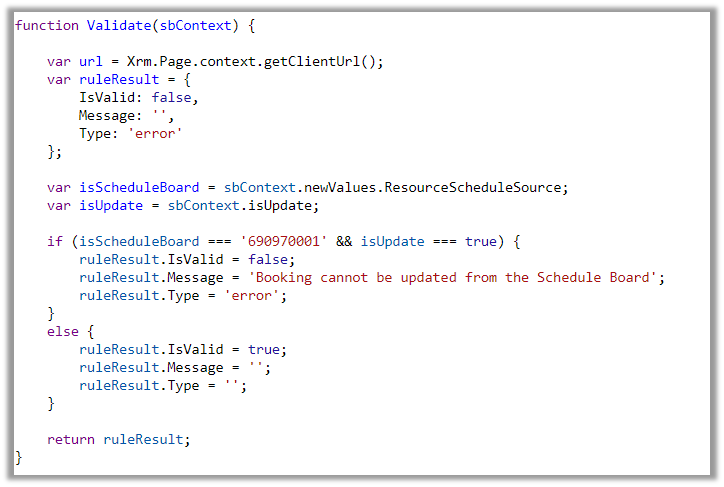
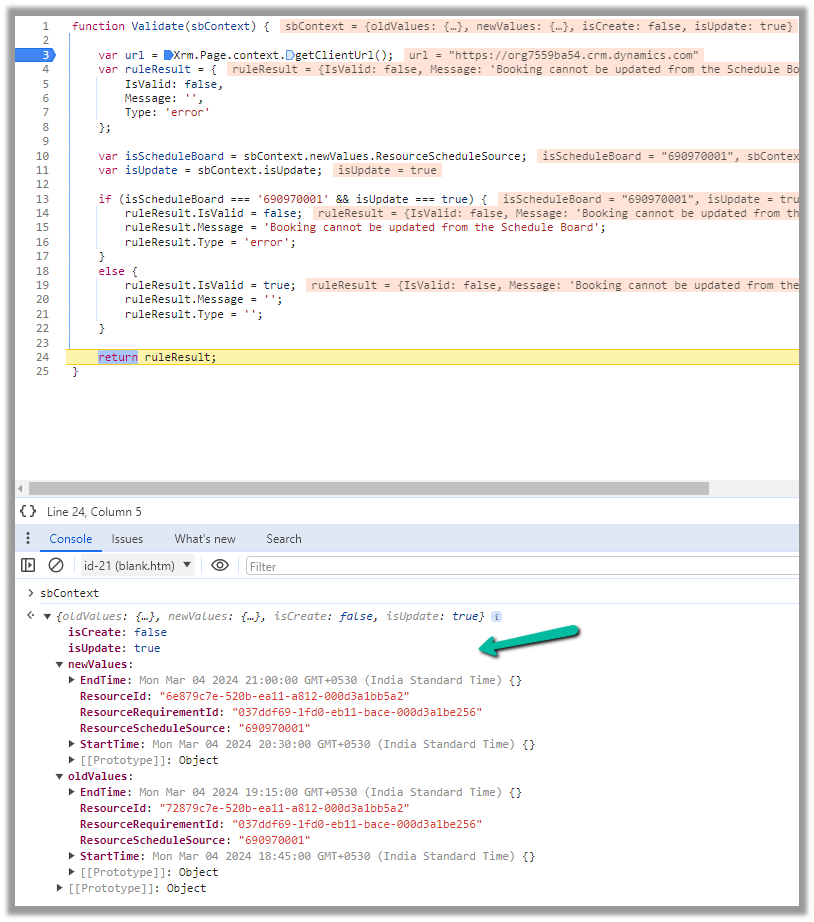
Below is our JavaScript method to be used as a Booking Rule.
function Validate(sbContext) {

    var url = Xrm.Page.context.getClientUrl();
    var ruleResult = {
        IsValid: false,
        Message: '',
        Type: 'error'
    };

    var isScheduleBoard = sbContext.newValues.ResourceScheduleSource;
    var isUpdate = sbContext.isUpdate;

    if (isScheduleBoard === '690970001' && isUpdate === true) {
        ruleResult.IsValid = false;
        ruleResult.Message = 'Booking cannot be updated from the Schedule Board';
        ruleResult.Type = 'error';
    }
    else {
        ruleResult.IsValid = true;
        ruleResult.Message = '';
        ruleResult.Type = '';
    }

    return ruleResult;
}
To create a Booking Rule, navigate to Resources >> Booking Settings >> Booking Rules inside the Dynamics 365 Field Service app and create a new booking rule, specifying the web resource and the method inside it.
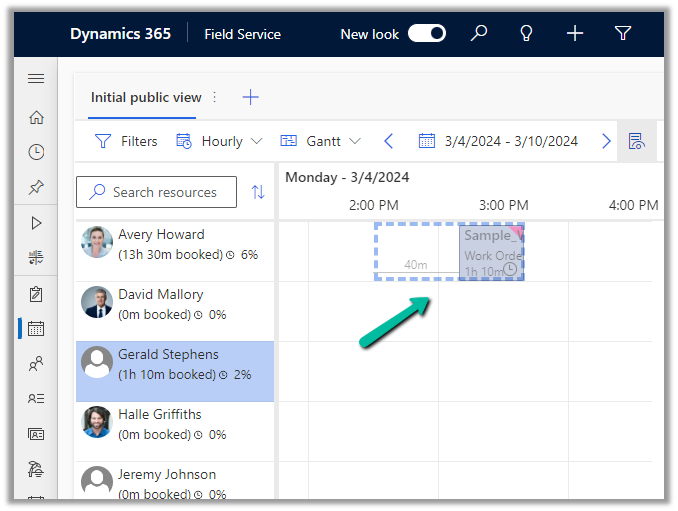
Let us try to update a booking from the schedule board.
This will trigger our booking rule and will pass the context object, which contains details like whether it is a create or update event, and details around old values and new values for start time, end time, resource details, etc. for that booking.
We can use these values passed in the context, fetch more details about the corresponding resource or work order, have our validation logic defined there, and finally pass the ruleResult object.
If we want to cancel the event, we can set IsValid as false, specify the error message, and set Type as an error in the ruleResult object. Similarly, if it passes the validation, we can set IsValid as true.
This is how the error message shows up, and the event is canceled inside the schedule board.
Below we can see the same booking rule being triggered from the Booking Resource Booking form.
We can deactivate the booking rule record created if we do not want it to trigger.
Recently for one of our plugins, that moves attachments to the Azure Blob Storage, we got the below exception.
BlobFileName: WFU000069107_Inside Install – CFC__2024_03_03_12_24_05_179_temp.jpg Caught Exception: The input is not a valid Base-64 string as it contains a non-base 64 character, more than two padding characters, or an illegal character among the padding characters. System.FormatException: The input is not a valid Base-64 string as it contains a non-base 64 character, more than two padding characters, or an illegal character among the padding characters. at System.Convert.FromBase64_Decode(Char* startInputPtr, Int32 inputLength, Byte* startDestPtr, Int32 destLength) at System.Convert.FromBase64CharPtr(Char* inputPtr, Int32 inputLength)
We were getting errors while trying to use the FromBase64ToString method to decode the Base64 encoded string into its original byte array.
Seemed there were some issues with the image uploaded, even from the browser when trying to download we were getting the below exception.
The solution was to check if it is a valid Base64 encoded string before converting it to a byte array and if not skip it and process other attachments in the plugin.
Recently while trying to save one of our cloud flows having a “When a HTTP request is received” trigger, we got the below error message after adding the “List Rows” (Dataverse) action
Request to XRM API failed with error: ‘Message: Flow client error returned with status code “BadRequest” and details “{“error”:{“code”:”InvalidOpenApiFlow”,”message”:”Flow save failed with code ‘ValueNotSupported’ and message ‘The trigger ‘manual’ at line ‘1’ and column ‘835’ is not valid. The ‘operationOptions’ property is not allowed on the trigger when the workflow contains actions of type ‘OpenApiConnection’.’.”}}”. Code: 0x80060467 InnerError: ‘.
This error occurs when you try to enable the “Suppress Headers” or “Schema Validation” option for the “When a HTTP request is received” trigger while also using actions that connect to Open API (OpenApiConnection) services within the same flow. Seems like a current limitation in Power Automate. The workaround could be to create a separate child flow having the action associated with Open API Services and use these options in the Parent flow.
Recently in one of our Plugins, which was using Azure.Storage.Blobs and Azure.Storage.Common libraries to move attachments from notes to Azure Blob Storage suddenly started throwing the below exception. The Plugin had been working fine and had been deployed long back to the production environment.
System.TypeInitializationException: The type initializer for ‘Azure.Response’ threw an exception. —> System.IO.FileNotFoundException: Could not load file or assembly ‘System.Memory.Data, Version=1.0.2.0, Culture=neutral, PublicKeyToken=cc7b13ffcd2ddd51’ or one of its dependencies. The system cannot find the file specified.
We raised the Microsoft Support for it and were informed that the reason for this was there was a platform update over that particular weekend to stop loading the “System.Memory.Data” assembly on the plugin server. And as we hadn’t included that assembly in our package (ILMerge), we started getting the exception.










 Nishant Rana's Weblog