Fixed – BadGateway. The request failed. Error code: ‘502’. Error Message: ‘BadGateway’ in PowerAutomate – Start and wait for an approval


Recently we were getting the below error for one of our Flows.

BadGateway. The request failed. Error code: ‘502’. Error Message: ‘BadGateway’.

Everything seemed right.

Finally, found (thanks to the forum) that the fix was to update the Approvals Administrator security role.

Provide – Read Access to System Job inside Customization tab.

Before

After

This time our flow worked smoothly.

Hope it helps..

Advertisements

Assign approvals to any user in the Tenant – Power Automate


We recently implemented Approvals, and we required that any user in the tenant should be able to provide approval.

For one of the users, we got the below error while testing the flow.

UserNotMemberOfCdsSecurityGroup

This was because we were using the Security Group to control access to Dataverse Environment.

So adding the user to the Security Group fixed the issue for us.

The user had the required CRM /Dataverse license.

More on that – 

https://nishantrana.me/2021/11/01/fixed-error-code-usernotmemberofcdssecuritygroup-error-message-the-user-xyz-cannot-be-created-in-microsoft-dataverse-because-the-account-is-not-a-member-of-group-abc/

Next, we ran into an another issue with one more user’s account and got the below error.

InvalidApprovalCreateRequestAssignedToNoValidUsers

The user was unlicensed so we thought that could be the issue. However, for other unlicensed users it was working fine, on running the flow, the user was getting added to CRM with Approvals User security role.

https://docs.microsoft.com/en-us/power-automate/get-started-approvals#assign-approvals-to-any-user-in-your-tenant

Next, we checked the AllowAdHocSubcriptions setting in Azure AD.

We tried both enabling and disabling this setting, but it still worked for other unlicensed users except the particular user.

We had added the user’s account to the Security Group also.

After spending some more time, when we tried to search for that user’s account in Outlook Address Book, it didn’t give us any result, then we realized that the account doesn’t exist anymore in the Tenant.

https://nishantrana.me/2021/11/03/fixed-invalidapprovalcreaterequestassignedtonovalidusers-error-message-required-field-assignedto-contained-no-valid-users-in-the-organization/

Hope this helps..

Advertisements

Fixed – ‘InvalidApprovalCreateRequestAssignedToNoValidUsers’. Error Message: ‘Required field ‘assignedTo’ contained no valid users in the organization’.


We would get the below error while using Approvals in Power Automate

“BadRequest. The request failed. Error code: ‘InvalidApprovalCreateRequestAssignedToNoValidUsers’. Error Message: ‘Required field ‘assignedTo’ contained no valid users in the organization'”

This error occurs if we are trying to send the approval to the user which doesn’t exist in the organization or to the external users.

We recently got this error, and interestingly in our case, the user was showing up in the members in the Security Group inside Azure Admin Portal and was also giving us the option to add the user in Assigned To in the Flow.

However the user was not there in the Address Book of the Outlook, that is when we realized that user does not exist in the tenant anymore.
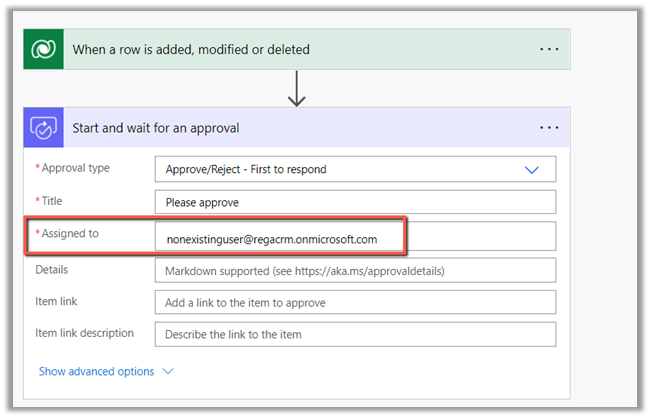
The flow can also fail if Assigned to a user’s personal account.
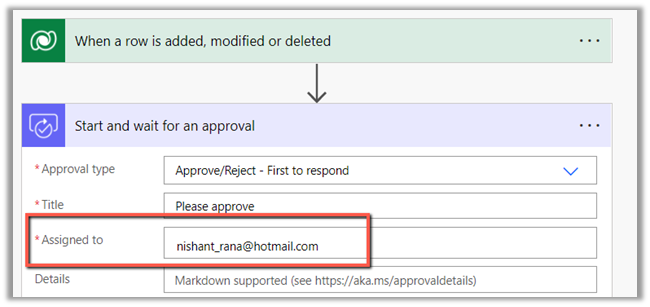
Here we have an option, to add the user as the Guest User.

Within Admin portal, navigate to Users >> Guest Users 
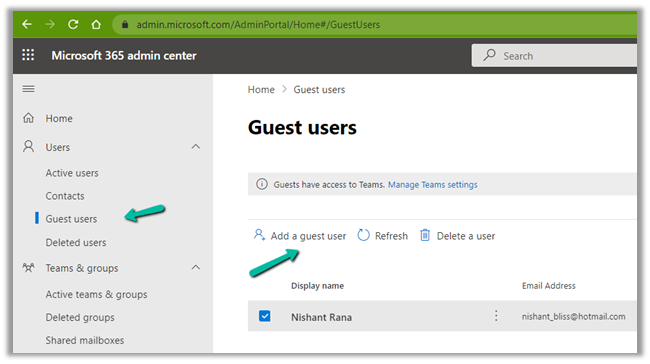
Invite the user 
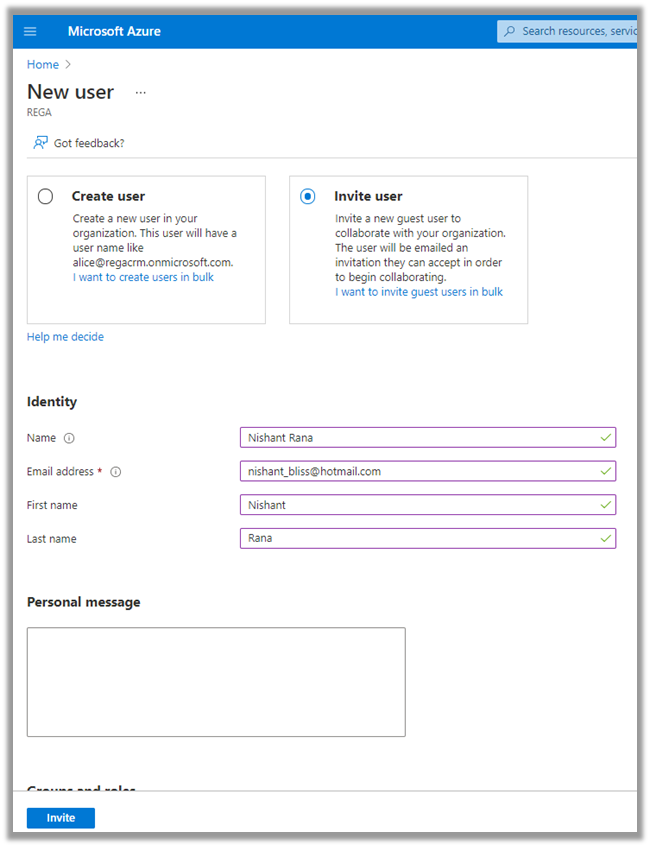
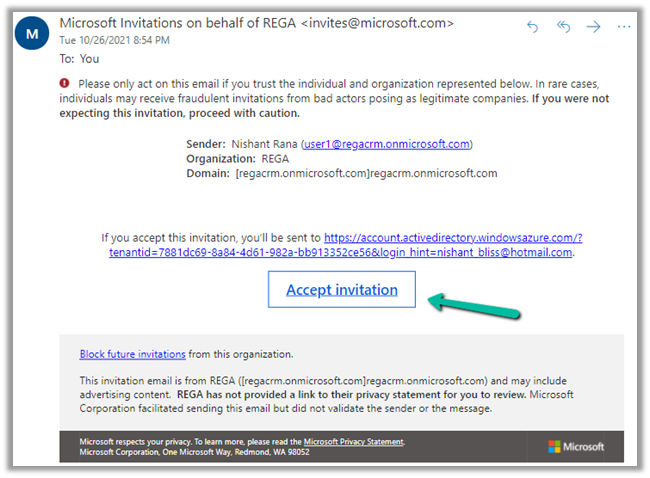
The guest user needs to accept the invitation.
Back in our approval flow, we can now select the guest user added.

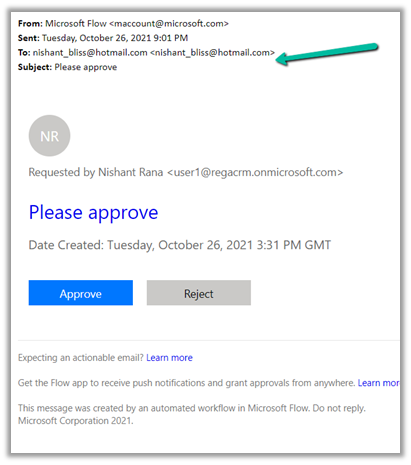
We can see the guest user getting the approval request
If we are using Security Group for the CRM Environment, than the user needs to be added to the Security Group also, else we will get the below exception – UserNotMemberofCdsSecurityGroup – The user cannot be created in Microsoft Dataverse because the account is not the member of the security group.

Fixed – Error code: ‘UserNotMemberOfCdsSecurityGroup’. Error Message: ‘The user ‘xyz’ cannot be created in Microsoft Dataverse because the account is not a member of group ‘abc’

In case we want to use approval with an external user(s) – without adding them as a guest user, we can use Send Email with Options Action instead of Power Automate Approvals.

https://debajmecrm.com/approvals-with-external-users-in-power-automate-without-consuming-power-automate-flow-license/

Hope it helps..

Advertisements

Fixed – Error code: ‘UserNotMemberOfCdsSecurityGroup’. Error Message: ‘The user ‘xyz’ cannot be created in Microsoft Dataverse because the account is not a member of group ‘abc’


We would get this error within Power Automate Approval Flow if we are using Security Group to control access to Dynamics 365 Environment and are sending Approval to a user who is not a member of that security group.

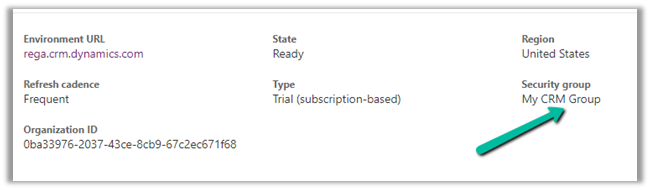
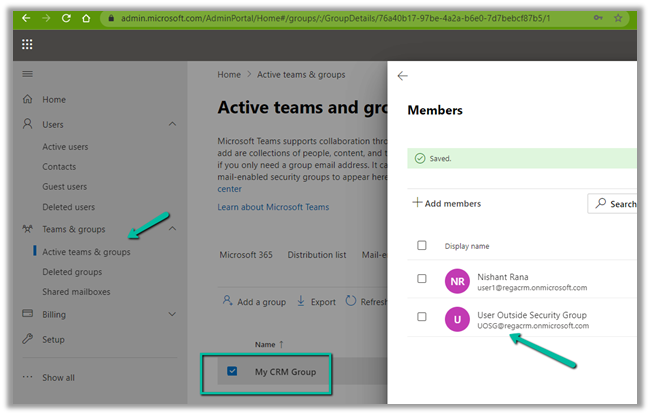
Below is the User within the Tenant but is not member of the My CRM Group Security Group associated with that Environment.

The Security Group – My CRM Group – assigned to Environment against which flow  is created.

So to fix the issue, as the error message indicates, we need to add the user to the Security group.

After adding the user to the Security Group, the flow runs successfully

Also, the User (unlicensed in our case) gets added to CRM with Approvals
User security role as shown below.

Check other posts on Approvals – 

Approvals – Power Automate & Dynamics 365

Hope it helps..


Advertisements

Fixed – Remote Server returned ‘550 5.7.708 Service unavailable. Access denied, traffic not accepted from this IP – using Send Email with Option in Power Automate


While trying to send an email using Send an email with options action in Power Automate to my email id from a trial account, got the access denied error message.

Check out the wonderful post on sending Approval Emails to external users 

https://debajmecrm.com/approvals-with-external-users-in-power-automate-without-consuming-power-automate-flow-license/

The error message –

The cause of this issue was because we were using the trial tenant.

https://docs.microsoft.com/en-us/exchange/mail-flow-best-practices/non-delivery-reports-in-exchange-online/fix-error-code-5-7-700-through-5-7-750#57708-access-denied-traffic-not-accepted-from-this-ip

Seems like the resolution is to contact support for an exception till we purchase the license.

Check the below post – 

https://blog.thenetw.org/2019/10/31/remote-server-returned-550-5-7-708-service-unavailable-access-denied-traffic-not-accepted-from-this-ip/

Hope it helps..

Advertisements

Approvals in Microsoft Teams / Power Automate


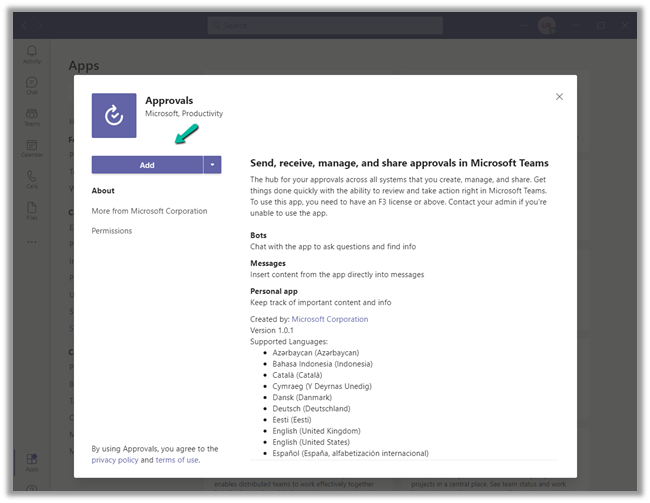
Approvals App for Teams was introduced early this year. To see it in action, let us start by first adding the Approval app in Teams.

Search for the app.

And click on Add.

The Approval app shows all the Approvals Received and Sent within teams, which can be filtered based on status.

We can also select the environment.

We can create a new approval request by clicking on New approval request

For the new Approval request, we can define –

  • Request Type – Basic or eSign (requires Adobe Sign)
  • Name of the Request.
  • Approvers – could be one or more. For more than one approver, we can select Require responses from all the users.
  • Additional Details.

We can add attachments.

It seems we can only add only one attachment.

Custom responses allow us to add our custom responses.

We can add 2 custom responses with a limit of 20 characters as shown below.

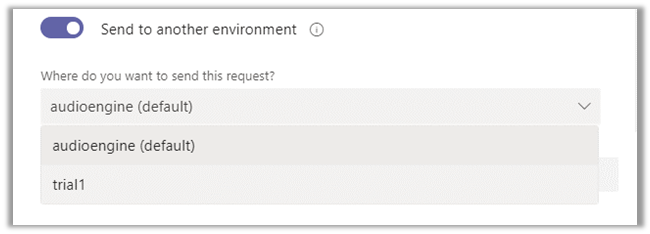
Send to another environment, lets us choose another environment within that tenant.

Now say we have below flow created that sends approval when a case is updated.

On getting triggered, the approver (assigned to) user will receive notification in Teams.

And in the team’s Feed as well as the Approvals app.

The approver can open the request and can take appropriate action.

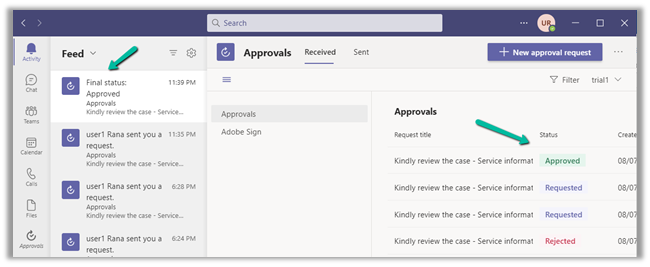
On Submitting the response, say e.g. Approve, notifications are received again with the updated status of the request as shown below.

Check more posts on Approvals in Power Automate

https://nishantrana.me/2020/08/31/approvals-power-automate-dynamics-365/

Hope it helps..

Advertisements