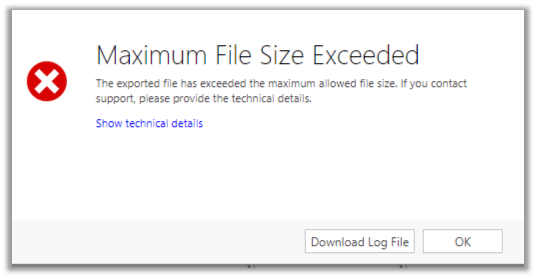
Maximum File Size Exceeded while using Export to Excel in Dynamics 365 CE


We got this error while trying to export around 70K data through export to excel in Dynamics 365 CE.

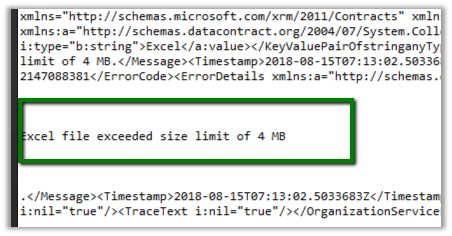
Log file gave us detail of the error i.e. Excel file exceeded size lime of 4 MB.

One workaround is to export small set of data (page wise) by applying some order criteria (either in the Grid or through Advanced Find)

Or better use the wonderful Export to Excel tool in XrmToolBox

https://dreamingincrm.com/2015/05/30/new-xrmtoolbox-plugin-export-to-excel/

It took few mins to export the records in excel and the file size was close to 19 MB.

Hope it helps..

Update/Upsert operation is not supported in non-transaction mode error in Dynamics 365 for Sales Connector of Informatica Cloud


Few weeks back while working on a migration project in which we were using Informatica Cloud’s Dynamics 365 for Sales connector, we used to get the below error while trying to perform the Upsert operation in Batch.

“In CRM WRITER_1_*_1> CCI_WRITER_1000 [ERROR] Update/Upsert operation is not supported in non-transaction mode. “

For this we had raised a support ticket with Informatica. The response we got was that this feature will be available in the new IICS Platform.

So recently we migrated to IICS from ICS and were glad to see this feature available i.e. “performing Upsert operation in Batch“.

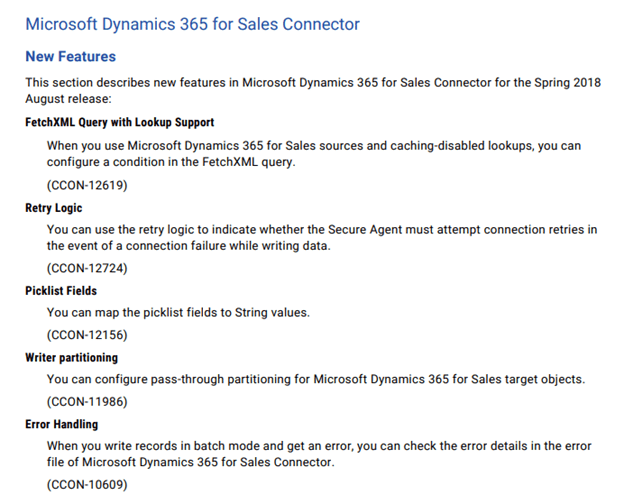
Few other enhancements in the connector includes

Get all the details here

https://kb.informatica.com/proddocs/Product%20Documentation/6/CDI_Spring2018_ConnectorReleaseNotes_en.pdf

Hope it helps..

When does the Plugin registered on SetState message fires in Dynamics 365?


Hi,

Recently we were writing a plugin that should fire when a record is activated.

In this kind of scenario, it is suggested\recommended to register plugin in both SetState and SetStateDynamicEntity message.

https://community.dynamics.com/crm/f/117/t/184070

https://blogs.msdn.microsoft.com/crm/2008/03/07/developing-plug-ins-for-crm-4-0/

Interestingly we had the following observations

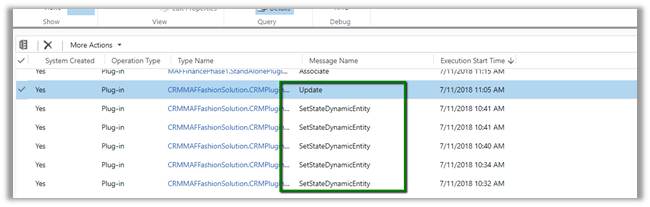
  • The Plugin fires only for SetStateDynamicEntity message.
  • The Plugin fires even if the SetState message step is disabled or not registered.
  • Only SetStateDynamicEntity message is fired when the record is Activated or Deactivated. For incident entity also, it was the only message fired on Reactivating the record. The plugin didn’t trigger in case of Resolve or Cancel Case.
  • Only SetStateDynamicEntity message is fired, even if we are updating the state of the record using SetStateRequest of SDK.
  • As SetStateRequest message is deprecated, if we use UpdateRequest to update the state of the record, the plugin that is registered on SetState and SetStateDynamicEntity will not fire. It will trigger only if registered for Update message.

Plugin Trace log records :-

We are yet to figure out when exactly the SetState will be fired. Please share your thoughts and experience around the same.

Hope it helps..

My Interview at MSDynamicsWorld.com


Check out my interview at MSDynamicsWorld.com

https://msdynamicsworld.com/story/dynamics-crm/microsoft-dynamics-profile-nishant-rana-goes-man-series-cricket-mvp

2018-06-16_0941

Thanks MSDynamicsWorld.com and Linda Rosencrance.

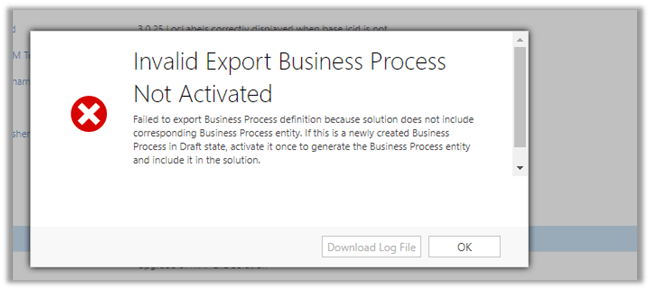
Fixed – Invalid Export Business Process Not Activated error while exporting solution in Dynamics 365


While exporting a solution from our DEV, we got the below exception.

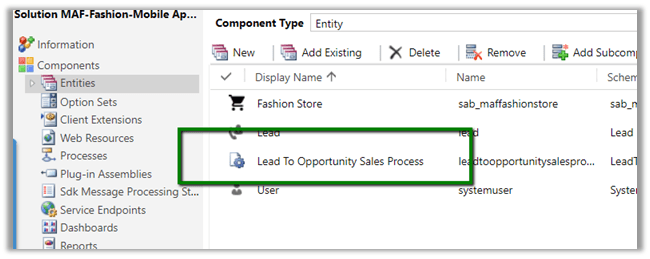
As the messages suggests to fix it we need to activate the process (which will create the corresponding entity for the BPF and add the entity in the solution). Or if already created simply add that entity if missing in the solution.

So we Activated the BPF.

Added the BPF specific entity.

Which then allowed us to export the solution.

Hope it helps..

PLAN PROPERLY before using Back and restore and Copy instances in Dynamics 365


Update – 25 June 2018 – Took nearly 20 days to get both the instances up.

Update – 12 June 2018Support Engineer has been not been able to resolve either of the support ticket which were raised last Thursday 7th June. One instance is not opening and the other instance is not restored with the backup we had requested. They are unable to find the backup till now.

Recently we tried copying our DEV to one of the TEST instances. The idea was we were upgrading the click dimensions solution in our DEV so we wanted to make sure everything works fine after the upgrade and in case it didn’t we could then again copy it back from the TEST.

We had faced back and restore issues (instance failed) in the past so decided to go the Copy instance way this time.

However, we got the Instance Failed error on the TEST instance to which we were copying DEV to.

Interestingly the Edit, Reset, Delete etc option were still available and we could open the TEST instance (the original, as the copy of DEV had failed) without any issues.

Then we thought of giving a try again and started copy from DEV to TEST again. This time again it failed. And with no option of Edit, Reset, delete etc. and the Instance was also not opening.
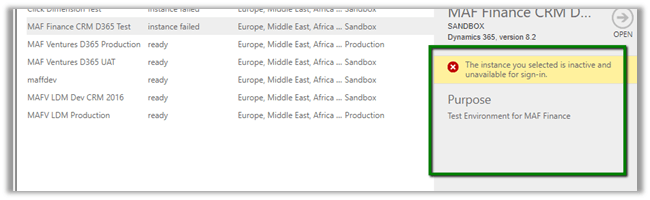
The error à
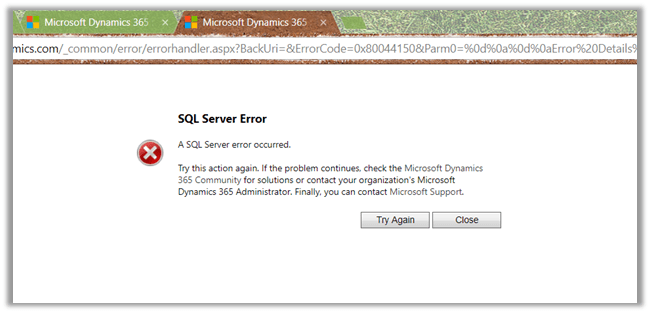
Along with that we also tried Restoring the Backup in one of the other TEST instances, that also expectedly failed.
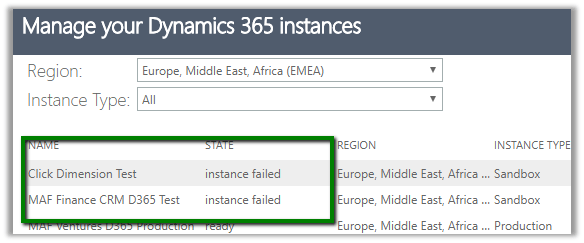
So basically, we ended up with 2 unusable instances.

A few weeks back also we faced the same with our Dev environment and the only way out was to raise the support ticket with Microsoft. That time it took 5 days for DEV to be restored. Imagine the development activity that came to halt.

Last year also we had faced this issue in Production and had to work with the support team for 16 – 20 hours continuously to get it restored.

So, if we have some critical activity planned like Production Deployment and we are counting on Back and Restore or Copy an instance to rescue us in case anything goes wrong after production deployment, we need to plan for this Instance Failure as well while restoring or copying.

Basically, be ready to raise a support ticket with the highest severity to restore things back, which could take hours or in worst case days and do all the production deployment over the weekend or have enough downtime allocated.

Hope it helps..