Hi,
Got the below error while trying to install the Report Authoring Extension for CRM 2015.

To fix the issue, open the log file, check for the registry path and delete it

Hope it helps !

Hi,
Got the below error while trying to install the Report Authoring Extension for CRM 2015.
To fix the issue, open the log file, check for the registry path and delete it
Hope it helps !

Sharing sample code to check if a user belongs to a team or not
public static bool IsTeamMember(Guid teamID, Guid userID, IOrganizationService service)
{
QueryExpression query = new QueryExpression("team");
query.ColumnSet = new ColumnSet(true);
query.Criteria.AddCondition(new ConditionExpression("teamid", ConditionOperator.Equal, teamID));
LinkEntity link = query.AddLink("teammembership", "teamid", "teamid");
link.LinkCriteria.AddCondition(new ConditionExpression("systemuserid", ConditionOperator.Equal, userID));
var results = service.RetrieveMultiple(query);

if (results.Entities.Count > 0)
{
return true;
}
else
{
return false;
}
}
Hope it helps.

We recently had a requirement to read xml data stored in a particular web resource in plugin.
Sharing the sample code
public static Dictionary<string, string> GetMarketClusterAndMarketSegment(string webresourceName, string buildingTypeValue, IOrganizationService organizationService)
{
Dictionary<string, string> dictionaryMarket = new Dictionary<string, string>();

// tk_et_oppline_marketingfilterpicklists
// create request to retrieve Webresource
ColumnSet cols = new ColumnSet();
cols.AddColumn("content");
QueryByAttribute requestWebResource = new QueryByAttribute
{
EntityName = "webresource",
ColumnSet = cols
};
requestWebResource.Attributes.AddRange("name");
requestWebResource.Values.AddRange(webresourceName);

Entity webResourceEntity = null;
EntityCollection webResourceEntityCollection = organizationService.RetrieveMultiple(requestWebResource);

if (webResourceEntityCollection.Entities.Count > 0)
{
webResourceEntity = webResourceEntityCollection.Entities[0];
byte[] binary = Convert.FromBase64String(webResourceEntity.Attributes["content"].ToString());
string resourceContent = System.Text.Encoding.UTF8.GetString(binary);
string byteOrderMarkUtf8 = Encoding.UTF8.GetString(Encoding.UTF8.GetPreamble());
if (resourceContent.StartsWith(byteOrderMarkUtf8))
{
resourceContent = resourceContent.Remove(0, byteOrderMarkUtf8.Length);
}

XDocument xmlDocument = XDocument.Parse(resourceContent);

var marketSegment = from t in xmlDocument.Descendants("ParentField").ElementAt(1).Descendants("ShowOption")
where t.Attribute("value").Value.Equals(buildingTypeValue)
select new
{
marketSegmentValue = t.Parent.Attribute("value").Value,
marketSegmentLabel = t.Parent.Attribute("label").Value
};

foreach (var v in marketSegment)
{
dictionaryMarket.Add("marketsegment", v.marketSegmentValue);
var marketCluster = from t in xmlDocument.Descendants("ParentField").ElementAt(0).Descendants("ShowOption")
where t.Attribute("value").Value.Equals(v.marketSegmentValue)
select new
{
marketClusterValue = t.Parent.Attribute("value").Value,
marketClusterLabel = t.Parent.Attribute("label").Value
};

foreach (var m in marketCluster)
{
dictionaryMarket.Add("marketcluster", m.marketClusterValue);
}
}
}

return dictionaryMarket;
}
}
Hope it helps..

New version of Chrome doesn’t showModalDialog method.

As an alternate we can use Xrm.Internal.openDialog method
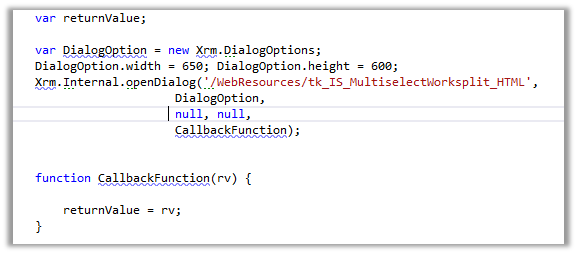
We need to refer ClientGlobalContext.js.aspx

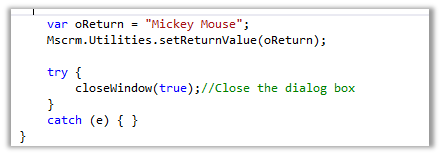
To return value to the parent window and close the current window
Helpful links
https://debajitcrm.wordpress.com/2014/04/29/exploring-the-xrm-internal-namespace-in-crm-2013/
https://dynamicsofdynamicscrm.wordpress.com/2014/04/28/call-crm-2013-modal-window-for-webresources/
https://mscrmmindfire.wordpress.com/2014/04/23/open-dialog-box-like-crm-2013/
MOST IMP – It is unsupported
Hope it helps!!

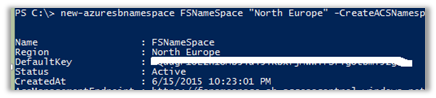
Run Microsoft Azure PowerShell
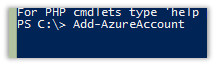
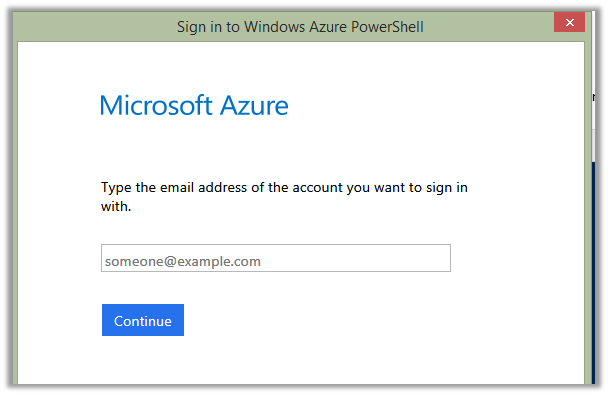
Sign in using your Azure Account.
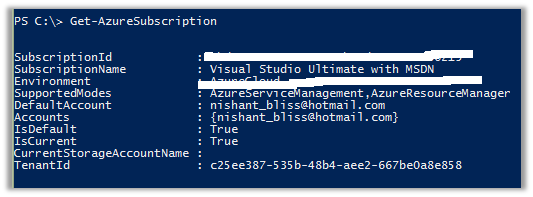
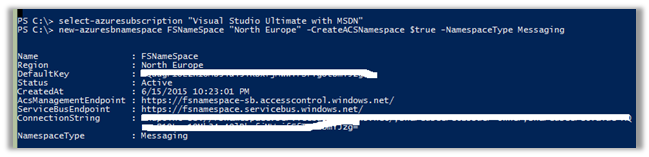
Open Azure Management Portal
https://manage.windowsazure.com/
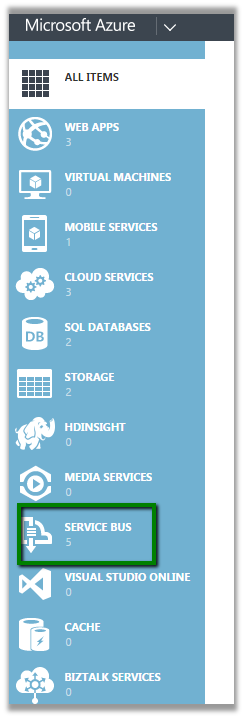
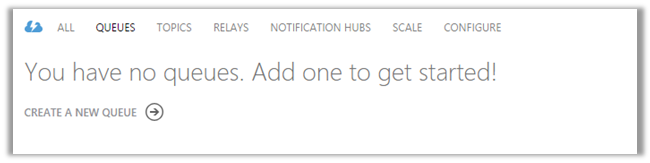
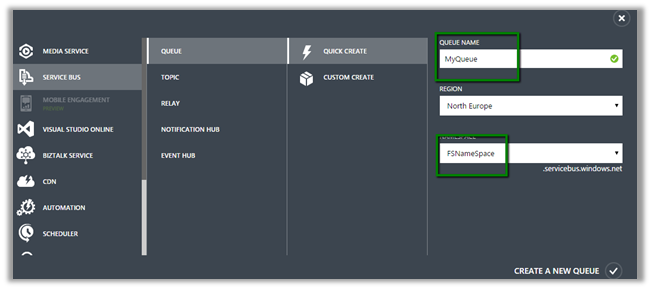
Click on the Service Bus à Queues and Create a Queue using Quick Create
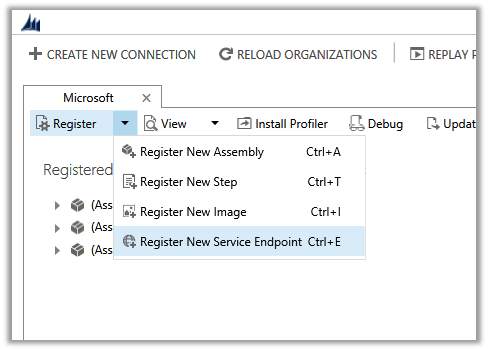
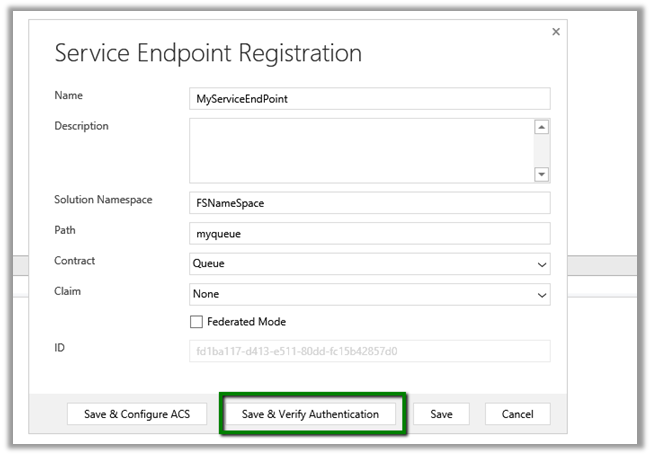
Now open Plugin Registration Tool.
Solution Namespace – Name Space we gave to our Service Bus.
Path – Name of the Queue.

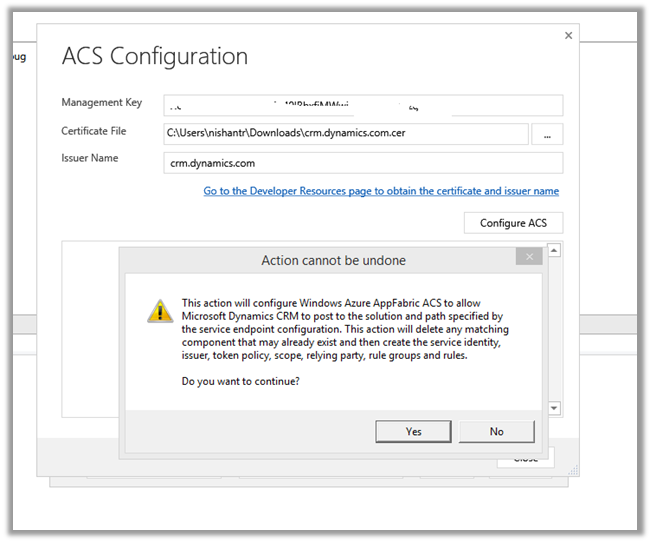
Cick Save & Configure ACS
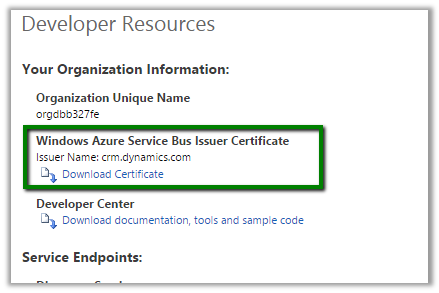
Management Key è Default Key

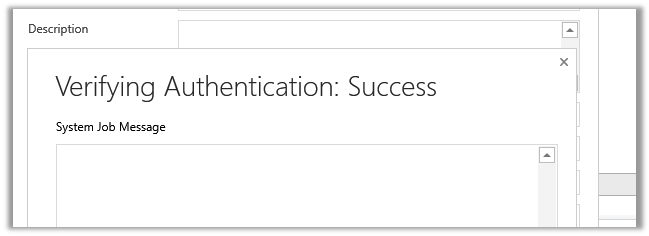
Click Save.
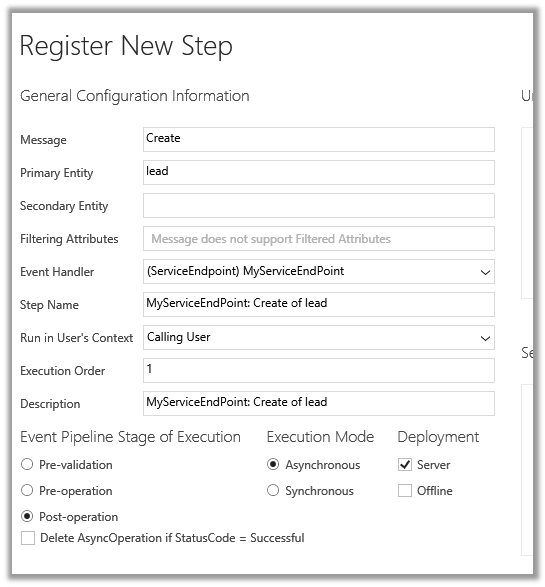
Now register a new Step. (Post Lead Create Asynchronous)
Create a new Lead record in CRM.
Check the System Job.
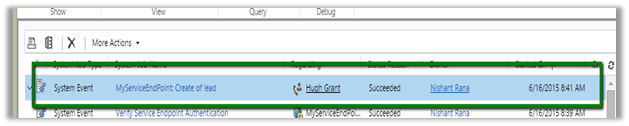
Hope it helps..

Hi,
Recently we added Social Pane to one of our custom entity form in CRM 2013. It was only showing Notes and Activities tab. Posts tab was missing.
To get the Posts tab we need to activate Post for that custom entity, which can be done through Post Configurations page.
However the Post Configuration area was missing in our CRM’s site map navigation.
To add it back, we need to follow the steps mentioned this post
http://www.crmcodex.com/2013/11/mscrm-2013-missing-posts-tab-on-the-new-activity-feeds/
i.e. to add the following SubArea
<SubArea Id=”nav_administration” ResourceId=”Homepage_Administration” DescriptionResourceId=”Administration_SubArea_Description” Icon=”/_imgs/ico_18_administration.gif” Url=”/tools/Admin/admin.aspx” AvailableOffline=”false” />
<SubArea Id=”nav_social” ResourceId=”Social_SubArea_Title” DescriptionResourceId=”Social_SubArea_Description” Icon=”/_imgs/area/16_social.png” Url=”/tools/social/social_area.aspx” AvailableOffline=”false” />
<SubArea Id=”msdyn_postconfig” ResourceId=”Activity_Feed_Configuration” Entity=”msdyn_postconfig” />

Add Email and Post Configuration to SiteMap
https://technet.microsoft.com/en-us/library/dn486920%28v=crm.6%29.aspx
Hope it helps..

 Nishant Rana's Weblog