
To hide the Sign in with an external account section from the Sign In and Register page of the portal.
Set the following site settings value to false à

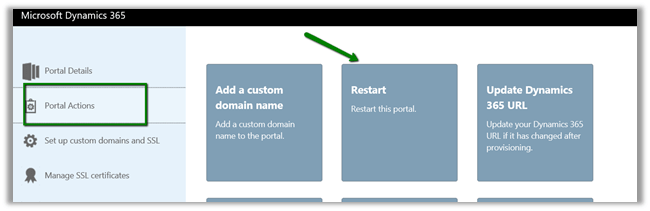
Followed by Restart of the portal.
To add any additional JavaScript or HTML, for e.g. we wanted to disable the Email text box on the Register page,
Go to Portals à Content Snippets and create a new code snippet record

The output:-


The helpful post –
http://benitezhere.blogspot.ae/2018/01/hiding-sign-in-with-external-account.html
http://arpitmscrmhunt.blogspot.ae/2017/12/customise-registration-page-in-crm.html
Hope it helps..



 Nishant Rana's Weblog