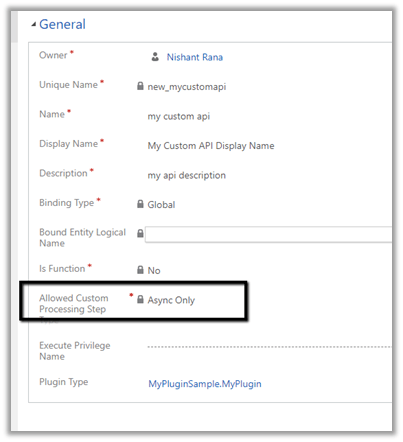
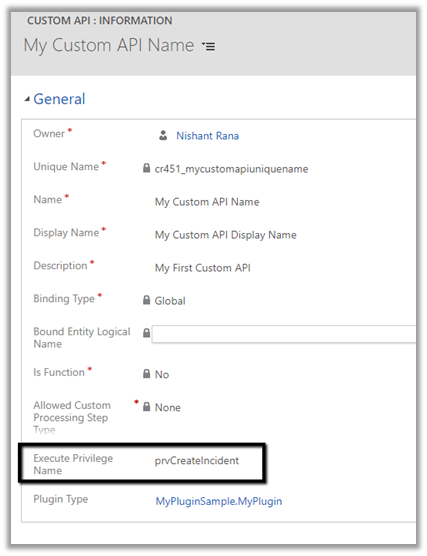
Allowed Custom Processing Step Type attribute of custom API allows us to control whether other plugins can be registered or not against the custom message
0 – None – No custom processing steps are allowed.
1 – Async Only– Only Async processing steps are allowed.
2 – Both Async and Sync custom processing steps are allowed
Let us create a custom API with the value of “Allowed Custom Processing Step Type” as None.
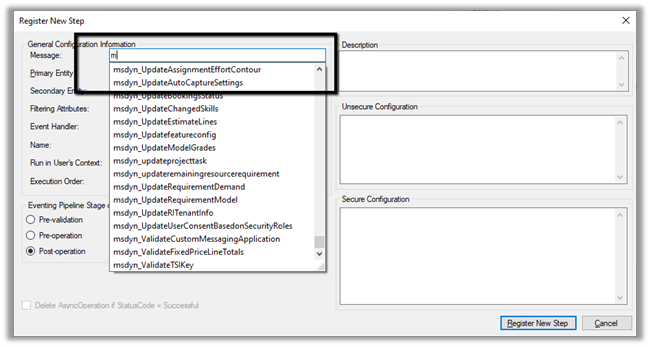
If we check inside the Plugin Registration tool, we will not find the above message that we registered i.e. my_sampleAPI there.
Let us create another custom API and specify “Allowed Custom Processing Step Type” as Async Only.
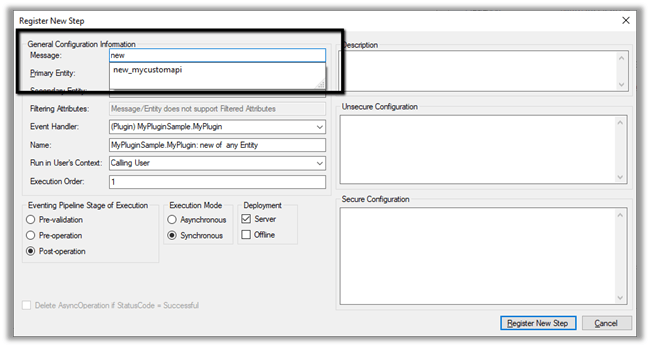
As expected we can find the message available there.
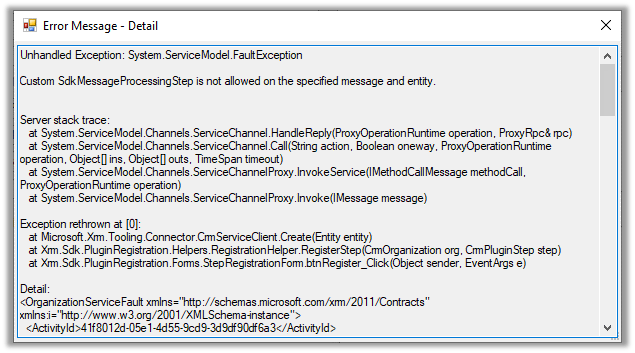
As it is Async Only, if we try to register the step with Synchronous mode, we will get the below error.
Custom SdkMessageProcessingStep is not allowed on the specified message and entity.
As expected it allows us to register the step in asynchronous mode.
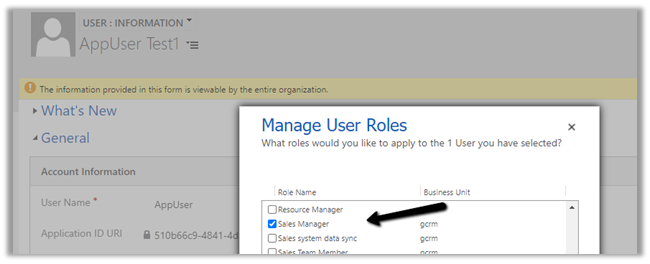
To test, we updated the security of the Application User to Sales Manager role which doesn’t have the create incident privilege.
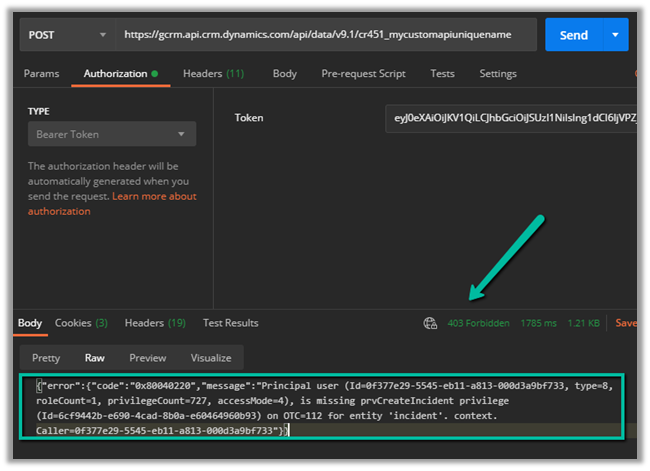
Calling the custom API this time as expected gave us the below error
{“error”:{“code”:”0x80040220″,”message”:”Principal user (Id=0f377e29-5545-eb11-a813-000d3a9bf733, type=8, roleCount=1, privilegeCount=727, accessMode=4), is missing prvCreateIncident privilege (Id=6cf9442b-e690-4cad-8b0a-e60464960b93) on OTC=112 for entity ‘incident’. context.Caller=0f377e29-5545-eb11-a813-000d3a9bf733″}}
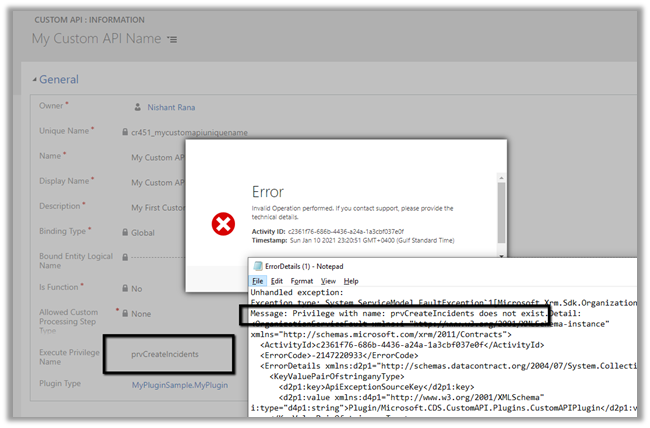
If we specify an incorrect privilege name we would get the below error and will not be able to save the record.
Microsoft 365 Copilot brings conversational AI directly into Model-Driven Apps, allowing users to ask natural language questions about Dataverse data, quickly locate records, and improve productivity without leaving the application. In this post, we walk through the steps we follow to enable Microsoft 365 Copilot in a Model-Driven … Continue reading “How to Enable Microsoft 365 Copilot in Model-Driven Apps”
Recently, I cleared the Microsoft Certified: Architecting Agentic AI Business Solutions (AB-100) exam. While preparing, I ended up creating this one-page Architect’s Compass for my last-minute revision. Instead of memorizing every Microsoft service, I grouped similar services so I could quickly decide which one fits a business scenario. … Continue reading “AB-100 Last-Minute Revision Cheat Sheet (Microsoft Agentic AI Business Solutions Architect)”
While optimising the performance of a Dataverse plugin, we noticed a QueryExpression using ColumnSet(true). The business logic only required a few attributes, so replacing ColumnSet(true) with a minimal ColumnSet looked like an easy performance improvement. The query also used Distinct = true, which we left unchanged because it … Continue reading “When Entity.Id Is Guid.Empty with QueryExpression.Distinct = True (Dataverse)”