Headless Authentication with Dynamics CRM online Web API – Without using ADAL {Part-I}


Debajit's avatarDebajit's Dynamic CRM Blog

Well this topic has been discussed again over multiple times. And I myself has written a blog on how to do a headless authentication (without user intervention) between Dynamics CRM Online Web API and Native APP (console APP) – https://debajmecrm.com/2016/06/21/dynamics-crm-web-api-login-authentication-screen/

If you go through the above post, I have used ADAL (active directory authentication library) to query the authorization token and then use the authorization token to query the Dynamics CRM Web API. However there is a catch to this.

This headless authentication was only possible with Native APPs (console APPs) since they just required Client ID’s and does not require the Client Secret to actually generate the token. And hence I was not able to use this method to get the token from a Web Application which would require the Client_Secret.

And while I was doing a training session on this recently, I was asked the question. Is there…

View original post 340 more words

Limitations of Multi Select Option Sets in Dynamics 365 CE


[Edit – (3 May 2018) – Multi Select Option Sets cannot be used inside Portal]

Few months back I wrote the following post about Multi Select Option Sets.

https://nishantrana.me/2017/10/15/multiselect-option-set-in-dynamics-365/

Here, let us look at the limitations associated with them,

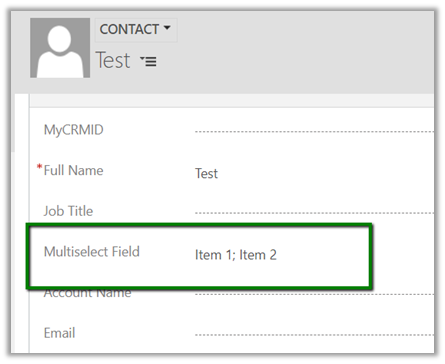
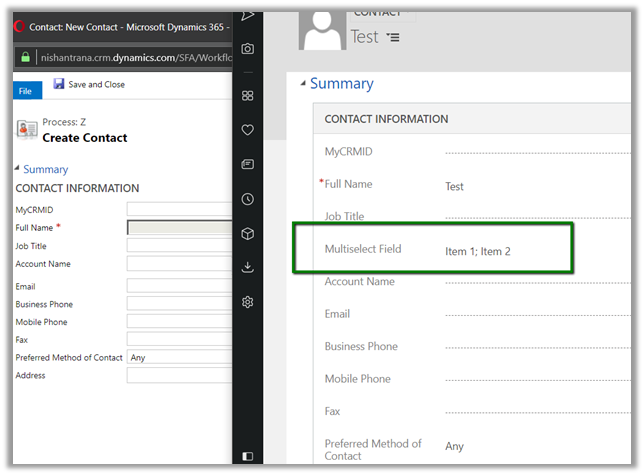
Suppose I have the following multi select option set field created for contact entity.

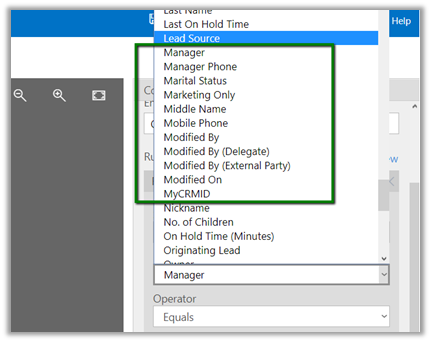
  • The field is not available for Business Rule.

  • The field is not available inside BPF

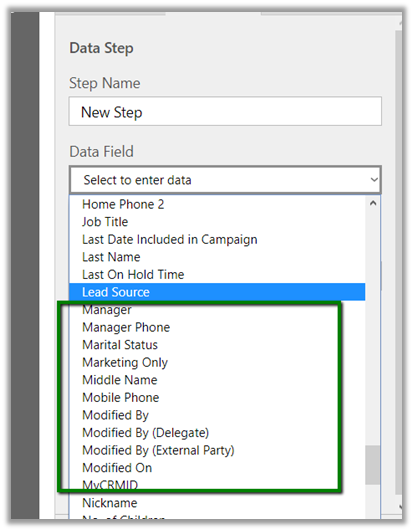
  • The field is not available inside in Workflow – e.g. check condition and create step as shown below.

  • The field is not available as filtering attribute in Plugin (however the values are available as OptionSetValueCollection)

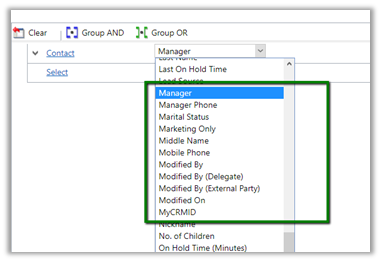
  • Inside Report Wizard it can be used as filter condition

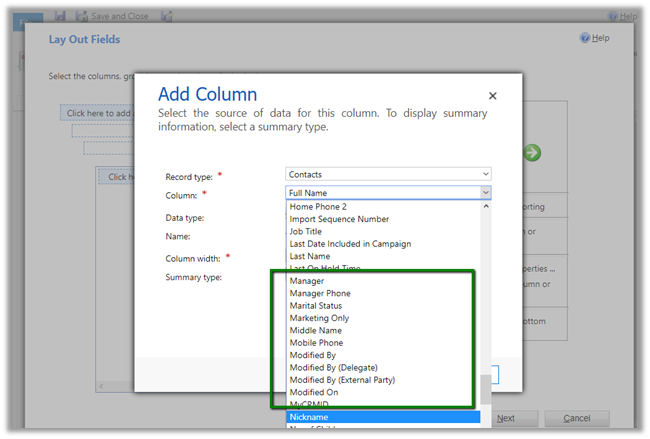
But cannot be used as View Column

So basically, we need to be cautious before we make use of the multi select option sets in our solution.

Hope it helps..

Advertisements

Not able to connect to Organization (Version 9.0) using Plugin Registration Tool in Dynamics 365 CE


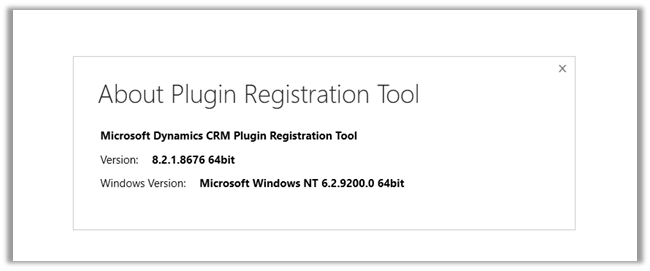
While trying to connect to Dynamics 365 CE we might find that Plugin Registration tool, although showing the organization, but is not loading the assemblies.

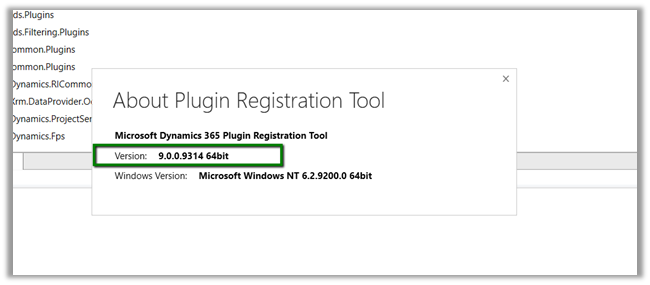
Here we just need to make sure we are using the latest version of Plugin Registration tool.

https://docs.microsoft.com/en-us/dynamics365/customer-engagement/developer/download-tools-nuget

Hope it helps..

Dynamics 365 CRM V9+ New Feature: Dependent Attributes in JavaScript


Prashant Maurya's avatarPrashant Kumar Maurya

Dynamics 365 9.0 has introduced a new feature that enables adding field dependency with a JavaScript web resource. It gives below benefits

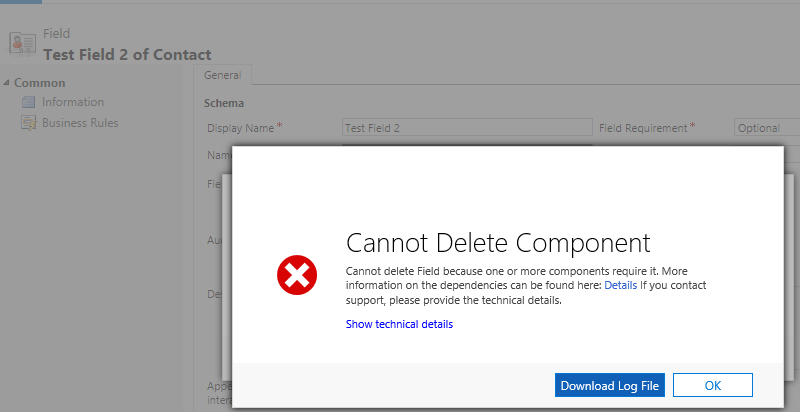
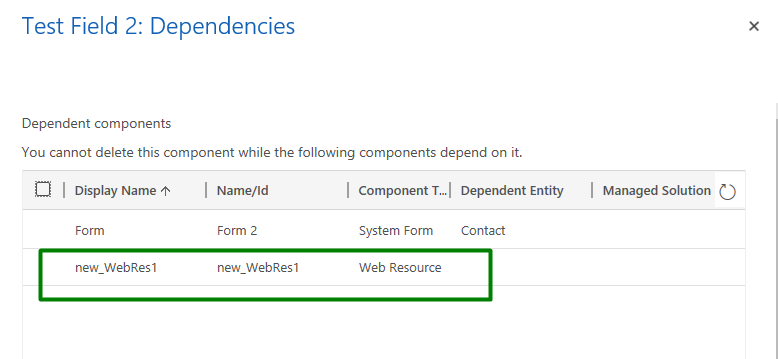
  1. It will restrict deletion of field(s) if it is being consumed in a js web resource. In earlier versions user was able to delete field(s) even if it is used in a js logic, and it causes exception in js execution.

  2. Dependent field(s) value will be available on form UI, even if it is not added on form. That’s right you don’t have to fetch its value from CRM now (earlier we have to fetch field(s) value using odata or web API if it is not available on form and its value is needed in js logic.)
  3. js web resources will be shown in field dependencies.

    To add attribute dependencies, follow below steps

    1. Open a web resource (from a solution, this option is not visible if you open…

View original post 52 more words

Fixed – Unable to Login to Dynamics CRMOrganizationServiceProxy is null error while using CrmServiceClient


While connecting to Dynamics 365 – Version 9.0.0.0 online through a console application using Visual Studio 2015

we were getting the below error

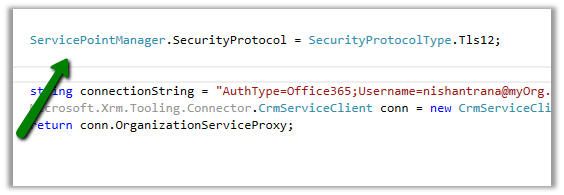
The fix was to specify the security protocol to be Tls12 for the connection for VS 2015 and for VS 2017 make sure the framework version is 4.6 or above.

More Details – https://support.microsoft.com/en-nz/help/4051700

Hope it helps..

Advertisements

PowerApp – Canvas vs Model Driven Apps (Spring 2018 update)


Sachin Bansal's avatarBansal Blogs - Dynamics 365, PowerApps, Microsoft Flows, Power BI

P1

As part of Spring 2018 update, Microsoft recently introduced a modern style of app building – Model Driven Apps. Model-driven app design doesn’t require code and the apps you make can be simple or very complex. Unlike canvas app development where the designer has complete control over app layout, with model-driven apps you will have pre-built design template which is customizable based on components you add to your app.

Let’s take a closure look how Model Driven Apps differ from Canvas Apps

Canvas AppModel Driven App
Complete control over app layout. You can create app from scratch with no codingModel-driven apps automatically generate great UI that is responsive across devices
Available with all versions of Common data serviceModel-driven Apps are available only with the new Spring version of Common Data Service
You can connect to Dynamics 365 and browse, add, delete, update data in Dynamics 365…

View original post 154 more words