

In Dataverse, solution dependencies are a vital aspect of managing and deploying applications. Dependencies ensure that required components are present for a solution to work seamlessly across environments. However, with complex solutions, understanding and managing these dependencies can become overwhelming.
The updated dependencies page is designed to simplify dependency management by offering a more intuitive, action-driven experience.
Select a particular component in the solution, right-click>> Advanced >> Show dependencies.

We can see 3 different tabs.
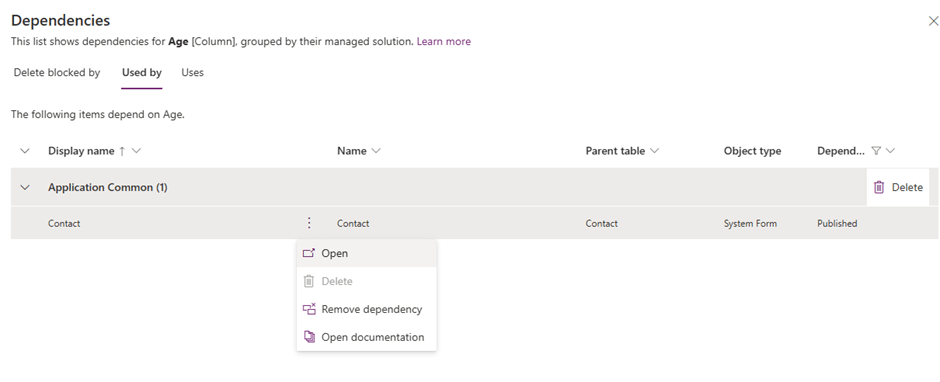
Delete Blocked By (tab): Displays any dependencies preventing deletion of a component. Below we can see that for the Age column, it shows Contact’s System Form as the dependency.

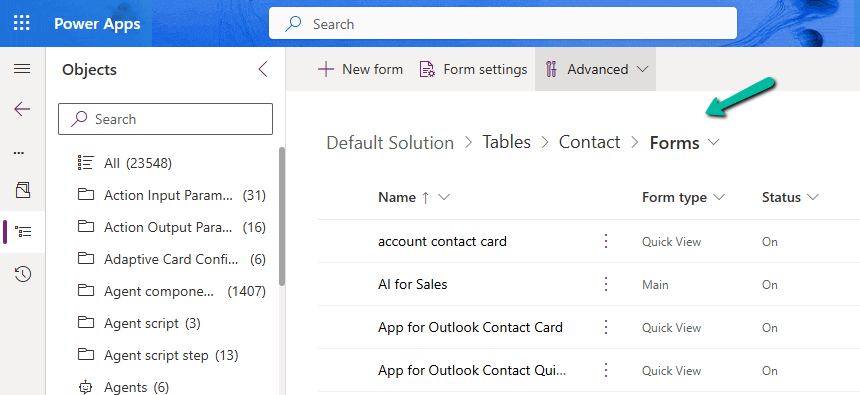
Clicking on the Open option takes us to the component page, where we can see all the forms for the contact table.
Used By (tab): Lists other components dependent on the selected component.
Uses (tab): Shows dependencies that the selected component relies upon.
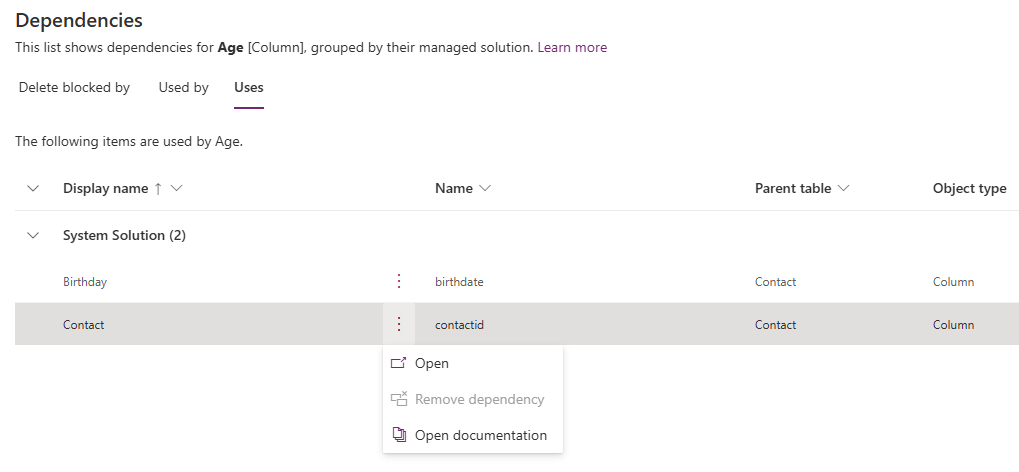
On clicking Open, it opens the Columns page for that table.

The different actions that we can take are Open and inspect the object, Delete the object, Remove dependency, and open the relevant documentation.
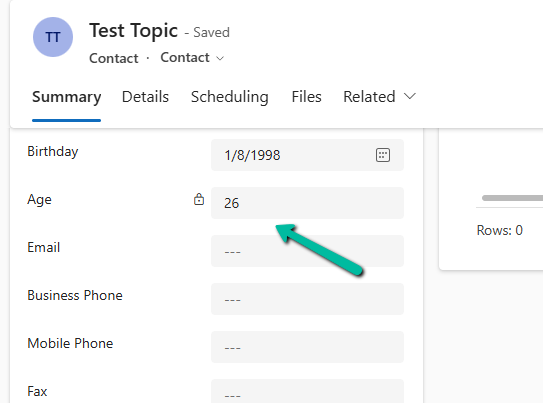
Below we have selected the option Remove dependency. As we saw the dependency here refers to the Contact System form in which we have the age field used.
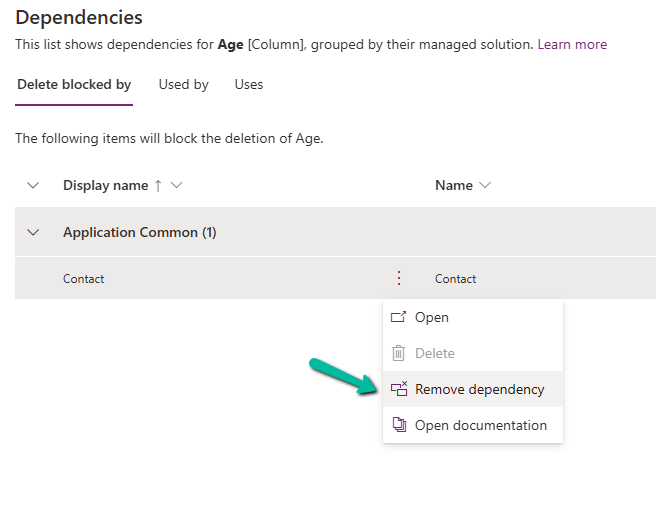
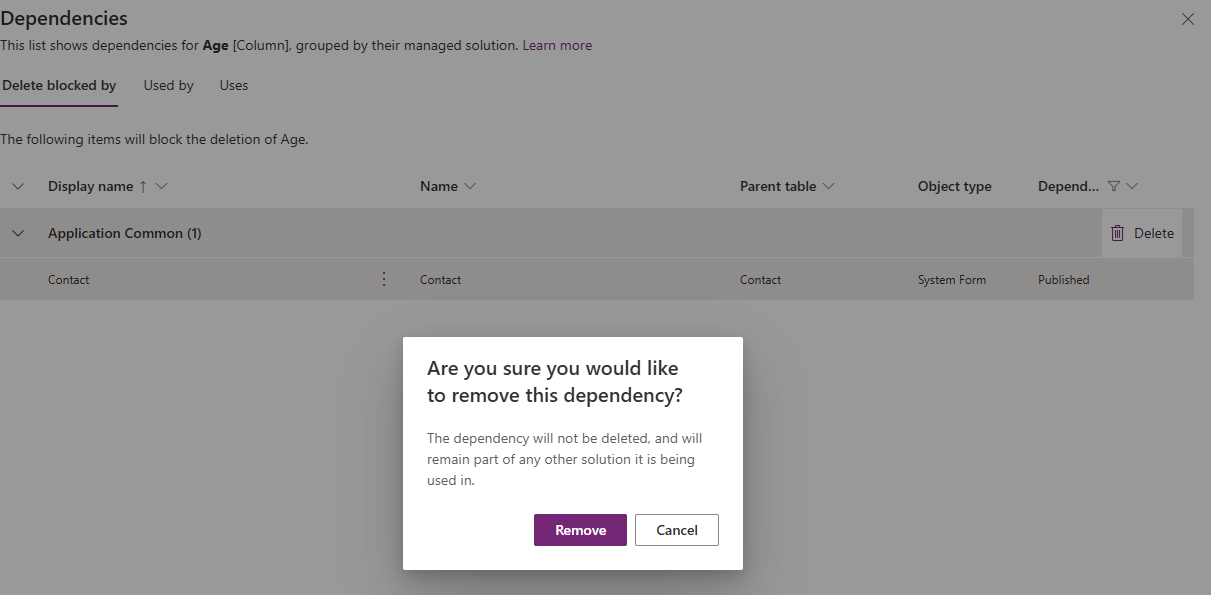
Select Remove.
We get the success message after the successful removal of the dependency.
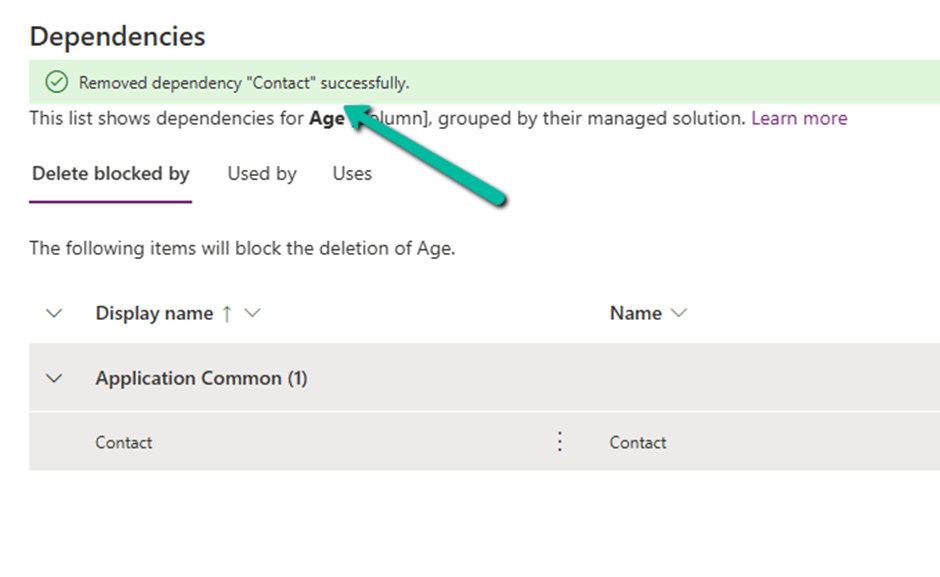
i.e. we can see the field removed from the blocking Contact’s System form.

Now if we want we can easily delete that particular field with no object blocking the delete.

Lastly, the Delete option for the solution allows the delete (uninstall) the solution that has dependencies on the solution component.
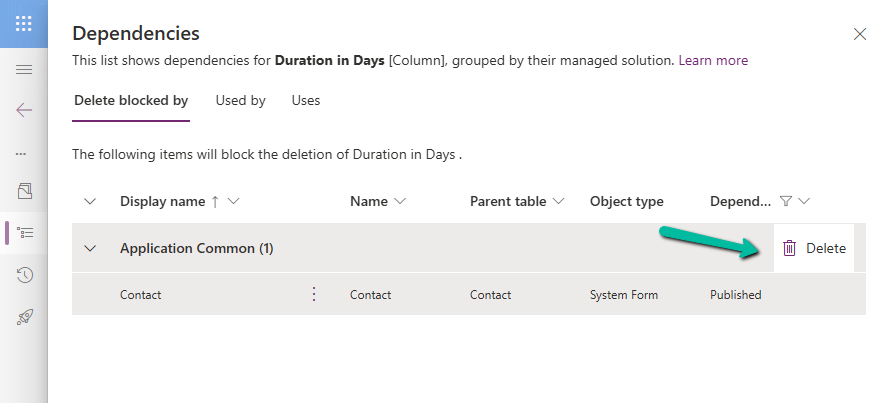
Get all the details here.
Hope it helps..
Discover more from Nishant Rana's Weblog
Subscribe to get the latest posts sent to your email.
Share It -


 Nishant Rana's Weblog
One thought on “Manage solution dependencies easily through the refreshed look – Dataverse”