

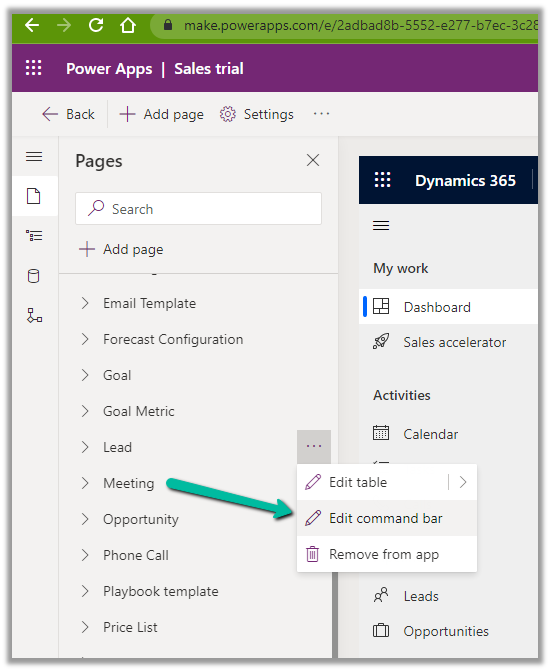
Open the App in the App Designer, select the Edit Command Bar for the table
Also, check the limitations of the Command designer, the important one being that the pre-existing classic commands cannot be customized with the new command designer.
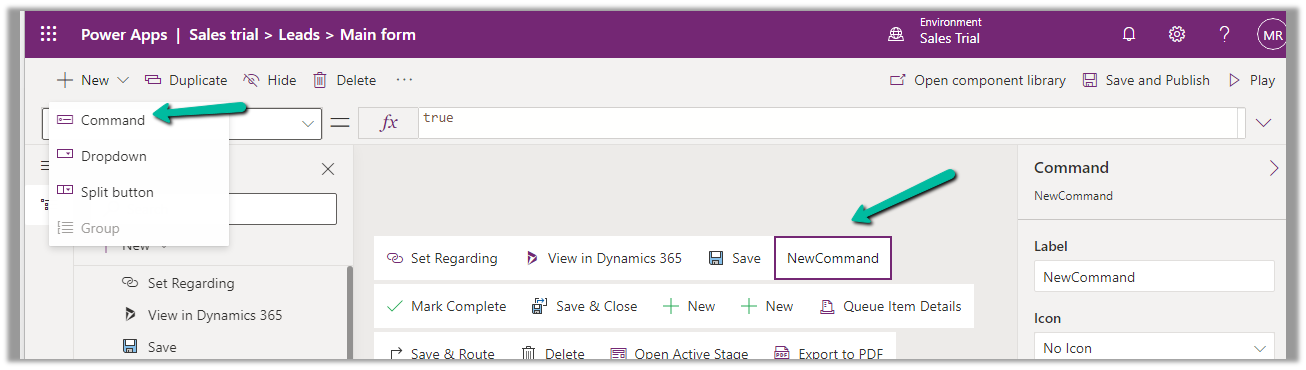
For the new Command added, set its Visible property based on the status of the current selected item/record.

More on Power Fx
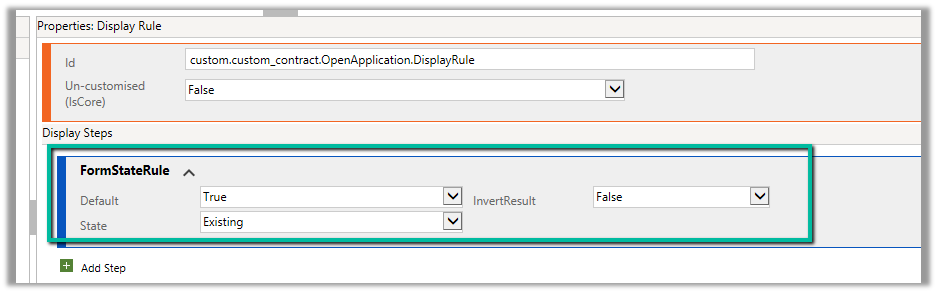
Now similarly if we want to show the button only for an existing record by updating the RibbonDiffXML, we can write the following DisplayRule based on FormStateRule

Hope it helps..
Advertisements
Discover more from Nishant Rana's Weblog
Subscribe to get the latest posts sent to your email.
Share It -


 Nishant Rana's Weblog
One thought on “Hide Show Button in Command Bar / Ribbon in Dynamics 365 / Model-Driven App (For Quick Reference)”