
While trying to preview an existing report in SQL Server Data Tools for Visual Studio 2012 got the below error
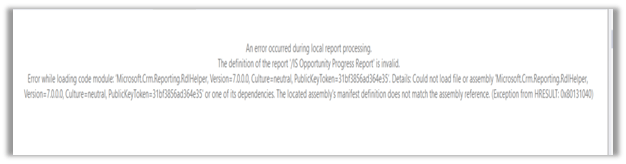
To fix it,
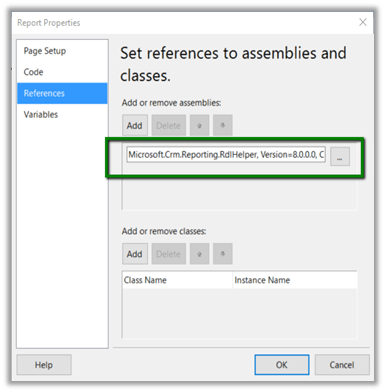
Go to Report à Report Properties à References Tab and browse to the correct version of the assembly in the BidExtensions folder

Hope it helps..
Discover more from Nishant Rana's Weblog
Subscribe to get the latest posts sent to your email.
Share It -


 Nishant Rana's Weblog
One thought on “Error while loading code module ‘Microsoft.Crm.Reporting.RdlHelper’. Could not load file or assembly error in report in Dynamics 365”