
Let us look at a simple example to understand.
- Suppose we have a custom entity name Demo Entity.
- Create a new single line of text field named Alternate Key Field.
- Create a new Alternate Key Field and specify the above field for it.
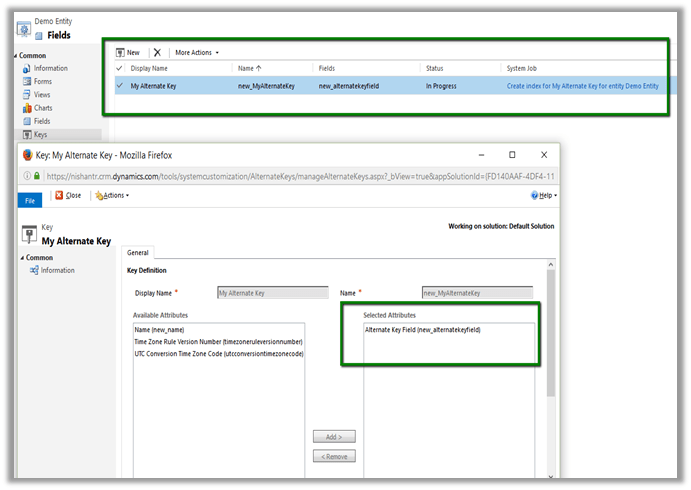
- Click on “Create index for My Alternate Keys for entity Demo Entity” which will create an Index in CRM’s Database.
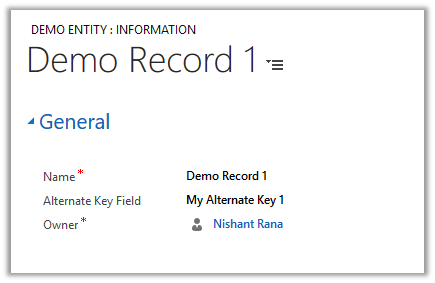
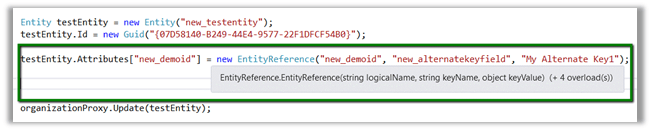
- Let us update the following record using Alternate Key
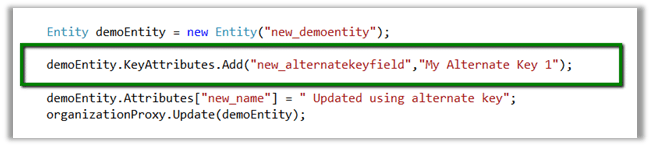
- Sample code
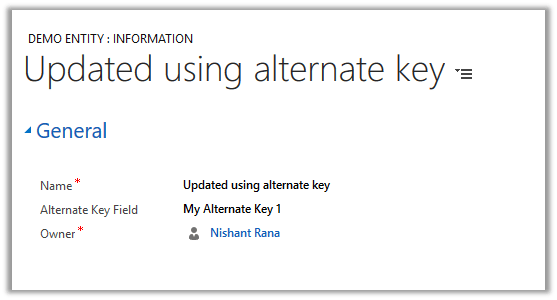
- Updated record
- Currently alternate key can only be defined on field type – string, integer and decimal.
- The alternate key can be used for Entity Reference as well, wherein instead of specifying GUID we can now use alternate key.
Hope it helps..
Discover more from Nishant Rana's Weblog
Subscribe to get the latest posts sent to your email.
Share It -


 Nishant Rana's Weblog
Is there a way to modify the text message alternate key generated. Its not in translations file.
LikeLike
Which text message ?
LikeLike