
After upgrading to CRM 2013, we found out that mail merge button was missing in the command bar.

The solution was to customize the command for the existing mail merge button on the form.
For this open the solution containing the entity in Ribbon Work Bench and select Form of the Entity.
Right click the Mail Merge button and select Customize Command

Select commands and select Edit Display Rules

Remove Mscrm.HideOnCommandBar rule
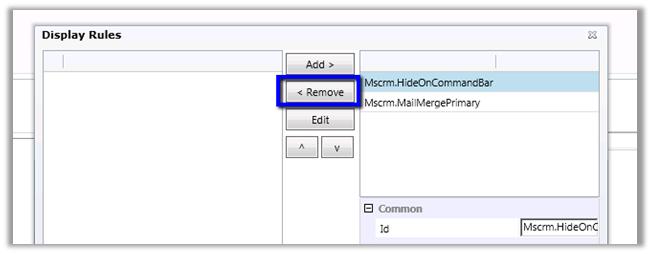
Refresh the xml generated and publish the solution.

Helpful post
http://www.develop1.net/public/post/How-to-restore-a-hidden-button-on-the-CRM-2013-Command-Bar.aspx
Hope it helps.
Discover more from Nishant Rana's Weblog
Subscribe to get the latest posts sent to your email.
Share It -


 Nishant Rana's Weblog
http://www.blog.affiliatedcrm.com/adding-the-mail-merge-button-in-dynamics-crm-2013/
LikeLike