
After restoring the database to the server, I got the following error while importing the organization using the Deployment Manager
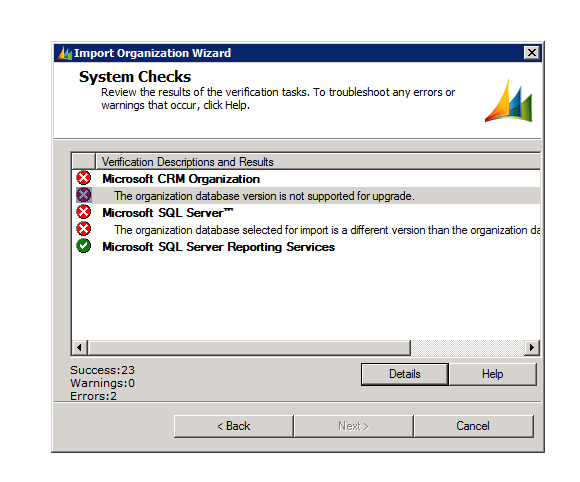
The build version of the database that I was importing was different than the build version of the database of the organization that I already had there.
http://support.microsoft.com/kb/946594 ( to find the build version of the database)
The one we were importing had higher build version.
Than we installed the update for Microsoft Dynamics CRM 2011 Release Candidate
http://support.microsoft.com/kb/2461082
Restarted the server and was able to import the organization successfully.
Hope it helps.
Discover more from Nishant Rana's Weblog
Subscribe to get the latest posts sent to your email.
Share It -


 Nishant Rana's Weblog
Hey Nishant,
Thanks for the post! It pointed me in the right direction. I was moving a CRM 2011 install from domain A to domain B and hit this error. Turns out that in domain A we applied “Update Rollup 2 for Microsoft Dynamics CRM 2011 (KB 2466086)” but not in domain B.
To solve it was as simple as running windows update which then installed “Update Rollup 2 for Microsoft Dynamics CRM 2011 (KB 2466086)”.
Here’s a link to “Update Rollup 2 for Microsoft Dynamics CRM 2011 (KB 2466086)” for those who can’t run windows update on their machine: http://www.microsoft.com/download/en/details.aspx?displaylang=en&id=26124
Thanks again,
Ryan
LikeLike