Security Roles and Privileges in CRM 2011 – New Features


Hi,

listing down all the new privileges for Security Role in our CRM 2011.

The total numbers of tabs are same.

Details, Core Records, Marketing, Sales, Service, Business Management, Service Management, Customization and Custom Entities.

Privileges are now ordered alphabetically.

Core Records Tab

Application File: – Not sure what this refers to. Please post comment if you know. This is what sdk says about it

ApplicationFile ETC – 4707 FilteredApplicationFile For internal use only

Connection, Connection Role: – Connection replaces relationship role in CRM 2011. Relationship Role are still there but deprecated.

Check this following post that explains it nicely

http://www.avanadeblog.com/xrm/2010/09/crm-2011-feature-of-the-week-8302010-connections.html

Document Location: – CRM 2011 integrates with SharePoint out of the box. Here the document location refers to the URL of the document library folder associated with a particular entity record.

Follow, Import Source File, Post: – Not very sure about them. Please comment if you know about them.

SharePoint Site: – Refers to the site to which we are integrating CRM 2011.

User Chart and User Dashboard has been wonderfully explained here

http://www.dynamicscrmtrickbag.com/2011/07/15/dynamics-crm-2011-charts-and-dashboards-who-can-see-what/

Interesting thing here is that the chart and dashboard created by user from ribbon interface (i.e. without going to customizations) are not even visible to System Administrator until it is shared with him.

User Entity UI Settings: – If we have multiple forms for our entity, the id of the last viewed form is saved in this setting.

User Entity Instance Data: – Not sure.

Web Wizard, Web Wizard Access Privilege, and Wizard Page: – Not sure

http://www.avanadeblog.com/xrm/2011/06/crm-2011-form-navigation.html

Miscellaneous Privileges:-

View Audit Partitions, Delete Audit Partitions, View Audit History, View Audit Summary,
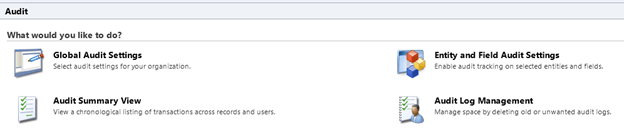
Best explained here:-

http://www.avanadeblog.com/xrm/2010/09/crm-2011-feature-of-the-week-9132010-auditing.html

Manage User Synchronization Filters:-

http://blogs.msdn.com/b/crm/archive/2011/06/02/controlling-user-synchronization-settings.aspx

Marketing Tab:-

Miscellaneous Privileges:-

Configure Internet Marketing Module, User internet marketing module.

It refers to the CRM 2011 online’s Internet Lead Capture feature.

http://www.youtube.com/watch?v=2WNY9DPMY1I

Sales Tab:-

Miscellaneous Privileges:-

Override Opportunity Pricing: – Something similar to Override Invoice, Order Pricing that were there in CRM 4.0

Override Quote Order Invoice Delete : – Not sure.

Service Tab:-

No changes.

Business Management Tab:-
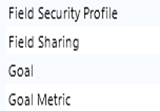
Field Security Profile and Field Sharing
à Refers to the new field level security feature in CRM 2011.
http://www.powerobjects.com/blog/2010/10/08/field-level-security-out-of-box-in-microsoft-dynamics-crm-2011/

http://info.profad.com/bid/64279/Determine-Field-Level-Security-Permissions-in-Microsoft-Dynamics-CRM-2011

Goal and Goal Metric à Refers to Goals that are new to CRM 2011.

http://www.dynamicscrmtrickbag.com/2010/10/30/whats-new-in-crm-2011-webinars-session-3-goals/

Miscellaneous Privileges:-

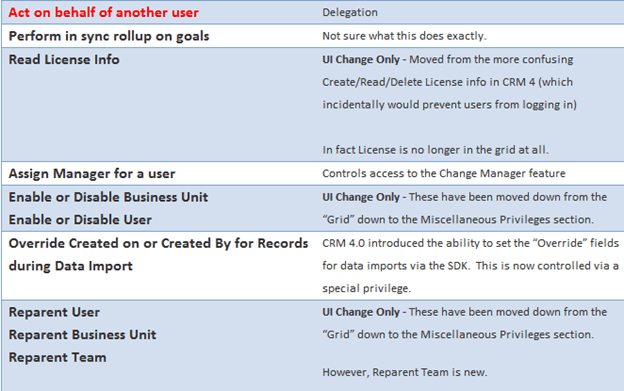
Act on Behalf of Another User, Assign manager for a user, enable or disable business unit, Override Created on or Created by for records during Data Import, Reparent Business Unit, Reparent User, Approve E-mail addresses for Users or Queues, Enable or Disable User, Perform in sync rollups on goals, Read License Info, Reparent Team.

Beautifully explained in this post.
http://www.avanadeblog.com/xrm/2010/09/crm-2011-feature-of-the-week-8232010-role-privilege-improvements.html


Service Management Tab:-

My Work hours not there in CRM 2011.

Miscellaneous Privileges:-

Create, Read, Write, Delete own calendar:-

http://social.microsoft.com/Forums/en/crm/thread/b1d3cce5-fd7d-400c-9212-7fad87428ea3

Customizations Tab:-

Entity Map and Attribute Map: –

http://msdn.microsoft.com/en-us/library/gg334512.aspx

Customizations.

Dialog Sessions: – Refers to new dialog feature in CRM 2011

http://blogs.msdn.com/b/crm/archive/2011/02/02/welcome-to-the-world-of-dialogs-part-1.aspx

Import Job: – Not Sure.

Option Set: – Picklists have been replaced by Option Set in CRM 2011. We can create Global Option Set that is available to all the entities e.g. Country or State List.

http://www.dynamicscrmtrickbag.com/2010/12/02/global-option-sets-in-dynamics-crm-2011/

Plugin Assembly and Plugin Type: – Plugin Type specifies whether it is a plugin assembly or custom workflow activity.

Process: – Might be referring to Workflows and Dialogs.

http://msdn.microsoft.com/en-us/library/gg328264.aspx

Publisher: – Refers to Publisher of a Solution.

Solution management

http://crmconsultancy.wordpress.com/2011/05/05/solutions-in-crm-2011/

http://ayazahmad.wordpress.com/2011/07/01/solutions-release-management-crm-2011/
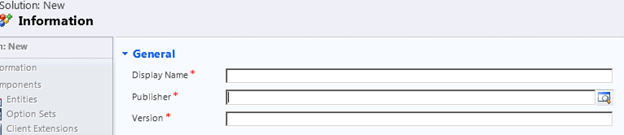
View: – Not very sure, might refer to Saved Views created by user using Advance Find window.

http://community.dynamics.com/product/crm/crmtechnical/b/xrm/archive/2011/09/19/boost-collaboration-by-sharing-saved-views-in-crm-online.aspx

Web Resource: –

These are our web resources in CRM 2011

Good introduction here

http://dynamicscrm2011.wordpress.com/2011/05/30/crm-2011-web-resources/
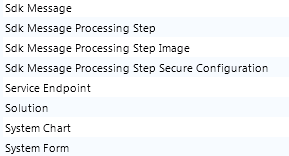
Sdk Message: – An SDK Message defines a message to the Microsoft Dynamics CRM platform. The message represents the operation that the platform is to perform. This entity should be considered read-only. You cannot use this entity to create or update a message in the platform.

Sdk Message Processing Step, Step Image, Step Secure Configuration and Service Endpoint: – Refers to plugin registration entities.

System Chart: – http://www.dynamicscrmtrickbag.com/2011/07/15/dynamics-crm-2011-charts-and-dashboards-who-can-see-what/

System Form :- Sdk Says – “The system form entity is used for organization-owned dashboards and entity forms”

Miscellaneous Privileges:-

Not there in CRM 2011

ISV Extension, Import Customizations, Publish Customization.

Would keep updating this post as I gather some new information.

Hope this helps.

Business Unit in CRM 2011 – New features


Hi here i am just putting down all the new features that i have found while learning about business unit in CRM 2011.

Root business unit can now be renamed.

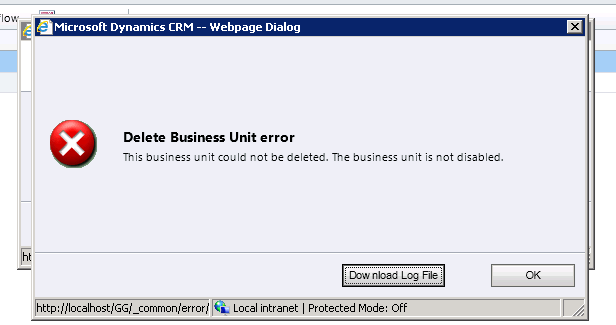
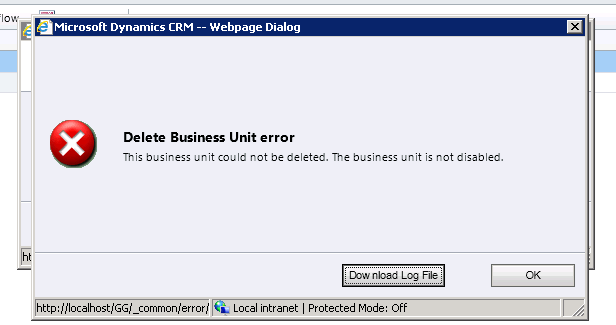
As in CRM 4, we cannot delete or disable root business unit. If we try to delete it we get the following message.

If we try disabling the root business unit we get the following message

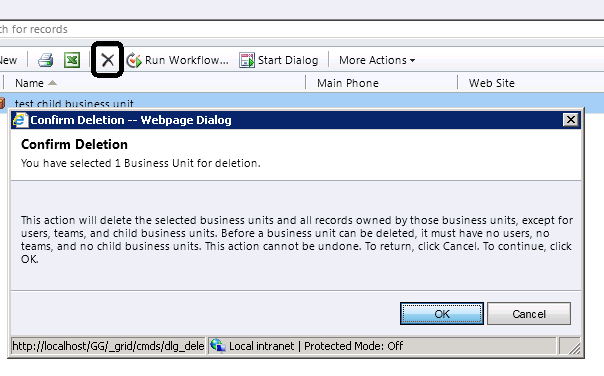
Let us create a new business unit and try deleting it.

Again the same message that we need to disable it before we can delete it.

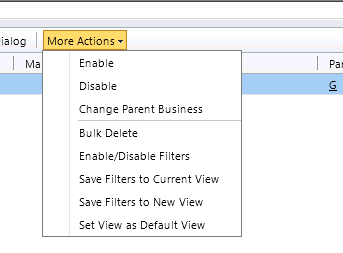
Clicking on Disable from More Actions, disables the record and clicking on delete deletes it.

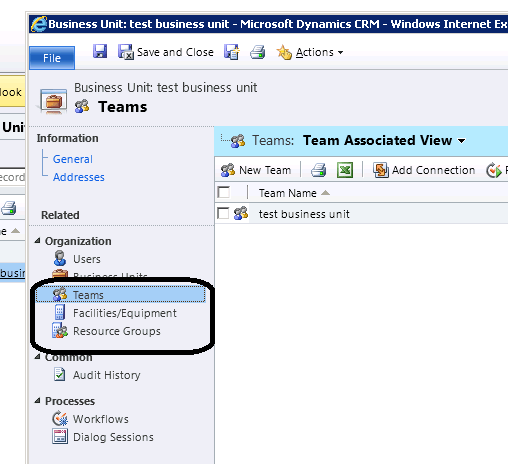
A default team gets created for every business unit having named same as the business unit.

The user that belongs to business unit automatically becomes the member of the default team created.

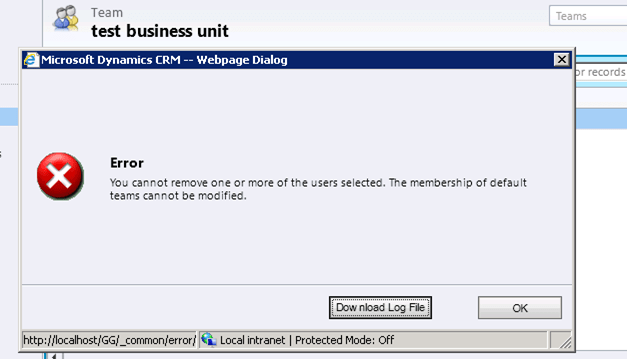
If we try removing the member added to the default team, we get the following error message.

And if we trying adding members to it, we get the following error message

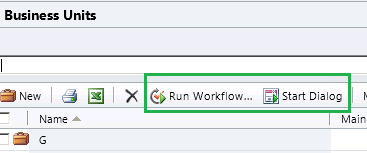
We can write workflows and dialogs against business unit entity.

When a BU is disabled: – Although the Users cannot access MICROSOFT DYNAMICS CRM, the user records themselves are not removed or disabled. Therefore, the licenses of those users will not be withdrawn. If a user is disabled when the Business Unit was disabled, the user must be enabled before he or she can access Microsoft Dynamics CRM after the Business Unit is enabled.

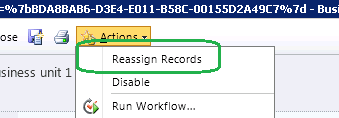
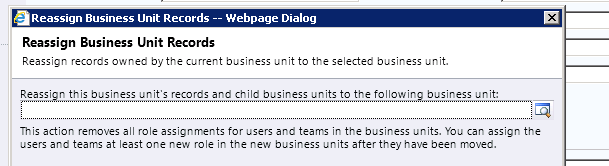
Before we can delete permanently a Business Unit, you must remove any child Business Units, Users or Teams. This can be done by deleting or re-assigning them individually, or by using the Reassign Records option as mentioned above. The exception to this is the default team of the Business Unit, which will be deleted with the Business Unit. Facilities/Equipment and Resource Groups do not have to be removed beforehand (though they can be if you want to preserve them).

Check this informative post also

http://www.magnetism.co.nz/blog/11-03-24/Business_Units_and_Teams_in_Dynamics_CRM_2011.aspx

Hope this helps.

Creating a Custom Permission Levels with minimum rights for Managing Documents and Creating Folder in SharePoint 2010


In one of our project we were using out of box integration feature of SharePoint 2010 with CRM 2011.

So we thought of creating a new permission levels that would allow users to manage the documents i.e. upload, delete etc. and create folder.

Below is the screenshot of the ribbon when user is inside a document library.

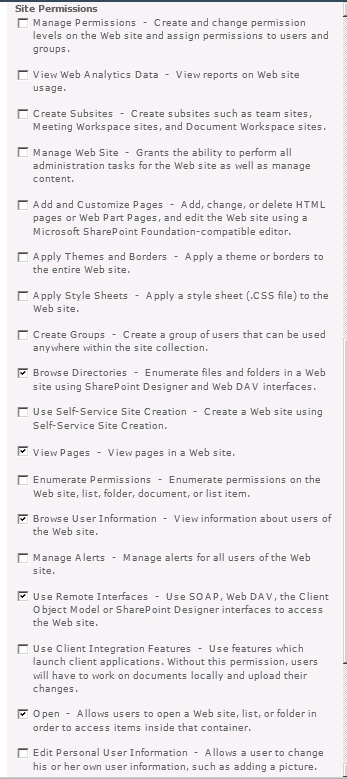
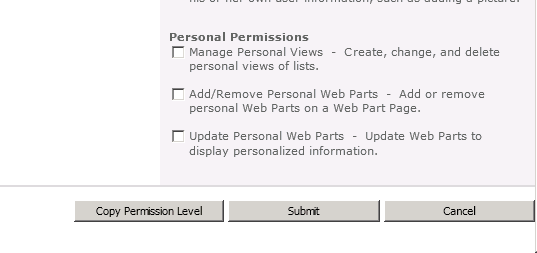
Below are the minimum sets of permissions we need to have

Hope it helps..

“Need to start a transaction before commit” Fault Exception in crm 2011


Hi we were getting this error on our plugin on post update of an entity.

The plugin was using Associate message to associate one entity record to other.

If the records were already associated, it was throwing “duplicate key” error, so we were catching that fault exception and then were updating few other records in our plugin. However just after the execution of our plugin, we were getting the CRM’s Error dialog box having a error log file mentioning the above error.

Later we realized that once a Fault Exception is thrown then the execution of the plugin is no longer in transaction. We can’t catch the faualt exception and still be in transaction. This post clarified that.

http://social.microsoft.com/Forums/en-US/crmdevelopment/thread/ca1301ca-cef9-4940-9cb4-e968641199f6

Hope it helps !

Enabling button in SubGrid on selection of record (SelectionCountRule) in CRM 2011


We had a requirement to have a custom button on a subgrid for an entity, and the button should only be enabled if and only if one record is selected.

It should get disabled in case if no records are selected or more than one record selected.

Used the below ribbondiffxml to achieve that

   <RibbonDiffXml>
        <CustomActions>
          <CustomAction Id="MyOrg.CustomAction" Location="Mscrm.SubGrid.entitySchemaName.MainTab.Management.Controls._children" Sequence="50">
            <CommandUIDefinition>
              <Button Id="MyOrg.Button" ToolTipTitle="Upload Required Document" ToolTipDescription="Upload Required Documents for the Case" Command="MyOrg.Command" Sequence="50" LabelText="Upload Document" Alt="Upload Document To Portal" Image16by16="/_imgs/ribbon/AddEmail_16.png" Image32by32="/_imgs/ribbon/Email_32.png" TemplateAlias="o1" />
            </CommandUIDefinition>
          </CustomAction>
        </CustomActions>
        <Templates>
          <RibbonTemplates Id="Mscrm.Templates"></RibbonTemplates>
        </Templates>
        <CommandDefinitions>
          <CommandDefinition Id="MyOrg.Command">
            <EnableRules>
              <EnableRule Id="MyOrg.EnableRule"></EnableRule>
            </EnableRules>
             <DisplayRules />
            <Actions>
              <JavaScriptFunction Library="$webresource:new_test" FunctionName="showvalue">
                <StringParameter Value="Guid(s) Selected"></StringParameter>
                <CrmParameter Value="SelectedControlSelectedItemIds"></CrmParameter>
              </JavaScriptFunction>
            </Actions>
          </CommandDefinition>
        </CommandDefinitions>
        <RuleDefinitions>
          <TabDisplayRules />
          <DisplayRules />
          <EnableRules>
            <EnableRule Id="MyOrg.EnableRule">
              <SelectionCountRule AppliesTo="SelectedEntity" Maximum="1" Minimum="1"></SelectionCountRule>
            </EnableRule>
          </EnableRules>
        </RuleDefinitions>
        <LocLabels />
      </RibbonDiffXml>
	  

Hope it helps


Sample Code for adding a button for SubGrid and passing id of the selected records (CRM 2011)


Simply replace the entity schema name with your entity

  <RibbonDiffXml>
        <CustomActions>
          <CustomAction Id="MyOrg.CustomAction" Location="Mscrm.SubGrid.entitySchemaName.MainTab.Management.Controls._children" Sequence="50">
            <CommandUIDefinition>
              <Button Id="MyOrg.Button" ToolTipTitle="Upload Required Document" ToolTipDescription="Upload Required Documents for the Case" Command="MyOrg.Command" Sequence="50" LabelText="Upload Document" Alt="Upload Document To Portal" Image16by16="/_imgs/ribbon/AddEmail_16.png" Image32by32="/_imgs/ribbon/Email_32.png" TemplateAlias="o1" />
            </CommandUIDefinition>
          </CustomAction>
        </CustomActions>
        <Templates>
          <RibbonTemplates Id="Mscrm.Templates"></RibbonTemplates>
        </Templates>
        <CommandDefinitions>
          <CommandDefinition Id="MyOrg.Command">
            <EnableRules />
            <DisplayRules />
            <Actions>
              <JavaScriptFunction Library="$webresource:new_test" FunctionName="showvalue">
                <StringParameter Value="Guid(s) Selected" > </StringParameter>
                <CrmParameter Value="SelectedControlSelectedItemIds"></CrmParameter>
              </JavaScriptFunction>
            </Actions>
          </CommandDefinition>
        </CommandDefinitions>
        <RuleDefinitions>
          <TabDisplayRules>
          </TabDisplayRules>
          <DisplayRules />
          <EnableRules />
        </RuleDefinitions>
        <LocLabels />
      </RibbonDiffXml>

Function for the jscript web resource.

function showvalue(){

alert(value);

}

Hope it helps.