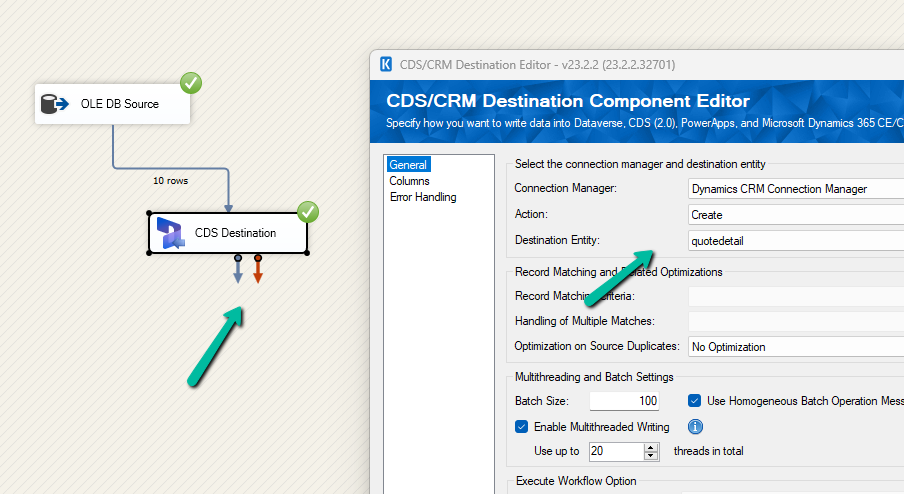
Had written a post on deleting the elastic table record earlier – How to Delete Elastic Table Records in Dataverse (SDK). We need to pass the partitionid value through an alternate key to delete the elastic table records. We will have the alternate key auto-created by the system when we create an elastic table. Earlier specifying an Alternate Key was not possible for the Delete action in the CDS Destination component. However, with the latest release (Version 25.1 – April 4, 2025), the Manually Specify and Alternate Key matching criteria support has been added when performing the Delete action as shown below. We also need to have the Use Homogeneous Batch Operation Message option checked, this uses DeleteMultiple request in the background.
On running the package, now we can see the elastic table records (having partitionid) getting deleted successfully.
After the successful run (here we are deleting 40K records), we can see the records deleted.
Below are the different out-of-the-box statecode and statuscode for the Quote table.
Status (statecode)
Status Reason (statuscode)
0 (Draft)
1 (Inprogress)
1 (Active)
2 (Inprogress)
3 (Open)
2 (Won)
4 (Won)
3 (Closed)
5 (Lost)
6 (Canceled)
7 (Revised)
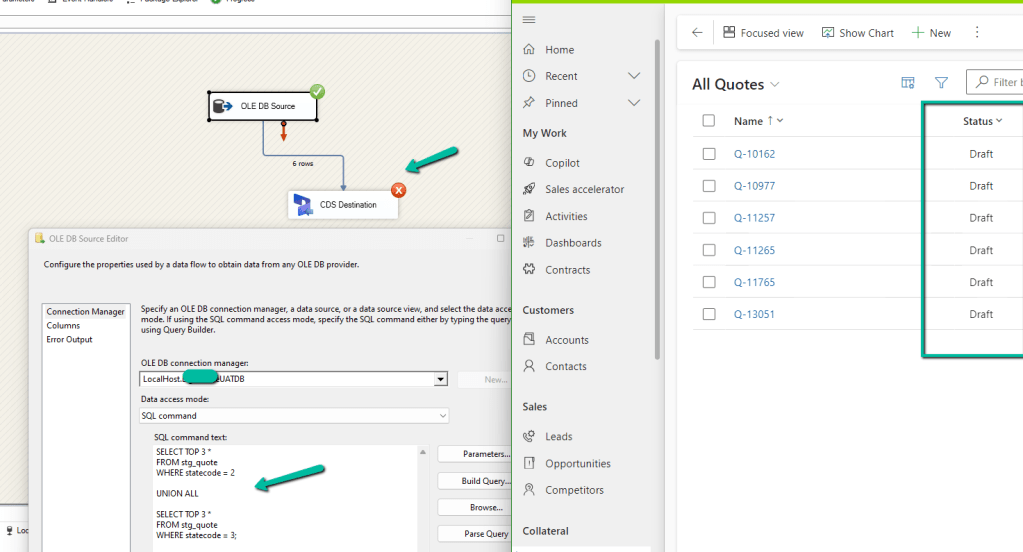
Now if we are trying to migrate Quote records that are in either 2(Won) or 3(Closed) status (statecode), our package will fail and we will get the below error.
{“error”:{“code”:”0x80040233″,”message”:”Quote can’t be closed because it is in Draft state. Only Active Quote can be closed. Please activate the Quote and then try to close it.”}}
-batchresponse_aa072eca-fd15-4067-8f2b-41f7b3dfad1c–
)System.Net.WebException
This is because we cannot directly create the Quote record with the status either Won or Closed.
It will create those records with the status Draft instead.
However we can create Quote records with either Draft or Active status, we will not get the above error.
Now another point to be considered is, if we are moving the quote product record also, is that we cannot associate the quote product to a quote if it is in Active or Closed / Won status, it has to be draft status for the quote product to be associated.
If we try adding / associate Quote Product to either an Active or Closed Quote, we will get the below error –
: The remote server returned an error: (400) Bad Request. (Error Type / Reason: BadRequest, Detailed Message: {“error”:{“code”:”0x80043b09″,”message”:”The detail cannot be updated because the parent is not editable.“}})System.Net.WebException
(Status Reason: BadRequest): The remote server returned an error: (400) Bad Request.”
And as expected with Draft Quote we can associate quote products.
So basically if we are planning to migrate Quote and Quote Product to Dataverse/Dynamics 365
First, move all the Quote with status as Draft (i.e. do not map statecode and statuscode)
Then associate Quote Product to it. (also certain fields are only available for update and not create, you could run update Quote Product package to update those fields)
Next, we can update all the Quote as Active (along with any other fields that are available only for update and not create), and then run another update package to update the actual statecode and statuscode values as now from the Active status we could move to draft or closed status without any issues.
And also please check the CRM Migration Starter Kit for further details and guidance.
Recently while trying to retrieve OptionSet Metadata using our favorite KingswaySoft SSIS Toolkit we got the below error.
Same error for prod also – [CDS Source [2]] Error: An error occurred with the following error message: “KingswaySoft.IntegrationToolkit.DynamicsCrm.CrmServiceException: CRM service call returned an error: An error has occurred when retrieving metadata for CRM entity ‘copilotexamplequestion’: The source argument contains duplicate keys. (SSIS Integration Toolkit for Microsoft Dynamics 365, v23.2.2.32701 – DtsDebugHost, v16.0.5270.0)System.ArgumentException. : The source argument contains duplicate keys.”.
Interestingly we were getting this issue while running the package in the UAT and Production environment, it was working fine for the Dev environment. Also, it was OOB Table and we could compare and see it to be the same across all the environments.
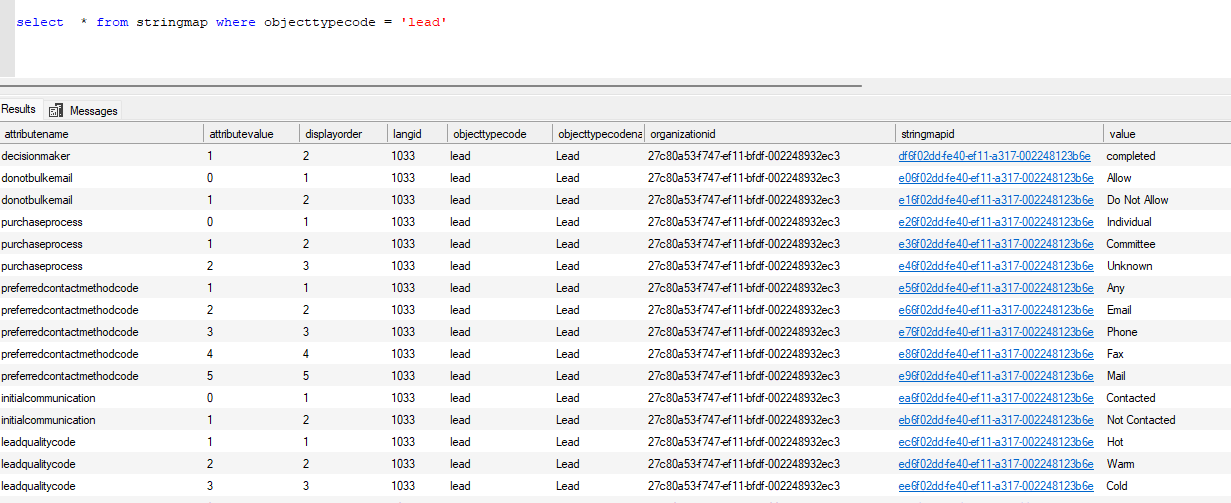
Well, the way we could progress here is to query and get the required details from the stringmap table.
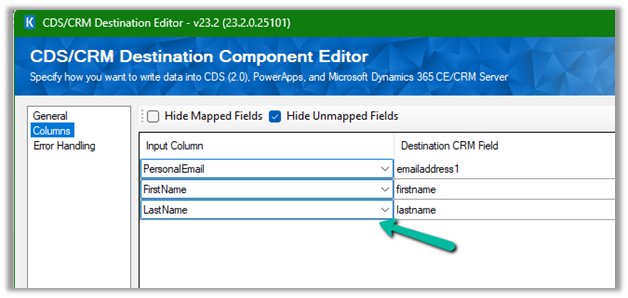
Let us first use the data spawner component to generate sample data for a custom table for which we just have 2 new custom first name and last name fields created as well as mapped with 100 K records.
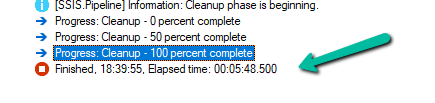
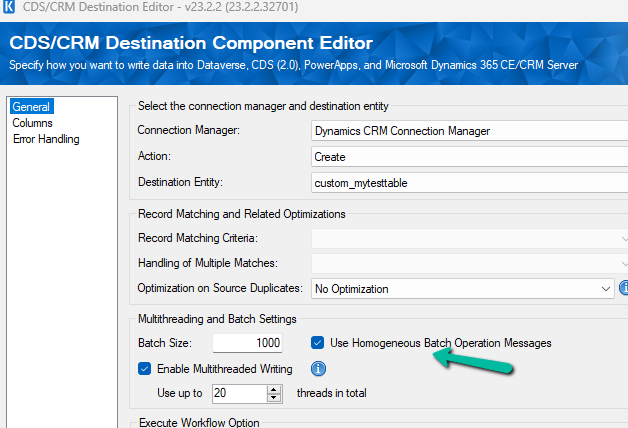
Let us first run the Package with batch size = 1000, threads as 20, multiplexing user = 5, and homogeneous batch operation disabled.
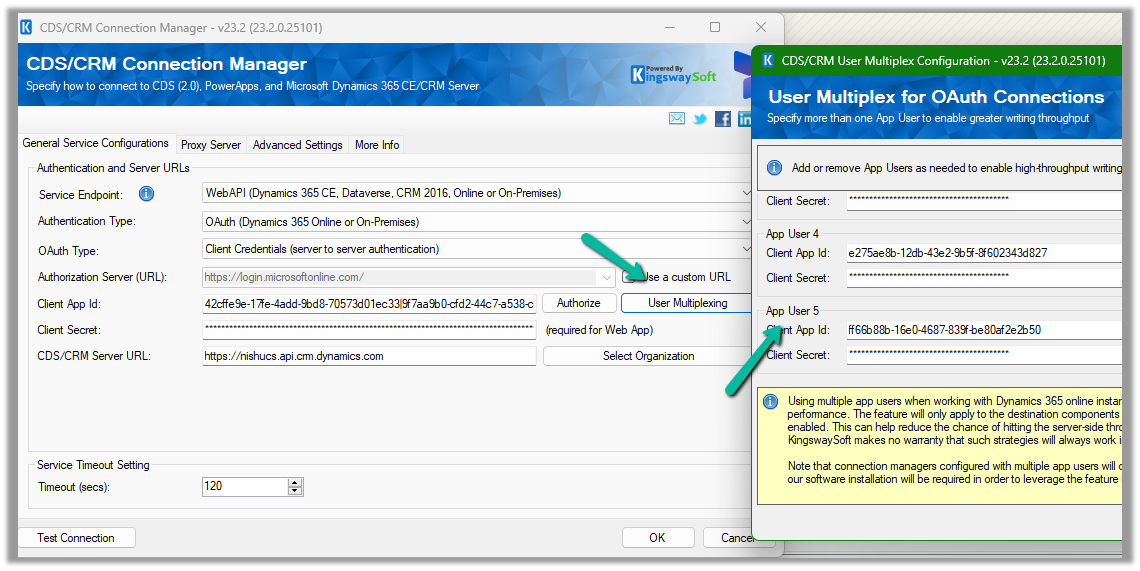
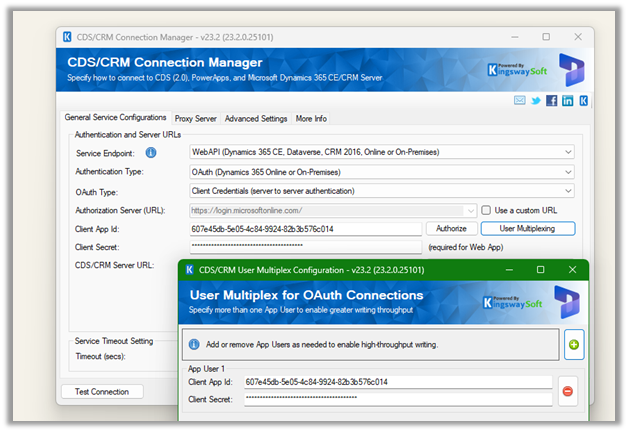
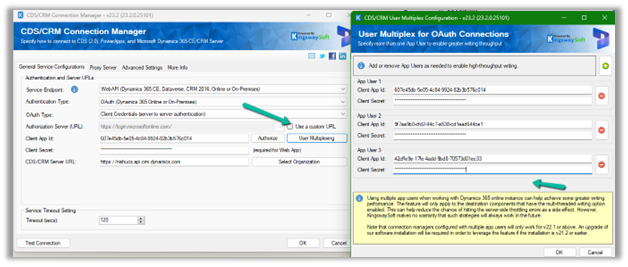
Below is the User Multiplexing option in the Connection Manger.
Here we have defined 5 different application users.
Now let us run the same with the Homogenous Batch Operation option checked.
Below are the findings with different variations of Batch Size, Threads, Multiplexing Users, Homogenous Batch Operation for the – 100K records – Custom table
Batch Size
Threads
Multiplexing Users
Homogenous Batch Operation
Duration (minutes)
1000
20
5
N
5:48
1000
20
5
Y
1:54
500
20
5
N
4:16
500
20
5
Y
1:29
250
20
5
N
3:58
250
20
5
Y
1:38
100
20
5
N
4:47
100
20
5
Y
1:58
500
50
5
N
4:00
500
50
5
Y
1:24
We can see huge performance improvements while using Bulk Operations (Homogenous batch option) for our custom table, with threads around 20 and multiplexing users as 5. Increasing the number of multiplexing users will provide further performance improvement here.
Now let us run it against the Contact table and this time we take 10K as a sample instead of 100K as a sample.
10K records Contact table
Batch Size
Threads
Multiplexing Users
Homogenous Batch Operation
Duration (minutes)
500
1
1
N
25:26
500
1
1
Y
42:14
100
1
1
N
24:34
100
1
1
Y
36:06
100
5
1
N
21:56
100
5
1
Y
16:45
100
10
1
N
6:59
100
10
1
Y
12:54
100
10
2
N
6:14
100
10
2
Y
11:28
100
10
5
N
3:26
100
10
5
Y
9:36
100
15
5
N
2:56
100
15
5
Y
9:57
100
20
5
N
2:34
100
20
5
Y
10:17(Ran into a server-side throttling error.)
1000
20
5
N
5:30 (Ran into a server-side throttling error.)
1000
20
5
Y
5:02 (Ran into a server-side throttling error.)
500
20
5
N
4:20(Ran into a server-side throttling error.)
500
20
5
Y
2:36 (Ran into a server-side throttling error.)
100
20
1
N
18:00
(Ran into a server-side throttling error.)
100
20
1
Y
11:20
(Ran into a server-side throttling error.)
With the higher Batch size along Threads + Multiplexing users + Homogenous Batch Operation message option, we could get a good performance improvement, however, we can see that we ran into server-side throttling errors on increasing the batch size. So with tables having a higher number of fields/relationships, we need to be more careful than a custom/table with fewer relationships and fields
[CDS Destination] Warning: An exception has occurred while processing the service request, the same request will be attempted again immediately. KingswaySoft.IntegrationToolkit.DynamicsCrm.WebAPI.WebApiServiceException: The underlying connection was closed: A connection that was expected to be kept alive was closed by the server. (Error Type / Reason: KeepAliveFailure, Detailed Message: The underlying connection was closed: A connection that was expected to be kept alive was closed by the server.)
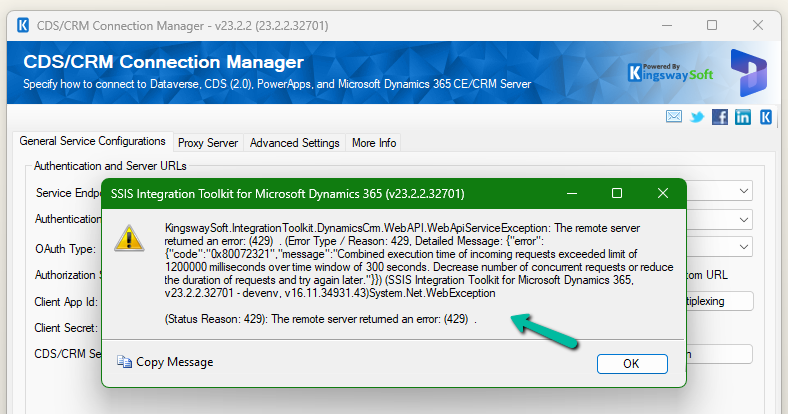
[CDS Destination] Warning: A server side throttling is encountered, the same request will be retried after 5 minutes (as instructed by the returned throttling error message from the server). KingswaySoft.IntegrationToolkit.DynamicsCrm.WebAPI.WebApiServiceException: The remote server returned an error: (429) . (Error Type / Reason: 429, Detailed Message: {“error”:{“code”:”0x80072321″,”message”:”Combined execution time of incoming requests exceeded limit of 1200000 milliseconds over time window of 300 seconds. Decrease number of concurrent requests or reduce the duration of requests and try again later.”}})
Now let us try making use of the xMultiple feature (CreateMultiple, UpdateMultiple, and CreateMultiple messages) of the CRM / CDS Destination Component.
We have updated the Batch Size to 100 to trigger the xMultiple
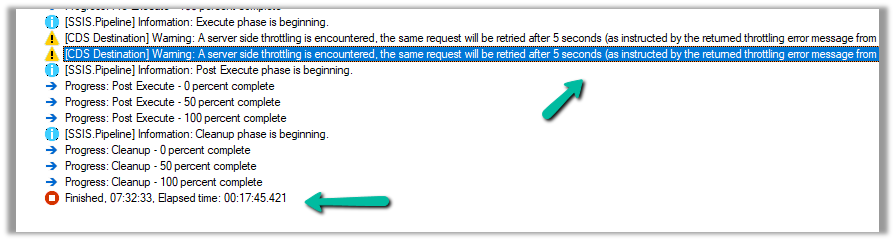
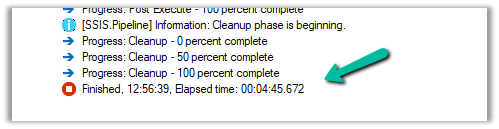
However this time we got the service throttling error, and it took around 17:45 minutes.
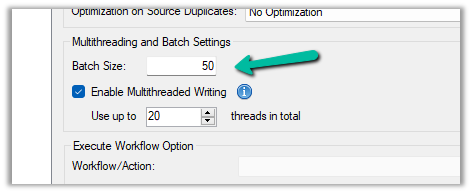
Let us try decreasing the batch size to 50 (to trigger xMultiple), keeping the thread the same as 20, and User Multiplexing with 5 Application users.
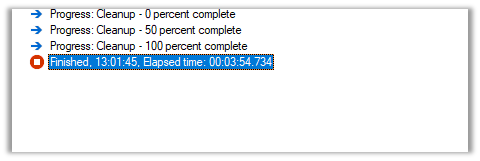
No throttling warning this time and took around 10:42 minutes.
Now let us try the same setup, for a custom table instead of a standard table.
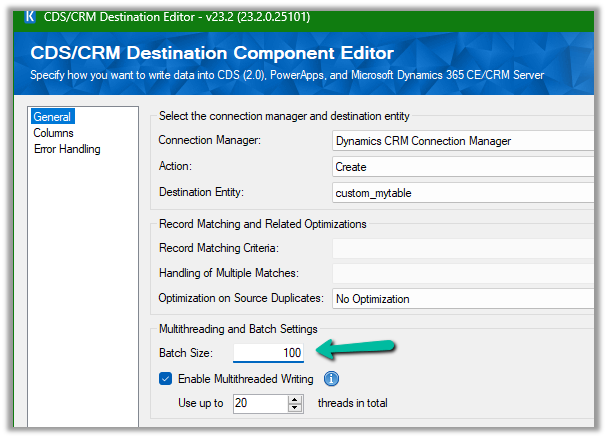
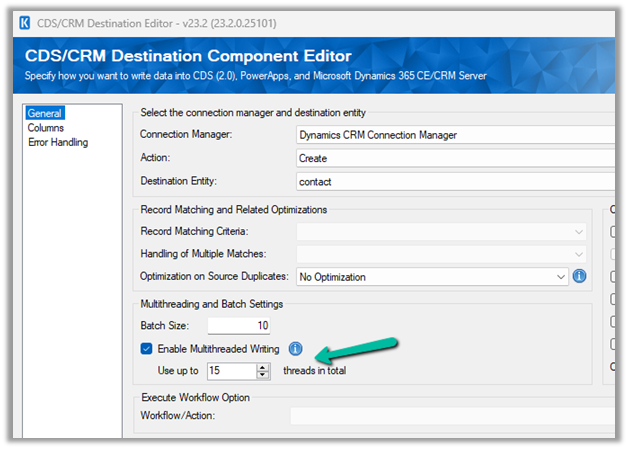
Here we have run our package to create 20K records, with User Multiplexing ( 5 Application users), Batch Size 10, and 20 Threads for our custom table named My Table.
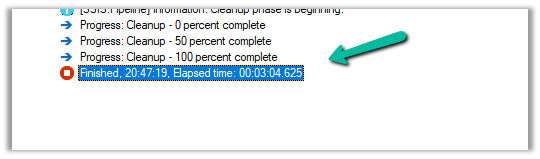
It took around 3:04 minutes.
Let us increase the batch size to 100, to get the xMultiple enabled.
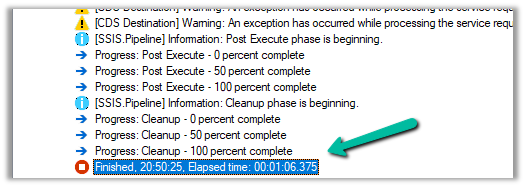
It took 1:06 minutes.
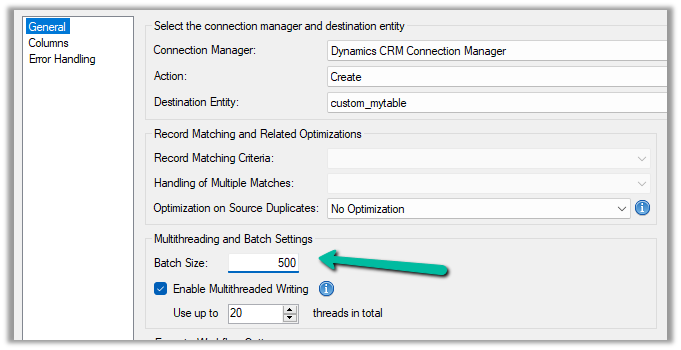
Let us set the batch size to 500
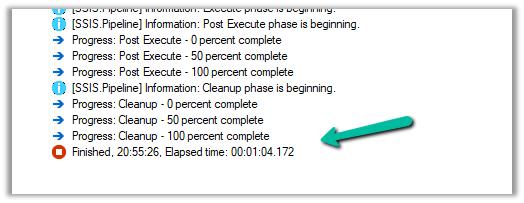
It took around 42 seconds.
And with 1000 batch size – 1:04 seconds
We can see huge performance improvements using xMultiple when it comes to a custom table.
So I think to get the performance improvements for the standard table we could stick with Batch Size – 10, Thread –10-20, and increase the number of users (Multiplexing).
But for the custom table, we could increase the batch size to either 100 or 500 to make use of xMultiple along with Multiplexing.
























 Nishant Rana's Weblog