Nested Quick Create form in CRM 2015


Nested Quick Create form in CRM 2015

In CRM 2013,

If we click on Create button for Quick Create a record

Say for e.g. Contact record

And want to create a new Account record to be associated to it
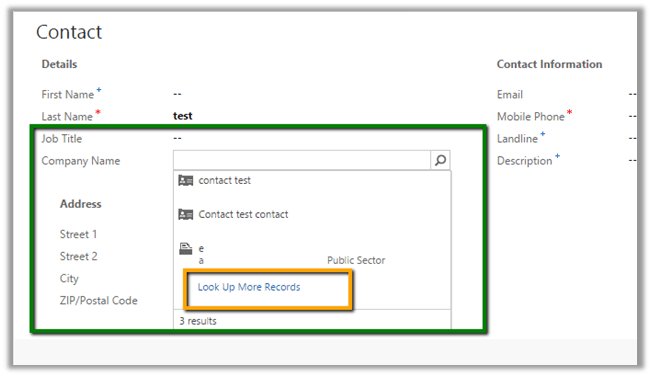
We need to click on “Look Up More Records” and then “New”
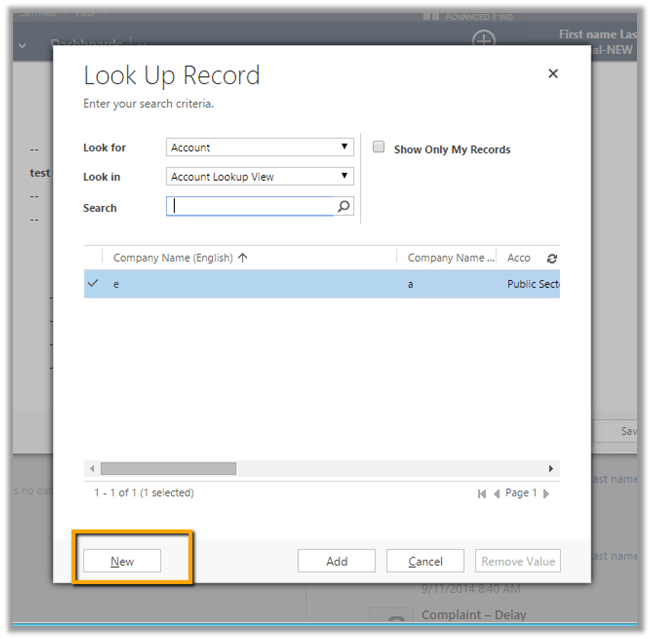
This opens up the default Contact form
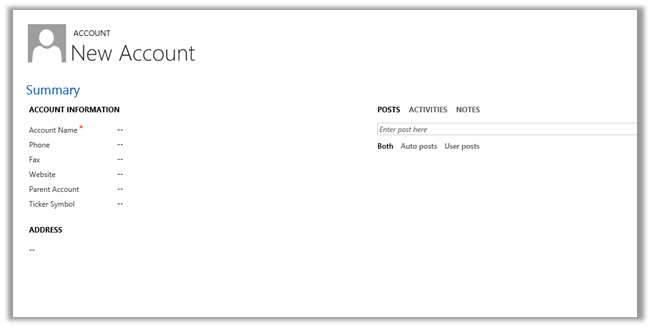
 

However in CRM 2015,

We have a New Button
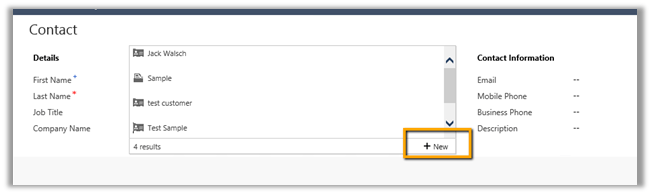
It will open the Quick Create Form for the account record instead of the default form as in the case of CRM 2013.
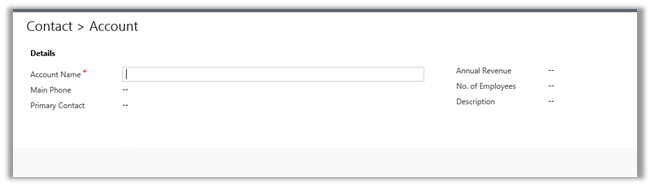
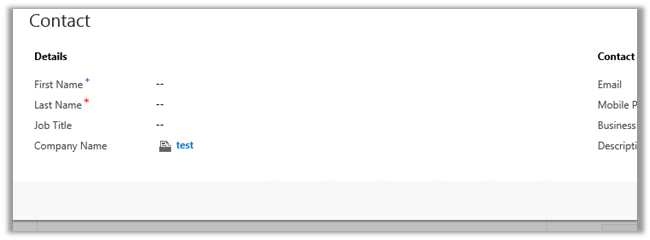
On creating and saving the account record, it will close the Account record and populate the lookup in Contact record
The pain of missing “Else If” condition in Business Rules in CRM 2013.


Let us take a simple example

There is a field say “Test Field” and 2 option set fields.

OptionSet1 è A1, A2, A3, A4

OptionSet2èB1, B2, B3, B4

Now the logic that we have to implement is

Show “Test Field” when

OptionSet1 = A1 and OptionSet2= B1

Or

OptionSet1 = A2 and OptionSet2= B2

Else

Field should be hidden

Logic in JavaScript

If (optionset1 == A1 && optionset2== B1)

Show field “Test Field”

Else if (optionset1 == A2 && optionset2== B2)

Show field “Test Field”

Else

Hide field “Test Field”

Logic in Business Rule

To implement the same in business we need write 6 business rules.

  1. If OptionSet1 = A1 and OptionSet2= B1 è Show “Test Field”
  2. If OptionSet1 = A2 and OptionSet2= B2 è Show “Test Field”
  3. If OptionSet1 != A1, A2 è Hide “Test Field”
  4. If OptionSet1 2= B1, B2 è Hide “Test Field”
  5. If OptionSet1 = A1 and OptionSet2= B2 è Show “Test Field”
  6. If OptionSet1 = A2 and OptionSet2= B1 è Show “Test Field”

Well the good news is that we now have “Else If” condition in CRM 2015.

https://nishantrana.me/2014/10/04/business-rules-in-crm-2015/


JavaScript runtime error: Unable to get property ‘get_code’ of undefined or null reference in CRM


We can get the ‘get_code’ error if we are using Assign Step in Action/Workflow and the value is null for the field selected.

Here we need to use If condition to check if the value exist for that particular field before using Assign Step.

Sample code: Using jqGrid in ASP.NET page to show CRM data


Sample code: Using jqGrid in ASP.NET page to show CRM data

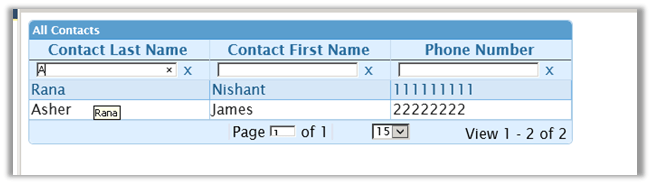
Just sharing a simple ASP.NET page that uses jqGrid to show contact records in CRM and allows user to search.

Here is the code SampleJQGrid.zip (remove .doc)

Hope it helps ..

Get current user language in JavaScript in CRM 2011/ CRM 2013/ CRM 2015


https://gallery.technet.microsoft.com/scriptcenter/LCID-JavaScript-Helper-7cfb0829

Field Level Security in CRM 2015


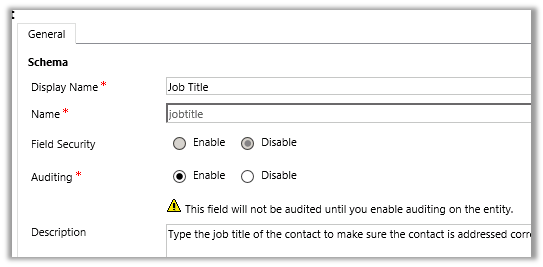
Now supported for System (OOB) Attributes.

Contact’s “Job Title” attribute in CRM 2011


Contact’s “Job Title” attribute in CRM 2015

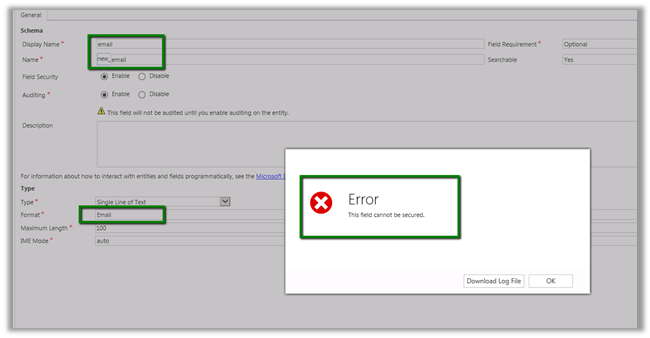
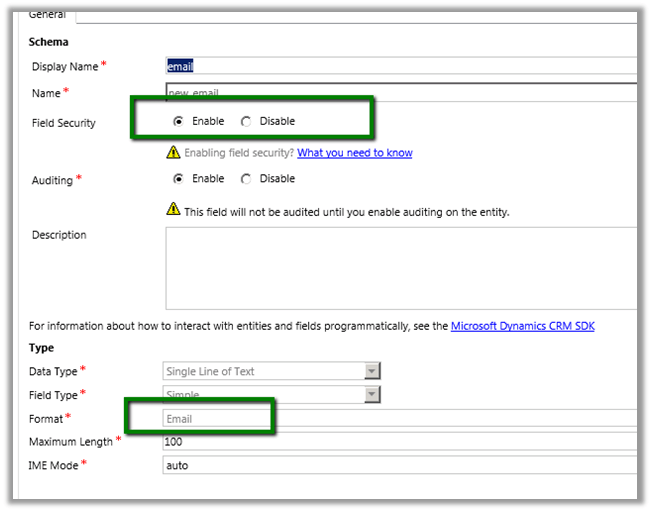
Can be enabled for email data type attribute

In CRM 2011

In CRM 2015


Address field are also supported.

https://www.youtube.com/watch?v=Czc9sKvWd9k