Sample Code to add a custom tab to a custom entity in CRM 2011


Hi,

Customizing the Ribbon interface in CRM 2011 is not that easy, if we compare it to the ISV.CONFIG.

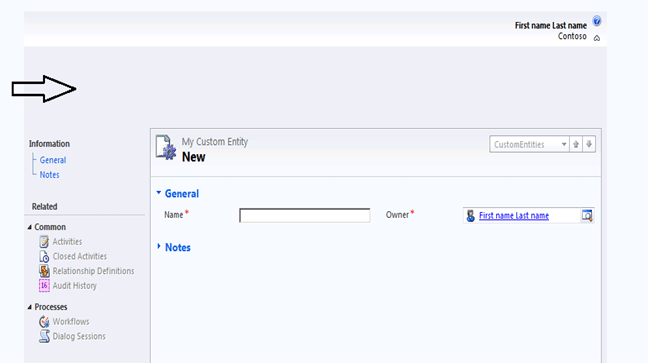
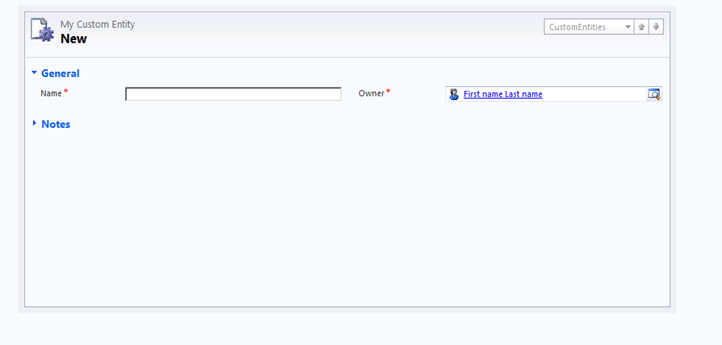
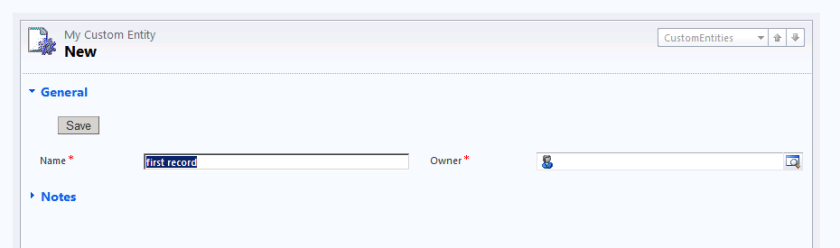
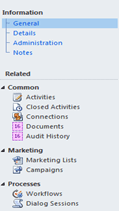
Here i am posting a sample xml file that we can use to create a custom tab within an entity.

Suppose the schema name of the entity is new_test, so use the following code to add a custom tab to it.

I am posting the RibbonDiffXml part

<RibbonDiffXml>
 <CustomActions>
  <CustomAction Id=”Sample.Form.new_test.CustomTab.CustomAction” Location=”Mscrm.Tabs._children” Sequence=”40″>
   <CommandUIDefinition>
    <Tab Id=”Sample.Form.new_test.CustomTab” Command=”Sample.Form.new_test.CustomTab” Title=”My First Custom Tab” Description=”Finally managed to put my first custom tab” Sequence=”40″>
     <Scaling Id=”Sample.Form.new_test.CustomTab.Scaling”>
      <MaxSize Id=”Sample.Form.new_test.CustomTab.FirstGroup.MaxSize” GroupId=”Sample.Form.new_test.CustomTab.FirstGroup” Sequence=”10″ Size=”LargeMedium”/>
     </Scaling>
     <Groups Id=”Sample.Form.new_test.CustomTab.Groups”>
      <Group Id=”Sample.Form.new_test.CustomTab.FirstGroup” Command=”Sample.Form.new_test.FirstGroup” Sequence=”10″ Title=”Custom Group” Template=”Mscrm.Templates.3.3″>
       <Controls Id=”Sample.Grid.new_test.CustomTab.FirstGroup.Controls”/>
      </Group>
     </Groups>
    </Tab>
   </CommandUIDefinition>
  </CustomAction>
 </CustomActions>
 <Templates>
  <RibbonTemplates Id=”Mscrm.Templates”/>
 </Templates>
 <CommandDefinitions>
  <CommandDefinition Id=”Sample.Form.new_test.CustomTab”>
   <EnableRules>
    <EnableRule Id=”Mscrm.Enabled “/>
   </EnableRules>
   <DisplayRules>     
    </DisplayRules>
   <Actions/>
  </CommandDefinition>
  <CommandDefinition Id=”Sample.Form.new_test.FirstGroup”>
   <EnableRules>
    <EnableRule Id=”Mscrm.Enabled “/>
   </EnableRules>
   <DisplayRules>
    </DisplayRules>
   <Actions/>
  </CommandDefinition>
 </CommandDefinitions>
 <RuleDefinitions>
  <TabDisplayRules>
   <TabDisplayRule TabCommand=”Sample.Form.new_test.CustomTab”>
    <EntityRule EntityName=”new_test” Context=”Form” AppliesTo=”PrimaryEntity”/>
   </TabDisplayRule>
  </TabDisplayRules>
  <DisplayRules/>
  <EnableRules/>
 </RuleDefinitions>
 <LocLabels/>
</RibbonDiffXml>

Hope it helps !

Could not load file or assembly ‘Microsoft.IdentityModel, Version=3.5.0.0, Culture=neutral, PublicKeyToken=31bf3856ad364e35’ or one of its dependencies. The system cannot find the file specified.”:”Microsoft.IdentityModel, Version=3.5.0.0, Culture=neutral, PublicKeyToken=31bf3856ad364e35


Hi,

Got this error while working with WCF services in CRM 2011 from within a windows application.

Resolved it by installing Windows Identity Foundation

http://www.microsoft.com/downloads/en/details.aspx?FamilyID=eb9c345f-e830-40b8-a5fe-ae7a864c4d76&displaylang=en

Bye..

Get quotenumber (Quote ID) on PostCreate plugin


Hi,

I got the following comment on my blog.

“I wrote a plugin that creates a folder in SharePoint. It works just fine. However, I need to be able to use the quotenumber as the folder name. I am having problems figuring out how to retrieve that value. I am able to retrieve values of other fields, but the quote number is assigned when the record is saved. I am guessing that the quote number is not getting assigned until after the plugin is being called. I am not sure what to do. Any ideas?”

So i thought of trying it out. I created a Post Create plugin (synchronous) against quote entity. Than wrote code to retrieve the value for quotenumber from the inputparameters property bag. As it was create event i thought the value must be there for it. However i saw that the quotenumber property is not being passed as a part of inputparameters.

So than I used ForceSubmit method to get its value. However this time i was getting blank value. Than tried by registering the post entity image, but was still getting the blank value.

Finally i tried by registering the plugin in child pipeline, and to my surprise the value was there for the quotenumber attribute.

So to get the quotenumber we need to register our plugin in post create and childpipeline. ( no need of ForceSubmit method or PostEntityImage)

I hope it helps !


Bye.

Know more about Visual Studio 2010


Hi,

Check out these wonderful posts !

http://weblogs.asp.net/scottgu/archive/2009/08/25/vs-2010-and-net-4-series.aspx

http://scottcate.com/tricks/

Bye..

Passing Reference Type by Reference


Suppose this is our class Person, having an string property name FullName.

        class Person
        {
            public string FullName { get; set; }

        }

        private void button1_Click(object sender, RoutedEventArgs e)
        {
            UnderstandingPassbyValandRef();
        }
     
        private void UnderstandingPassbyValandRef()
        {
            Person myPOriginal = new Person();
            myPOriginal.FullName = "Nishant Rana";

            PassByValue(myPOriginal);
            MessageBox.Show(myPOriginal.FullName);
            // Output : “Nishant Rana PassByVal”
            
            PassByRef(ref myPOriginal);
            MessageBox.Show(myPOriginal.FullName);
            // Output : “Srihari Radhakrishnan”

            this.Close();
        }


  • Here copy of the reference, which points to myPOriginal is passed to the method.So it is possible for the method to change the contents of Person.
  • However by using the new operator inside the method makes the variable pVal reference a new Person object. Thus any changes after that will not affect the orignal person myPOriginal object.
         
  •   private void PassByValue(Person pVal)
            {
                pVal.FullName = "Nishant Rana PassByVal";
                pVal = new Person();
                pVal.FullName = "Arvind Singh";
            }


  • Here actual reference is passed to the method.
  • All of the changes that take place inside the method affect the original person object.    
         
  •   private void PassByRef(ref Person pRef)
            {
                pRef.FullName = "Nishant Rana PassByRef";
                pRef = new Person();
                pRef.FullName = "Srihari Radhakrishnan";
            }


Bye..

LINQ to Microsoft Dynamics CRM


Suppose this is our entity’s schema name “new_test

and it contains following fields

new_name

new_lastname

Using CrmSvcUtil  we have created the Entities classes and Data Context class.

https://nishantrana.wordpress.com/2010/08/11/using-crmsvcutil/

Now this is how we could use LINQ to query data using query expression as well as method based query.

Create the instace of DataContext class named xrm

var myXrm = new xrm(“CRMOnPremise”);

To loop through all the test records


foreach (var testRecord in myXrm.new_tests)
{
// print the information
}

To select a specific record


var singleRecord = (from myTest in myXrm.new_tests
where myTest.new_lastname == “Rana”
select myTest).Single();

var singleRecord1 = myXrm.new_tests
.Single(t => t.new_lastname == “Rana”);

To select all the records having last name as Rana

var allRecord = from myTest in myXrm.new_tests
where myTest.new_lastname == “Rana”
select myTest;

var allRecords1 = myXrm.new_tests.
Where(t => t.new_lastname == “Rana”);

To order the records

var allRecOrder=from myTest in myXrm.new_tests
orderby myTest.new_name  ascending
where myTest.new_lastname==“Rana”
select myTest;

var allRecOrder1 = myXrm.new_tests
.OrderBy(t => t.new_name)
.Where(t => t.new_lastname == “Rana”);

To select  specific field instead of the entire record


var singleField = from myTest in myXrm.new_tests
select myTest.new_name;

var singleField1 = myXrm.new_tests
.Select(t => t.new_name);

To return specific fields

var specificFields = from myTest in myXrm.new_tests
select new { myTest.createdby, myTest.createdon };

var specificFields1 = myXrm.new_tests
.Select(t => new { t.createdby, t.createdon });

Use of Take and Skip function
Take returns the given number of elements and ignores the rest
Skip skips the given number of elements and yielding the rest

var takeField = (from myTest in myXrm.new_tests
select myTest.new_name).Take(2);

var takeField1 = myXrm.new_tests
.Take(2)
.Select(t => t.new_name);

var skipField = (from myTest in myXrm.new_tests
select myTest.new_name).Skip(2);

var skipField1 = myXrm.new_tests
.Skip(2)
.Select(t => t.new_name);

Join – similar to inner join
The ‘select’ and ‘orderBy’ calls may only reference

a single common entity type.
We will get above error if we try to retrieve value from  the other entity involved in join
var joinRecords = from t in myXrm.new_tests
join s in myXrm.systemusers on
t.ownerid.Value equals s.systemuserid
select new {t.new_name  };

var joinRecords1=myXrm.new_tests
.Join(myXrm.systemusers,
t=>t.ownerid.Value,
s=>s.systemuserid ,
(t,s)=>new {t.new_name});

Where conditions with Contains,StartsWith, EndsWith and

Equal string functions

var test1 = from p in myXrm.new_tests
where p.new_name.Contains(“R”)
select p;
var test2 = from p in myXrm.new_tests
where p.new_name.StartsWith(“R”)
select p;
var test3= from p in myXrm.new_tests
where p.new_name.EndsWith(“D”)
select p;

var test11 = myXrm.new_tests
.Where(t => t.new_name.Contains(“R”));
var test22 = myXrm.new_tests
.Where(t => t.new_name.StartsWith(“R”));
var test32 = myXrm.new_tests
.Where(t => t.new_name.EndsWith(“D”));

Download the project :-

http://www.box.net/shared/xbg0xd5p7m

Bye..

Nishant Rana's Weblog

Everything related to Microsoft .NET Technology

Skip to content ↓