Using Azure Bot Service to create Bot


Using Microsoft Bot Framework

Azure Bot Service is an integrated environment that allow us to easily register, build, deploy our bots. It provides the required components and hosting environment for creating bots through Bot Builder SDK using either C# or JavaScript and connector service to connect to various channels.

Login to Azure Portal.

https://portal.azure.com

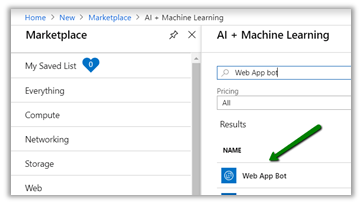
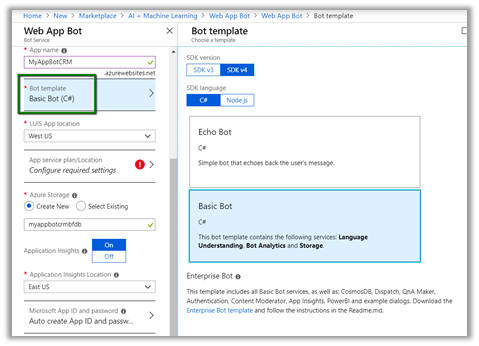
Search for Web App Bot

We have selected Basic Bot template.
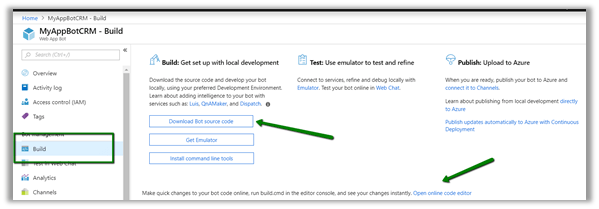
After the Bot Web App is created, we have the option to either Download Bot Source Code to keep developing using Visual Studio or we can open it in online code editor.
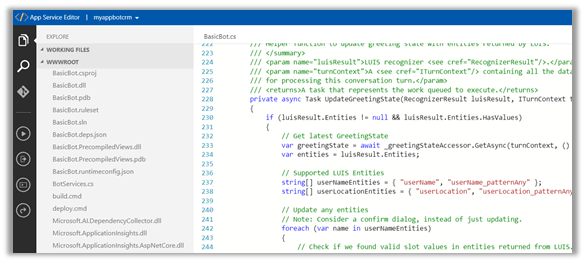
Online Code Editor allows to update the source code within the App Service Editor
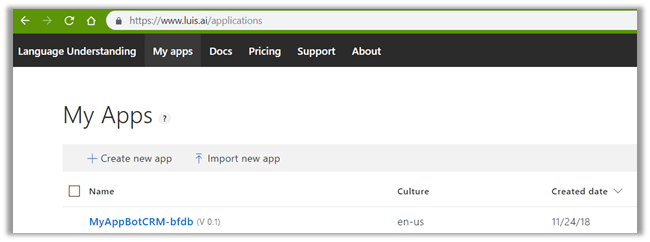
As the basic bot app template uses the Language Understanding Intelligent Services, we can log on to the Luis
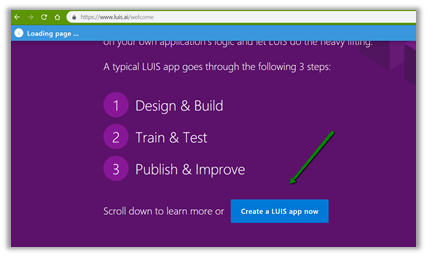
https://www.luis.ai/welcome

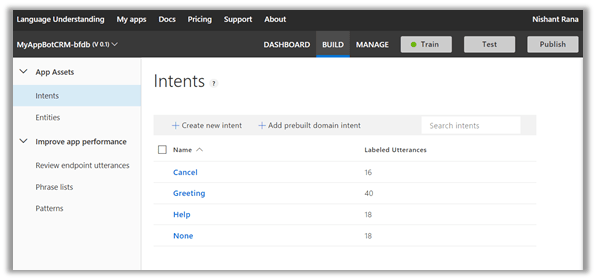
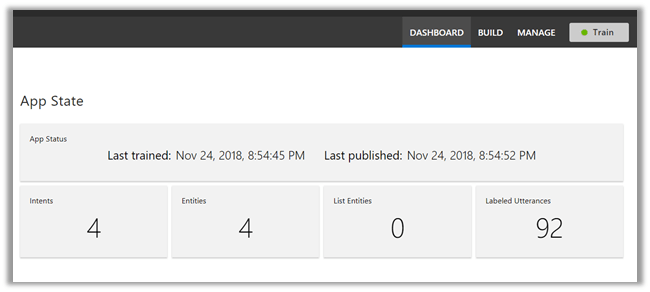
There we can see the app.

With all the corresponding Intents, Entities and Utterances.
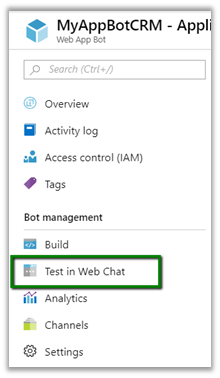
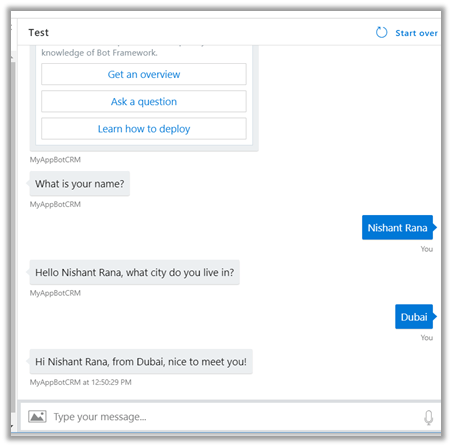
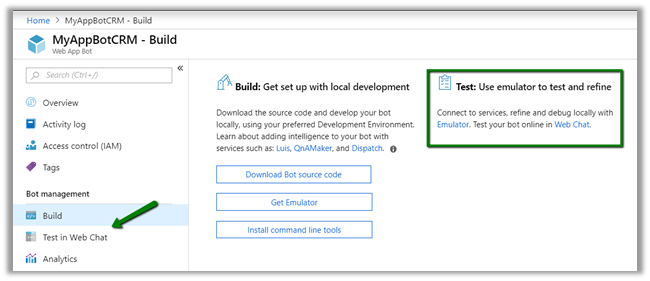
To test the bot either we can either download the emulator for testing locally or can test online using Web Chat.

Select Test in Web Chat
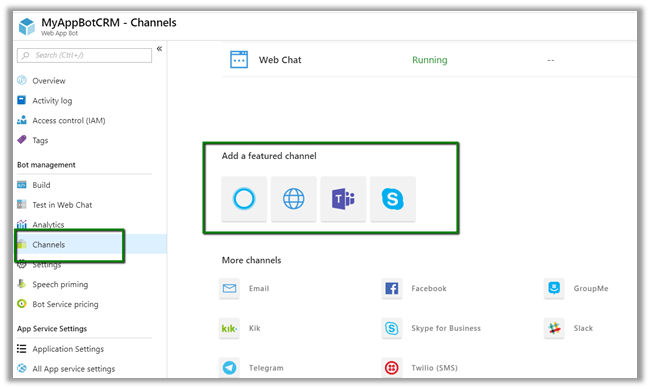
After we have tested it, next we add channel to our Bot, here we will add Skype.
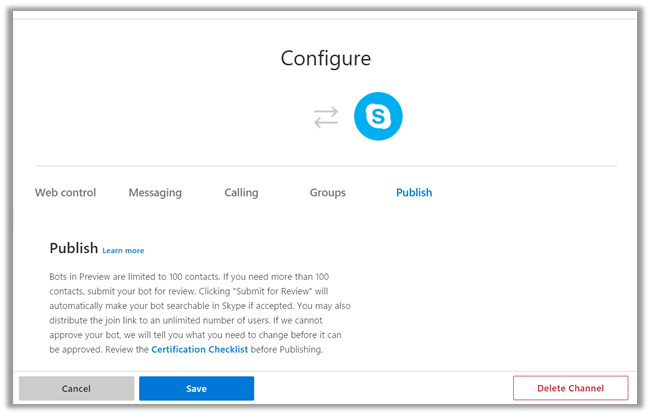
Below are some of the configuration that can be applied for Skype.

Messaging gives the option of enabling the messaging, Calling let us to enable calling, groups allows us to add the bot to groups and Publish option allows to publish the bot and also submit it for review if it to be used by more than 100 contacts as shown below.
Clicking on Save publishes the bot and we can see the Skype added as one of the channels.
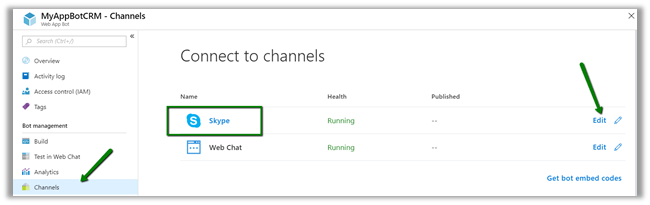
Click on Skype icon to add it to skype.
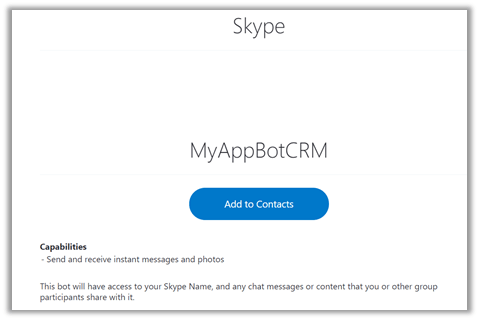
Add to contacts will add it to Skype and can start our conversation.
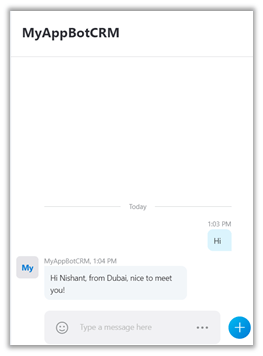
Hope it helps..

Power BI and Microsoft Dynamics 365


Listing down the posts on Power BI and Microsoft Dynamics 365 for quick reference


Azure: Copy Data from D365 CE to Azure SQL Database using Azure Data Factory


Ajit Patra's avatarAjit Patra

In this blog post, we’ll see how to copy data of an entity “Contact” in D365 CE to Azure SQL Database. Let’s follow the below steps to see it in action.

  • Login to Azure portal.
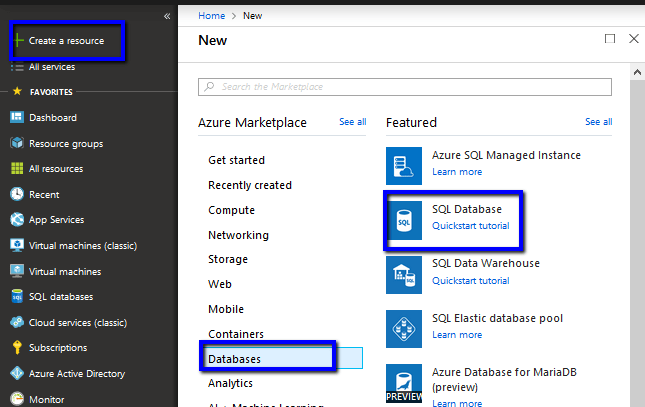
  • Create Azure SQL Database where we need to copy the data. Click Create a resource –> Databases –>  SQL Database

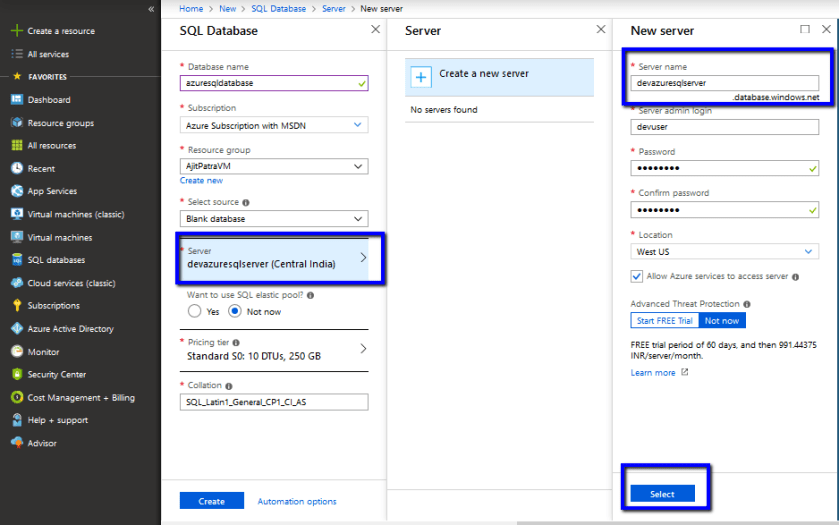
  • Give a unique name to the database. Click on server field to create a Azure SQL Server. Give a unique name to the Azure SQL server, username and password for logging in. Click Select.

  • Make sure the Azure SQL Server just created is selected as Server while creating the Azure SQL Database –> Click on Create.

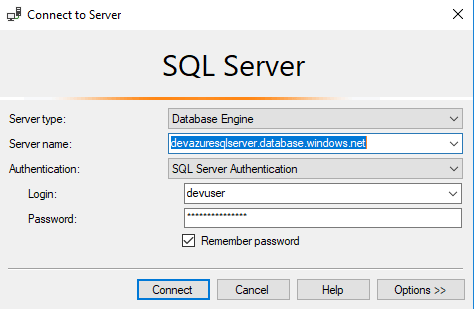
  • Connect to the Azure SQL Server just created using SSMS. Here, we’ll have to add machine IP or range of IP address after clicking Connect.

  • After signing in using Azure credential, select range…

View original post 366 more words

Above and Under operator to query hierarchical data in Dynamics 365


above and under were the 2 new operators introduced with Dynamic CRM 2015.

Let us see some of the examples.

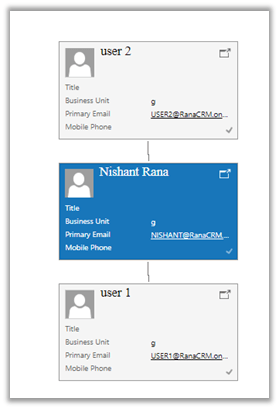
Suppose I have the following hierarchy defined, wherein User 2 is manager of user Nishant Rana who in turn is manager of User 1.

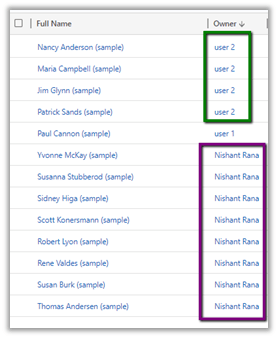
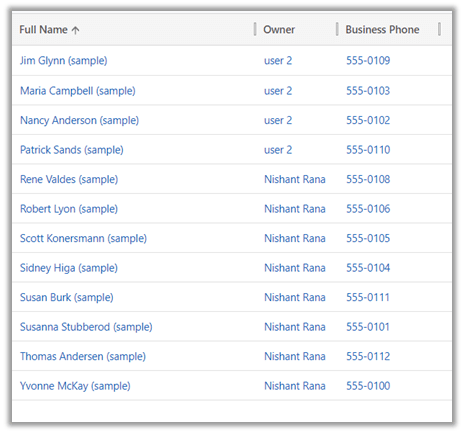
And following are the contacts record owned by them.

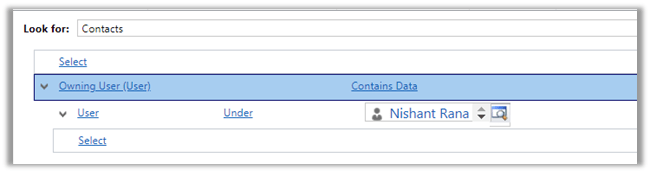
In context of user Nishant Rana, if I apply Under operator, we’d get the following result

Only the records owned by child

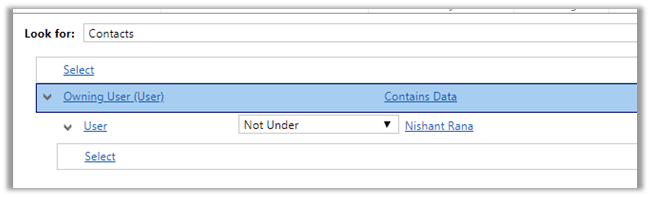
And for Not Under

All the records owned by the user and its manager(s) or parent.

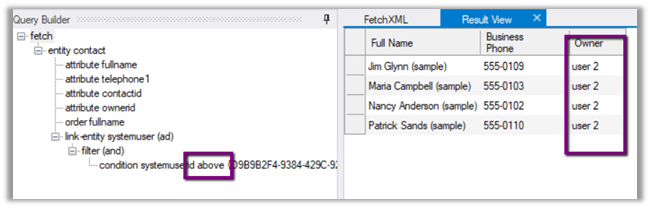
Now we do not have the Above operator in Advanced Find

So, using our favorite tool Fetch XML Builder, the above operator shows only the records owned by the parent(s) of current user.

We also have Above or equal, Under or equal operator which aren’t there in Advanced Find.

Hope it helps..

A quick find filter cannot have any child filters exception in Dynamics 365 CE


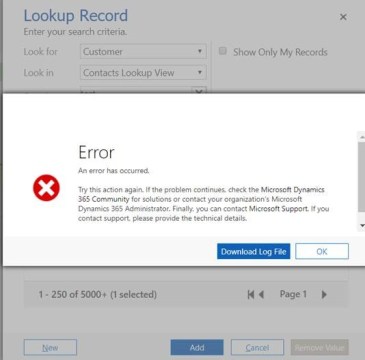
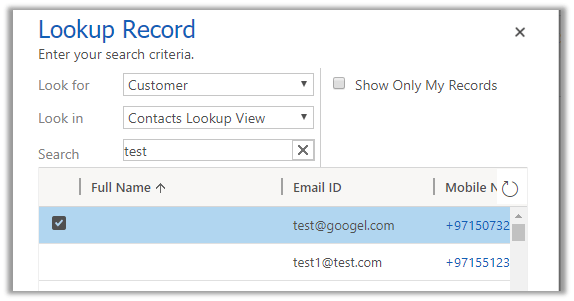
Today afternoon we started getting the below error in the lookup dialog box for customer and contact.

error

Unhandled Exception: System.ServiceModel.FaultException`1[[Microsoft.Xrm.Sdk.OrganizationServiceFault, Microsoft.Xrm.Sdk, Version=9.0.0.0, Culture=neutral, PublicKeyToken=31bf3856ad364e35]]: A quick find filter cannot have any child filtersDetail:

<OrganizationServiceFault xmlns:i=”http://www.w3.org/2001/XMLSchema-instance&#8221; xmlns=”http://schemas.microsoft.com/xrm/2011/Contracts”&gt;

<ActivityId>a5d85309-b57b-4265-b54e-afd09bfeeddc</ActivityId>

<ErrorCode>-2147217118</ErrorCode>

<ErrorDetails xmlns:d2p1=”http://schemas.datacontract.org/2004/07/System.Collections.Generic”&gt;

<KeyValuePairOfstringanyType>

<d2p1:key>ApiExceptionSourceKey</d2p1:key>

<d2p1:value xmlns:d4p1=”http://www.w3.org/2001/XMLSchema&#8221; i:type=”d4p1:string”>Plugin/Microsoft.Crm.Common.ObjectModel.AccountService</d2p1:value>

</KeyValuePairOfstringanyType>

<KeyValuePairOfstringanyType>

Searching for this in the internet we found that mostly the users that are in Microsoft Dynamics 365Version 1710 (9.1.0.643) online are getting this error.

We as suggested raised the support ticket for this in the evening. However strangely enough after 2-3 hours when we are checking this error it is not coming anymore.


We had created one trial instance which was also having the same issue and it has been fixed there. It looks like product team have deployed some kind of fix for it in the background.

Hope it helps..

Getting logged in user roles in client side in Dynamics V9.0


Debajit's avatarDebajit's Dynamic CRM Blog

You may be asking? Why this mundane post? After all we have been here close to 8 years since 2011 released and we have millions of time retrieved it using

So what’s the fuss in it?

So if you are working on CRM version below 9.0, then it’s no fuss. But if you are working on V9.0 and above, may be this is an interesting read for you.

Xrm.Page is deprecated.

So what’s the other way. Well you need to do it the V9.0 way. Below is the code to do the same.

And the userRoles variable here contains the list of GUID’s of the roles the user have. Wasn’t that easy?

For e.g – not only you can get the security roles but also the privilege id’s for all the security roles associated with the user.

Debajit Dutta
(Dynamics MVP)
For consultation/ training visit http://www.xrmforyou.com or reach out to…

View original post 3 more words

Nishant Rana's Weblog

Everything related to Microsoft .NET Technology

Skip to content ↓