Azure Communication Services uses Azure Event Grid to send real-time event notifications for chat, telephony, video, SMS, and voice calling events.
Azure Event Grid will then route the event messages to the subscribers, one of them being the Azure Application we registered while configuring the Voice channel.
https://nishantrana.me/2022/10/17/how-to-set-up-omnichannel-voice-using-azure-communication-service-acs/

We had specified the Azure App id and tenant id while connecting to ACS from Dynamics 365 as the Event grid app id and Event grid app tenant id.
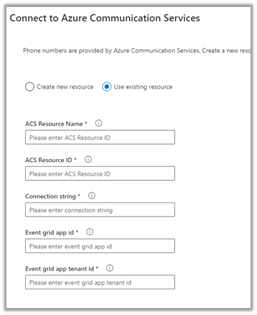
- So first we need to register Azure Event Grid System Topic for our app to listen to Azure Communication Service Events.
- Next, we need to subscribe to specific events for call recording, sms, etc by creating Azure Event Grid Subscriptions.
Login to Azure Portal, create a new Event Grid System
Topic as shown below
Specify Azure Communication Services as Topic Types and for Resource select the Azure Communication Service resource created earlier.

Create the Event System Grid Topic.

Navigate to the topic created, and next create an Event Subscription there.
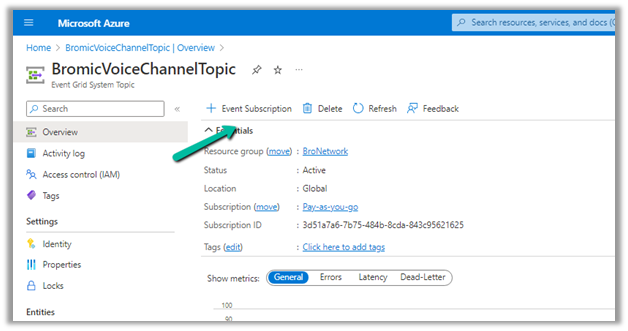
Provide the below details
File to Event Types = Recording File Status Updated
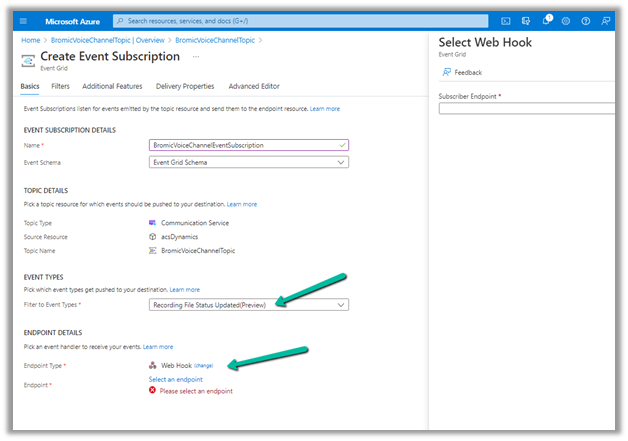
The other event types available are –


For the webhook’s endpoint, navigate back to the Omnichannel Admin Center,
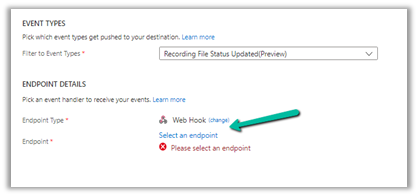
From the Phone Number >> Advanced Settings copy the WebHook Endpoint URL.
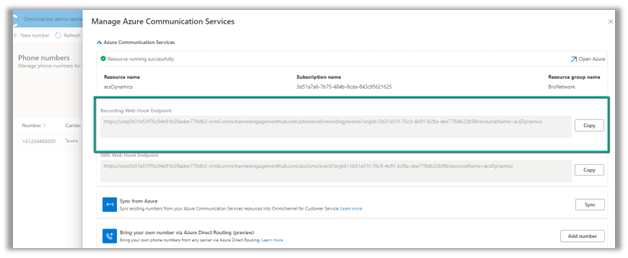
Paste it there and navigate to the Additional features tab.
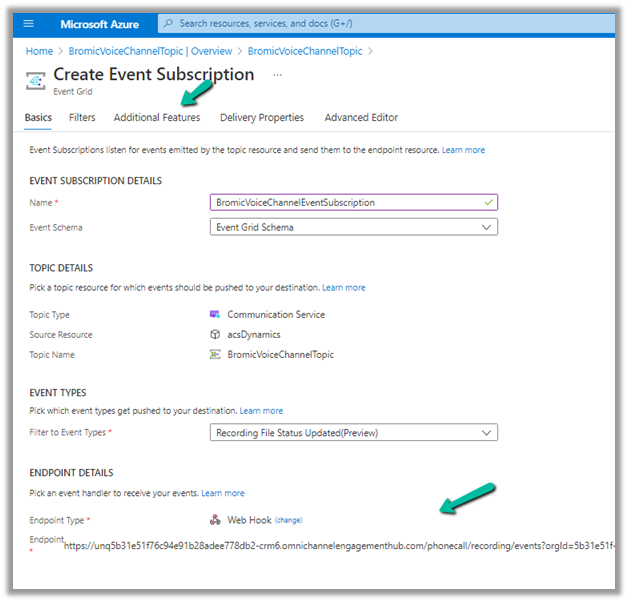
Check AAD Authentication and specify Tenant ID and AAD Application ID or URI, the same details that were specified while connecting ACS from Dynamics 365 as event grid app id and event grid app tenant id.


Click on Create and we are now done with the required setup.
We got the below error while creating the Azure Event Subscription https://nishantrana.me/2022/12/15/fixed-deployment-has-failed-with-the-following-error-codewebhookaadappaccesscheckcategorymessageaccess-check-failed-for-webhook-aad-app-with-error-subscribers-client-user/
Back inside Dynamics 365 Customer Service Workspace, we can see both the inbound and the outbound call getting recorded.

Thanks to this wonderful post that helped us in configuring it – https://triciasinclair.com/2022/04/25/setting-up-omnichannel-voice-using-azure-communication-service/
Also, check – https://learn.microsoft.com/en-us/dynamics365/customer-service/voice-channel-connect-existing-resource?tabs=customerserviceadmincenter#enable-call-recording-and-sms-services
https://triciasinclair.com/2021/01/27/d365-customer-service-voice-channel/
https://neilparkhurst.com/2022/08/11/omnichannel-for-customer-service-collection-2/
Hope it helps..